gin-swagger serves the UI while swag writes the spec
gin middleware to automatically generate RESTful API documentation with Swagger 2.0.
At a glance
- What is it?
- gin-swagger is a Gin middleware for serving a Swagger interface, and almost all of the work happens somewhere else: a separate command parses annotation comments in your handlers and writes a documentation package that the middleware then serves. The repository is two Go files and three example directories, and its own documentation still teaches an install command that Go deprecated in version 1.17 before offering the replacement.
- Who is it for?
- gin-swagger fits a Go team on Gin whose handlers already carry annotation comments, or who are willing to add them, and who want a browsable interface served by the same binary as the API. It does not fit a project that wants OpenAPI 3 output, since the described target is Swagger 2.0, and it does not fit anyone who would rather write the specification by hand than annotate every handler.
- Can I use it commercially?
- Yes. MIT is a permissive licence: you can use, modify and sell software built on it, as long as you keep its copyright and licence notices.
- Is it still maintained?
- Yes. The repository last received commits 127 days ago.
- What is it written in?
- Mainly Go, according to GitHub's language statistics.
Answers come from the project's GitHub data, last synced on November 14, 2026, and from our analysis. They are not legal advice.
Star history
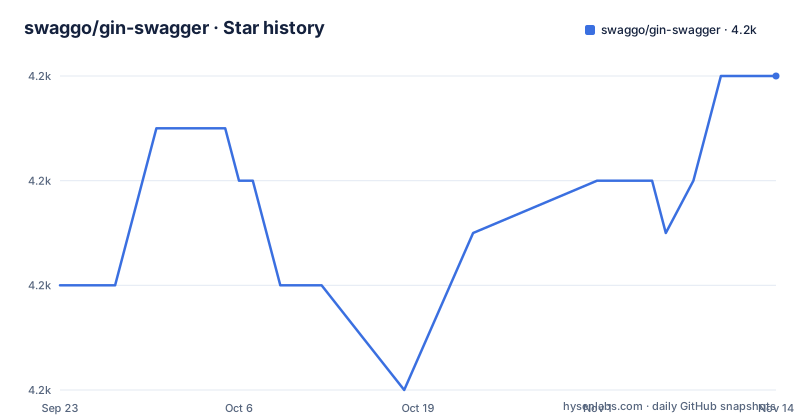
- swaggo/gin-swagger4,240 ★ · +4
| Repository | 2026-09-23 | 2026-11-14 |
|---|---|---|
| swaggo/gin-swagger | 4.2k | 4.2k |
4 Stars in the last 52 days, measured from the daily GitHub snapshot. Compare with other projects
Editorial analysis
Two Go files and three example directories
The whole middleware is small. The repository has a single source file, a single test file, a module manifest, a lock file and a licence, alongside automation for releases and a pull request template.
The examples do most of the teaching. There are three directories under example: a basic one, one for gzipped responses, and one for serving multiple documents on a router.
That ratio is the point. A middleware whose job is to hand a generated file to a browser does not need much code, and the interesting decisions live in the command that produces the file and in the configuration the middleware passes to the interface.
So when you read the documentation, be clear about which of the two projects you are reading about. Most of the steps described are steps for the generator, and the middleware appears at the end, as the import and the handler that serves the result.
The install step teaches a deprecated command first
The usage sequence starts with comments in your API source, then the generator. The first command offered for installing it is a module-aware get with an update flag, pointing at the command inside the generator repository.
Immediately after that, the page notes that starting in Go 1.17 installing executables with that command is deprecated, and gives the replacement, which uses the install verb with an explicit version suffix. The newer form is the second half of the instruction rather than the whole of it.
Then you run the generator at the project root, where it parses the comments and writes a documentation folder containing a Go file and two serialised specifications, one JSON and one YAML.
Finally the middleware is fetched with two separate commands, because it has a companion module for the embedded interface files, and both are imported by name: one for the middleware, one for the embedded files.
The specification is line comments that a parser reads
The canonical example annotates a handler that returns a hello world string as JSON. The annotations sit above the function as ordinary line comments:
// @BasePath /api/v1

// PingExample godoc
// @Summary ping example
// @Schemes
// @Description do ping
// @Tags example
// @Accept json
// @Produce json
// @Success 200 {string} Helloworld
// @Router /example/helloworld [get]
Each line carries one fact about the endpoint: the base path, a name used by the parser, a summary, the schemes, a description, a tag for grouping, the accepted and produced media types, the success response with its type, and the route with its method.
Nothing here is enforced by the compiler, which is exactly the trade: readable at the call site, unchecked until the generator runs.
Nested projects need the entry file and the output path spelled out
The flat case works because the generator runs at the project root and finds a main file and a documentation directory by convention. The page shows what that produces: a documentation folder with a Go file and the JSON and YAML specifications, next to the module files and the main file.
Then it shows a nested project, where the entry point is under a command directory and the handlers and models live under an internal directory. Two things the generator would otherwise guess are now wrong, and the command supplies both:
swag init -g ./cmd/ginsimple/main.go -o cmd/docsOne flag names the file to parse as the entry point, the other sets where the generated files are written. The page explains the second flag in one line, which is the level of detail most of this documentation sits at.
The consequence for a real project is that the layout of your repository becomes part of your build command, and moving a main package means updating a flag.
Options configure the interface, not the specification
The configuration table is the longest part of the page, and every row is a default for the rendered interface rather than for the document itself.
The URL option defaults to the document file name in the same directory. Expansion has three settings: expand the tags only, expand tags and operations, or expand nothing. Deep linking is on by default. Model expansion depth defaults to one, and setting it to minus one hides models entirely, with a second depth option for the example section of a single model. Rendering can show a model as an example or as a schema, and the reader can switch per model.
Two options are about wiring rather than looks. The instance name defaults to the document name and has to be unique per instance if several documents share one router, with a matching parameter available to the generator. And an authorization persistence flag, off by default, decides whether the credentials you type into the interface survive a reload.
All of them are passed as arguments to a wrapper function around the embedded file handler.
Multiple documents are a generator feature
The page states the multiple API feature in a single sentence: it was introduced in version 1.7.9 of the generator.
That attribution is the whole mechanism. The middleware can serve whichever document it is handed, but it cannot invent a second one, so serving two APIs on one router means generating two specifications with two names and pointing two instances at them. The example directory for multiple documents exists to show exactly that.
The module manifest makes the dependency explicit. The middleware requires the generator library itself at a version well past 1.7.9, and it requires a separate module for the embedded interface files, which is why your import block has two entries from the same organisation and why the generator's version can outrun the middleware's own release number.
The other direct requirements are a framework, its gzip middleware, the network package and a testing library. There is no parser here, and no template engine, because parsing and rendering belong to the other project.
A patch release after a two and a half year gap
Three releases are on record. The 1.5.3 line in September 2022, the 1.6.0 line in March 2023, and 1.6.1 in September 2025.
That is a two and a half year gap between the second and third, which is the release rhythm of a project whose difficult work happens in its dependency. The last push on the default branch is dated 2026-07-10.
The module manifest explains why the middleware can be quiet. It targets a recent language version while pinning the framework at v1.9.1, alongside an older testing library and a recent network package. Nothing in that set needs chasing, and nothing in it needs updating for the middleware to keep working.
The generated document, by contrast, is produced by a command that moves faster, and the page's own reference to version 1.7.9 of the generator is the clearest evidence of that gap.
Editorial conclusion
gin-swagger fits a Go team on Gin whose handlers already carry annotation comments, or who are willing to add them, and who want a browsable interface served by the same binary as the API. It does not fit a project that wants OpenAPI 3 output, since the described target is Swagger 2.0, and it does not fit anyone who would rather write the specification by hand than annotate every handler. Before adopting it, check four things. Where your entry point lives, because the generator needs to be told explicitly when the project is nested rather than flat. Whether the annotation comments can live next to your handlers without fighting your linter. Whether you need more than one documented API on one router, since each instance needs its own generated document and a unique name. And how far behind your Gin version you are willing to be, because the module pins gin v1.9.1 while the generator it depends on, swag v1.8.12, is past the v1.7.9 release that introduced multiple documents.
Frequently asked questions
What is gin-swagger?
A Gin middleware that serves a Swagger interface for your API. The specification itself is produced by the separate swag command from annotation comments in your source, so the middleware only serves the generated file and the embedded interface assets.
How do I add Swagger documentation to a Gin API?
Annotate your handlers with the declarative comment format, run the generator at the project root so it writes a documentation package containing a Go file plus JSON and YAML specifications, import that package, set the base path, then register the middleware with its wrapper function. The interface is then served from the swagger path.
How do I generate docs for a project with nested directories?
Pass the entry file and the output directory explicitly, as the page shows for a project whose main package sits under a command directory. One flag names the file to parse as the entry point and the other sets where the generated files are written.
What options does gin-swagger expose?
They configure the interface rather than the specification: the URL of the definition file, the default expansion setting, deep linking, model expansion depth, whether a model renders as an example or as a schema, the instance name, and whether authorization details are persisted.
Official sources
Add this badge to your README
If you maintain this project, the badge below links readers to this analysis and shows its maintenance status from the daily GitHub snapshot. Paste the markdown into your README; add ?metric=license or ?metric=stars to the image URL for a different field.

[](https://hysenlabs.com/projects/swaggo-gin-swagger)Star history chart for your README
[](https://hysenlabs.com/projects/swaggo-gin-swagger)Was this useful?