unist is the tree format that lets a dozen markup languages share one set of tools
Universal Syntax Tree used by @unifiedjs
At a glance
- What is it?
- unist is a specification for syntax trees, written in a Web IDL like grammar, with a Node interface of exactly three fields and a JSON representability rule that lets any compliant tree survive a round trip through JSON.parse and JSON.stringify. It is not self-sufficient by design, since the actual languages live in specifications that implement it, such as hast for HTML, mdast for Markdown, nlcst for natural language and xast for XML.
- Who is it for?
- Adopt unist as the tree contract when you build tools that have to work across several markup languages, since the point of the specification is that a traversal utility written once applies to all of them. Do not implement unist directly if you only handle one language, since a language specific tree is usually simpler.
- Can I use it commercially?
- Not without permission. GitHub finds no licence file in the repository, and without a licence all rights are reserved by default: you may read the code but not reuse it. Check the README, or ask the authors, before using it.
- Is it still maintained?
- Yes. The repository last received commits 159 days ago.
- What is it written in?
- GitHub does not report a main language for this repository.
Answers come from the project's GitHub data, last synced on November 7, 2026, and from our analysis. They are not legal advice.
Star history
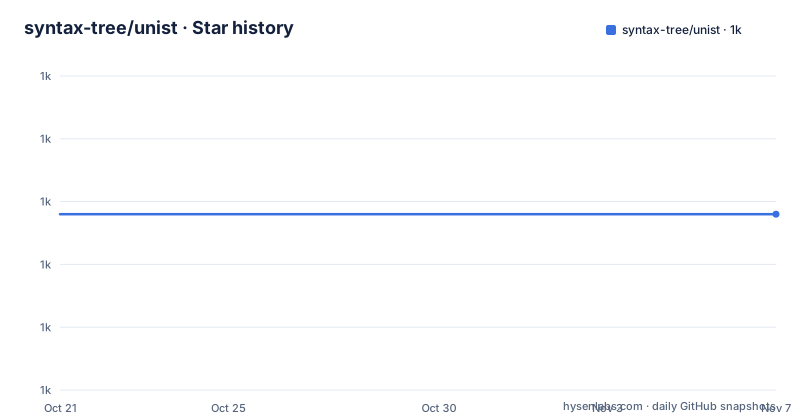
- syntax-tree/unist1,014 ★ · +0
| Repository | 2026-10-21 | 2026-11-07 |
|---|---|---|
| syntax-tree/unist | 1k | 1k |
0 Stars in the last 17 days, measured from the daily GitHub snapshot. Compare with other projects
Editorial analysis
A specification, deliberately not a library
unist is a specification for syntax trees, and it has a big ecosystem of utilities in JavaScript for working with these trees. It is implemented by several other specifications.
The name is a backronym, Universal Syntax Tree, and the document says development of unist started in July 2015. The specification is written in a Web IDL like grammar, which is a choice worth noting because it means the type definitions are the document rather than prose describing them.
The scope statement is short and clear. unist is not intended to be self-sufficient. Instead, it is expected that other specifications implement unist and extend it to express language specific nodes. The named examples are hast for HTML, nlcst for natural language, mdast for Markdown and xast for XML.
So unist is a contract, and the trees you actually work with belong to the language specifications. That is the design, and it is why a single traversal utility can be written once and used everywhere.
The document itself is published under a Creative Commons licence rather than a software licence, which is the correct choice for a specification, and the package metadata in the repository records the licence as CC-BY-4.0. The npm package is private with a version of 0.0.0, because it is a document rather than something you install, and the TypeScript types are published separately as @types/unist.
Why the shape of the tree has to be fixed
The Intro section explains what a syntax tree is and why the format matters.
Syntax trees are representations of source code or even natural language, and these trees are abstractions that make it possible to analyze, transform and generate code.
The key distinction is between two flavours. Concrete syntax trees are structures that represent every detail, such as white space in a white space insensitive language, and abstract syntax trees are structures that only represent details relating to the syntactic structure of code, such as ignoring whether a double or single quote was used in a language that supports both, such as JavaScript. This specification can express both.
Then there is the set of relationships the format has to other things. unist relates to JSON in that compliant syntax trees can be expressed completely in JSON. However, it is not limited to JSON and can be expressed in other data formats, such as XML.
It relates to JavaScript in that it has a rich ecosystem of utilities for working with compliant syntax trees in JavaScript, and the five most used utilities combined are downloaded thirty million times each month. However, unist is not limited to JavaScript and can be used in other programming languages.
And it relates to the unified, remark, rehype and retext projects in that unist trees are used throughout their ecosystems, and to the vfile project in that vfile accepts unist nodes for its message store and can be a source file of a syntax tree.
The Node interface is three fields and no more
The node type is the centre of the specification, and it is small on purpose.
interface Node {
  type: string
  data: Data?
  position: Position?
}
The type field is a non-empty string representing the variant of a node, and it can be used to determine the type a node implements. The data field represents information from the ecosystem, with its value implementing the Data interface. The position field represents the location of a node in a source document, with its value implementing the Position interface, and it must not be present if a node is generated.
Specifications implementing unist are encouraged to define more fields, and ecosystems can define fields on Data. But the base interface is three fields, and a node that conforms to nothing else is portable between every language specification that implements unist.
The rule that makes the format portable is the JSON one. Any value in unist must be expressible in JSON values, which are string, number, object, array, true, false or null. This means that the syntax tree should be able to be converted to and from JSON and produce the same tree, and the example given is that in JavaScript a tree can be passed through JSON.parse(JSON.stringify(tree)) and result in the same tree.
Position, Point and the rule for generated nodes
Position describes where a node came from, and it is two points.
interface Position {
  start: Point
  end: Point
}
The start field represents the place of the first character of the parsed source region, and the end field represents the place of the first character after it, whether it exists or not.
A Point is one place in a source file.
interface Point {
  line: number >= 1
  column: number >= 1
  offset: number >= 0?
}
The line and column fields are one indexed integers, and the offset field is a zero indexed integer counting characters, where the term character means a UTF-16 code unit as defined in the Web IDL specification.
The generated node rule is the part that is easy to get wrong in an implementation. If the syntactic unit represented by a node is not present in the source file at the time of parsing, the node is said to be generated, and it must not have positional information.
The readme walks through an example with two lines, alpha and bravo, and gives the exact line, column and offset of each. The first word starts at line 1, column 1, offset 0 and ends at line 1, column 6, offset 5. The line feed starts at line 1, column 6, offset 5 and ends at line 2, column 1, offset 6. The last word starts at line 2, column 1, offset 6 and ends at line 2, column 6, offset 11.
Parent, Literal and the part unist refuses to specify
Two more interfaces extend Node, and they cover the two relationships a tree needs.
interface Parent <: Node {
  children: [Node]
}
Nodes containing other nodes, said to be children, extend the abstract interface Parent, and the children field is a list representing the children of a node.
interface Literal <: Node {
  value: any
}
Nodes containing a value extend the abstract interface Literal, and the value field can contain any value.
The glossary defines the terms these interfaces rely on. A tree is a node and all of its descendants, if any. Node X is a child of node Y if the children of Y include X, and the parent is the reverse. And the index of a child is its number of preceding siblings.
And then there is the field that unist deliberately leaves open.
Data represents information associated by the ecosystem with the node. This space is guaranteed to never be specified by unist or by specifications implementing unist.
That is a strong guarantee and a useful one. It means a language specification can add whatever it likes to the data field, and a generic tool cannot rely on any of it, and that is exactly the property that lets the same utility work across languages. The cost is that if you need the data, you need to know which ecosystem you are in.
The repository is the document, and remark is the toolchain
The top level listing is small, because the repository is a specification and its tooling rather than a library.
There is a readme.md, which is the specification document itself, a package.json, a logo.svg and a logo-square.svg, a .npmrc, a .gitignore and a .github/ directory.
The package manifest explains the toolchain. The package is private, with a version of 0.0.0, the description is universal syntax tree, and the licence is CC-BY-4.0. The only two development dependencies are remark-cli and remark-preset-wooorm, and the scripts are format, which runs remark with the frail and quiet flags over the files, and test, which is the format script again. The remarkConfig field names the preset as a plugin, so the document is formatted with the author's own preset.
There is a contributors field with three names, and the author is Titus Wormer, which is a clue about where the unified ecosystem comes from.
The one line in the readme that an implementer has to notice is the one near the top. This document may not be released, and the reader is pointed at the releases for released documents, with the latest released version being 3.0.0.
So the text in the repository is a working draft, and the version that other specifications implement is 3.0.0, published in June 2023. Before depending on a detail of the specification, check it against the released document rather than against the repository.
Editorial conclusion
Adopt unist as the tree contract when you build tools that have to work across several markup languages, since the point of the specification is that a traversal utility written once applies to all of them. Do not implement unist directly if you only handle one language, since a language specific tree is usually simpler. Verify first which version of the specification your tooling implements, because the released document is 3.0.0 and the repository text is explicitly marked as possibly unreleased, and that the data field you rely on is one the ecosystem defines rather than one unist guarantees.
Frequently asked questions
What is unist?
It is a specification for syntax trees, written in a Web IDL like grammar, with an ecosystem of JavaScript utilities for working with compliant trees. It is not intended to be self-sufficient, since other specifications such as hast for HTML, mdast for Markdown, nlcst for natural language and xast for XML implement and extend it.
What does a unist Node look like?
Three fields: type, a non-empty string naming the variant; data, the ecosystem specific information; and position, the location of the node in the source. The position field must not be present if a node is generated rather than parsed.
Why does the unist specification care about JSON?
Any value in unist must be expressible as a JSON value, so the syntax tree can be converted to and from JSON and produce the same tree. In JavaScript a tree can be passed through JSON.parse(JSON.stringify(tree)) and come out identical, and the format is not limited to JSON and can also be expressed in XML.
What is the unist Data field for?
It carries information associated by the ecosystem with the node, and that space is guaranteed to never be specified by unist or by specifications implementing unist. Specifications are encouraged to define more fields and ecosystems can define fields on Data.
Which version of the unist specification should I implement?
The latest released version is 3.0.0, published in June 2023. The document in the repository is explicitly marked as possibly unreleased, so check details against the released document rather than against the readme in the repository.
How do I get the TypeScript types for unist?
Install them from npm with npm install @types/unist. The types package is published separately because the specification itself is not a code package, and the manifest in the repository is private with a version of 0.0.0.
Official sources
Add this badge to your README
If you maintain this project, the badge below links readers to this analysis and shows its maintenance status from the daily GitHub snapshot. Paste the markdown into your README; add ?metric=license or ?metric=stars to the image URL for a different field.

[](https://hysenlabs.com/projects/syntax-tree-unist)Star history chart for your README
[](https://hysenlabs.com/projects/syntax-tree-unist)Was this useful?