SyntaxHighlighter's README is four wiki links, and its last tag is a 3.0 build from 2016
GitHub describes it as SyntaxHighlighter is a fully functional self-contained code syntax highlighter developed in JavaScript.. The repository metadata lists JavaScript as its primary language. The metadata lists the MIT license. This article stays within the project description and details documented in the GitHub repository README.
At a glance
- What is it?
- A client-side syntax highlighter in JavaScript: the source is at 4.0.1 while the newest release tags are 3.0 builds from February 2016, and the version numbers in those tags do not sort, the documentation lives on a wiki rather than in the repository, the test suite drives a browser engine that was abandoned years ago, and the entry point in the manifest points at untranspiled source.
- Who is it for?
- SyntaxHighlighter fits a page that has been carrying this highlighter since the era it was written for, and it is a poor fit for anything new. Four things to know.
- Can I use it commercially?
- Yes. MIT is a permissive licence: you can use, modify and sell software built on it, as long as you keep its copyright and licence notices.
- Is it still maintained?
- Probably not. The repository last received commits 79 months ago, on April 18, 2020.
- What is it written in?
- Mainly JavaScript, according to GitHub's language statistics.
Answers come from the project's GitHub data, last synced on October 4, 2026, and from our analysis. They are not legal advice.
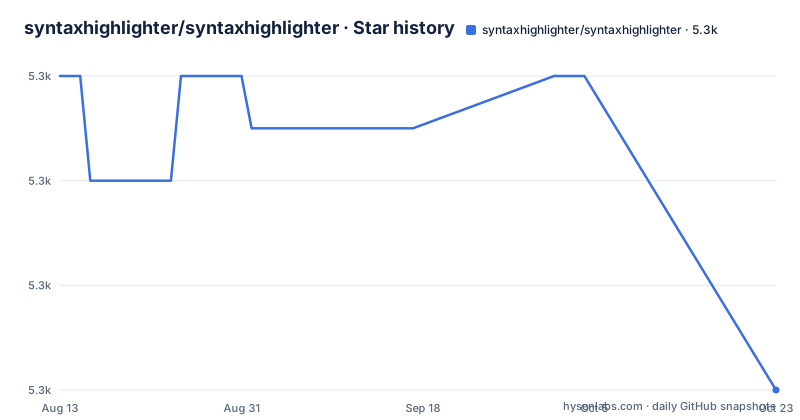
Star history
- syntaxhighlighter/syntaxhighlighter5,300 ★ · +0
| Repository | 2026-08-13 | 2026-10-04 |
|---|---|---|
| syntaxhighlighter/syntaxhighlighter | 5.3k | 5.3k |
0 Stars in the last 52 days, measured from the daily GitHub snapshot. Compare with other projects
Editorial analysis
The newest tags are 3.0 builds from 2016 and their numbers do not sort
Three releases are visible, and between them and the source they describe three different eras.
The tags are a 3.0.90 build from February 2016, a 3.0.9 build from six days earlier, and a 3.0.83 from the same day as the 3.0.9, written without the leading letter the other two have.
The ordering is the interesting part. As text, 3.0.9 sorts after 3.0.90 and 3.0.83. As numbers, 9 is less than 83 and less than 90. So the third component is a build counter that grew into three digits, and the sequence is not a version order at all. Any tool resolving the newest release, or any dependency range written against these versions, is comparing strings that do not mean what a version number usually means.
Then there is the gap. The manifest declares 4.0.1 and the README's own heading calls the project version 4, so the source is a major version past the one the tags name, and the tags stopped in 2016.
The repository itself has moved more recently than the tags, but not recently: the most recent commit is dated 2020-04-18, which is more than six years before now. So the sequence is a 2016 release, a 2016 to 2020 development period for version 4, and six years of quiet since.
For a project whose selling point is that it has been around since 2004, the version history is the part that has not been kept up.
The documentation is four links into a wiki that is not in the repository
The whole of this project's user documentation is a bulleted list of three links and an instruction to read a fourth thing.
The get started section links building instructions, links usage instructions, and then tells you to be sure to read the caveats. The FAQ section links the same building page again, a wiki page on filing issues, and a wiki page on caveats. All four targets are on the repository's wiki.
A wiki attached to a repository is not versioned with its code. It has its own history, its own contributors and no branch. So a reader who clones version 4.0.1 and follows a build page written six months later has no way to tell that the instructions have moved on, and a reader who reports a bug against a wiki that has since been rewritten loses the context.
The repository root confirms the gap. There is a gitignore, a continuous integration file, the licence, the readme, three build output directories, the build configuration, the manifest, a screenshot, the source and the tests. There is no documentation directory, no contributing guide, no change log and no security policy.
So for a project whose entire interface is a set of configuration objects, the authoritative description of those objects is on a wiki, and the repository itself would not let you reconstruct what version they described.
The entry point points at source, and three build output directories are committed
The manifest's main field names a file inside the source directory, and the built output sits somewhere else.
It points at a core file in the source tree. So a consumer who installs the package gets a file that has not been through the build step, in a project whose build step exists to produce a bundle for the browser. There is no exports map, and no browser or module condition, so there is no way for a resolver to pick a built artefact even if the built artefact is installed alongside the source.
The root makes the arrangement visible. There is a source directory, a build directory and a distribution directory, and all three are in version control. A build system that commits its output is a common and defensible choice for a library that ships to a CDN, and it also means the repository contains three copies of the same code, and that a diff touching generated files is indistinguishable from a diff touching handwritten ones.
There is also a directory whose name is plural repositories, which is not something the manifest references. Whatever that directory is for, it is part of the tree a reader has to work out, and it is not described anywhere in the file or on the wiki links the file provides.
The test suite drives a browser engine that was abandoned years ago
The test script runs four suites in sequence, and two of them cannot work as written.
The first is a smoke suite, driven by a browser test runner in single-run mode. The second is an integration suite that first builds the project with a specified theme and a specified set of brush fixtures, then runs the same browser runner. The third is a compatibility suite that builds with a compatibility flag and runs a third configuration of the same runner. The fourth is a unit suite that runs a compiler runner over the source and test files, using a configuration file for the test framework's options.
The problem is the launcher. The development dependencies include a plugin whose entire job is to start a headless browser that has not been maintained for years, alongside the runner and its own reporting plugin. The integration suites depend on it, so two of the four suites in the project's own test command cannot run on a machine that does not already have that browser engine.
The unit suite has a separate problem. It passes an options flag to the test framework, and that flag was removed in a later major version of that framework. The dependency list pins the framework to a version from its third major, so the command is correct for the version in use and would break the moment anyone upgraded it.
What is interesting is that the integration fixtures include a brush written for the previous major version of the library. So the compatibility promise in the FAQ is not a claim; it is a fixture, run on every integration pass, alongside a current brush and a modern-module-syntax brush.
The rest of the toolchain is from the same period: a task runner on its third major, a compiler toolchain on version 6, an assertion library on version 3, an HTML parsing library below version 1, and a coverage reporter for a coverage tool that predates the current generation.
The FAQ is three sentences, and two of them are about things that were removed
The whole of this project's frequently-asked section is a list of three.
The first says version 4 is fully compatible with the old brushes and themes, and sends you to the build page. The second says a query parameter was removed outright, in the name of a tidier result. The third says you still have to escape a less-than sign when using preformatted tags.
Two of those three are about a migration, and only the first is a capability. The removed parameter is a real breaking change with a benefit attached, and the escaping note is a footgun that survived the rewrite. Both are the kind of thing that belongs in a change log for a major version, and this repository has no change log.
So the compatibility story is told in three lines on the readme, verified by a fixture in the integration suite, and explained in a wiki page that is not in the repository. There is no list of what else changed in version 4.
The escaping note deserves a second look, because it is a raw injection point that the library does not handle for you. If you put code inside a preformatted tag, the less-than sign in a generic type annotation is still a markup delimiter, and the library's job is not to protect you from that. The readme says so. It is the sort of note that only appears in a list of three, and it is the one most likely to be read after a bug report rather than before.
The old architecture gets one sentence elsewhere in the file, and it is the only technically substantive claim in the whole readme: everything used to be in one file and assign window variables, which the author punctuates with an exclamation. That single admission is the entire reason the version 4 rewrite happened, and the readme gives it less space than the donation appeal.
The badges point at a payment service and a continuous integration service that no longer exist
There are two badges in this file, and neither points at the software.
The first is a donation badge for a payment service that hosted tip jars for open source projects. That service has been wound down, and a badge that renders an image from it is either a broken image or a redirect to something else.
The second is a build status badge, and it points at a continuous integration service using that service's older domain rather than its current one. The repository's own configuration file for the same service is still in the root, so the badge is reading a real configuration from an address that has moved.
So the two pieces of information a badge row normally carries, how much money the project has received and whether the build is green, are both pointing at services whose endpoints have changed. A reader cannot tell from the top of the file whether the project builds.
The donation appeal in the body of the readme has the same problem from the other end. It is a paragraph written in the first person, offering to be bought a drink or a coffee and a bagel, and it links a hosted payment button identified by a long numeric string. A hosted payment button of that shape belongs to the same era as the tip-jar service, and it is the mechanism the readme pushes hardest, in bold, with an instruction to give generously.
Everything in this file that is not the three-line FAQ and the licence appears to have been written once, in a different decade, and the software parts have been updated around the prose.
The readme names its users in the present tense and explains nothing about how it works
The opening of this project makes two claims and then points at a wiki.
The first claim is that it is the client-side highlighter for the web, with an emphatic article. The second is that it is used virtually everywhere to seamlessly highlight code for presentation purposes. Neither is checkable and neither is the kind of sentence a reader deciding on a library needs.
Then there is the history: it has been around since 2004, and its history predates most common web technologies. That is a fair and useful thing to say, and it is immediately followed by the honest admission about the old one-file global-scope design.
The third paragraph is a user list, written in the present tense. It names a software foundation, a web server foundation, a browser vendor, a web company, a blogging platform, a hardware company, an accounting company and many others and blogs. Those names date the file, because several of the products have changed owner, name or existence since the list was written, and the tense is still present.
After that the readme has three sections: reporting an issue, which is a wiki link; getting started, which is three bullets; and support, which is the donation appeal. There is no description of what a brush is, what a theme is, what configuration options exist, what the API looks like, or what the constraints of the highlighter are.
The project's only licence statement is the single word MIT, unlinked, in its own heading, with a licence file in the root named differently from every other conventional name.
Editorial conclusion
SyntaxHighlighter fits a page that has been carrying this highlighter since the era it was written for, and it is a poor fit for anything new. Four things to know. The repository's own documentation is four links into a wiki, and the wiki is not in the repository, so a version of the code and a version of the instructions can disagree with nothing to arbitrate between them. The published entry point is a source file rather than the built bundle, and the built output is committed in a directory the manifest does not name. The test suite cannot be run as written, because it drives a headless browser engine that was abandoned, and the unit runner uses a configuration flag that its test framework removed years ago. And the release tags are a 3.0 line from 2016 whose numbers do not sort numerically, so any automation comparing them is comparing strings.
Frequently asked questions
What is a syntax highlighter?
This repository does not define the term. It describes itself as a self-contained, client-side highlighter written in JavaScript, in the present tense and in the most emphatic terms the file can manage, and then links to usage and caveat pages on a wiki. The general question is not answered anywhere in the repository.
Is SyntaxHighlighter still developed?
The most recent commit is dated 2020-04-18. The most recent release tags are 3.0 builds from February 2016, while the manifest carries 4.0.1 and the readme calls the project version 4. So the source, the tags and the last commit describe three different eras.
Which version of SyntaxHighlighter should I use?
The repository is the version 4 line, and the last tagged releases are on the 3.0 line from 2016. Documentation and downloads for the older line are on a separate personal site rather than on a tag, and the third component of the 3.0 tags does not sort numerically, so a resolver comparing them is comparing strings.
Do my existing v3 themes and brushes work with version 4?
The readme says yes, fully, and points at the build page on the wiki for how. It also notes that one autolink query parameter was removed entirely for a cleaner result, and that you still have to escape a less-than sign when using preformatted tags. A previous-generation brush is among the fixtures the integration suite runs on every pass.
How do I build SyntaxHighlighter?
The repository contains no build documentation. The build page is a wiki link, and the manifest's own build and test scripts drive a task runner and a browser test runner, the latter with a launcher for a headless browser engine that has been abandoned, so two of the four test suites cannot run unmodified today.
Official sources
Add this badge to your README
If you maintain this project, the badge below links readers to this analysis and shows its maintenance status from the daily GitHub snapshot. Paste the markdown into your README; add ?metric=license or ?metric=stars to the image URL for a different field.

[](https://hysenlabs.com/projects/syntaxhighlighter-syntaxhighlighter)Star history chart for your README
[](https://hysenlabs.com/projects/syntaxhighlighter-syntaxhighlighter)