ctypes.sh: calling shared libraries straight from a bash prompt
A foreign function interface for bash.
At a glance
- What is it?
- A GNU Autotools project that turns bash into a foreign function interface, using libffi, libelf and optionally DWARF debug info to call C routines without writing C.
- Who is it for?
- ctypes.sh is a genuinely strange project and a useful one, and the strangeness is the point: it takes a shell that was designed to run text and gives it a way to call into compiled code through libffi. The README's own reception section lists what people said about it, including that you have gone too far with this, which is an honest framing for a tool that lets a shell script open a GTK window.
- Can I use it commercially?
- Yes. MIT is a permissive licence: you can use, modify and sell software built on it, as long as you keep its copyright and licence notices.
- Is it still maintained?
- Yes. The repository last received commits 94 days ago.
- What is it written in?
- Mainly C, according to GitHub's language statistics.
Answers come from the project's GitHub data, last synced on October 23, 2026, and from our analysis. They are not legal advice.
Star history
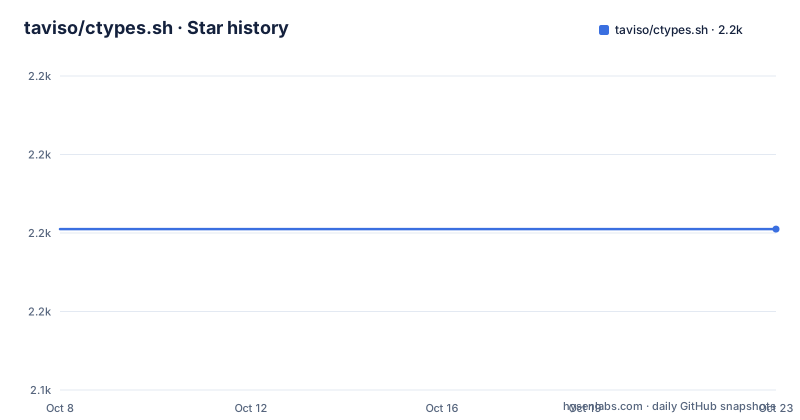
- taviso/ctypes.sh2,181 ★ · +0
| Repository | 2026-10-08 | 2026-10-23 |
|---|---|---|
| taviso/ctypes.sh | 2.2k | 2.2k |
0 Stars in the last 15 days, measured from the daily GitHub snapshot. Compare with other projects
Editorial analysis
A shell that can call into compiled code
The project's own description is one line: a foreign function interface for bash. The README expands it into something more concrete, calling ctypes.sh a bash plugin that provides a foreign function interface directly in your shell, which allows you to call routines in shared libraries from within bash.
That is the whole idea, and the simplest demonstration is two commands:
$ dlcall puts "hello, world"
hello, world
`puts` is resolved through the dynamic linker and called with a string argument, and the return value becomes the shell's output. The mechanism underneath is libffi, which is the same library Python's own `ctypes` module is built on, so anyone who has used that will recognize the model even though the interface is a shell function rather than a Python import.
What the README claims this buys you is the ability to extend bash scripts into territory that previously would have required writing an external helper in C. Two examples are linked directly: using GTK natively in a shell script, and a high performance HTTP daemon, the latter credited to cemeyer. The README also links a test directory as the place to see more of these in practice.
dlopen and typed return values
The second example in the README is the one that shows how the interface actually works, because you have to be explicit about types:
$ dlopen libm.so.6
0x172ebf0
$ dlcall -r double sin double:1.57079632679489661923
double:1.000000
Three things are happening. `dlopen` loads a shared library and hands back a handle as a hexadecimal address. `dlcall` takes flags, a return type, the function name, then typed arguments in the form `type:value`. The `-r double` declares that `sin` returns a double, and the argument is declared as `double` with the value of pi over two.
This is the design decision that matters. A shell has one data type, so ctypes.sh requires you to say what you mean, which in turn means it can pass and receive values a shell could never otherwise hold. Without the `-r double` you would get an integer rendering of a floating point result, which is exactly the class of bug that makes this kind of tool necessary in the first place.
The same explicitness extends to structures, which is where the optional dependencies come in.
The dependency ladder, from required to optional
The prerequisites list is short and split by how essential each item is. Required: libffi and bash. Optional: libelf, elfutils, and libdwarf or libdw.
* libffi
* bash
* libelf (optional)
* elfutils (optional)
* libdwarf / libdw (optional)
Those optional packages are not there for exotic reasons. They are what makes automatic structure support work. libelf reads ELF sections, and libdw reads DWARF debug information, so together they let ctypes.sh discover the layout of a C structure from a binary that was compiled with debug symbols, rather than making you declare every offset by hand.
The install instructions per platform make the point concrete. On Ubuntu the README asks for autoconf, libltdl-dev, libffi-dev, libelf-dev, elfutils, libdw-dev and pkg-config, and then adds that if you want automatic struct support, which it marks recommended, you should also have ddebs available. On Fedora it is elfutils-devel and dnf-utils, after which the `debuginfo-install` command installs debugging symbols for automatic structure support.
That is the honest shape of this project: it runs with two dependencies and gets much more useful with five, and the thing it gains is the ability to know what a structure looks like without you writing it out.
Building from source with autotools
ctypes.sh ships the full GNU Autotools apparatus. The tree has `configure`, `configure.ac`, `Makefile.am`, `autogen.sh`, a `build-aux/` directory and an `m4/` directory, and the source is templated, with `ctypes.sh.in` as the input file that gets turned into the installed script.
The build sequence is the standard one:
$ git clone https://github.com/taviso/ctypes.sh.git
$ cd ctypes.sh
$ ./autogen.sh
$ ./configure
$ make
$ [sudo] make install
By default it installs into `/usr/local/bin` and `/usr/local/lib`, and the README notes you can override the prefix path by defining the `PREFIX` environment variable before installing, with a one line example:
$ PREFIX=$HOME make installThe `[$ sudo]` notation in the README is itself worth noting. It is telling you the step is optional depending on whether you have write access to the prefix, which is the practical difference between a local install and a system one.
The rest of the tree follows Autotools convention: `src/` and `include/` for the code, `lib/` for library files, `test/` for the examples the README links, plus `AUTHORS`, `COPYING`, `ChangeLog`, `NEWS` and `TODO` at the root. GitHub reports the project as MIT licensed, with a `COPYING` file in the tree and 2,179 stars, 94 forks and 20 open issues on a C project whose default branch is `master`.
What using it looks like in a script
The README's script-level example is the one to copy if you are writing a shell script rather than experimenting at a prompt, and it is worth reading closely because the pattern is a wrapper function:
source ctypes.sh
puts () {
  dlcall puts "$@"
  return $?
}

puts "hello, world"
Sourcing `ctypes.sh` loads the shell functions, then a plain bash function named `puts` forwards its arguments to the shared library routine and propagates the return status. Two things are happening that matter in practice. The wrapper keeps the library call out of your script's readable surface, and `return $?` preserves the exit status so error handling works the way it does for any other command.
The README does not go into detail on argument conversion beyond the `type:value` syntax shown in the `dlcall` example, so things like passing structs by reference or handling arrays are areas where you would be reading the test directory or the wiki rather than the README. The wiki at the ctypes.sh repository is linked as the place to see more of it in action.
There is also no homepage field set on the repository, so the GitHub repository and the wiki are the primary destinations rather than a separate project site.
Activity, and the joke the README makes about itself
GitHub reports the last push as 2026-07-21, which is recent enough that calling the project actively maintained is fair. It is not archived, and it has 20 open issues, a number that is small for the star count but not trivial.
What makes ctypes.sh worth writing about is that the author never pretends it is a normal tool. The README has a section titled Here is what people have been saying about ctypes.sh, and it quotes five reactions verbatim:
* "that's disgusting"
* "this has got to stop"
* "you've gone too far with this"
* "is this a joke?"
* "I never knew the c could stand for Cthulhu."
Those are reader comments, presented unedited and without rebuttal. It is the fastest way to understand the project's position: ctypes.sh knows what it looks like, and the maintainer considers the strangeness a feature of the demonstration rather than something to apologize for.
The comparison worth making for context is that this is not the same thing as Python's `ctypes` module, despite the shared name and the shared libffi foundation. Python's version is a language binding with type declarations in Python source. ctypes.sh is a shell interface with type declarations on the command line. The same low level machinery, a completely different ergonomics story.
Editorial conclusion
ctypes.sh is a genuinely strange project and a useful one, and the strangeness is the point: it takes a shell that was designed to run text and gives it a way to call into compiled code through libffi. The README's own reception section lists what people said about it, including that you have gone too far with this, which is an honest framing for a tool that lets a shell script open a GTK window. What to know before using it is the dependency ladder. Without elfutils and libdw you get plain function calls; with them installed, structure support comes from DWARF debug information, so on Ubuntu you need ddebs as well as the packages. Build it from source with autogen.sh, configure and make, and read the test directory, which is where the GTK example and the high-performance HTTP daemon linked from the README actually live.
Frequently asked questions
What is ctypes.sh and what does it do?
It is a bash plugin that gives the shell a foreign function interface, letting bash scripts call routines inside shared libraries. The README describes it as a way to extend bash scripts into tasks that previously would have needed an external helper written in C. It uses libffi underneath, which is the same foundation Python's ctypes module sits on.
How do I install ctypes.sh?
From source, using the standard autotools sequence: clone the repository, run ./autogen.sh, then ./configure, make, and make install. It installs into /usr/local/bin and /usr/local/lib by default, and you can set the PREFIX environment variable before installing to change that, for example PREFIX=$HOME make install.
Why does ctypes.sh need libelf, elfutils and libdw?
They are optional and they enable automatic structure support. libffi and bash are the only required dependencies. Adding libelf and elfutils with libdwarf or libdw lets the tool read DWARF debug information so it can discover C structure layouts instead of needing every offset declared by hand, which the README marks as recommended.
Is ctypes.sh related to the Python ctypes module?
They share a name and a foundation, not an interface. Both sit on libffi. Python's version declares types in Python source, while ctypes.sh declares them on the command line using a type colon value form, with flags for the return type, as in dlcall -r double sin double:1.57079632679489661923.
Official sources
Add this badge to your README
If you maintain this project, the badge below links readers to this analysis and shows its maintenance status from the daily GitHub snapshot. Paste the markdown into your README; add ?metric=license or ?metric=stars to the image URL for a different field.

[](https://hysenlabs.com/projects/taviso-ctypes-sh)Star history chart for your README
[](https://hysenlabs.com/projects/taviso-ctypes-sh)Was this useful?