Cypress Testing Library: DOM Queries Through Cypress Commands
🐅 Simple and complete custom Cypress commands and utilities that encourage good testing practices.
At a glance
- What is it?
- Cypress Testing Library adapts DOM Testing Library queries to Cypress command chains, including retry behavior and assertions. It suits Cypress test suites that prefer accessible, user-facing queries over selectors tied directly to markup.
- Who is it for?
- Adopt Cypress Testing Library when the team already uses Cypress and wants its end-to-end tests to follow accessible, user-facing query patterns. Do not choose it for projects that do not meet its Cypress peer dependency or expect the Promise-based behavior of DOM Testing Library directly.
- Can I use it commercially?
- Yes. MIT is a permissive licence: you can use, modify and sell software built on it, as long as you keep its copyright and licence notices.
- Is it still maintained?
- Activity is slowing. The repository last received commits 6 months ago.
- What is it written in?
- Mainly JavaScript, according to GitHub's language statistics.
Answers come from the project's GitHub data, last synced on November 7, 2026, and from our analysis. They are not legal advice.
Star history
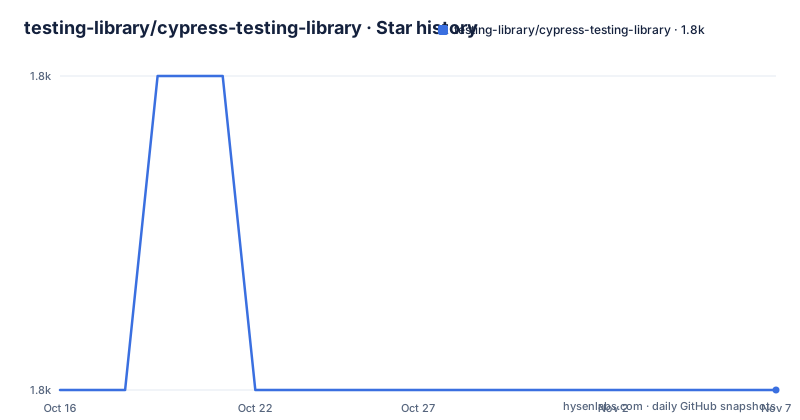
- testing-library/cypress-testing-library1,822 ★ · +0
| Repository | 2026-10-16 | 2026-11-07 |
|---|---|---|
| testing-library/cypress-testing-library | 1.8k | 1.8k |
0 Stars in the last 22 days, measured from the daily GitHub snapshot. Compare with other projects
Editorial analysis
Why Cypress Testing Library Exists
Cypress Testing Library addresses a specific mismatch between two testing interfaces. DOM Testing Library queries elements by visible text, labels, roles, and other user-facing properties, while Cypress commands normally operate on elements selected from the page's markup. A Cypress test written around `cy.get('form')`, `cy.get('button')`, or a long selector chain can pass even when the interface becomes difficult or inaccessible to use.
This package is for Cypress developers who want to express test intent through DOM Testing Library queries without leaving the Cypress command queue. Its commands are useful in end-to-end tests that verify what a person can read, click, or otherwise interact with. The package does not replace Cypress, provide a browser runner, or change how Cypress executes a spec. It adds commands to Cypress' existing `cy` object.
The README describes access to the useful `findBy` and `findAllBy` methods from DOM Testing Library. This is narrower than an exact drop-in replacement for the DOM package. In particular, the query and multiple-result commands that retain DOM Testing Library's `query*` and `get*` names are not exposed. The available interface instead maps onto Cypress retry and assertion behavior.
Command Registration and Query Flow
Registration imports the entry point named `add-commands`, which extends Cypress' `cy` command object. After that import, a test can issue chained queries such as `findAllByText` or `findByText`. The repository includes an `add-commands.js` entry file, while the package metadata identifies `dist/index.js` as the main module and publishes `types/*.d.ts` alongside it.
The data flow has an important adaptation at the Cypress boundary. Cypress commonly yields jQuery elements, whereas DOM Testing Library expects DOM nodes. According to the README, Cypress Testing Library supports both forms. When a query is chained from a collection, the command takes the first DOM node from that collection's subject and passes it as the DOM Testing Library `container`. A query chained from a form therefore searches within that form rather than beginning from the whole page.
The `find*` commands do not retain the Promise API of DOM Testing Library. They delegate to corresponding `get*` behavior and depend on Cypress' built-in retryability. Errors raised by those queries are forwarded as Cypress errors, allowing a later Cypress assertion or action to participate in command retry. This is the central technical compromise: the package exposes Testing Library query semantics, but execution follows Cypress' queue and retry model.
Installing and Registering Cypress Commands
The package is distributed through npm and is intended to be installed as a development dependency. Node and npm version requirements are declared in `package.json`, while Cypress itself is a peer dependency. Install the package at the project root:
npm install --save-dev @testing-library/cypressAfter installation, add the command registration import to the Cypress support commands file. The README specifically names `cypress/support/commands.js`:
import '@testing-library/cypress/add-commands'That import is the enabling step. Merely installing the npm package does not add the commands to every spec. Cypress must also load the support file through the project's existing Cypress support configuration, although the README excerpt does not provide that setup.
TypeScript projects add both Cypress and this package to the `types` array in `tsconfig.json`:
{
  "compilerOptions": {
    "types": ["cypress", "@testing-library/cypress"]
  }
}
JavaScript projects using VS Code can include Cypress and local Cypress JavaScript files in a root-level `jsconfig.json`:
{
  "include": ["node_modules/cypress", "./cypress/**/*.js"]
}
These editor settings are separate from runtime command registration. The JavaScript configuration assists code completion, while `add-commands` adds the commands.
A First Cypress Test with findAllByText
A first use can stay within the examples documented in `cypress/e2e/find.cy.js`. Start with text that is present in the rendered interface, then append a Cypress assertion:
cy.findAllByText('Button Text').should('exist')This is a `findAll` query, so the command can resolve more than one matching element. The assertion merely requires that a match exists. Absence should also be expressed through a Cypress assertion:
cy.findAllByText('Non-existing Button text').should('not.exist')The README's example uses the capitalization `Non-existing Button Text`. Preserve the actual UI text when adapting the test. A query can accept DOM Testing Library options, including its documented query timeout behavior:
cy.findAllByLabelText('Label text', {timeout: 7000}).should('exist')Actions remain Cypress actions. A query that returns one item can be followed directly by `click`:
cy.findAllByText('Jackie Chan').click()Cypress fails the action if more than one element is returned. That behavior does not mean the query itself requires a single result. It means the subsequent action receives an invalid subject. To enforce uniqueness explicitly, use either an existence assertion with `findByText` or a length assertion with `findAllByText`:
cy.findByText('Some Text').should('exist')The first command fails when multiple elements match. The following form expresses the same cardinality check directly:
cy.findAllByText('Some Text').should('have.length', 1)Cardinality Rules That Differ from Cypress
The most consequential limitation is the split between `find*` and `findAll*`. A `findAll*` command may select multiple elements, which aligns with Cypress commands that can yield collections. A `find*` command fails when more than one element matches. The README presents this as compatibility with other Testing Library implementations rather than a rule copied from native Cypress behavior.
This distinction affects both test design and error diagnosis. Chaining `.click()` onto a `findAll*` result does not prove that the query found exactly one match. The click succeeds when one subject is available and fails when the action receives several subjects. Tests that care about uniqueness need an explicit assertion, such as `should('have.length', 1)`, or a `findBy*` command.
The absence case follows the same Cypress-centered approach. Instead of a `queryBy*` command returning `null`, the project expects `should('not.exist')`. The package also does not expose `get*` commands under their DOM Testing Library names. Developers familiar with the DOM package therefore need to read the Cypress-facing command list rather than assume every familiar method is present. The repository's `types/index.d.ts` is identified by the README as the location for command definitions.
testIdAttribute Configuration and DOM Coupling
The package delegates broader DOM Testing Library configuration to a `configure` export. The README's example changes the test ID attribute from `data-testId` to `data-test-id`:
import {configure} from '@testing-library/cypress'
configure({testIdAttribute: 'data-test-id'})
This import is shown for a Cypress support index file, while command registration remains a separate concern. Projects should not assume that configuring the package automatically registers its commands. The two operations address different concerns: registration adds Cypress commands, and configuration changes how DOM Testing Library interprets configured selectors.
The README states that `configure` accepts all configurations listed in DOM Testing Library's API configuration documentation. That makes the underlying DOM library the reference for supported options. It does not mean every DOM query or command name is exposed through Cypress Testing Library. The available Cypress command surface remains constrained to the `findBy`, `findAllBy`, configuration, and registration behavior described here.
For tests that prefer stable hooks, `testIdAttribute` offers a controlled escape from visible content. For tests intended to verify accessible interaction, queries by text or label text are still useful. Mixing both approaches can be sensible, but the package does not prescribe when a suite should prefer one over the other.
Cypress Selectors, DOM Testing Library, and Maintenance
The real alternative is to use Cypress' built-in selection and action commands without this adapter. The practical difference is the query model. `cy.get` operates directly in the Cypress command queue, while Cypress Testing Library registers DOM Testing Library-derived query commands that select by user-facing properties and convert Cypress subjects into DOM nodes. Cypress Testing Library is therefore appropriate when query intent and consistency with other Testing Library APIs matter. Built-in Cypress commands are the simpler choice when a suite already has a deliberate selector policy or needs only a small number of direct selections.
Another apparent alternative, calling DOM Testing Library directly, does not preserve the same execution behavior in a Cypress spec. The README says this package relies on Cypress retryability and forwards query errors, while DOM Testing Library's `find*` methods use a Promise API. This distinction matters in tests that wait for delayed interface changes.
The repository is not archived, and its last push was on 2026-04-29. The recent release list includes `v10.1.3` on 2026-04-29, `v10.1.0` on 2025-09-02, and `v10.0.3` on 2025-01-21. The package declares `node >=12`, `npm >=6`, and `cypress >=12` as a peer dependency. Upgrade cost includes checking Cypress compatibility, TypeScript command definitions, and support-file imports. The project uses the MIT license, so the source is permissively licensed, subject to the license text's conditions.
Editorial conclusion
Adopt Cypress Testing Library when the team already uses Cypress and wants its end-to-end tests to follow accessible, user-facing query patterns. Do not choose it for projects that do not meet its Cypress peer dependency or expect the Promise-based behavior of DOM Testing Library directly. Check command registration, testIdAttribute configuration, and the exact query cardinality rules in the first test migration.
Frequently asked questions
How do I install Cypress Testing Library?
Install `@testing-library/cypress` as a development dependency with `npm install --save-dev @testing-library/cypress`, then import `@testing-library/cypress/add-commands` from the Cypress support commands file.
Does Cypress Testing Library support queryBy and getBy commands?
No. The README says `query*` and `get*` queries are not supported. Absence should be checked with `should('not.exist')`, while `find*` commands forward to `get*` behavior internally and use Cypress retryability.
What is the difference between findByText and findAllByText in Cypress Testing Library?
`findByText` fails when more than one matching element exists. `findAllByText` can return several elements, although a later Cypress action such as `.click()` will fail if the collection contains more than one subject.
Official sources
Add this badge to your README
If you maintain this project, the badge below links readers to this analysis and shows its maintenance status from the daily GitHub snapshot. Paste the markdown into your README; add ?metric=license or ?metric=stars to the image URL for a different field.

[](https://hysenlabs.com/projects/testing-library-cypress-testing-library)Star history chart for your README
[](https://hysenlabs.com/projects/testing-library-cypress-testing-library)Was this useful?