Textbus treats a rich text editor as a component tree with a data model
Textbus 是一个组件化的、数据驱动的富文本框架,支持在线协同编辑,拥有非常好的扩展性和可定制性,可使用 Viewfly、Vue 或 React 直接渲染富文本,是构建复杂富文本的不二之选!
At a glance
- What is it?
- Textbus is a TypeScript rich text framework in which content is a data model of components, slots, formats and attributes, rendered through Viewfly, Vue or React adapters, with collaboration support built on Yjs. It is MIT licensed, at version 5.5.2, and the last push was on 2026-06-25.
- Who is it for?
- Textbus suits a team building a document editor where the content model has to be collaborative, portable across renderers and rich enough to hold structured components rather than only marks on text, and it is the wrong tool if you want a small drop-in WYSIWYG widget, because the framework asks you to design a content model and a component set.
- Can I use it commercially?
- Yes. MIT is a permissive licence: you can use, modify and sell software built on it, as long as you keep its copyright and licence notices.
- Is it still maintained?
- Yes. The repository last received commits 135 days ago.
- What is it written in?
- Mainly TypeScript, according to GitHub's language statistics.
Answers come from the project's GitHub data, last synced on November 6, 2026, and from our analysis. They are not legal advice.
Star history
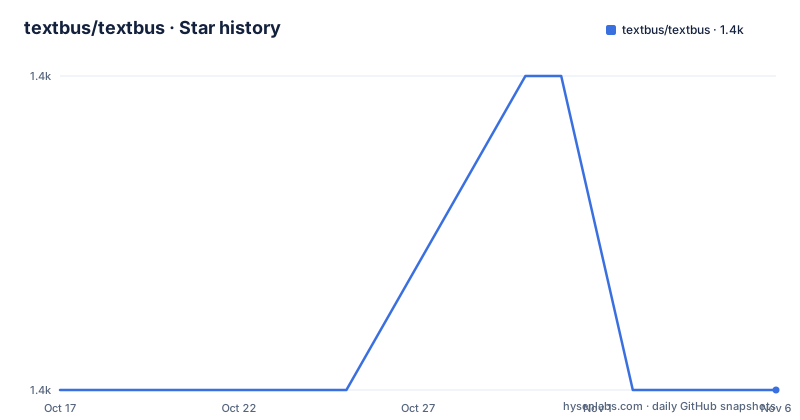
- textbus/textbus1,384 ★ · +0
| Repository | 2026-10-17 | 2026-11-06 |
|---|---|---|
| textbus/textbus | 1.4k | 1.4k |
0 Stars in the last 20 days, measured from the daily GitHub snapshot. Compare with other projects
Editorial analysis
The content model is the product
Textbus is a component-based, cross-platform, data-driven rich text framework that supports rendering rich text with Viewfly, Vue or React, and that firmly supports online multi-person collaboration. The README's ambition is stated plainly: you can easily create editors fully customised to your own requirements, similar to the kind of document tools teams build internally.
The idea the project is built on is that rich text development should work like ordinary front end development. The introduction says the team has been working to make rich text development as approachable as a normal front end framework, through a concise API and a small number of conventions, and that Textbus was the first to introduce the concept of a component into rich text, which makes rich text development like assembling building blocks rather than the trap the front end field has historically treated it as.
That is a big architectural claim, and the module table is where it is made concrete. The core module, @textbus/core, provides the data model abstractions for components, slots, formats and attributes, and implements the rich text core capabilities: selection, format transformation, rendering, component lifecycle management, editor control, history, shortcut management, syntax sugar management and output conversion.
The features list spells out what the approach buys. Componentisation means complex layouts and inserted special controls work like in a modern front end framework. Full control comes from the fact that Textbus is entirely data driven, with input and output handled by the core, so behaviour and results do not differ between browsers. Easy extension comes from hooks style extension code that makes customising the same event in different contexts unusually simple, with native support for multiple front end rendering frameworks.
The rest of the list covers syntax sugar, so a real time input transformation such as a hash and a space becoming a heading in Markdown, with the freedom to invent your own. Document parsing is fully customisable so that content and formatting copied from a web page or from Word keeps as much of its formatting as possible. Format restrictions are flexible, from deeply nested components to the block style layout most editors use. Format conversion is built in, which the README calls one of the hard parts of rich text, and especially so for editors supporting tree structured data. Online collaboration is supported officially through Yjs, and you can plug in a different collaboration scheme against the same data model. And the cursor and selection system is fully abstracted, so you do not have to deal with the browser's complicated selection problems.
Seven packages, and you choose the renderer
The module table lists seven packages, and the split is what tells you how the framework is meant to be adopted.
The core module is @textbus/core. The browser support middle layer is @textbus/platform-browser, which provides a basic view layer and bridges selection, cursor and DOM rendering capability. The collaboration module is @textbus/collaborate, which provides the Yjs based collaboration integration. And @textbus/platform-node is a set of utilities for Textbus running on a node backend.
Then three render adapters, and this is the part that makes the framework unusual. @textbus/adapter-viewfly renders Textbus content with Viewfly, @textbus/adapter-vue renders it with Vue, and @textbus/adapter-react renders it with React.
So the content model is written once and the view is chosen per project. A team whose application is React and a team whose application is Vue can both use Textbus without either adopting the other's rendering stack, and the core is the same. The platform-browser package is the piece that makes this work, because it is the layer that knows about the DOM and about the browser's selection behaviour, and the adapters sit above it.
The data model itself is worth naming precisely, because the terms in the core description are the vocabulary you will use. Components are the structural units, slots are where content can be placed, formats are the mark-like properties applied to a range of text, and attributes are the per-component metadata. Selection and format transformation operate on that structure, and output conversion turns the structure into whatever format you want to export.
The node platform package is the one that is easy to overlook and is what makes server side use possible. A rich text editor that only runs in a browser cannot render a document for a PDF export on a server, and this package exists so the data model can be exercised outside a browser.
XNote is the reference editor built on the 4.0 core
The README points to a separate project as the primary reference implementation, and that tells you something about how the framework is taught.
XNote is an official Textbus open source rich text editor, built on the latest 4.0 version, described as headless and high performance, and it provides most of the functionality out of the box. It is also offered as first hand reference material for developers who want to build their own editor, and there is an online playground linked from the documentation.
The word headless is the important one. XNote is not a hosted service and not a web application, it is an editor that has no opinion about its own chrome, which is what makes it usable as a starting point rather than a product. If you have ever looked at a rich text editor and thought the problem was the toolbar, XNote is the answer to that: the toolbar is yours to write, the editor is the part you reuse.
The README also names two new projects the author is starting, a multi-dimensional table at github.com/textbus/smartdb and a presentation editor at github.com/textbus/presen. Both are the same idea applied to different domains. A multi-dimensional table is a grid of cells with typed values and relations, and a presentation editor is a canvas of positioned elements, and neither is a linear document. If the framework's component model is genuinely general, both are applications of it, and if it is really a document editor with extra steps, these two projects are the test.
The licence covers all of it. Textbus and its sub packages are all under the MIT License, with the LICENSE file at the top of the repository, and the sponsors section asks for support through payment QR codes for WeChat and Alipay.
Building the monorepo and running the docs site
The repository is a pnpm workspace with the packages in packages/, and the local development instructions are short.
Textbus uses pnpm for multi-module management, with pnpm installed globally:
npm install pnpm -gThen the clone and install:
git clone [email protected]:textbus/textbus.git
cd textbus
pnpm install
And the dev environment starts with:
npm startThat start script is a pnpm filter onto the playground package, so the development loop is the playground application rather than a package at a time. The package.json at the root is named @textbus/monorepo, is private, pins pnpm at 10.33.0, and requires Node 18 or newer.
The documentation has its own toolchain. VitePress builds it, and there are separate dev, build and preview scripts, with the preview pinned to port 5180. The docs:vendor step is the interesting one, because it first collects Monaco types and then runs two Vite builds with different configs, one for the Viewfly playground and one for the vendor bundle. In other words, the documentation site embeds a working editor built with a different renderer than the main playground, which is a neat demonstration that the adapter split is real rather than aspirational.
The collaboration server has its own script too, serve:yjs runs npx y-websocket with a host and a port, which is the standard WebSocket server for Yjs, and serve starts the playground server package.
The release process uses Changesets, with a changeset script, version:lib and publish:lib, and the .changeset/ directory at the top of the repository is where the pending version bumps are recorded. Testing is jest with an env=test flag set through cross-env, and linting runs eslint over the packages with --max-warnings 0, which is a strict setting. The .husky/ directory and the prepare script install the git hooks, and lint-staged runs eslint on staged source files.
Where Textbus is the wrong choice
The first limit is the size of the decision. A framework built around a component data model is not a text editor widget you drop into a form, it is a commitment to designing your own content model, your own component set and your own toolbar. For a product that needs bold, italic and a link, this is a lot of surface for a small requirement, and the README's own examples of comparable tools, a collaborative document editor, are a much bigger brief.
The second is that the framework describes itself as headless, which is a virtue and a cost at once. Headless means you own the chrome, and the chrome is where a surprising amount of the work in a rich text editor lives: keyboard shortcuts, the selection affordances, the paste handling, the mobile keyboard behaviour. The core abstracts the cursor and selection system away from the browser, which removes the hardest cross-browser problem, but it moves that work into your application rather than removing it.
The third is the collaboration story. The official support is Yjs based, and the README says you can adopt a different collaboration scheme to work with the Textbus data model. That flexibility is real, but it also means the conflict resolution semantics are the provider's, and a project choosing a different scheme inherits the job of proving the two data models interoperate. Collaboration is also where a rich text framework is hardest to evaluate, because a single user editing is easy and two users editing the same paragraph is where the model has to be right.
The fourth is the maintenance signal. The last push was on 2026-06-25, the newest tagged release is 5.5.2 from 2026-06-02, and the root package.json version field says 5.0.0 because the published packages are versioned independently through Changesets. The releases themselves are frequent, 5.4.11, 5.5.0 and 5.5.2 within a week in May and June 2026, so the project is active, but the version numbers across the root manifest and the tags do not correspond, which is a small thing to get used to.
The fifth is ecosystem. This is a framework with a Chinese-language primary README, an English README linked from the top, and a Discord, a QQ group and a forum behind it. The documentation site is at textbus.io. That is a working community, and it is also a smaller one than the React and Vue ecosystems, so the cost of finding someone who has already solved a specific problem in Textbus is higher than in a larger framework.
Editorial conclusion
Textbus suits a team building a document editor where the content model has to be collaborative, portable across renderers and rich enough to hold structured components rather than only marks on text, and it is the wrong tool if you want a small drop-in WYSIWYG widget, because the framework asks you to design a content model and a component set. Before starting, read the module table, since the renderer adapter and the collaboration module are separate packages you choose deliberately. Verify first that your editor can live with the data-driven model, because the framework's claim of identical behaviour across browsers comes from the fact that input and output are handled by the core rather than by the browser's own editing commands.
Frequently asked questions
What is Textbus?
It is a component-based, cross-platform, data-driven rich text framework written in TypeScript, supporting rendering with Viewfly, Vue or React and online multi-person collaboration. The content is modelled as components, slots, formats and attributes, and the framework is MIT licensed.
Which packages make up Textbus?
There are seven: @textbus/core for the data model and core capabilities, @textbus/platform-browser for the view layer bridging selection, cursor and DOM rendering, @textbus/collaborate for Yjs based collaboration, @textbus/platform-node for node usage, and three render adapters, adapter-viewfly, adapter-vue and adapter-react.
How does Textbus support collaboration?
The official support is provided by the @textbus/collaborate module, which integrates with Yjs. The README also says you can adopt a different collaboration scheme and work against the Textbus data model, and the repo includes a script that starts a y-websocket server for local testing.
How do I build Textbus locally?
Install pnpm globally with npm install pnpm -g, clone the repository with git clone [email protected]:textbus/textbus.git, run pnpm install inside it, and then npm start to launch the development environment, which runs the playground package. The repository requires Node 18 or newer and pins pnpm at 10.33.0.
What is XNote in relation to Textbus?
XNote is the official open source rich text editor built on the latest Textbus 4.0 version, described as headless and high performance, providing most functionality out of the box and serving as first hand reference for developers building their own editor. An online playground is also linked from the documentation.
Official sources
Add this badge to your README
If you maintain this project, the badge below links readers to this analysis and shows its maintenance status from the daily GitHub snapshot. Paste the markdown into your README; add ?metric=license or ?metric=stars to the image URL for a different field.

[](https://hysenlabs.com/projects/textbus-textbus)Star history chart for your README
[](https://hysenlabs.com/projects/textbus-textbus)Was this useful?