TLPhotoPicker for Multi-Asset Photo and Video Selection
📷 multiple phassets picker for iOS lib. like a facebook
At a glance
- What is it?
- TLPhotoPicker is an MIT-licensed Swift library for selecting photos, videos, and Live Photos from iOS smart albums. It suits applications that need ordered multi-selection, custom rules, camera capture, and configurable picker cells rather than a single basic selection screen.
- Who is it for?
- iOS teams that need a Facebook-style, multi-asset picker with builder-based configuration should evaluate TLPhotoPicker, particularly when its documented albums, selection rules, async asset helpers, and customization points match the application.
- Can I use it commercially?
- Yes. MIT is a permissive licence: you can use, modify and sell software built on it, as long as you keep its copyright and licence notices.
- Is it still maintained?
- Yes. The repository last received commits 144 days ago.
- What is it written in?
- Mainly Swift, according to GitHub's language statistics.
Answers come from the project's GitHub data, last synced on November 7, 2026, and from our analysis. They are not legal advice.
Star history
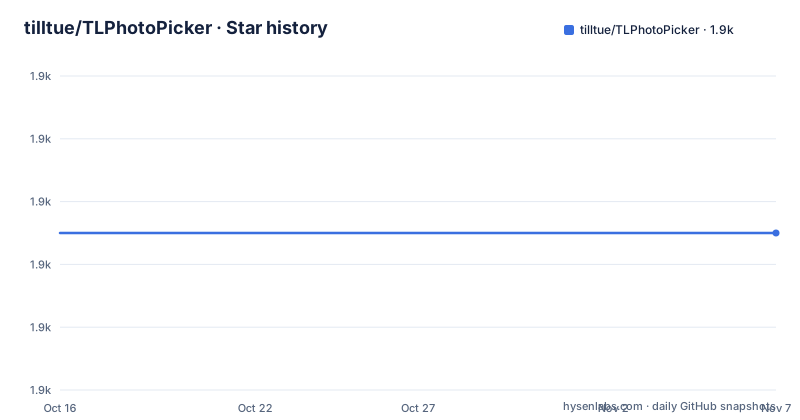
- tilltue/TLPhotoPicker1,895 ★ · +0
| Repository | 2026-10-16 | 2026-11-07 |
|---|---|---|
| tilltue/TLPhotoPicker | 1.9k | 1.9k |
0 Stars in the last 22 days, measured from the daily GitHub snapshot. Compare with other projects
Editorial analysis
Why TLPhotoPicker Exists for Multi-Media iOS Screens
TLPhotoPicker addresses applications that need to collect several images or videos in one flow. Its intended users are iOS developers working in Swift who want a picker with multiple smart albums, numbered selection order, media previews, and configurable selection limits. The interface is described as similar to Facebook's photo picker, but it is distributed as a library rather than as a complete application.
The central requirement is richer than choosing one existing photo. A developer can restrict the grid to one photo, limit a compact grid to ten selections, or allow as many as twenty items. Selection order is represented visually, which matters when the final ordering has meaning to the application. The library also distinguishes photographs, videos, and Live Photos instead of treating every asset as an undifferentiated image.
This makes TLPhotoPicker relevant to posting screens, attachment composers, upload flows, and editors that need user-selected local media. The repository does not provide an upload service or persist a completed selection for the host application. It returns asset wrappers or PHAsset instances to the caller, so the adopting app remains responsible for processing, storage, and upload.
TLPhotoPicker's Asset Flow and Picker Architecture
The documented flow begins with a TLPhotosPickerViewController presented by the host application. Its delegate supplies selected TLPHAsset objects, while the delegate API also includes a dismissal method receiving [PHAsset]. This pairing places a library-specific wrapper in front of the system's Photos framework model during the UI flow.
The picker can draw from the camera roll, selfies, panoramas, favorites, videos, and custom albums. Those choices correspond to Photos smart-album categories rather than a manually maintained list of file paths. The README also says that the picker reloads when the Photos library changes. That behavior keeps the displayed library responsive to edits, although the repository excerpt does not specify exactly which Photos change notifications trigger a reload or how reload conflicts are resolved.
Media is not assumed to exist as an in-memory UIImage. A TLPHAsset exposes asynchronous helpers such as fullResolutionImage(). The documented Swift concurrency example creates one child task per selected asset and collects successful images through withTaskGroup. This keeps decoding and asset retrieval away from a simple serial loop. Video thumbnails expose duration, while videos and Live Photos can be previewed inside the picker.
Configuration is applied through a mutable picker.configure property. Presets establish a starting policy, and a builder chain can override columns, maximum selection count, permitted media, selected color, and camera-button visibility. A separate canSelectAsset closure can reject individual assets, based in the example on pixel dimensions. This is a UI selection layer with explicit rules, not an upload pipeline.
Installing TLPhotoPicker with CocoaPods or Swift Package Manager
The documented requirements are iOS 13.0 or later, Swift 5.0 or later, and Xcode 14.0 or later. CocoaPods projects set the deployment target and add TLPhotoPicker as a pod. This is the shorter installation path shown in the README.
platform :ios, '13.0'
pod "TLPhotoPicker"
The block declares iOS 13 as the platform and adds the dependency. The host project must still provide the required photo-library and camera privacy descriptions in Info.plist. The README names NSPhotoLibraryUsageDescription and NSCameraUsageDescription and gives specific user-facing text for each. Apps targeting the documented iOS versions should therefore treat those keys as part of installation rather than an optional app-specific detail.
Swift Package Manager uses the repository URL and a next-major version boundary starting at 2.1.0. Add that package entry to Package.swift:
dependencies: [
    .package(url: "https://github.com/tilltue/TLPhotoPicker.git", .upToNextMajor(from: "2.1.0"))
]
That entry lets Swift Package Manager resolve compatible 2.x releases under the documented rule. For iOS 14 or later, the README also discusses PHPhotoLibraryPreventAutomaticLimitedAccessAlert when an application wants to suppress the automatic limited-access alert. Its effect depends on how the host application requests Photos permission, so the README's privacy configuration should be checked against that flow.
Presenting TLPhotoPicker and Returning Selected Assets
The first usable flow creates a picker, assigns its delegate, and presents it. The delegate callback receives an array of TLPHAsset values in selection order. This example prints each asset's originalFileName, falling back to "Unknown" when that property is nil.
import TLPhotoPicker

class ViewController: UIViewController {
    @IBAction func openPhotoPicker() {
        let picker = TLPhotosPickerViewController()
        picker.delegate = self
        present(picker, animated: true)
    }
}

extension ViewController: TLPhotosPickerViewControllerDelegate {
    func dismissPhotoPicker(withTLPHAssets: [TLPHAsset]) {
        for asset in withTLPHAssets {
            print("Selected: \(asset.originalFileName ?? "Unknown")")
        }
    }
}
After the user completes selection, the host receives the wrapper objects and can request media data through their asynchronous methods. An adopter should consult the API documentation for cancellation, empty-selection behavior, and every delegate signature rather than assume those cases.
The async example also establishes an important integration boundary. It requests full-resolution images, then switches to MainActor before assigning UI to an image view. Loading several assets concurrently reduces serial waiting, but the returned image count can be lower than the selected-asset count because nil images are omitted. An application that must match uploads to selections needs a stable identifier or collection URL strategy beyond the compact example shown in the README.
Builder Configuration Versus Preset and Capture Flows
TLPhotoPicker offers two documented configuration approaches. Presets are convenient when their defaults already match the screen. The concise form selects single-photo behavior:
let picker = TLPhotosPickerViewController()

picker.configure = .singlePhoto
    .selectedColor(.systemPurple)

present(picker, animated: true)
The other approach starts with a fresh TLPhotosPickerConfigure value when the defaults need explicit control:
let picker = TLPhotosPickerViewController()

picker.configure = TLPhotosPickerConfigure()
    .numberOfColumns(3)
    .maxSelection(20)
    .allowVideo(true)
    .allowLivePhotos(true)
    .selectedColor(.systemPink)
    .useCameraButton(true)

present(picker, animated: true)
Presets can also be extended. The README shows `.videoOnly` followed by `.numberOfColumns(4)` and `.selectedColor(.systemBlue)`, which is a practical middle path when a preset is close to the desired policy. For business rules tied to a particular asset, `canSelectAsset` can return false. The documented example permits images of at least 300 by 300 pixels. A separate callback, `didExceedMaximumNumberOfSelection`, lets the host react when the limit is reached.
Camera capture has a different delivery model. Setting `didCaptureMediaURL` returns a temporary file URL instead of saving the capture to the Photos library. According to the README, both the camera picker and TLPhotoPickerViewController have already been dismissed when that closure executes, so the caller presents its next view controller directly. This flow suits an upload step that needs a file, but it depends on temporary-file handling that the host application must understand.
Custom Cells, Album Constraints, and Operational Limits
Customization extends beyond colors and column counts. The feature list names custom cells, and the documentation index points to an advanced guide covering custom cells, delegates, and rules. The repository also includes an Example project, tests, configuration documentation, and a migration guide. Those entries indicate that customization is a first-class part of the project rather than a single exposed configuration object.
There are still concrete constraints. TLPhotoPicker is tied to iOS, Swift, and Xcode versions, so it is not a cross-platform picker. It relies on Photos-library assets and Apple's authorization model. Camera use and library access require the relevant usage descriptions. A screen that requires originals to remain in the library after capture is a poor fit for `didCaptureMediaURL`, because that option returns temporary URLs instead of saving to the Photos library.
The selection rule example operates on pixel width and height, which works for images but does not establish a general media-policy engine. The README excerpt does not explain whether `canSelectAsset` can express duration limits, combined photo and video quotas, or account-specific rules. Those cases require checking the configuration and advanced documentation. It also does not document rollback, upload retry behavior, background transfer support, or deduplication. TLPhotoPicker stops at selection and asset access, so those are application responsibilities.
For an external comparison, the README names no alternative picker library. It does not provide a feature matrix against PHPickerViewController or another dependency, so claims about which one is lighter or more compatible cannot be verified from this repository. The defensible internal comparison is between a preset, an extended preset, and a fresh builder configuration.
TLPhotoPicker Releases, License, and Upgrade Scope
The repository is not archived, and its last push was on 2026-06-16. The documented release history includes 2.1.14 on 2025-11-20, 2.1.13 on 2025-11-06, and 2.1.12 on 2025-10-07. Those dates indicate continued project activity in the period represented by the repository history. They do not establish API stability for every host application.
The Swift Package Manager example uses `.upToNextMajor(from: "2.1.0")`, so dependency resolution remains within the next major version boundary. An application should review the migration guide when moving from older TLPhotoPicker releases, particularly if it depends on delegate signatures, custom cells, or configuration behavior. CocoaPods users should likewise inspect the pod version selected during dependency resolution; the README does not prescribe a production pinning policy.
The repository declares the MIT License. That identifier permits use, modification, distribution, and reuse under the license's conditions, subject to preserving its copyright and license notice. This is a statement about the repository's declared licensing terms, not legal advice. Teams still need to account for Apple platform policies, photo-library authorization, privacy disclosures, and any separate obligations associated with their application and media processing.
Editorial conclusion
iOS teams that need a Facebook-style, multi-asset picker with builder-based configuration should evaluate TLPhotoPicker, particularly when its documented albums, selection rules, async asset helpers, and customization points match the application. Teams that need only a minimal system picker should first compare that simpler path, while adopters must verify the Xcode and iOS requirements, privacy strings, expected delegate behavior, and upgrade compatibility before shipping it.
Frequently asked questions
How do I install TLPhotoPicker in an iOS Swift project?
Add `pod "TLPhotoPicker"` after setting the CocoaPods platform to iOS 13, or add the GitHub package to `Package.swift` using the repository's documented next-major rule. The stated requirements are iOS 13.0+, Swift 5.0+, and Xcode 14.0+.
How do I select multiple photos with TLPhotoPicker?
Present a `TLPhotosPickerViewController` with its delegate assigned. The delegate's `dismissPhotoPicker(withTLPHAssets:)` callback receives the selected `TLPHAsset` array, and the picker provides numbered indicators for selection order.
Does TLPhotoPicker support videos, Live Photos, and smart albums?
The README documents camera roll, selfies, panoramas, favorites, videos, custom albums, video duration display, and in-picker playback for videos and Live Photos. Configurable methods also control video, Live Photos, columns, and maximum selection count.
Can TLPhotoPicker return a captured photo as a file URL?
Yes, when `didCaptureMediaURL` is set, camera captures are returned through that closure as temporary file URLs instead of being saved to the Photo Library. The README states that the picker controllers are already dismissed when the closure runs.
Official sources
Add this badge to your README
If you maintain this project, the badge below links readers to this analysis and shows its maintenance status from the daily GitHub snapshot. Paste the markdown into your README; add ?metric=license or ?metric=stars to the image URL for a different field.

[](https://hysenlabs.com/projects/tilltue-tlphotopicker)Star history chart for your README
[](https://hysenlabs.com/projects/tilltue-tlphotopicker)Was this useful?