canvas-datagrid: a grid that draws millions of rows onto one canvas element
Canvas based data grid web component. Capable of displaying millions of contiguous hierarchical rows and columns without paging or loading, on a single canvas element.
At a glance
- What is it?
- canvas-datagrid is a web component that renders its data in immediate mode onto a single canvas, so the number of rows does not change the cost of a frame, with no paging and no virtual scrolling machinery.
- Who is it for?
- canvas-datagrid fits a team with a wide, contiguous table, an operations console or a log view, where a DOM table would fall over and paging would break the workflow. It is a poor fit for a small table with heavy cell interaction, since the whole grid is one canvas and there is no accessibility tree of cells, and a poor fit if you need server-side paging as the primary model.
- Can I use it commercially?
- Yes. BSD-3-Clause is a permissive licence: you can use, modify and sell software built on it, as long as you keep its copyright and licence notices.
- Is it still maintained?
- Yes. The repository last received commits 1 day ago.
- What is it written in?
- Mainly JavaScript, according to GitHub's language statistics.
Answers come from the project's GitHub data, last synced on October 23, 2026, and from our analysis. They are not legal advice.
Star history
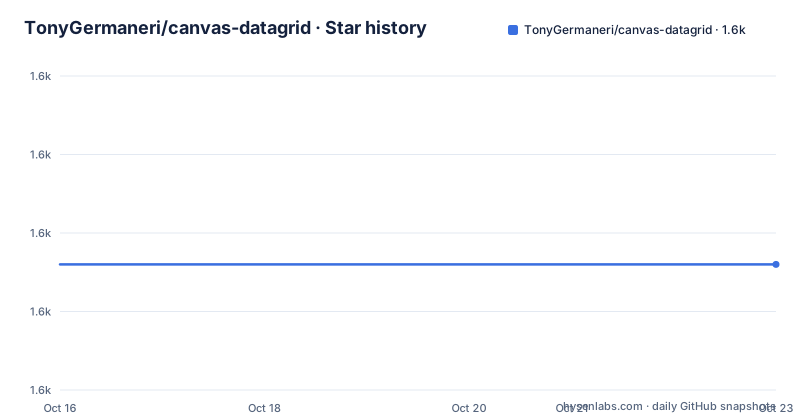
- TonyGermaneri/canvas-datagrid1,576 ★ · +0
| Repository | 2026-10-16 | 2026-10-23 |
|---|---|---|
| TonyGermaneri/canvas-datagrid | 1.6k | 1.6k |
0 Stars in the last 7 days, measured from the daily GitHub snapshot. Compare with other projects
Editorial analysis
What immediate mode buys, and what it costs
canvas-datagrid is a canvas based data grid web component, capable of displaying millions of contiguous hierarchical rows and columns without paging or loading, on a single canvas element.
The mechanism is the important part. The grid is drawn in immediate mode, meaning there is no retained tree of cell elements to update. Each frame redraws what is visible from the underlying data. The stated consequence is that data size does not impact performance, which is a strong claim and the reason the component exists: a grid with a hundred thousand rows and one with a hundred rows cost the same to draw, because neither of them has a hundred thousand DOM nodes.
That also explains the phrase unlimited rows and columns without paging or loading. There is no virtual window to fall out of sync with scroll position, and no separate data-fetch step, so the grid can hold the entire data set client side.
The cost of immediate mode is that the canvas is opaque to the browser's own rendering. There is no per-cell element, so the accessibility model, the browser's own text selection, and the built-in form controls are not available per cell. The library answers this with its own mechanisms, a customizable hierarchical context menu, built-in and custom styles, and support for custom cell editors, but the substitution is manual.
The project is BSD-3-Clause licensed, the primary language is JavaScript, the last push was on 2026-10-18, and the releases are v0.26.0 from 2026-09-20 and v0.4.7 from 2023-05-22, so the 0.4 to 0.26 gap is a long climb within the zero major version. The homepage is canvas-datagrid.js.org, with documentation, examples, a style reference, a Slack support channel, and a minified download.
Loading it, and the three ways to use it
The install is a single npm package:
npm install canvas-datagridThen you place the single source file in your page, either with a script tag pointing at the source or through webpack:
<script src="dist/canvas-datagrid.js"></script>Or you can skip the install and link straight to an npm CDN like unpkg.com:
<script src="https://unpkg.com/canvas-datagrid"></script>Either way, a function called canvasDatagrid is added to the global scope of the page, along with module loader definitions.
There are three usage modes and the library works with a bundler, without one, or as a web component. No matter how you load it, canvasDatagrid is declared in the global scope. The component is a Web Component in a compatible browser, and otherwise it is a canvas tag.
The plain JavaScript path is the shortest:
var grid = canvasDatagrid();
document.body.appendChild(grid);
grid.data = [
  { col1: 'row 1 column 1', col2: 'row 1 column 2', col3: 'row 1 column 3' },
  { col1: 'row 2 column 1', col2: 'row 2 column 2', col3: 'row 2 column 3' },
];
The web component path puts the data in the markup:
<canvas-datagrid class="myGridStyle" data="data can go here too"
  >[ {"col1": "row 1 column 1", "col2": "row 1 column 2", "col3": "row 2
  column 3"}, {"col1": "row 2 column 1", "col2": "row 2 column 2", "col3": "row 2
  column 3"} ]</canvas-datagrid
>
Or you can create the element in code:
var grid = document.createElement('canvas-datagrid');
grid.data = [
  { col1: 'row 1 column 1', col2: 'row 1 column 2', col3: 'row 1 column 3' },
  { col1: 'row 2 column 1', col2: 'row 2 column 2', col3: 'row 2 column 3' },
];
The framework examples are one-liners too, with a Vue template binding the data prop directly. There are separate React and Vue examples with full components.
Hierarchy, context menus, and what the feature list covers
The feature list is long and each entry is a different axis of the component.
On rendering, it works with Firefox, Edge, Safari and Chrome, has native support for touch devices, phones and tablets, and has a small file size. The immediate-mode canvas is the core of it, with data size not impacting performance and support for unlimited rows and columns without paging or loading.
On the DOM side, there is a rich API of events, methods and properties using the familiar W3C DOM interface, which is what makes the component usable from any framework, and it is a W3C Web Component that works in all frameworks.
On data handling, it supports hierarchical drill in style row level inner grids as well as grids in cells, so a cell can itself contain a grid and a row can expand into one. There is a customizable hierarchical context menu, and built-in and custom styles.
On behaviour, there is extensible styling, filtering, formatting, resizing, selecting and ordering. And per-user styles, column sizes, row sizes, view preferences and settings using localStorage, which is the piece that makes a grid feel like an application rather than a demo, since the layout survives a reload.
The TypeScript story is worth its own paragraph because it comes with a warning. Type declarations are included, and you import the factory plus the instance and argument types when you need them:
import canvasDatagrid, {
  type canvasDatagrid as CanvasDatagrid,
  type CanvasDatagridArgs,
} from 'canvas-datagrid';
The declarations are generated from JSDoc and are not strict-clean yet, so you keep skipLibCheck: true in your tsconfig.json. The package manifest points types at ./dist/types.d.ts, and the build script generates them with jsdoc against jsdoc.ts.conf.js and then runs a finalize-types.js script.
The examples list shows the range: a React demo, a Vue demo, a bundler or module loader example, creating a web component grid, loading data on demand with fetch, sparkline charts in cells, large arrays, a custom editor for a cell, and all examples together. The large arrays and sparkline examples are the two that tell you what the component is for.
The build, and the tests that need a real browser
The build is rollup plus webpack, and the scripts show two outputs, a production and a debug version. The build script is rollup -c && webpack, the postbuild step builds the types, and the watch script runs webpack in watch mode.
The test script is npm run build && npm run test:types && npm run test:bundle && karma start, so a test run builds the bundle first, type checks, runs a bundle check, then starts karma. The bundle check is a separate script, check-no-eval.js, and its existence tells you something about the project's priorities: the published file is checked to make sure it does not contain eval, which matters for a component meant to be dropped into a page with a content security policy.
The type test is tsc against a separate tsconfig in test/types, and the format and lint scripts run prettier and eslint over lib.
The documentation is built separately, with a prebuild step that converts JSDoc to markdown through docs/jsdoc-to-md.js and then a build in the docs directory.
The one thing a contributor will hit is the headless test warning. The README says that headless tests will mostly fail due to lack of headless canvas pixel detection support, and that you should use VM testing or your browser. A component that asserts on pixels cannot be verified by a headless browser without a canvas implementation that can report pixel data back, so the test suite needs a real browser or the VM path.
The Windows 10 WSL notes go into detail on that. CHROME_BIN needs to point at the Chrome executable in Windows, with the export example given for WSL. Chrome needs access to karma's temp folder, so you create a tmp folder on the same Windows drive as the repository and set TEMP to it, with the note that matching capitalization probably matters. And karma.conf.js needs to be edited, changing the browser from ChromeHeadless to Chrome, and modifying the run to work without sandboxing, which is not ideal but seems necessary in WSL and in Linux containers. The note also says this is information for WSL version 1, and that version 2 seems to be different.
Editorial conclusion
canvas-datagrid fits a team with a wide, contiguous table, an operations console or a log view, where a DOM table would fall over and paging would break the workflow. It is a poor fit for a small table with heavy cell interaction, since the whole grid is one canvas and there is no accessibility tree of cells, and a poor fit if you need server-side paging as the primary model. Before adopting, look at the examples for large arrays and the custom cell editor, and check the typing story, because the TypeScript declarations are generated from JSDoc and are not strict-clean, so your tsconfig needs skipLibCheck.
Frequently asked questions
What is canvas-datagrid?
It is a canvas based data grid web component, capable of displaying millions of contiguous hierarchical rows and columns without paging or loading, on a single canvas element. It draws in immediate mode, so data size does not impact performance, and it works as a Web Component in a compatible browser and as a canvas tag otherwise.
How do I install and use canvas-datagrid?
Run npm install canvas-datagrid and add a script tag for dist/canvas-datagrid.js, or link to an npm CDN such as unpkg.com. A canvasDatagrid function is added to the global scope, so you can call it directly, create a canvas-datagrid element with document.createElement, or use the custom element with a data attribute in the markup.
Does canvas-datagrid have TypeScript support?
Yes. Type declarations are included and are generated from JSDoc, and you import the factory plus the instance and argument types. The declarations are not strict-clean yet, so you need to keep skipLibCheck: true in your tsconfig.json.
Why do the canvas-datagrid tests need a real browser?
The README warns that headless tests will mostly fail because of a lack of headless canvas pixel detection support, and recommends VM testing or using your own browser. In WSL you also need CHROME_BIN set, a TEMP folder on the same Windows drive as the repository, and karma.conf.js changed from ChromeHeadless to Chrome running without sandboxing.
Official sources
Add this badge to your README
If you maintain this project, the badge below links readers to this analysis and shows its maintenance status from the daily GitHub snapshot. Paste the markdown into your README; add ?metric=license or ?metric=stars to the image URL for a different field.

[](https://hysenlabs.com/projects/tonygermaneri-canvas-datagrid)Star history chart for your README
[](https://hysenlabs.com/projects/tonygermaneri-canvas-datagrid)Was this useful?