toy/image_optim: Ruby and CLI Image Optimization
Optimize images using multiple utilities
At a glance
- What is it?
- image_optim provides a Ruby API and command line interface for lossless and optional lossy optimization of JPEG, PNG, GIF, and SVG files. It delegates the work to external utilities, making binary installation and selection central to adoption.
- Who is it for?
- Adopt image_optim when a Ruby workflow needs a consistent interface over several established image utilities and you can accept dependency on those executables. Do not choose it as a self-contained optimizer or when exact compression control must come from one tool.
- Can I use it commercially?
- Yes. MIT is a permissive licence: you can use, modify and sell software built on it, as long as you keep its copyright and licence notices.
- Is it still maintained?
- Yes. The repository last received commits 5 days ago.
- What is it written in?
- Mainly Ruby, according to GitHub's language statistics.
Answers come from the project's GitHub data, last synced on October 23, 2026, and from our analysis. They are not legal advice.
Star history
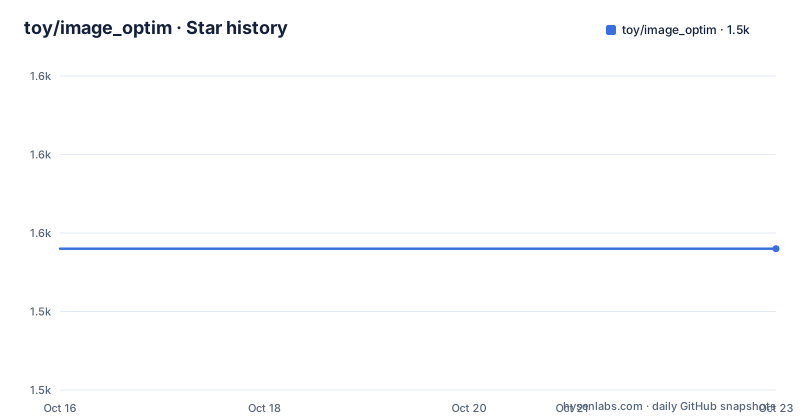
- toy/image_optim1,548 ★ · +0
| Repository | 2026-10-16 | 2026-10-23 |
|---|---|---|
| toy/image_optim | 1.5k | 1.5k |
0 Stars in the last 7 days, measured from the daily GitHub snapshot. Compare with other projects
Editorial analysis
image_optim's External Utility Model
image_optim solves a specific coordination problem: JPEG, PNG, GIF, and SVG optimization normally involves several unrelated executables with different installation paths and command-line interfaces. The gem exposes those tools through a Ruby library and a command line tool, while leaving format-specific processing to the utilities themselves. It is intended for developers who want image optimization inside scripts, build jobs, or other Ruby-controlled processes without writing separate adapters for every optimizer.
The supported utility set includes `advpng`, `gifsicle`, `jhead`, `jpegoptim`, `jpeg-recompress`, `jpegtran`, `optipng`, `oxipng`, `pngcrush`, `pngout`, `pngquant`, and `svgo`. Not every utility applies to every file format. PNG optimization, for example, can involve tools such as `optipng`, `oxipng`, `pngcrush`, `pngout`, `advpng`, and `pngquant`, while SVG processing uses `svgo`. The README describes optimization as lossless by default and says that lossy processing is optional. It does not document every default selection rule, so adopters should inspect the commands for their particular files rather than assume that all listed binaries run for every invocation.
This design keeps compression logic outside the gem. It also means that the gem is not a complete standalone image processing stack. Its practical behavior depends on which external programs are installed, whether they can be found, and how their versions interpret the options selected by image_optim.
Command Line and Ruby Data Flow
The command line accepts image paths and passes them into the optimization layer. The README's Docker example mounts the current directory at `/here`, sets that directory as the working directory, and supplies `image-in-this-folder.jpg` as the image argument. That flow avoids copying the image into the container manually: the mounted directory is visible at the same path used by the command.
For Ruby callers, the documented pattern is to call `ImageOptim.optimize_images` with a collection of image paths. The repository exposes command-line entry points under `bin/` and implementation code under `lib/`, but the README does not show the internal dispatch table or the exact calls made to each external binary. Based on that public boundary, the division is clear: Ruby code selects and invokes utilities, while each utility reads an image and produces an optimized result. The README does not document whether an original file is replaced in every failure scenario, so applications with strict file-preservation requirements need to verify that behavior before using it on production assets.
Executable discovery follows the normal `PATH` convention. If binaries live elsewhere, image_optim recognizes per-utility environment variables such as `JPEGOPTIM_BIN`, `OPTIPNG_BIN`, and `JPEG_RECOMPRESS_BIN`. A script can prepend a custom directory to `PATH` before calling the Ruby API. This is more flexible than requiring every utility in a standard system directory, but it adds deployment work when the environment is not standardized.
First image_optim Run with Docker
The shortest documented first run uses the container image from `image_optim_pack`, which the README says contains most binaries. First, query the installed image_optim version. The expected output is the version reported by the container rather than a local gem installation.
docker run --rm ghcr.io/toy/image_optim --versionNext, ask the same image to report its utilities and binary versions. This is the more useful preflight check because it exposes what the container can actually execute.
docker run --rm ghcr.io/toy/image_optim --infoFinally, mount the current directory and optimize an image already stored there. Replace the example filename only with a file that exists in that directory. With the documented example, Docker maps the project directory to `/here`, and image_optim receives `image-in-this-folder.jpg`.
docker run --rm -v "$PWD":/here -w /here ghcr.io/toy/image_optim image-in-this-folder.jpgThis path does not install the Ruby gem inside the current machine. It runs the packaged container and delegates image processing there. The README notes that the binaries pack does not include `pngout` or `svgo`, so the container is not documented as a universal solution for every supported operation. Projects that require those utilities still need another way to supply them.
Gem and System Utility Installation
A native Ruby installation starts by installing the gem. Most users will also need `image_optim_pack`, which supplies recent binaries for Linux and Mac OS X according to the README, although it omits `pngout` and `svgo`.
gem install image_optimgem install image_optim_packFor a Bundler-managed application, the README gives both dependency declarations. The first form includes the binaries pack; the shorter form installs only image_optim and assumes that the external utilities will be supplied separately.
gem 'image_optim'
gem 'image_optim_pack'gem 'image_optim'The README also documents a pinned version using `~> 0.32`, but it does not explain the compatibility policy for that constraint. System-package installation varies by platform. On Debian and Ubuntu, its documented package command installs a broad set of tools, but that command does not include every utility listed by the project. On macOS, Homebrew and Macports recipes are also provided, with Homebrew including `oxipng` and `jonof/kenutils/pngout`.
brew install advancecomp gifsicle jhead jpegoptim jpeg optipng oxipng pngcrush pngquant jonof/kenutils/pngoutThe README's Linux guidance also includes source-build instructions for `jpegoptim` and `pngcrush` on some RHEL-family systems. Those instructions require substituting release versions, so they are installation procedures rather than copy-and-run commands. The repository has no GitHub releases, which means release discovery is through the gem rather than GitHub release artifacts.
Custom Binary Paths and Upgrade Boundaries
Deployment teams can keep native binaries out of standard locations. The documented per-utility variables include `JPEGOPTIM_BIN`, `OPTIPNG_BIN`, and `JPEG_RECOMPRESS_BIN`, with the same pattern available for other supported tools. Alternatively, a custom directory can be prepended to `PATH` for one command. This approach is useful when binaries already exist in an application-specific directory, such as the macOS application bundle used in the README example.
PATH="/Applications/ImageOptim.app/Contents/MacOS:$PATH" image_optim *.jpgA Ruby script can make the equivalent change before calling `ImageOptim.optimize_images`. The environment change affects executable discovery for the process, so it should be applied before optimization begins.
The repository is not archived, and its last push was on 2026-10-04. That indicates recent repository activity, but there are no GitHub releases from which to infer a stable upgrade cadence. The gem version constraint in the README is the only concrete version example given. Upgrade planning therefore has two layers: deciding whether to change the `image_optim` gem version and deciding whether the external binaries also need separate upgrades. Because those programs are independent executables, changing only the gem does not update every optimizer.
The project uses the MIT license. That permits use and modification under the license's terms, while users remain responsible for observing its conditions. Separate utilities have their own licenses and packaging terms, which are not replaced by the gem's MIT license.
Limitations and Direct Utility Operation
The central limitation is environmental dependency. image_optim can be installed successfully while optimization still fails because a required executable is absent, is too old for the selected options, or cannot run on the host operating system. The README's binary package and platform package commands do not all contain identical tools. Its explicit exclusions for `pngout` and `svgo` are concrete examples.
Another limitation is control. image_optim provides a common layer, but the supported utilities still have different purposes and output characteristics. The supported utilities include `pngquant`, `optipng`, and `pngcrush` for PNG optimization. The README does not state the exact command-line flags, per-format optimizer order, comparison policy, or rollback mechanism. It therefore does not support a claim that the gem always chooses the smallest result or preserves originals after failure.
A direct alternative is to invoke `optipng`, `jpegoptim`, `gifsicle`, or another utility yourself. That approach removes the gem's orchestration layer and gives the script exact command-line control over one tool, but it also requires application-specific detection and error handling for each image format. ImageOptim.app is the application on which image_optim is based. image_optim itself provides a Ruby library and CLI around external utilities. The relevant comparison is therefore not output quality, which cannot be established from the README, but dependency management and interface choice.
Editorial conclusion
Adopt image_optim when a Ruby workflow needs a consistent interface over several established image utilities and you can accept dependency on those executables. Do not choose it as a self-contained optimizer or when exact compression control must come from one tool. Before adoption, inspect `--info` in the target environment, then confirm that the selected utilities are installed, licensed appropriately, and compatible with the image types your workflow processes.
Frequently asked questions
Does image_optim include all image optimization binaries?
No. The `image_optim_pack` binaries pack includes most required binaries for Linux and Mac OS X, but the README explicitly says it does not include `pngout` or `svgo`.
Which image formats can toy/image_optim process?
The README identifies JPEG, PNG, GIF, and SVG as supported formats. Processing still depends on having the relevant external utilities available.
How does image_optim find an executable outside PATH?
It can use a per-utility environment variable such as `JPEGOPTIM_BIN`, `OPTIPNG_BIN`, or `JPEG_RECOMPRESS_BIN`. It can also locate binaries when a custom directory is prepended to `PATH`.
Official sources
Add this badge to your README
If you maintain this project, the badge below links readers to this analysis and shows its maintenance status from the daily GitHub snapshot. Paste the markdown into your README; add ?metric=license or ?metric=stars to the image URL for a different field.

[](https://hysenlabs.com/projects/toy-image-optim)Star history chart for your README
[](https://hysenlabs.com/projects/toy-image-optim)Was this useful?