cereal is header-only, and its own example shows why save and load are split apart
A C++11 library for serialization
At a glance
- What is it?
- cereal is a C++11 header-only serialization library that turns data into binary, XML or JSON with no external dependencies. Its quick example writes one field and regenerates another on load, which is the design decision worth understanding first.
- Who is it for?
- cereal fits C++ projects that want serialization without a dependency tree, especially where the data is yours and the format may change later, since it writes binary, XML, or JSON through the same archive interface. It does not fit a project that expects a stable on-disk format across versions of your own code: the example shows a field that is never written and is rebuilt on load, and that discipline belongs to you.
- Can I use it commercially?
- Yes. BSD-3-Clause is a permissive licence: you can use, modify and sell software built on it, as long as you keep its copyright and licence notices.
- Is it still maintained?
- Activity is slowing. The repository last received commits 8 months ago.
- What is it written in?
- Mainly C++, according to GitHub's language statistics.
Answers come from the project's GitHub data, last synced on November 15, 2026, and from our analysis. They are not legal advice.
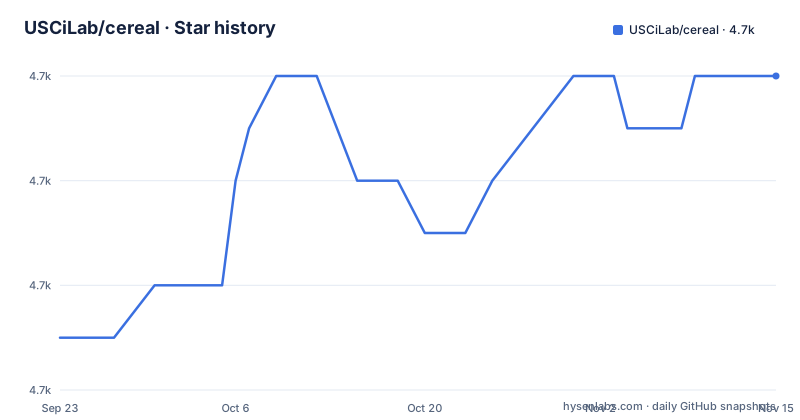
Star history
- USCiLab/cereal4,712 ★ · +5
| Repository | 2026-09-23 | 2026-11-15 |
|---|---|---|
| USCiLab/cereal | 4.7k | 4.7k |
5 Stars in the last 53 days, measured from the daily GitHub snapshot. Compare with other projects
Editorial analysis
Header-only means you copy include/ and stop
cereal has no external dependencies and no build step to run. The quick version of installation is three steps: download cereal and place the headers somewhere your code can see them, write serialization functions for your custom types or use the built in support for the standard library, then use the serialization archives to load and save data. That simplicity is the whole pitch, and it is easy to read as free. The cost shows up later. Nothing pins a version for you, nothing enforces that two projects in the same build are using the same headers, and because there is no library binary, a change to a header means recompiling every target that included it. Upgrades are entirely your problem to schedule.
One template member per type, split by role
The mechanism is a member function template on your type. A type with nothing special to do declares serialize( Archive & ar ) and calls the archive on its members. A type that has to behave differently on the way out and on the way in declares two functions instead, save( Archive & ar ) const and load( Archive & ar ). The example shows both shapes in one snippet:
#include <cereal/types/unordered_map.hpp>
#include <cereal/types/memory.hpp>
#include <cereal/archives/binary.hpp>
#include <fstream>

struct MyRecord
{
  uint8_t x, y;
  float z;

  template <class Archive>
  void serialize( Archive & ar )
  {
    ar( x, y, z );
  }
};
MyRecord uses the single serialize form because reading and writing it are symmetric. SomeData cannot use that form, and the split is where the interesting behaviour lives.
save writes only data, so load rebuilds the id
SomeData holds an int32_t id and a shared pointer to an unordered map, and its writer sends one member:
  template <class Archive>
  void save( Archive & ar ) const
  {
    ar( data );
  }
The id never reaches the archive. On the reading side, load sets the id from a counter before it reads anything: static int32_t idGen = 0; id = idGen++; then it loads data. Two consequences follow. A record that has been saved and loaded back is not the same record, because the id you get is generated rather than restored, and the value depends on how many loads happened earlier in the process. And the counter is a function-local static, so ids are not stable between runs of the same program. If an identifier has to survive a round trip, cereal will not invent it for you.
Containers and pointers are opt-in headers
Support for the standard library is not compiled in by default, it is opted into by include. The example pulls in cereal/types/unordered_map.hpp for the hash map, cereal/types/memory.hpp for the shared pointer, and cereal/archives/binary.hpp to choose the archive, alongside <fstream>. Each header is a separate promise that the type is handled. The archive header is also where you choose the representation, since the same members can be written as a compact binary encoding, as XML, or as JSON. Changing representation is a one-line include change, and it changes the bytes on disk, so treat the choice as part of your file format.
CMake and pkg-config files for a header-only library
The repository carries CMakeLists.txt, Config.cmake.in, and cereal.pc.in, so consumers have a CMake package and a pkg-config file to point at even though there is nothing to link. That packaging is what makes cereal usable inside a larger build rather than by copying files around by hand. Version bookkeeping is the part to look at closely, because the two dates diverge. The tagged releases are v1.3.2 from 2022-02-28, v1.3.1 from 2022-01-17, and v1.3.0 from 2019-10-25, while the most recent recorded push on the repository is dated 2026-03-11. Commits have continued for years after the newest tag, so a build from master and a build from v1.3.2 are not the same thing, and only the tag gives you something reproducible.
Four build configurations guard one header set
cereal keeps four continuous integration configurations rather than one: a Travis configuration in .travis.yml, an AppVeyor configuration in appveyor.yml pointing at the master branch, and two GitHub Actions workflows, ci.yml and ci-macos.yml. The duplication is not vanity. A header-only serialization library is compiled inside somebody else's build on somebody else's compiler, so the only way to know a change is portable is to compile it in several places. The practical consequence for a contributor is that a green local compile proves very little, and a change to a template header can fail on a compiler you do not have installed.
unittests, sandbox, scripts, and doc make up the rest
The tree is small and legible: .github/, .gitignore, .travis.yml, CMakeLists.txt, Config.cmake.in, LICENSE, README.md, appveyor.yml, cereal.pc.in, and five directories named doc/, include/, sandbox/, scripts/, and unittests/. include/ is the part you consume, doc/ is the documentation tree, and the presence of unittests/ and sandbox/ together suggests the two usual separation, checked behaviour against a scratch space for experiments. Anything you want to know beyond the quick example is pointed at the web page at USCiLab.github.io/cereal rather than at a file in the repository, so the overview deliberately sends you off-tree for the real installation and usage documentation. Support questions have one named route as well: the mailing list at [email protected], or the same list on the web through Google Groups.
Editorial conclusion
cereal fits C++ projects that want serialization without a dependency tree, especially where the data is yours and the format may change later, since it writes binary, XML, or JSON through the same archive interface. It does not fit a project that expects a stable on-disk format across versions of your own code: the example shows a field that is never written and is rebuilt on load, and that discipline belongs to you. Before you adopt it, check the tag you are pinning, because the newest release is v1.3.2 from 2022-02-28 while the most recent push on the repository is dated 2026-03-11, so development and releases are not moving together.
Frequently asked questions
How do I install cereal into a C++ project?
cereal is header-only, so the quick version is to download it and place the headers somewhere your code can see them. There is nothing to link against, and cereal has no external dependencies.
Which output formats can cereal write?
Its archives turn data into different representations, including compact binary encodings, XML, and JSON. The choice is made by which archive header you include, for example cereal/archives/binary.hpp in the example, which also includes <fstream> for file output.
Do I have to write serialization code for my own types?
For custom types you write a serialize function, or a save and a load pair when reading and writing differ. Standard library types come with support you opt into, through headers such as cereal/types/unordered_map.hpp and cereal/types/memory.hpp.
Is cereal the same project as the Haskell cereal library?
No. The project page ends with a pointer for readers who were looking for the Haskell cereal, sending them to GaloisInc/cereal instead, which is a separate project.
When was the last cereal release?
The tagged releases are v1.3.2 from 2022-02-28, v1.3.1 from 2022-01-17, and v1.3.0 from 2019-10-25. The most recent recorded push on the repository is dated 2026-03-11.
Official sources
Add this badge to your README
If you maintain this project, the badge below links readers to this analysis and shows its maintenance status from the daily GitHub snapshot. Paste the markdown into your README; add ?metric=license or ?metric=stars to the image URL for a different field.

[](https://hysenlabs.com/projects/uscilab-cereal)Star history chart for your README
[](https://hysenlabs.com/projects/uscilab-cereal)Was this useful?