autocluster: four instrument cluster prototypes in Framer
The code base around the cluster prototypes.
At a glance
- What is it?
- The code and design assets behind ustwo's thought-piece on re-imagining the car instrument cluster: an unbranded archetype, concept clusters for a Ferrari California and a Mercedes Benz S-class, and an adaptive UI that judges viewing angle from headtracking. Built as rapid prototypes rather than product code.
- Who is it for?
- autocluster fits a designer or developer who wants to see how a studio approached a speculative interface problem, and who wants something to open and modify rather than a library to install, since each prototype is a self contained project with a design file beside it. Three things to know before you spend time in it.
- Can I use it commercially?
- Yes. MIT is a permissive licence: you can use, modify and sell software built on it, as long as you keep its copyright and licence notices.
- Is it still maintained?
- Probably not. The repository last received commits 32 months ago, on February 12, 2024.
- What is it written in?
- Mainly JavaScript, according to GitHub's language statistics.
Answers come from the project's GitHub data, last synced on October 22, 2026, and from our analysis. They are not legal advice.
Star history
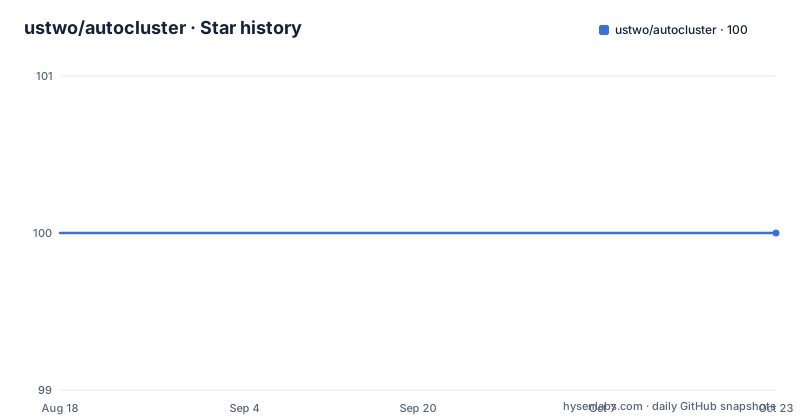
- ustwo/autocluster100 ★ · +0
| Repository | 2026-08-18 | 2026-10-22 |
|---|---|---|
| ustwo/autocluster | 100 | 100 |
0 Stars in the last 65 days, measured from the daily GitHub snapshot. Compare with other projects
Editorial analysis
Four prototypes are listed, and a fifth folder is in the tree
The repository is described as the codebases and design assets for prototypes used in a ustwo thought-piece titled Re-imagining the instrument cluster in cars. The README lists four web based prototypes. An unbranded archetype of an instrument cluster, which is the neutral starting point rather than a licensed vehicle. A concept cluster user interface for a Ferrari California. A concept cluster user interface for a Mercedes Benz S-class. And an adaptive user interface prototype that uses headtracking as the basis for judging viewing angle. The tree at the root holds a directory for each of those, named after the cluster it is, plus one the README does not mention: a Citroen Cactus cluster folder marked as work in progress. So the published count is four while the repository contains five cluster projects, which is the kind of detail worth knowing before you assume you have seen everything here.
Framer Studio is the tool, and the folders are Framer projects
The tools section names three things and gives a clear hierarchy. The primary tool has been the FramerJS framework, built for rapid prototyping and experimentation, together with the studio's realtime application Framer Studio. That pairing matters for anyone arriving cold: this is not a codebase with a package manifest that you run, it is a set of interactive design projects meant to be opened, adjusted and previewed live. The second tool is PaperJS, used for vector graphics scripting, which is where any custom drawing inside the prototypes would have come from. The third is Headtrackr JS, which gets its own section below. Each prototype lives in its own directory ending in .framer, which is consistent with those being Framer project files rather than plain web projects.
The adaptive prototype judges your viewing angle by watching your head
One prototype is a different kind of experiment and deserves its own reading. The adaptive user interface prototype uses headtracking as a basis for judging viewing angle, which is a direct response to a known problem in car interfaces: a driver glances at a display for a second, so what matters is not what is on the screen but whether it can be read at a glance and at an angle. The tracking is done with Headtrackr JS, described as a JavaScript library for real-time face tracking and head tracking that tracks the position of a user's head in relation to the computer screen, through a web camera and the webRTC getUserMedia standard. So the prototype needs a camera, a browser permission and a library, which puts it in a different category from the static concept work next to it. The project lives in its own directory named for face tracking.
Two of the concepts name real cars, one does not
The prototypes split into an unbranded archetype and two vehicles that are named outright: a Ferrari California and a Mercedes Benz S-class. That distinction carries more weight than it first appears. An unbranded archetype can invent a layout freely, since no existing badge or model constrains it, and it is the neutral baseline for the concept work. A named concept cluster is a different exercise, because it has to sit inside the design language and packaging constraints of a car that exists, and any resemblance to a production interface becomes a question rather than an abstraction. Neither prototype ships any vehicle data or simulation of one; they are interface concepts, not drivable environments. The design assets folder holds a PSD file that the README invites you to play with, which is the fastest way to see the layouts without running anything.
Design assets and source images sit beside the projects
Two directories at the root are not code. One is the design assets folder in PSD format, holding the layered file mentioned at the end of the introduction, and it is the single most useful thing in the repository for someone who wants the layouts rather than the behaviour. The other is a source images folder, which the README itself points at when it shows a photograph of a cluster on the road as the image for the project. Having both is unusual and useful: the PSD gives you the geometry and the images give you the context the geometry came from. Everything else at the root is one of the prototype directories, the README, and a licence file whose name is simply License rather than the more usual LICENSE.
A 2015 copyright on a repository last touched in 2024
The licence is the MIT License with a copyright notice for ustwo studio inc dated 2015, which tells you when the work was made rather than when it was published. The repository is MIT licensed at the top level as well, and the tree carries the licence text in that root file named License. Beyond the licence, the state of the project is worth stating plainly. The default branch is master, the repository is not archived, no GitHub releases have ever been published, and the last recorded push is 12 February 2024. The recorded primary language is JavaScript, which matches the three JavaScript libraries the prototypes are built on. There is no build script, no dependency manifest, no issue tracker referenced and no contribution guide, so the repository is an archive of published work rather than a maintained project.
The stated aim is to ask questions about in-car interfaces
The about section says what the prototypes are for. ustwo describes itself as a global product studio working with leading brands and building homegrown and forward-thinking products, and the automotive work, ustwo auto, is presented as a series of thought pieces whose purpose is to ask the right questions about in-car interactions and the Human Machine Interface, abbreviated HMI. That framing is the reason the code is published at all: these are arguments made in a form you can click through, not a product and not a component library. The invitation at the end of the tools section is equally direct, asking people to comment on the prototypes and codebase and to riff and build on them where possible, with attribution to ustwo much appreciated. The thinking is continued on the studio site and on its automotive page.
Editorial conclusion
autocluster fits a designer or developer who wants to see how a studio approached a speculative interface problem, and who wants something to open and modify rather than a library to install, since each prototype is a self contained project with a design file beside it. Three things to know before you spend time in it. The prototypes were built for rapid prototyping with Framer, so opening them properly means using that tool rather than treating the directories as web projects. The headtracking experiment depends on a webcam and browser permission, which is a different kind of setup from the static concept work. And the repository is a 2015 artefact: the licence notice is dated 2015, the default branch is master, and the last commit is 12 February 2024 with no releases. MIT licensed, and the README explicitly invites people to riff on it with attribution.
Frequently asked questions
What is the ustwo autocluster repository?
It holds the codebases and design assets for four web based prototypes used in ustwo's thought-piece Re-imagining the instrument cluster in cars: an unbranded cluster archetype, concept cluster interfaces for a Ferrari California and a Mercedes Benz S-class, and an adaptive interface that uses headtracking to judge viewing angle.
What tools were the autocluster prototypes built with?
FramerJS with Framer Studio as the primary tool for rapid prototyping and experimentation, PaperJS for vector graphics scripting, and Headtrackr JS for real-time face and head tracking through a web camera using the webRTC getUserMedia standard.
What is the adaptive UI autocluster prototype doing?
It uses headtracking as a basis for judging the viewing angle, which matters for an interface a driver glances at briefly. Tracking is done in real time with the Headtrackr JS library over a web camera, and the project lives in its own face tracking directory.
What license is the autocluster code under?
The MIT License, with a copyright notice for ustwo studio inc dated 2015. The licence text sits in a root file named License rather than LICENSE, and the repository is published under the same terms.
Can I build on the ustwo autocluster prototypes?
The README invites comments on the prototypes and the codebase and explicitly invites people to riff and build on them where possible, asking that attribution to ustwo be given. A layered PSD of the layouts is included in the design assets folder to work from.
Official sources
Add this badge to your README
If you maintain this project, the badge below links readers to this analysis and shows its maintenance status from the daily GitHub snapshot. Paste the markdown into your README; add ?metric=license or ?metric=stars to the image URL for a different field.

[](https://hysenlabs.com/projects/ustwo-autocluster)Star history chart for your README
[](https://hysenlabs.com/projects/ustwo-autocluster)