phpsocket.io runs a socket.io 2.x server inside a PHP process
A server side alternative implementation of socket.io in PHP based on workerman.
At a glance
- What is it?
- phpsocket.io reimplements the socket.io server protocol in PHP on top of Workerman, so a PHP codebase can keep realtime clients without hosting a Node service. Its ceiling is hard: socket.io clients from 1.3.0 through 2.x only, no v3 and no v4.
- Who is it for?
- Take it when the browser clients are locked to socket.io 2.x and the server has to stay in PHP. Open examples/chat on port 2026 first and settle the handshake question there, then check examples/rooms and examples/namespaces if you need join and of() scoping.
- Can I use it commercially?
- Yes. MIT is a permissive licence: you can use, modify and sell software built on it, as long as you keep its copyright and licence notices.
- Is it still maintained?
- Yes. The repository last received commits 58 days ago.
- What is it written in?
- Mainly PHP, according to GitHub's language statistics.
Answers come from the project's GitHub data, last synced on October 23, 2026, and from our analysis. They are not legal advice.
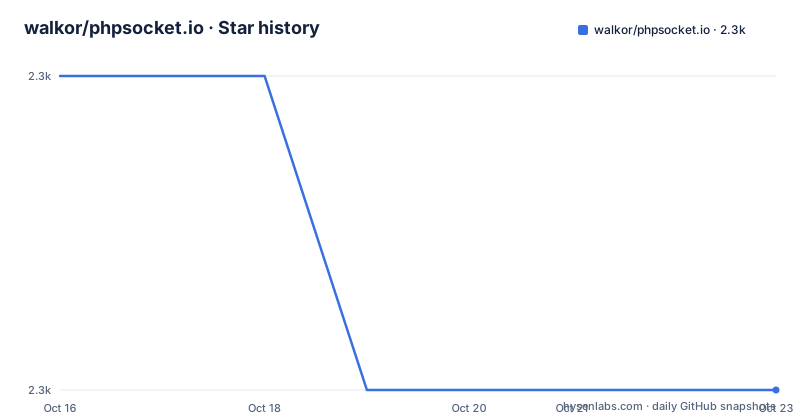
Star history
- walkor/phpsocket.io2,340 ★ · -1
| Repository | 2026-10-16 | 2026-10-23 |
|---|---|---|
| walkor/phpsocket.io | 2.3k | 2.3k |
-1 Stars in the last 7 days, measured from the daily GitHub snapshot. Compare with other projects
Editorial analysis
Putting a socket.io server on PHP instead of Node
phpsocket.io answers one narrow question: how do you keep socket.io clients when the server runtime has to be PHP. It reimplements the server half of the protocol in PHP and drives it through Workerman, the event-driven process model published by the same author, walkor. The repository topics spell out the intent: realtime, socket-io, socketio, workerman, chat-demo.
Nothing on the wire changes for the browser. A page that already calls socket.io still emits named events and listens for them, and what changes is that the handler lives in a PHP script that never returns, booted by `Worker::runAll()`, instead of a Node process. Two hand-written objects carry the whole server: a `SocketIO` instance bound to a port, and a callback registered for `connection`. The last push was on 2026-08-26 and the repository is not archived.
One port, one connection handler, two ways to emit
Every example opens with the same three moves. `new SocketIO(2026)` binds the endpoint to port 2026, `$io->on` receives each arriving client as a `$socket`, and `Worker::runAll()` keeps the process alive afterwards. Event names inside that callback are yours to choose: the minimal chat example listens for `chat message` and calls `$io->emit`, which reaches every connected client, sender included.
The longer demo in `examples/chat` shows the complementary half. There `$socket->broadcast->emit` deliberately excludes the sender, and a `addedUser` flag set inside the `add user` handler tells the `disconnect` handler whether this client was ever counted. A tab that connects and closes without registering leaves the user count untouched, which keeps the `login` and `user left` numbers in step.
From composer install to a running chat on port 2026
Requirements are pinned twice in the repo: PHP >= 7.4 and Workerman >= 4.0 < 5.0. Inside an existing project the install is one line.
composer require workerman/phpsocket.ioThe smallest complete server is the first example, saved as `start.php` next to `vendor/autoload.php`.
// Listen on port 2026 for socket.io clients
$io = new SocketIO(2026);

$io->on('connection', function ($socket) use ($io) {
    $socket->on('chat message', function ($msg) use ($io) {
        $io->emit('chat message', $msg);
    });

Worker::runAll();
From the directory that holds the chat example, start it in the foreground or detach it.
cd examples/chat
php start.php start       # debug mode
php start.php start -d    # daemon mode
php start.php stop        # stop
php start.php status      # status
Watch the port split here. The chat page is served on `http://localhost:2027` while the socket endpoint stays on 2026, so client code has to aim at 2026 rather than at the address in the browser bar.
Four demos, eight ports, one Compose file
docker-compose.yml wraps the examples in four runnable services and three tooling services. The default service builds the image, publishes 2026 and 2027, bind-mounts the working tree over /app, and inherits the Dockerfile command that launches the chat script.
  phpsocketio:
    build: .
    ports:
      - "2026:2026"
      - "2027:2027"
    volumes:
      - .:/app
restart: unless-stoppeddocker compose up --build # or: docker compose up --build phpsocketioThree sibling services do the same job for the other demos, each mounting the same source and running its own `composer install --no-dev --optimize-autoloader` before its start command. Rooms puts the endpoint on 2030 behind a page on 2031, acknowledgements on 2032 and 2033, namespaces on 2034 and 2035.
Two details slip past a skim. The Dockerfile declares only `EXPOSE 2026 2027`, so those six other port pairs exist purely in the Compose file. And because the bind mount covers what the image copied, each service reinstalls dependencies at startup instead of using a baked vendor directory.
The client version ceiling stops at socket.io 2.x
The notice at the top of the README decides adoption on its own. Only socket.io clients from v1.3.0 up to and including the 2.x line work, and v3 and v4 do not. The verification claim is narrow and specific: `[email protected]`, the last 2.x client, driven end to end over both polling and websocket transports. A front end already on socket.io 4 cannot talk to this server, whatever the PHP side looks like.
The package version numbers pull the other way, and that contradiction is worth naming. The package itself now sits at v3.0.0-beta.2, published on 2026-08-26, one day after v3.0.0-beta.1 and after v2.3.0 on 2026-05-06. None of that moves the wire protocol, and the API reference points at the v2 server documentation under socket.io/docs/v2/server-api, so the handler surface is frozen at that generation. Projects arriving from v2.x of this package have `UPGRADING.md` for what changed in v3.0.0.
TLS in the documented example turns off peer verification
HTTPS arrives as a constructor argument, an array whose `ssl` key holds the certificate and key paths.
$context = [
    'ssl' => [
        'local_cert'  => '/your/path/of/server.pem',
        'local_pk'    => '/your/path/of/server.key',
        'verify_peer' => false,
    ],
];

$io = new SocketIO(2026, $context);
Read that snippet before copying it. `verify_peer` is false and no CA file appears anywhere in the block, so a server built straight from the example accepts peers it cannot attribute.
The same section carries a conflicting floor. It requires phpsocket.io >= 1.1.1 and workerman >= 3.3.7, while the notice and the badges at the top of the same file demand Workerman >= 4.0 < 5.0 and state that Workerman 5.x is not supported. Two version policies on one page, with nothing in between saying which one the current code follows.
The chat demo keeps its user list in PHP globals
The room demo in `examples/chat` is where the shortcuts are visible. Its `add user` handler declares `global $usernames, $numUsers;`, increments the counter, and returns the total to the browser inside a `login` event, while `disconnect` decrements it and announces `user left`. Typing indicators travel the same broadcast path. The source flags the choice itself, noting that global variables are used there for simplicity.
Scoping primitives live in the other two demos. `examples/rooms` is built around `socket->join()`, `leave()` and `to(room)->emit()`, so a message reaches only the members of one room. `examples/namespaces` splits a single server into `/public` and `/admin` through `io->of()`, and nothing sent on one channel reaches the other. The counter stays in PHP process memory, and none of the four example directories adds a store or adapter behind it, which is the first piece a real deployment has to supply.
Tool profiles run phpcs, phpstan and phpunit only on demand
Style and test tooling are wired into Compose rather than left to local machines. The phpcs, phpstan and phpunit services sit behind `profiles: [tools]`, so a plain `docker compose up --build` leaves them stopped, and they publish no ports, which is why they never appear in the port table above. Each runs `composer install` and then one binary.
  phpunit:
    build: .
    volumes:
      - .:/app
    # error_reporting=E_ALL matches CI's stricter default so PHP warnings
    # (e.g. uninitialized string offsets) fail here instead of only in CI.
    command: sh -c "composer install --no-interaction && php -d error_reporting=E_ALL vendor/bin/phpunit"
    profiles: [tools]
That comment matters more than it looks. Warnings such as `uninitialized string offsets` now break the local container run instead of surfacing only on the pipeline, so a checkout can fail before a line of application code is written. At the root, phpcs.xml, phpstan.neon and phpunit.xml define those checks, next to a Dockerfile built on `php:7.4-cli` that installs the pcntl, posix and sockets extensions. Licensing is the plainest line in the repo: the package is MIT, with the notice in the LICENSE file.
Editorial conclusion
Take it when the browser clients are locked to socket.io 2.x and the server has to stay in PHP. Open examples/chat on port 2026 first and settle the handshake question there, then check examples/rooms and examples/namespaces if you need join and of() scoping. Pass on it for socket.io 3.x or 4.x clients, for Workerman 5.x, and for any plan that needs the user counter shared between worker processes. Verify your client version first, rewrite the verify_peer line the TLS example sets to false, and move the numUsers counter out of PHP globals if you plan to run more than one worker.
Frequently asked questions
Which socket.io client versions can phpsocket.io talk to?
Clients from v1.3.0 through the 2.x line, with the project stating end-to-end verification against [email protected] over both polling and websocket transports. socket.io v3 and v4 are not supported.
What does it take to install phpsocket.io and start the chat demo?
PHP >= 7.4 and Workerman >= 4.0 < 5.0, then composer require workerman/phpsocket.io. Run the chat example with php start.php start from examples/chat, and open http://localhost:2027 while the socket endpoint stays on port 2026.
Does phpsocket.io work with Workerman 5.x?
No. The requirements name Workerman >= 4.0 < 5.0 and state that Workerman 5.x is not supported, and the build badge in the README repeats the same range.
How do the rooms and namespaces examples differ?
The rooms example scopes messages with socket->join(), leave() and to(room)->emit(), while the namespaces example uses io->of() to run /public and /admin channels on one server. Rooms listens on 2030 with its page on 2031, namespaces on 2034 with its page on 2035.
Is HTTPS supported, and is certificate checking on?
HTTPS is configured by passing an ssl context with local_cert and local_pk to the SocketIO constructor. The example in the repository sets verify_peer to false, so peer verification is off in that snippet.
Official sources
Add this badge to your README
If you maintain this project, the badge below links readers to this analysis and shows its maintenance status from the daily GitHub snapshot. Paste the markdown into your README; add ?metric=license or ?metric=stars to the image URL for a different field.

[](https://hysenlabs.com/projects/walkor-phpsocket-io)Star history chart for your README
[](https://hysenlabs.com/projects/walkor-phpsocket-io)Was this useful?