Wavebox for Chromium-Based Work Apps
Wavebox, the revolutionary and feature-rich Chromium browser that's built for productive working across Google Workspaces, Microsoft Teams, ClickUp, Monday, Atlassian, Asana, AirTable, Slack, and every other web app you use to get work done.
At a glance
- What is it?
- Wavebox is a desktop Chromium browser designed for people who keep multiple web applications open across work accounts and platforms. Its profile, cookie container, sleeping tab, split screen, and extension features target organized work sessions, but this repository contains release and issue information rather than the browser source.
- Who is it for?
- Wavebox is a reasonable fit for users who need several web work services organized in separate accounts, while people who only need a standard Chromium browser may prefer a less specialized product. Check the platform download, current stable or beta channel, extension requirements, and the terms associated with the distributed application before adopting it.
- Can I use it commercially?
- Not without permission. GitHub finds no licence file in the repository, and without a licence all rights are reserved by default: you may read the code but not reuse it. Check the README, or ask the authors, before using it.
- Is it still maintained?
- Yes. The repository last received commits 3 days ago.
- What is it written in?
- Mainly JavaScript, according to GitHub's language statistics.
Answers come from the project's GitHub data, last synced on November 7, 2026, and from our analysis. They are not legal advice.
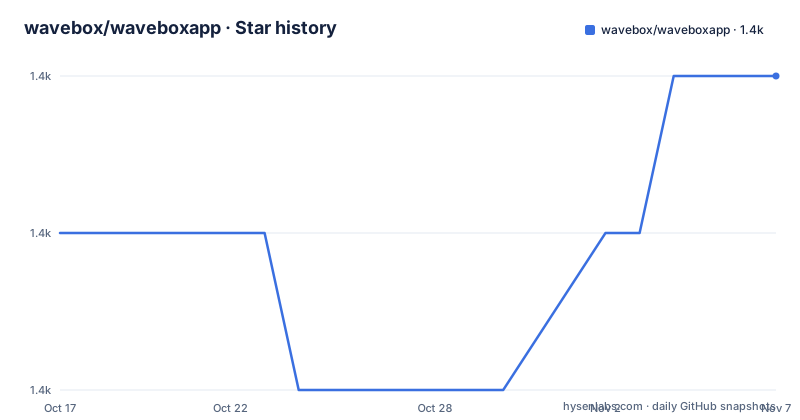
Star history
- wavebox/waveboxapp1,378 ★ · +1
| Repository | 2026-10-17 | 2026-11-07 |
|---|---|---|
| wavebox/waveboxapp | 1.4k | 1.4k |
1 Stars in the last 21 days, measured from the daily GitHub snapshot. Compare with other projects
Editorial analysis
Wavebox's Workspace Organization Model
Wavebox addresses a practical desktop problem: work is often spread across browser tabs, web applications, and accounts that need to stay separate. The project description explicitly names Google Workspaces, Microsoft Teams, ClickUp, Monday, Atlassian, Asana, AirTable, Slack, and other web apps. It is aimed at people who use those services during a working day rather than at developers who need a browser extension API or a browser source tree.
The central design choice is organization inside a Chromium-based browser. Wavebox provides multiple profiles for different setups, cookie containers for multiple account sign-ins, and tab management tools. That makes it possible to keep related sessions separate without treating every account as an ordinary tab. The README also lists customizable toolbars, tab sleeping, tab search, and multiway split screen. These features are aimed at keeping a desktop workspace usable when the number of services grows.
Wavebox is distributed as a complete browser rather than as a small JavaScript package. The repository itself is described as issues and release-only, so its JavaScript primary language does not indicate that users install or extend the browser through a normal npm library.
Chromium Base and Extension Compatibility
According to the README, Wavebox 10 is a complete fork of Chromium launched in 2019. The project states that it keeps parity with the latest version of Chromium and tends to issue a major release every four weeks. The release list includes a stable build, v155.3.17-stable, and a beta build, v156.3.17-beta, both dated 2026-10-14. These details describe the distribution channel, not a source-level build process visible in this repository.
The extension model is based on Chromium and Google Chrome. Wavebox says it supports the same extension ecosystem and extension APIs as those browsers, with additional features documented separately in the wavebox-10-extension-api repository. The README also points to Chromium Checker, which can report a UserAgent and feature-detect the Chromium version. That service is relevant when an extension or web application depends on browser compatibility, but the repository does not document a local extension development setup.
The older Wavebox Classic product used Electron. Its source is available in the classic directory, while the README describes the current Wavebox 10 as the Chromium-based product. That history matters for engineers looking for an Electron codebase, because the current repository layout does not present the active browser source as a normal development project.
Profiles, Containers, and Sleeping Tabs
Profiles and cookie containers solve different organization needs. Multiple profiles are intended for separate browser setups, while cookie containers are intended for multiple sign-ins to the same service. The README links to separate documentation for profiles and SaaS profile groups or collections, but it does not explain how containers are created, whether they can synchronize, or what happens when a service blocks multiple sessions. Those details must be checked in Wavebox's knowledge base or support channels.
Sleeping tabs are presented as a way to keep tabs available while reducing their active resource use. The project description also claims high performance and longer battery life, but it does not provide measurements, test conditions, or a comparison with Chrome. The documented feature is therefore the tab sleeping control itself, not a measurable performance guarantee.
The browser also documents tab management, organizing, sleeping, and search. Multiway split screen is available for placing several work views together. The README does not document a command-line interface, keyboard shortcut scheme, session export format, or automated profile provisioning API. Users who require those capabilities should not assume they are part of the public repository.
Wavebox Downloads and First Launch
The repository does not provide installation commands or a package-manager workflow. It directs users to the Wavebox website for downloads. macOS builds are listed for Intel and Apple Silicon, while Linux packages are listed as DEB, RPM, TAR, AppImage, and AUR. The README does not state package versions, installation commands, repository configuration, or system prerequisites in this repository.
A first real use would begin by selecting the download for the relevant operating system, then deciding whether to use the stable channel or the beta channel. The beta page is described as a way to try the latest features and see what is coming soon. After installation, the documented starting points are creating or selecting a profile, configuring the services needed for work, and using cookie containers where multiple accounts must be kept apart.
Because the README gives no install commands, there are no commands to reproduce here. A reader should first verify that the official download page matches the expected operating system and architecture. The README also points to the support page, the knowledge base, and the in-app support button for dedicated help. It does not document a rollback procedure, migration from another browser, or import behavior for bookmarks and passwords.
Release Channels and Chromium Update Cost
Wavebox has a stable changelog and a beta changelog, with separate release entries visible in the repository. The latest listed stable version is v155.3.17-stable, and the latest listed beta version is v156.3.17-beta. The README says that Wavebox follows Chromium releases and generally has a major release every four weeks. That creates a recurring upgrade consideration for users who need extensions or web applications to remain compatible with a changing browser base.
The repository is not archived, and its last push was on 2026-10-16. That supports describing the repository as recently updated, but it does not prove that every browser component is continuously maintained. The repository's purpose is also limited to issues and releases, so it is not a transparent place to inspect implementation changes, dependency updates, or the full source history of the current browser.
License information is marked as unknown in the repository description. The README does not provide a license identifier for the current project, and it does not explain the licensing of bundled Chromium code or third-party extensions. Organizations should therefore treat redistribution, modification, and internal deployment questions as unresolved until the applicable license terms are identified in the downloaded distribution or official project documentation.
Where Wavebox Differs from a Generic Browser
Wavebox is not positioned as a minimal Chromium wrapper. Its distinction is the set of workspace controls layered around a Chromium base: multiple profiles, cookie containers, sleeping tabs, customizable toolbars, tab search, and multiway split screen. A standard browser may provide tabs, extensions, and profile switching, but the Wavebox README presents these features as one integrated environment for web work.
The trade-off is specialization. A user who values a plain browser interface and conventional extension behavior may find that the additional workspace controls are unnecessary. A user who wants a separate browsing environment for work accounts may find those controls more useful than a conventional browser profile model. The repository does not provide a detailed compatibility matrix for every extension, nor does it document which third-party web applications are officially tested.
Wavebox also links to Wavebox Classic, which used Electron. Developers examining the repository for an Electron application should use the classic archive, while users evaluating the current desktop product should distinguish that historical code from the Chromium-based Wavebox 10 product.
Editorial conclusion
Wavebox is a reasonable fit for users who need several web work services organized in separate accounts, while people who only need a standard Chromium browser may prefer a less specialized product. Check the platform download, current stable or beta channel, extension requirements, and the terms associated with the distributed application before adopting it.
Frequently asked questions
How do I download Wavebox for Linux?
The README lists Linux downloads in DEB, RPM, TAR, AppImage, and AUR formats. It does not provide installation commands or package configuration steps in this repository.
Does Wavebox support Chrome extensions?
The README says Wavebox supports the same extension ecosystem and extension APIs as Chromium and Google Chrome. It also points to a separate repository for additional Wavebox extension API features.
What is the difference between Wavebox and Wavebox Classic?
The README describes Wavebox 10 as a complete fork of Chromium launched in 2019. Wavebox Classic is the older Electron-based product, and its archived source is available in the classic directory.
Official sources
Add this badge to your README
If you maintain this project, the badge below links readers to this analysis and shows its maintenance status from the daily GitHub snapshot. Paste the markdown into your README; add ?metric=license or ?metric=stars to the image URL for a different field.

[](https://hysenlabs.com/projects/wavebox-waveboxapp)Star history chart for your README
[](https://hysenlabs.com/projects/wavebox-waveboxapp)Was this useful?