wysaid/android-gpuimage-plus for Android image, camera, and video filters
Android Image & Camera Filters Based on OpenGL.
At a glance
- What is it?
- android-gpuimage-plus is a C++ and Java library that applies OpenGL shader filters to Android images, camera frames, and videos. It combines text-based filter rules, custom shaders, CameraX support, and optional FFmpeg recording, with separate image-only and 16KB-page builds.
- Who is it for?
- Android developers that need GPU-rendered image filters, reusable shader pipelines, CameraX integration, or FFmpeg-backed recording should consider android-gpuimage-plus when direct OpenGL thread control fits their application. Projects that only need static photo editing may prefer the smaller `-min` artifact, while teams requiring a pure Java implementation should first verify whether the native C and C++ layer and its Android ABIs match their build requirements.
- Can I use it commercially?
- Yes. MIT is a permissive licence: you can use, modify and sell software built on it, as long as you keep its copyright and licence notices.
- Is it still maintained?
- Yes. The repository last received commits 87 days ago.
- What is it written in?
- Mainly C, according to GitHub's language statistics.
Answers come from the project's GitHub data, last synced on October 23, 2026, and from our analysis. They are not legal advice.
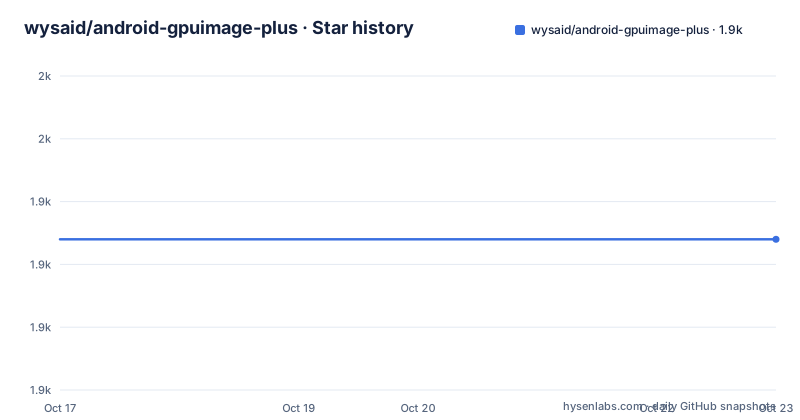
Star history
- wysaid/android-gpuimage-plus1,934 ★ · +0
| Repository | 2026-10-17 | 2026-10-23 |
|---|---|---|
| wysaid/android-gpuimage-plus | 1.9k | 1.9k |
0 Stars in the last 6 days, measured from the daily GitHub snapshot. Compare with other projects
Editorial analysis
Why android-gpuimage-plus handles native Android GPU filters
android-gpuimage-plus addresses applications that need the same visual effects across still images, a live camera preview, and video. Without a shared filter layer, each application might implement separate bitmap processing and camera pipelines. This library places those workflows around native OpenGL filters while exposing Java entry points and C++ interfaces. The intended users are Android developers working in Java or Kotlin-facing Android code who also need native rendering or custom GLSL shaders. The repository is primarily native code and describes the project as a C++ and Java library.
The project covers several concrete cases. `CGENativeLibrary` exposes static image-filter methods, `CGEImageHandler` wraps a filter chain, `CGEFrameRenderer` handles real-time camera or video rendering, and `CGEFrameRecorder` records video when FFmpeg is available. Version 3.x also adds `CameraXProvider` and a unified `ICameraProvider.setZoomRatio` API. This is more than a single-purpose color-adjustment utility, but it also is not a complete camera application. The repository supplies processing components and a demo, while camera permissions, lifecycle management, and application-specific controls still belong to the integrating application.
How rule strings and native handlers move image data
The quickest image path accepts a rule string through `CGENativeLibrary.filterImage_MultipleEffects`. The rule identifies an effect, such as HSL adjustment, and supplies its numeric parameters. A bitmap enters as the source, native code applies the configured effect, and the returned bitmap can be saved with `ImageUtil.saveBitmap`.
A rule string can describe a chain. The `@` separator combines operations, allowing a curve, an HSL adjustment, and a blend texture to appear in one expression. The repository points integrators to `docs/filter-rules.md` for the complete grammar, so the README examples should not be treated as the complete supported syntax.
For lower-level processing, `CGEImageHandler` owns an ordered collection of filters. The documented C++ sequence initializes the handler with an Android bitmap, adds a filter, calls `processingFilters`, and retrieves the resulting bitmap. A custom filter initializes an OpenGL program with the default vertex shader and a fragment shader. Each fragment shader samples `inputImageTexture` and writes `gl_FragColor`.
This design gives integrators two levels of control. Rule strings are convenient when a known effect can be described as text. Native filter classes are necessary when an effect requires custom GLSL or direct lifecycle control. The repository does not document a rollback operation for either path.
Adding the 3.2.0 Maven artifact to an Android build
The README publishes prebuilt artifacts through the Wysaid-hosted Maven repository. Add that repository under `allprojects.repositories`, then select one dependency. Exactly one variant should be used.
For applications that need image and video features, including the bundled FFmpeg functionality, the default 4KB artifact is:
allprojects {
    repositories {
        maven {
            url 'https://maven.wysaid.org/'
        }
    }
}

dependencies {
    implementation 'org.wysaid:gpuimage-plus:3.2.0'
}
This artifact contains builds for `armeabi-v7a`, `arm64-v8a`, `x86`, and `x86_64`. Use the same coordinates with `-16k` when the application must load the library on devices with 16KB memory pages. The README states that version 3.2.0's 16KB variants are compatible with both 4KB and 16KB devices. It also warns against the older `3.1.2-16k` variants because they can fail with `can't enable GNU RELRO protection ... Out of memory` on 4KB-page devices.
If the application processes only images and does not need video or FFmpeg, select one of the smaller image-only artifacts:
dependencies {
    implementation 'org.wysaid:gpuimage-plus:3.2.0-min'
}
The repository does not document dependency-size figures, so the `min` label should not be turned into a precise size claim. It does, however, establish a clear functional boundary: the `-min` variants exclude video features and FFmpeg. Applications targeting the 16KB-page requirement should use `3.2.0-16k-min` rather than assuming that `3.2.0-min` covers it.
Applying the first image filter from Java
The README's first use case processes an existing Android `Bitmap`. The example creates an HSL adjustment rule with hue, saturation, and luminance values, then passes the source bitmap, rule, and a scale value to `filterImage_MultipleEffects`.
Bitmap srcImage = ...;

String ruleString = "@adjust hsl 0.02 -0.31 -0.17";

Bitmap dstImage = CGENativeLibrary.filterImage_MultipleEffects(
    srcImage, ruleString, 1.0f);

ImageUtil.saveBitmap(dstImage);
The first line is an application-supplied source image. The rule raises hue by `0.02`, lowers saturation by `-0.31`, and lowers luminance by `-0.17`, according to the README comment. The `1.0f` argument is passed exactly as shown, although the README does not describe its semantics beyond presenting it to the filtering method. The result is a separate bitmap assigned to `dstImage`.
Multiple rules can be concatenated with `@`. This creates a pipeline rather than requiring separate calls in the shown API:
String filter = "@curve RGB (0,0) (128,150) (255,255) " +
                "@adjust hsl 0.02 -0.31 -0.17 " +
                "@blend overlay texture.jpg 80";
This expression defines a curve, an HSL adjustment, and an overlay blend. The README does not specify bitmap recycling, lifecycle ownership, or behavior for a missing `texture.jpg`, so those details must be verified in application code rather than inferred.
Writing a GLSL filter instead of expressing it as a rule
Rule strings are one approach, not the only filter mechanism. The alternative is to inherit from `CGEImageFilterInterface` and implement a native shader filter. This is the better fit when the effect cannot be represented by the documented rule grammar or when direct shader code is easier to review and maintain.
The repository's color-reversal example creates a `CGEConstString` with `CGE_SHADER_STRING_PRECISION_H`, samples the source texture, and reverses its red, green, and blue channels:
class MyCustomFilter : public CGE::CGEImageFilterInterface
{
public:
    bool init()
    {
        CGEConstString fragmentShaderString = CGE_SHADER_STRING_PRECISION_H
        (
        varying vec2 textureCoordinate;
        uniform sampler2D inputImageTexture;

        void main()
        {
            vec4 src = texture2D(inputImageTexture, textureCoordinate);
            src.rgb = 1.0 - src.rgb;
            gl_FragColor = src;
        }
        );

        return m_program.initWithShaderStrings(
            g_vshDefaultWithoutTexCoord, fragmentShaderString);
    }
};
After initialization, an Android bitmap can be attached to `CGEImageHandlerAndroid`, the custom filter can be added, and the handler can process it. The README states that the handler takes ownership of the filter. That ownership rule matters because deleting the filter independently after `addImageFilter` would conflict with the documented handler contract.
For applications without an existing GL context, the README directs native code to `CGESharedGLContext`. Existing applications can call `CGENativeLibrary.cgeFilterImageWithCustomFilter` or use `CGEImageHandler` from Java instead. This custom-shader path is a real alternative to declarative rules, but it shifts shader syntax, compilation, and context handling into application code.
CameraX rendering requires explicit GL thread ownership
The `CGEFrameRenderer` class serves real-time camera or video rendering, while `CameraXProvider` adds support for Android's CameraX stack. The unified zoom operation is exposed as `ICameraProvider.setZoomRatio`. These APIs fit applications that already own camera presentation and want filter processing inside the renderer.
The most important integration constraint is threading. The README states that all GL operations must run on the GL thread and gives a `glSurfaceView.queueEvent` call for scheduling work. Applying an OpenGL operation from an arbitrary application or UI thread would violate that documented contract.
glSurfaceView.queueEvent(() -> {
    // Your GL operations here
});
The block is intentionally a scheduling example rather than a complete camera pipeline. The repository layout identifies Java library code, native JNI sources, headers, the demo application, and build documentation, but the README excerpt does not specify lifecycle callbacks, permission handling, preview scaling, or recorder attachment. CameraX availability in version 3.x is documented, but it does not mean the library supplies a complete camera lifecycle.
Video recording is another optional boundary. `CGEFrameRecorder` requires FFmpeg, so the image-only `-min` artifacts cannot satisfy a video workflow. The full `3.2.0` and `3.2.0-16k` artifacts are described as full-featured with FFmpeg bundled.
Maintenance, upgrades, and the MIT boundary
The repository is not archived, and its last push was on 2026-07-28. Recent releases include `v3.2.0` on 2026-03-11, `v3.1.2` on 2026-02-21, and `v3.1.1` on 2026-02-18. The release and push history provides evidence of continued repository activity, although neither establishes application-level compatibility for every Android device or CameraX configuration.
The clearest documented upgrade constraint is page-size compatibility. Integrators currently using a `3.1.2-16k` variant should not treat it as a safe choice for a mixed 4KB and 16KB environment. The README directs them to `3.2.0` or newer for compatible 16KB variants. Any upgrade still requires checking whether the app uses the full FFmpeg bundle, the image-only package, and one of the four listed Android ABIs.
The project is licensed under the MIT License. That identifies the repository's declared licensing model, but it is not legal advice and does not resolve questions about bundled FFmpeg, application distribution, third-party shader code, or organizational compliance. The repository links to `FFmpeg-Android.git` for compiling other FFmpeg versions, which indicates that a custom build is possible, but the README does not document the maintenance burden or configuration for that route.
Editorial conclusion
Android developers that need GPU-rendered image filters, reusable shader pipelines, CameraX integration, or FFmpeg-backed recording should consider android-gpuimage-plus when direct OpenGL thread control fits their application. Projects that only need static photo editing may prefer the smaller `-min` artifact, while teams requiring a pure Java implementation should first verify whether the native C and C++ layer and its Android ABIs match their build requirements. Before adoption, check the selected artifact against the application's image-only or video requirements, confirm that 4KB and 16KB page-size variants are used where needed, and verify every GL operation is submitted to the correct thread.
Frequently asked questions
Which android-gpuimage-plus artifact should an image-only Android app use?
Use `org.wysaid:gpuimage-plus:3.2.0-min` for a 4KB-page image-only build, or `org.wysaid:gpuimage-plus:3.2.0-16k-min` for 16KB pages. Both exclude video features and FFmpeg.
How does android-gpuimage-plus apply an image filter from Java?
Pass a source `Bitmap` and a rule string to `CGENativeLibrary.filterImage_MultipleEffects`, then save or otherwise use the returned bitmap. The method also takes a `float` value, shown as `1.0f` in the README.
Can android-gpuimage-plus create effects that are not represented by a filter rule?
Yes. A native filter can inherit from `CGEImageFilterInterface`, compile a custom fragment shader, and then be added to `CGEImageHandlerAndroid`. Java integrations can instead use `CGENativeLibrary.cgeFilterImageWithCustomFilter` or `CGEImageHandler` directly.
Official sources
Add this badge to your README
If you maintain this project, the badge below links readers to this analysis and shows its maintenance status from the daily GitHub snapshot. Paste the markdown into your README; add ?metric=license or ?metric=stars to the image URL for a different field.

[](https://hysenlabs.com/projects/wysaid-android-gpuimage-plus)Star history chart for your README
[](https://hysenlabs.com/projects/wysaid-android-gpuimage-plus)Was this useful?