Keyboard Cowboy: macOS workflows that fire without a keystroke
:keyboard: The missing keyboard shortcut utility for macOS
At a glance
- What is it?
- Keyboard Cowboy is a Swift automation app for macOS v13.0+ that binds keystrokes, menu bar items and scripts to workflows. Its own pitch says the best shortcut is no shortcut, and that claim is the design worth understanding before you install it.
- Who is it for?
- Adopt Keyboard Cowboy if your macOS work is repetitive and you want a workflow to fire on its own, because contextual application triggers run a workflow whether or not you remember the shortcut exists. Pass on it if you need a documented permission story or a build you can reproduce from the README alone, since neither is written down.
- Can I use it commercially?
- Check first. The repository uses a licence we do not classify automatically, so read its LICENSE file before any commercial use.
- Is it still maintained?
- Yes. The repository last received commits 41 days ago.
- What is it written in?
- Mainly Swift, according to GitHub's language statistics.
Answers come from the project's GitHub data, last synced on October 23, 2026, and from our analysis. They are not legal advice.
Star history
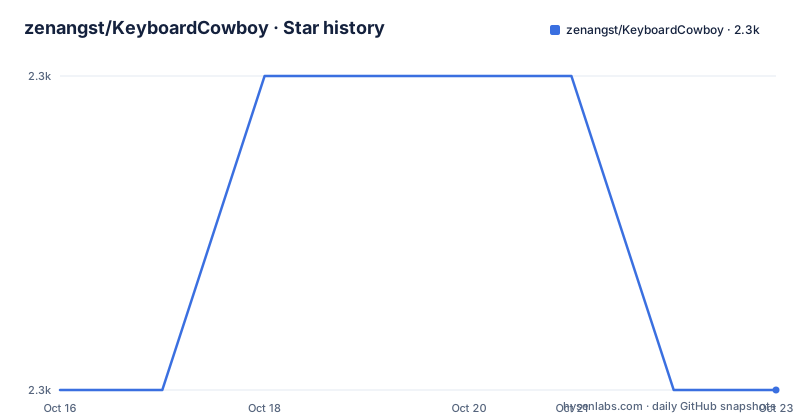
- zenangst/KeyboardCowboy2,250 ★ · +0
| Repository | 2026-10-16 | 2026-10-23 |
|---|---|---|
| zenangst/KeyboardCowboy | 2.3k | 2.3k |
0 Stars in the last 7 days, measured from the daily GitHub snapshot. Compare with other projects
Editorial analysis
A shortcut utility whose pitch is that you need none
The repository description calls Keyboard Cowboy 'The missing keyboard shortcut utility for macOS', and that sets up the wrong expectation before you read a line of the README. Farther down, the README inverts it under a heading saying the best shortcut is no shortcut at all. Both lines come from the same project, and the second one describes the tool that matters more.
The job itself is narrow. Run repetitive macOS work for someone who does not want to reach for the mouse: launching applications and scripts, controlling system settings, manipulating files and folders, with the hands never leaving the keyboard. Power users and programmers are the named audience, because a function key can carry a command an editor invokes all day long.
Application triggers fire on open, close and switch
The shortcut trigger is the older half of the app. The newer half is contextual, where a workflow binds to an application event instead of a key. Three conditions are listed: an application is opened, an application is closed, and the user switches to the application. Once the workflow exists it runs on its own, with no keypress and no manual step, which is what turns the no-shortcut claim from a slogan into a mechanism.
It is also the least finished half. The wiki index reproduced in the README closes its application trigger section with a link titled Future Developments, so the project's own table of contents points at a roadmap for this trigger type. What those future items are never appears in the README, and neither does any limit on how many application events are watched at the same time.
Five trigger modifiers decide whether a keystroke counts
For the shortcut half, the trigger page documents five modifiers, and each one changes what counts as a match rather than which command runs. Allow Repeat lets a held key fire again. Keep Last Partial Match holds a half-typed sequence instead of discarding it. Leader Key makes one key a prefix that arms the rest of a sequence. Passthrough Feature lets the keystroke reach the foreground application instead of being swallowed. Hold for X Seconds requires the key to stay down for a duration before anything fires.
That last option is a safety valve and a footgun at once. A hold removes the chance of firing a command mid-word, and it turns every shortcut into a two-part gesture of press, wait, then let go. No timeout value and no global default appear anywhere in what the repository publishes, so there is nothing there to tune.
Function keys get their own pitch, aimed at programmers who want a frequently used command one press away. No keycode list, no conflict rules, and no note on what happens when two workflows claim the same key.
Sequential and concurrent workflows share one trigger list
Triggers fire workflows, and workflows come in two execution shapes. Sequential Workflows run one step after the previous step finishes, so a slow step holds the whole chain. Concurrent Workflows let steps run alongside each other, which is the shape you want when the steps do not depend on each other. The README links the workflow page separately from the trigger page and reproduces neither.
That absence is where the honest comparison sits. No rival product is named and no timing is published, so the choice worth making is the one inside the app. A contextual trigger runs whether or not you remember the shortcut exists, and it also runs on the app switch you did not intend. A leader key sequence waits for you to ask first, and cannot fire while your hands rest on the home row. Groups exist to keep the list manageable, but how a group interacts with a workflow that fires on an app switch is not documented.
Menu, URL, script and window commands share one workflow
What runs inside a workflow is a command, and this is where the project stops being a hotkey manager. The catalogue covers applications, menu bar items, URLs, open commands, keyboard shortcut commands, shortcuts commands, scripts, typing, macros, system commands, window navigation and window tiling.
Two names in that list deserve a pause, because nothing in the repository separates them. Keyboard Shortcut Commands sends a shortcut somewhere. Shortcuts Commands sits beside it as its own category, and no document says what it calls or whether it reaches into the macOS Shortcuts system. A reader who assumes the pair are synonyms will build the same workflow twice and wonder why two entries exist.
Window navigation and window tiling are listed side by side as well, so two different takes on window handling ship in one app, and the boundary between them lives on a wiki page the README does not inline.
One shell command, and it is for contributors
There is no install command for the app, because there is nothing to install on your machine. The README's Download Keyboard Cowboy today link goes to the project's releases page at `https://github.com/zenangst/KeyboardCowboy/releases`, and the newest build listed there is 3.28.4 from 2025-12-13, following 3.28.3 on 2025-11-23 and 3.28.2 on 2025-10-09, roughly nine months behind the last push on 2026-09-12. A checkout of main is therefore ahead of anything you can download. The only stated requirement is macOS v13.0+.
The one shell command in the README belongs to contributors building from source, and the build tool is tuist:
brew install tuistThat block is the whole development section that survives in the published README. The line above it spells Homebrew as Homebew, and the paragraph after the block breaks off mid-word. Anyone expecting clone, build and run steps will not find them here.
Secure input mode switches the whole app off
An app that watches keystrokes has to answer for what it does with them, and the README answers in one place: no personal information is collected, nothing goes to third parties, and all data stays on the computer and is never transmitted over the internet.
The more interesting claim is about macOS rather than about the project. Keyboard Cowboy disables itself when you are focused on a password field or when you are in a secure input mode, so password entry falls outside its reach by design rather than by filtering what it records. The sentence arrives with a typo, focsed for focused, which says how lightly that section is edited.
What the README does not document is permission. It does not say which macOS permission a first launch asks for, which one to grant when a trigger never fires, or how to check whether access was granted at all. That gap is the first thing to close before you put a file operation into a workflow.
A Tuist monorepo with an XPC helper and an appcast feed
The repository layout says how heavy this is. It is a Tuist workspace: Tuist.swift and a .tuist-version pin the tool, Project.swift and Tuist/ hold the project definition, and Packages/, Plugins/, Configurations/, Assets/, Scripts/ and ci_scripts/ carry the rest. Top-level App/, Features/, Fixtures/ and UnitTests/ directories mean the app and its tests come out of one build graph rather than a lone Xcode project.
An XPC/ directory sits beside App/, which is where a macOS app keeps a helper process, though nothing says what that helper does. appcast.xml, build_pipeline.sh, create_release.sh and github_release.sh sit at the root, so the repository carries both ends of its own publish path. default.profraw is checked in at the root too, raw output from a coverage run, and no document explains why. Style is pinned by .swiftlint.yml, .swiftformat and .editorconfig.
For an adopter, upkeep is not the build but the dependency graph. The licence is custom and GitHub could not classify it; the root listing names LICENSE.md as the file, so anyone folding this source into another product has to read it instead of assuming a standard grant.
Editorial conclusion
Adopt Keyboard Cowboy if your macOS work is repetitive and you want a workflow to fire on its own, because contextual application triggers run a workflow whether or not you remember the shortcut exists. Pass on it if you need a documented permission story or a build you can reproduce from the README alone, since neither is written down. Before trusting it with a file operation, grant the macOS permission requested on first launch, then confirm whether 3.28.4 or your own checkout of main is what you are running.
Frequently asked questions
Does Keyboard Cowboy work on older Macs?
The stated system requirement is macOS v13.0+. Anything older is outside what the project documents.
What happens to Keyboard Cowboy when I type a password?
It disables itself when you are focused on a password field or when you are in a secure input mode, so the app is off during secure entry.
How do I build Keyboard Cowboy from source?
Contributors need tuist, and the only shell command given is `brew install tuist`. The development section then breaks off mid-sentence, so it does not document the rest of the build.
Can a Keyboard Cowboy workflow run when I switch applications?
Yes. Application triggers respond when an application is opened, when it is closed, and when the user switches to it, with no keypress required.
Does Keyboard Cowboy send data to third parties?
No. It collects no personal information, sends no data to third parties, and stores everything locally on your computer without transmitting it over the internet.
Official sources
Add this badge to your README
If you maintain this project, the badge below links readers to this analysis and shows its maintenance status from the daily GitHub snapshot. Paste the markdown into your README; add ?metric=license or ?metric=stars to the image URL for a different field.

[](https://hysenlabs.com/projects/zenangst-keyboardcowboy)Star history chart for your README
[](https://hysenlabs.com/projects/zenangst-keyboardcowboy)Was this useful?