11notes/docker-chrony: a rootless, distroless NTP server image
run chrony rootless and distroless.
At a glance
- What is it?
- This image runs chrony as a non-root user on a scratch base with no shell, targeting NTP server deployments that need a small, read-only container. The trade-off is configuration flexibility and a stricter update model.
- Who is it for?
- Adopt 11notes/docker-chrony if you run NTP servers in containers and want a minimal, rootless, read-only image with a health check and no shell. Do not use it if you need a shell for debugging, require a writable config directory beyond /chrony/etc, or cannot tolerate the lack of a latest tag.
- Can I use it commercially?
- Yes. MIT is a permissive licence: you can use, modify and sell software built on it, as long as you keep its copyright and licence notices.
- Is it still maintained?
- Yes. The repository last received commits 45 days ago.
- What is it written in?
- Mainly Dockerfile, according to GitHub's language statistics.
Answers come from the project's GitHub data, last synced on October 4, 2026, and from our analysis. They are not legal advice.
Star history
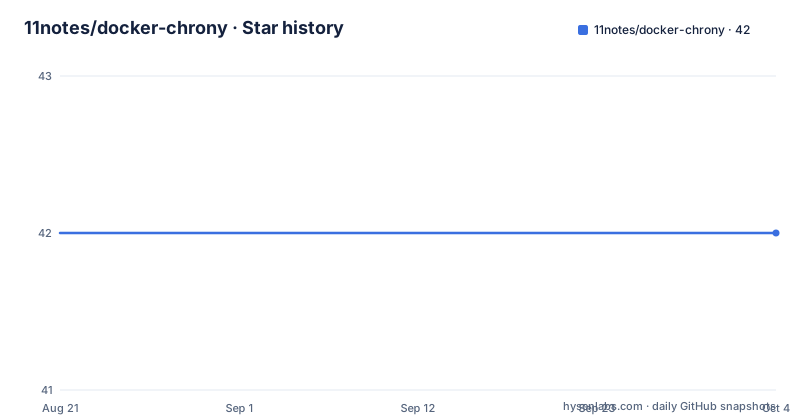
- 11notes/docker-chrony42 ★ · +0
| Repository | 2026-08-21 | 2026-10-04 |
|---|---|---|
| 11notes/docker-chrony | 42 | 42 |
0 Stars in the last 44 days, measured from the daily GitHub snapshot. Compare with other projects
Editorial analysis
What this image actually solves
The README positions this as a way to run chrony as an NTP server for your network, with two constraints that most other chrony images do not meet: the process runs as uid 1000 (or 99 or 65534 in special tags) and the image is distroless, meaning no shell. For an NTP server, which is long-lived, network-facing, and needs to be patched regularly, a rootless and shell-less container reduces the attack surface. The problem it solves is not just 'run chrony in Docker', but 'run chrony in Docker with the least privilege and the smallest possible footprint'. The README claims a size of 2MB on disk, compared to 15MB for the dockurr/chrony image it lists. That size difference is the concrete payoff for the distroless approach.
How the image is built and what that means
The parent image is scratch, not another distribution. The README states that the image starts from scratch and adds a distroless layer from 11notes/distroless, which contains users, timezones, and root CA certificates. Nothing else. That explains the small size and the absence of a shell. It also means there is no package manager, no shell utilities, and no way to exec into the container for debugging. The health check is built in, but the README does not describe what it checks. The build process is pinned and CI/CD is used for updates, with CVE scanning before and after publishing. From a maintenance perspective, you are dependent on the maintainer to rebuild the image when chrony releases a new version. The release history shows v1.1.0 in February 2026, v1.0.3 in January 2026, and v1.0.2 in July 2025, so updates are not monthly, but they do happen.
Getting it running: compose file and the sysctl trick
The README gives a full docker-compose example. The image is 11notes/chrony:4.8, and the compose file sets read_only: true, mounts a volume at /chrony/etc, exposes port 123/udp, and adds a tmpfs at /run/chrony with mode 0770 and uid/gid 1000. The sysctl line is the interesting part: net.ipv4.ip_unprivileged_port_start: 123. This lets a rootless container bind to port 123, which is below the default privileged port range. Without that sysctl, the container would fail to bind. The environment variables are TZ for the timezone and DEBUG to activate debug options. The default config is shown in the README: it uses two pools with iburst, maxupdateskew, makestep, a clientloglimit, a driftfile at /run/chrony/drift, and allow all. Note that allow all means the server will respond to any client that can reach it, so you must put this container behind a firewall or in a private network.
Configuration: one directory, one file, no defaults override
Configuration is done by mounting a volume at /chrony/etc. The README says 'Directory of your config', so you place your chrony.conf there. The default config shown in the README is what the image uses when no config is provided. There is no mention of an environment variable to point to a different config path, and no mention of a command-line flag. That is a limitation: if you need to run multiple instances with different configs, you need separate volumes or separate containers. The image runs read-only, so the only writable locations are the tmpfs at /run/chrony and the mounted volume. The driftfile is at /run/chrony/drift, which is on tmpfs, so the drift value is lost on container restart. That is a real design trade-off: a read-only root filesystem is safer, but the driftfile does not persist.
UID/GID variants and the update policy
The default user is docker with uid/gid 1000. The README documents three tags: 4.8, 4.8-unraid, and 4.8-nobody. The -unraid tag runs as 99:100, and the -nobody tag runs as 65534:65534. This is useful if you run on a host where the UID must match something specific. The README also explains how to change the UID/GID by consulting the RTFM document, but the details are not in this README. The update policy is strict: there is no latest tag. Tags are semver-based, like 4.8, and you can use a short version like 4 to get the latest 4.x. There is a rolling tag for the bleeding edge, but the README warns against it. This is a deliberate choice to avoid breaking changes, but it means you must actively track new versions and update your compose file. The release notes are the place to check for breaking changes, as the README advises.
Where this image is the wrong tool
The distroless, read-only, rootless design is not for everyone. If you need to debug a configuration issue, you cannot exec into the container because there is no shell. If you need to install additional tools, you cannot, because there is no package manager. The read-only filesystem means any runtime state must go to tmpfs or a volume, and the driftfile on tmpfs is a clear example of a state that does not survive a restart. For a Stratum 1 setup with a GPS antenna, as the README suggests, losing the drift value on restart is not a big deal because the GPS reference will re-establish, but for a Stratum 2 or Stratum 3 server that relies on a stable offset, it could cause a small jump after restart. Also, the allow all directive in the default config is a security risk if the container is exposed beyond your network. The README does mention putting multiple instances behind a load balancer, but it does not mention firewall rules. That is a gap.
Alternatives and the real difference in approach
The README compares this image to dockurr/chrony. That image is 15MB, runs as root (0:0), and is not distroless. The dockurr image likely includes a shell and a more traditional Linux base, which makes it easier to debug but larger and less secure by default. The core difference is the trade-off between convenience and minimalism. dockurr/chrony gives you a standard container where you can exec in and maybe install tools, but it runs as root. 11notes/chrony gives you a tiny, rootless, read-only container with no shell. If you value security and image size over debuggability, the 11notes approach is better. If you need a shell or root privileges for any reason, the dockurr image or a plain chrony package on a host is a better fit. There is also the option of running chrony directly on the host, which avoids container overhead entirely, but then you lose the isolation and portability that this image provides.
Maintenance and licensing considerations
The project is licensed under MIT, which is permissive and places few restrictions on use. The image is built from scratch, so there is no base OS to patch; the only component that needs updating is chrony itself, and the maintainer does that via CI/CD. The README states that the image is auto-updated to the latest version via CI/CD, and that it is scanned for CVEs before and after publishing. That is a good practice, but you still need to pull the new image and restart your container. There is no built-in auto-update mechanism in the image itself; the CI/CD updates the image on the registry, not your running container. The README advises making backups before updating and checking the releases for breaking changes. The lack of a latest tag means you must manually change the tag in your compose file, which is a small but real maintenance cost. The -unraid and -nobody tags are a nice touch, but they are only useful if you run on those specific environments.
Editorial conclusion
Adopt 11notes/docker-chrony if you run NTP servers in containers and want a minimal, rootless, read-only image with a health check and no shell. Do not use it if you need a shell for debugging, require a writable config directory beyond /chrony/etc, or cannot tolerate the lack of a latest tag. Before deploying, verify the image tag matches your chrony version, confirm your kernel supports the sysctl net.ipv4.ip_unprivileged_port_start, and test the tmpfs mount for /run/chrony with the correct uid/gid, because a misconfigured tmpfs will break the driftfile write.
Frequently asked questions
Is chrony better than NTP?
They are not alternatives. Chrony is described as a versatile implementation of the Network Time Protocol, so the comparison is between implementations of the same protocol rather than between chrony and the protocol. The only comparison the page makes is between container images, where this one is two megabytes and non-root and the alternative is fifteen megabytes and root.
How can I run an NTP server in Docker?
Publish the standard time port over UDP from host to container, mount a volume at the configuration directory, add an in-memory mount for the runtime directory with ownership matching the non-root user, and set the kernel parameter that lets an unprivileged process bind that one port. The compose file in the repository does all four, and the image is started with a restart policy of always.
Can chrony act as an NTP server?
Yes, that is the stated purpose of the image: run chrony as a time server for your network. It also synchronises from reference clocks such as a GPS receiver, so pairing the image with a GPS antenna gives you a stratum one source for your whole network. For production the page advises running several instances behind a load balancer with virtual addresses.
Is Docker still relevant in 2026, for a time server?
The page takes no position on that. What it documents is one image, two megabytes on disk, running as a non-root user on an empty base layer with no shell, a health check, automatic vulnerability scanning before and after publishing, and automatic updates to the newest version through continuous integration.
Official sources
Add this badge to your README
If you maintain this project, the badge below links readers to this analysis and shows its maintenance status from the daily GitHub snapshot. Paste the markdown into your README; add ?metric=license or ?metric=stars to the image URL for a different field.

[](https://hysenlabs.com/projects/11notes-docker-chrony)Star history chart for your README
[](https://hysenlabs.com/projects/11notes-docker-chrony)