Running Home Assistant Rootless with 11notes/docker-homeassistant
run home assistant rootless
At a glance
- What is it?
- A Docker image that runs Home Assistant as UID/GID 1000, read-only, with health checks and CVE scanning. It trades convenience for a stricter container posture, but you must manage your own tag updates.
- Who is it for?
- Adopt this image if you run Home Assistant in Docker and want a non-root process, a read-only filesystem, and automatic CVE scanning. Skip it if you rely on a :latest tag or expect a one-command upgrade path.
- Can I use it commercially?
- Yes. MIT is a permissive licence: you can use, modify and sell software built on it, as long as you keep its copyright and licence notices.
- Is it still maintained?
- Yes. The repository last received commits 5 days ago.
- What is it written in?
- Mainly Dockerfile, according to GitHub's language statistics.
Answers come from the project's GitHub data, last synced on October 21, 2026, and from our analysis. They are not legal advice.
Star history
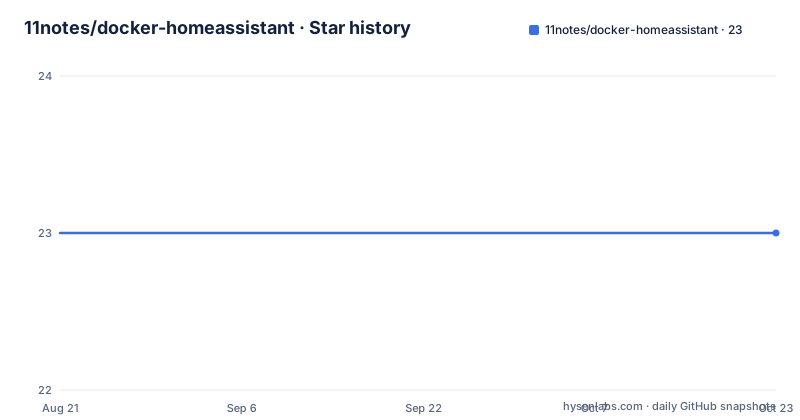
- 11notes/docker-homeassistant23 ★ · +0
| Repository | 2026-08-21 | 2026-10-21 |
|---|---|---|
| 11notes/docker-homeassistant | 23 | 23 |
0 Stars in the last 61 days, measured from the daily GitHub snapshot. Compare with other projects
Editorial analysis
A Rootless Home Assistant for Security-Minded Container Hosts
The stock Home Assistant container typically runs as root inside the container, which is a common complaint for people who want least-privilege deployments. This project, 11notes/docker-homeassistant, addresses that by packaging Home Assistant to run as UID 1000 and GID 1000, with a read-only filesystem. It targets users who run Home Assistant on a Raspberry Pi or a local server but who also care about container hardening. The README positions it as an image for those who value security, simplicity, and optimizations to the extreme. That phrasing is a hint: this is not a beginner-friendly container. It expects you to understand Docker security options and to accept a stricter runtime environment.
How the Image Achieves Rootless Operation
The image is built on the parent image 11notes/alpine:stable, which is a minimal Alpine base. The user is named docker, with UID and GID both set to 1000, and the home directory is /homeassistant. The container runs as that non-root user, which means any process inside cannot gain root privileges. The compose example also sets read_only: true and security_opt with no-new-privileges=true. Those two options together prevent writes to the container's own filesystem and block privilege escalation. The read-only filesystem forces all writable data to be stored in the two declared volumes: /homeassistant/etc for configuration and custom files, and /homeassistant/var for Python packages and integration files. That separation is a deliberate design: configuration is separate from runtime data, which makes backups and upgrades cleaner.
Getting It Running: Compose and Volumes
The README provides a docker-compose example. You define a service named homeassistant with the image 11notes/homeassistant:2026.8.3. It depends on a postgres service that must be healthy, and it passes a POSTGRES_PASSWORD environment variable. The compose file uses an anchor called x-lockdown that sets read_only: true and security_opt with no-new-privileges. You mount two named volumes: homeassistant.etc to /homeassistant/etc and homeassistant.var to /homeassistant/var. You also set TZ to your time zone, for example Europe/Zurich. The image is available from Docker Hub, GHCR, and Quay.io, so you can pull it from any of those registries. There is no mention of a default configuration file, so you must provide your own configuration. The README warns that the image ships with default settings and examples, and you should replace them for production.
Tag Strategy: No :latest, and Why That Matters
The project deliberately does not publish a :latest tag. The author argues that :latest is a bad habit because breaking changes can arrive without warning. Instead, you pin to a specific version like 2026.8.3, or use short semver tags like :2026 or :2026.8. Those short tags are updated to the latest patch or minor version, which the author claims should not introduce breaking changes. There is also a :rolling tag that always points to the newest release, with an explicit warning that you get the latest version instantly, including breaking changes or security issues. This is a real trade-off. If you want reproducible deployments, you must manage tag updates manually. If you want automatic updates, you accept the risk of a broken upgrade. The README also mentions that each commit gets a tag with its shorthand SHA256, which gives you an even more precise pin if you need it.
Health Checks and CVE Scanning: The Maintenance Story
The image includes a health check, which is a feature that many Home Assistant containers lack. The README also states that the image is automatically scanned for CVEs before and after publishing, and it runs a basic integration test before publication. Those are meaningful for maintenance: you get some assurance that the image is not obviously vulnerable and that it at least starts correctly. However, the README does not describe what the health check actually checks, nor what the integration test covers. The CVE scanning is automated, but the results are not shown in the README, so you cannot verify the current vulnerability status without pulling the image and inspecting it. The project also mentions a pinned CI/CD process, which suggests reproducible builds, but again the details are not in the material.
A Real Limitation: The UID/GID Override Is Not in the README
The README says you can change the default UID/GID by consulting the RTFM document, but it does not provide the actual mechanism. That means the image is rigid by default: if you need a different user ID, you must go off-site to learn how. That is a genuine limitation for users who run containers with a different user namespace or who need to match file ownership on an existing volume. Another limitation is the read-only filesystem. Home Assistant often writes to its config directory during runtime, so you must ensure the /homeassistant/etc volume is writable by UID 1000. If your host directory has different ownership, the container may fail to start or write. The README does not mention how to handle that case, which is a common source of errors for new users.
The Wrong Tool for Some Deployments
This image is not for everyone. If you are new to Docker and just want to run Home Assistant quickly, the official Home Assistant container or a supervised installation might be simpler. The requirement to set up a separate Postgres service, as shown in the compose example, adds complexity. The README does not explain why Postgres is needed, but it is a dependency for the service to start. If you do not want to run a database, this image forces you to. Also, if you rely on the :latest tag for automatic updates, you will be frustrated by the deliberate absence of that tag. The author's opinion is that :latest is a bad habit, but that opinion forces a specific workflow on you. You must either manually update the tag or use :rolling and accept the risks.
A Comparison: How This Differs from the Official Home Assistant Container
The official Home Assistant Docker image runs as root by default, which is the standard approach. This image runs as a non-root user, which is the primary difference. The official image also typically runs with a writable filesystem and does not enforce read-only mode. This project adds read-only enforcement, no-new-privileges, health checks, and CVE scanning. In terms of operational approach, the official image is more permissive and easier to start. The 11notes image is stricter and requires more upfront configuration, such as setting up volumes and a database. If you value rootless operation and container hardening, this project gives you that out of the box. If you prefer a more conventional setup with less configuration, the official image is the alternative.
Licence and Upgrade Considerations
The project is licensed under MIT, which is permissive and allows you to use, modify, and redistribute the image with minimal restrictions. The underlying Home Assistant is Apache 2.0, but that is separate from this image's licence. For upgrades, the README advises you to always make backups before updating to a different version and to check the releases page for breaking changes. The maintainer, ElevenNotes, states that the image is provided at your own risk. There is no mention of a migration path between major versions, so you should assume that a major version bump might require manual intervention. The short semver tags (like :2026.8) are intended to reduce breaking changes, but they still get updated to newer minor versions, so you should read the release notes before pulling a new minor tag.
Editorial conclusion
Adopt this image if you run Home Assistant in Docker and want a non-root process, a read-only filesystem, and automatic CVE scanning. Skip it if you rely on a :latest tag or expect a one-command upgrade path. Before using it in production, verify the current release notes for breaking changes, set your own configuration files, and test the UID/GID override if you need a different user. The project's stance on tags means you must pin to a specific version or accept the risks of :rolling.
Frequently asked questions
Can you run Home Assistant in Docker with 11notes/docker-homeassistant?
Yes. The image runs Home Assistant as a container with user docker, uid 1000, gid 1000, and home directory /homeassistant, using two volumes for config and for installed Python packages, and the bundled compose file publishes host port 3000 to container port 8123 over tcp.
How do you install docker home assistant from this image?
Pull the pinned tag from one of three registries, Docker Hub, ghcr.io, or quay.io, all under the name 11notes/homeassistant with the same version segment. The compose file in the repository also brings up a Postgres 18 database, and the homeassistant service waits for it with a condition of service_healthy.
How do you access docker home assistant once it is running?
The compose file publishes a single port entry mapping 3000 to 8123 over tcp, so the interface is reached on host port 3000. The README suggests putting Traefik, Nginx, or HAproxy in front to terminate TLS and protect the endpoints, and using the Let's Encrypt DNS-01 challenge for certificates.
Why use Docker for Home Assistant with 11notes?
The stated reasons are that the image runs rootless as 1000:1000, runs read-only with a health check, is built and compiled from source, is auto updated via CI/CD, is scanned for CVEs before and after publishing, and runs a basic integration test that prevents publication when it fails.
What is docker home assistant in this repository?
It is a container image described as running home assistant rootless, built from an alpine parent image and shipped under three registries with no latest tag. Pin a full version, a shortened semver line, or the rolling tag, and a per-commit tag with a shorthand sha256 value also exists for exact builds.
Official sources
Add this badge to your README
If you maintain this project, the badge below links readers to this analysis and shows its maintenance status from the daily GitHub snapshot. Paste the markdown into your README; add ?metric=license or ?metric=stars to the image URL for a different field.

[](https://hysenlabs.com/projects/11notes-docker-homeassistant)Star history chart for your README
[](https://hysenlabs.com/projects/11notes-docker-homeassistant)