eleventy-base-blog: the wiring you would otherwise write yourself
A starter repository for a blog web site using the Eleventy static site generator.
At a glance
- What is it?
- eleventy-base-blog is a repository to clone rather than a package to install, and its value is the Eleventy configuration, layouts and plugin set already assembled. Good for getting a static blog running in minutes, weak for anything that needs a different content model.
- Who is it for?
- Adopt it if you want a personal or small editorial blog with no client-side JavaScript and you are comfortable editing Nunjucks templates and eleventy.config.js. Do not adopt it if you need server rendering, per-request content, or a component model that assumes anything other than Markdown and Nunjucks.
- Can I use it commercially?
- Yes. MIT is a permissive licence: you can use, modify and sell software built on it, as long as you keep its copyright and licence notices.
- Is it still maintained?
- Yes. The repository received new commits within the last day.
- What is it written in?
- Mainly Nunjucks, according to GitHub's language statistics.
Answers come from the project's GitHub data, last synced on October 23, 2026, and from our analysis. They are not legal advice.
Star history
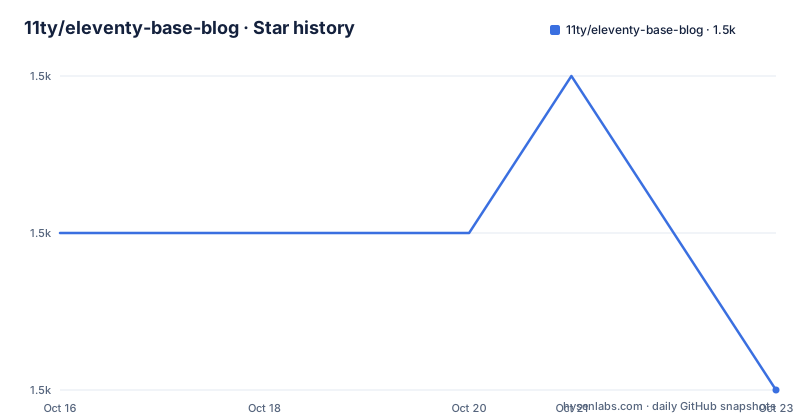
- 11ty/eleventy-base-blog1,546 ★ · -1
| Repository | 2026-10-16 | 2026-10-23 |
|---|---|---|
| 11ty/eleventy-base-blog | 1.5k | 1.5k |
-1 Stars in the last 7 days, measured from the daily GitHub snapshot. Compare with other projects
Editorial analysis
A starter you clone, not a package you install
Most people arrive at this repository expecting a blog theme. It is something else. There is no `eleventy-base-blog` package on npm; the README tells you to make an empty directory and pull the repository into it, so what you end up with is your own Git history and your own edits on top of somebody else's layout. The description calls it a starter repository showing how to build a blog with Eleventy, and the package name inside package.json stays `eleventy-base-blog` at version 9.0.0, which is a starter's own numbering rather than a dependency version.
The target audience is narrow and worth stating plainly: someone who wants a plain static blog, ships no JavaScript to readers, and would otherwise spend a first afternoon wiring the same pieces together. The README claims a four-hundos Lighthouse score out of the box with 0 Cumulative Layout Shift and 0ms Total Blocking Time. That is a claim by the project about its own starter output, not an independent measurement, and no benchmark procedure accompanies it.
The last push was on 2026-10-15, and the repository is not archived. The tagged releases are v9.0.0 on 2024-10-01 and v8.0.0 on 2023-01-26, so the recent activity in the branch is not the same thing as a new tagged version.
Front matter and the data cascade do the routing work
There is no client router here because there is no client. The whole site is pre-rendered, and every URL is decoupled from where the source file sits on disk, which is why the same repository can be deployed to a subfolder without rewriting content. You can check that claim in the config yourself: the file uses `addPassthroughCopy` for the `public` folder and three Nunjucks layouts under `_includes/layouts`, `base.njk` for the HTML shell, `home.njk` for the landing page, and `post.njk` for a blog entry, with the latter two wrapping into the first.
Membership in the blog is decided by tags, not by directory. The README is explicit that posts in `content/blog/` can live anywhere and need only the `posts` tag to appear in the collection. Adding a template to the top navigation bar happens through an `eleventyNavigation` key in front matter, handled by the navigation plugin, and `content/index.njk` and `content/about/index.md` are the two working examples in the tree. Reuse of the post list is done with a Nunjucks include at `_includes/postslist.njk`.
Supported formats are a configuration choice rather than a convention: `templateFormats` in `eleventy.config.js` decides what the generator will parse, so a post written as Markdown today could be a different template format tomorrow without touching the collection logic.
From empty directory to served site
The install sequence is short enough to reproduce from the README as written. Create and enter a directory, then pull the starter into it directly so there is no nested folder:
mkdir my-blog-name
cd my-blog-namegit clone https://github.com/11ty/eleventy-base-blog.git .Dependencies are declared as devDependencies and pinned to caret ranges, with `@11ty/eleventy` at `^3.1.6`, `@11ty/eleventy-img` at `^7.0.0`, `@11ty/eleventy-navigation` at `^1.0.5`, `@11ty/eleventy-plugin-rss` at `^3.0.0` and `@11ty/eleventy-plugin-syntaxhighlight` at `^5.0.2`. Node 18 or newer is required, enforced through the `engines` field.
npm installThe first real build writes to `_site`:
npx @11ty/eleventyFor iteration, the serve flag adds Eleventy Dev Server with live reload. Drafts marked `draft: true` in front matter appear only here and under `--watch`, which is a feature for review and a trap if you publish a draft by accident on a different machine.
npx @11ty/eleventy --serveImages are the pipeline that justifies the dependency list
The one piece of machinery worth understanding before you delete anything from package.json is `@11ty/eleventy-img`. It runs without JavaScript in the output, converts to modern formats such as AVIF and WebP automatically, and works during `--serve` by processing images on demand so local builds stay quick. Markup is chosen per case: a single format produces a plain `<img>`, multiple formats produce a `<picture>` element with `srcset` and optional `sizes`. Width and height attributes are emitted to keep layout shift at zero, `loading="lazy"` is added for native lazy loading, and `decoding="async"` is set. Images may sit next to the blog post that uses them rather than in one shared directory.
Alongside that, CSS is bundled per page through `eleventy-plugin-bundle`, and code samples are highlighted at build time through the syntax highlighter plugin, so fenced blocks in posts are styled without shipping a highlighter to the browser. `luxon` and `prismjs` are present as dependencies of that path, and `zod` is there to validate front matter data.
GitHub Pages forces a path prefix you must decide early
Because URLs are decoupled from file locations, deploying to a project subpath is supposed to be painless, but the repository still ships a dedicated script for it. The scripts block in package.json contains both the plain and prefixed forms:
"build": "npx @11ty/eleventy",
"build-ghpages": "npx @11ty/eleventy --pathprefix=/eleventy-base-blog/",
"start": "npx @11ty/eleventy --serve --quiet",
"debug": "cross-env DEBUG=Eleventy* npx @11ty/eleventy"
That `/eleventy-base-blog/` prefix is the repository name. If you rename your repository or fork, that literal string has to change with it, and nothing in the build warns you. The `.github/workflows/gh-pages.yml.sample` file is the starting point for automating it, and `.nojekyll` sits at the top level so GitHub Pages serves the output without running Jekyll over it. Hosted demos exist on Netlify, Vercel, Cloudflare Pages and GitHub Pages, with Vercel pointed at as the demo site.
The `debug` and `benchmark` scripts are worth knowing about early rather than late. They set `DEBUG=Eleventy*` and `DEBUG=Eleventy:Benchmark*` respectively, which is how you find out where build time goes before you start removing plugins.
What the starter will not give you, and what it costs to keep
The most visible friction is Content Security Policy. The starter injects per-page CSS as an inline `<style>` block through the bundle helper in `base.njk`, and a site with a strict policy has to choose: either remove that inline style tag and uncomment the `<link rel="stylesheet" href="{% getBundleFileUrl "css" %}">` variant, or tell the server to allow `style-src: 'unsafe-inline'`, which the README itself labels the less secure option. This is a decision about your security posture that arrives on day one, not a setting to revisit.
The deeper limitation is scope. This is a blog. There is no product catalogue, no user accounts, no per-request rendering, and no search beyond what you add. The alternative approach is to start from bare Eleventy with an empty config and assemble only what you need; you lose the RSS plugin, the sitemap, the tag pages, the 404 page, the image pipeline and the per-page CSS bundles, and you gain a codebase you fully understand. For a two-post personal site that trade is not worth it. For a site with unusual content shapes, it may be.
Upgrading means re-reading the diff between tags, because there is no automated path from v8.0.0 to v9.0.0 inside this repository. On the licence side it is MIT, which permits reuse of the templates and layouts in a closed or open site alike, though the actual releases, the plugins it pulls from, and any service you deploy to carry their own terms. Funding runs through Open Collective at opencollective.com/11ty.
Editorial conclusion
Adopt it if you want a personal or small editorial blog with no client-side JavaScript and you are comfortable editing Nunjucks templates and eleventy.config.js. Do not adopt it if you need server rendering, per-request content, or a component model that assumes anything other than Markdown and Nunjucks. Before you commit, read eleventy.config.js and _data/metadata.js, since both hold the site identity that every page inherits, and check that the MIT licence and the Open Collective funding link match how you intend to ship the site.
Frequently asked questions
What Node.js version does eleventy-base-blog require?
The engines field in package.json requires Node 18 or newer, and a .nvmrc file is included at the repository root to pin the version for tools that read it.
Does eleventy-base-blog ship JavaScript to the browser?
No. The README states the output is zero-JavaScript, with content pre-rendered at build time, lazy image loading handled by loading="lazy" instead of a script, and code highlighting done at build time through the syntax highlighter plugin.
How do I deploy eleventy-base-blog to GitHub Pages?
Run the build-ghpages script, which calls npx @11ty/eleventy --pathprefix=/eleventy-base-blog/, and change that prefix if your repository name differs. The file .github/workflows/gh-pages.yml.sample is the documented starting point for automating the deployment.
Why does eleventy-base-blog conflict with my Content Security Policy?
The starter emits per-page CSS inside a <style> block in base.njk. The README gives two ways out: remove the inline style tag and uncomment the link element that calls getBundleFileUrl "css", or configure the server with style-src: 'unsafe-inline', which the README describes as less secure.
Will my drafts end up on the live site?
Only if you build with the wrong command. A template marked draft: true in its data is included during --serve and --watch and excluded from full builds, and the schema validator reports an error if the value is not a boolean.
Official sources
Add this badge to your README
If you maintain this project, the badge below links readers to this analysis and shows its maintenance status from the daily GitHub snapshot. Paste the markdown into your README; add ?metric=license or ?metric=stars to the image URL for a different field.

[](https://hysenlabs.com/projects/11ty-eleventy-base-blog)Star history chart for your README
[](https://hysenlabs.com/projects/11ty-eleventy-base-blog)Was this useful?