ActiveScaffold for Rails: generators, assets and helper collisions
Save time and headaches, and create a more easily maintainable set of pages, with ActiveScaffold. ActiveScaffold handles all your CRUD (create, read, update, delete) user interface needs, leaving you more time to focus on more challenging (and interesting!) problems.
At a glance
- What is it?
- ActiveScaffold turns a Rails model into a working create, read, update and delete interface, with search, pagination and layout control. It saves a large amount of repetitive view code, but it imposes jQuery, a branch strategy tied to your Rails version, and some manual asset wiring.
- Who is it for?
- ActiveScaffold fits teams that want administrative CRUD screens for internal Rails models in a week rather than a quarter, and who can accept jQuery and a hand-maintained stylesheet layer. It does not fit product-facing interfaces with bespoke flows, or apps that need to move to a Rails version the matching stable branch does not cover.
- Can I use it commercially?
- Yes. MIT is a permissive licence: you can use, modify and sell software built on it, as long as you keep its copyright and licence notices.
- Is it still maintained?
- Yes. The repository received new commits within the last day.
- What is it written in?
- Mainly Ruby, according to GitHub's language statistics.
Answers come from the project's GitHub data, last synced on November 7, 2026, and from our analysis. They are not legal advice.
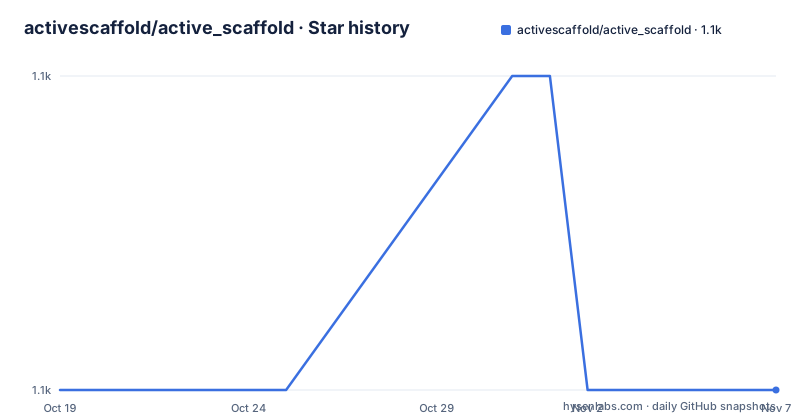
Star history
- activescaffold/active_scaffold1,134 ★ · +0
| Repository | 2026-10-19 | 2026-11-07 |
|---|---|---|
| activescaffold/active_scaffold | 1.1k | 1.1k |
0 Stars in the last 19 days, measured from the daily GitHub snapshot. Compare with other projects
Editorial analysis
ActiveScaffold generates CRUD screens from a model name
The problem ActiveScaffold addresses is narrow and common: an internal Rails application needs a working list view with create, edit, delete, search and pagination for a set of models, and the developer would rather not write that scaffolding by hand for each one. The project describes itself as handling CRUD user interface needs so that attention goes elsewhere. Everything else in the design follows from that: the goal is a generic interface, not a bespoke one.
The model is the only required input. A resource generator turns a model name and a list of attributes into a set of routes, views and controller actions that follow the framework's conventions, and the resulting screen is editable afterwards like any other generated code. Additional features listed in the project description cover searching, pagination and layout control, so the generated screen is a starting point with behaviour already wired rather than a skeleton of empty templates.
The target user is a Rails developer on a recent framework version, since the current branch requires Rails >= 7.2.0 and Ruby >= 3.2. The project also ships older stable branches, which signals that a substantial part of its audience is running established applications rather than greenfield ones.
The install generator writes into three JavaScript files
Getting started means adding the gem, adding jQuery, and running the install generator. The Gemfile entries are short:
gem 'active_scaffold'
gem 'jquery-rails'
The jQuery line is not optional decoration. ActiveScaffold's JavaScript depends on jQuery, and the quick start also allows jQuery to be handled by webpack, importmap or a CDN such as jquery-rails-cdn. The documentation also notes that @rails/ujs can be replaced by jquery_ujs, but warns never to load both.
For Rails 7.x the install generator adds `active_scaffold` to `config/importmap.rb`, `app/javascript/application.js`, and `active_scaffold/manifest.js` to `app/assets/config/manifest.js`. When jquery-rails is present, it also adds `jquery` and `jquery_ujs` to all three. For Rails 6.1 the generator instead creates `app/assets/javascripts/application.js` and adds a `javascript_include_tag` to the layout, because the project does not work with webpack. The generator, the database setup and the resource generation then run in order:
bundle install
rails g active_scaffold:install
rails db:create
rails g active_scaffold:resource Model [attrs]
rails db:migrate
The result is reachable at localhost:3000/<plural_model> once the app is running. A reader who skips the install generator will find that the asset files were never updated.
clear_helpers prevents cross-controller helper collisions
One piece of advice in the quick start is easy to skim past and expensive to ignore: call `clear_helpers` in ApplicationController. The reason given is that ActiveScaffold defines helper methods such as `active_scaffold_enum_options`, `options_for_association_conditions` and `association_klass_scoped`, and that these are usually overridden for different controllers.
The mechanism behind the warning is the Rails helper inclusion chain. When every helper module is available to every controller, a model with an association or a column that shares a name with another model can pick up the wrong override. The result is not a crash on boot but subtly different dropdown or association behaviour in one controller than in another, which is exactly the kind of defect that costs hours to trace.
This is the part of the project with no configuration knob. The documentation does not describe a per-controller setting for scoping helpers, and it does not document a rollback path for a helper conflict beyond the call to `clear_helpers`. Teams that adopt ActiveScaffold inside an existing application with many controllers should treat that call as a required first step rather than an optimisation.
Propshaft needs an SCSS file generated before the app boots
Styling support has been split across two asset pipelines, and the choice is visible in the Gemfile. ActiveScaffold provides flexible stylesheet loading for both Sprockets and Propshaft, by adding `dartsass-sprockets` or `dartsass-rails` respectively. The project has SASS variables for colours, but from version 4.3 those values moved to CSS variables, and the old SASS variables still work while the documentation warns they may be removed.
The Propshaft path is the more involved one. Historically ActiveScaffold loaded its own CSS, plugin CSS, and bridge CSS for libraries such as RecordSelect, Chosen or TinyMCE using css.erb files. Since Propshaft does not support erb, a SCSS file is generated when the app boots in development and when `rake assets:precompile` runs on deployment, driven by the `active_scaffold:assets:generate` task. The application stylesheet then pulls in the core file:
// In application.scss
@use 'active_scaffold/core' with (
// set values to variables
);
With Sprockets the equivalent is a single `@use 'active_scaffold'`, which also pulls in jQuery UI when jquery-ui-rails is installed. If finer control is wanted, the individual files can be loaded one by one, for example `active_scaffold/variables`, `active_scaffold/colours`, `active_scaffold/layout` and `active_scaffold/images`. Anyone deploying with Propshaft should verify that the generation task actually ran in the build, since a missing SCSS file is a deployment-time failure rather than a development-time one.
JavaScript arrives either through importmaps or individual files
Two paths exist for the JavaScript side. With importmaps, the pins are added to the importmap file and the application module imports the pieces:
pin 'active_scaffold', to: 'active_scaffold/load.js'
pin 'jquery'
pin 'jquery_ujs'import 'jquery'
import 'jquery_ujs'
import 'active_scaffold'The layout then needs both the importmap tags and a helper call, because that helper carries the script tags that used to live in js.erb files, including jQuery UI when jquery-ui-rails is present and the JavaScript for other ActiveScaffold plugins and bridges:
<%= javascript_importmap_tags %>
<%= active_scaffold_javascript_tag %>
Without importmaps, the JavaScript files can be loaded individually instead. The documentation states that in that case only jquery and jquery_ujs or rails_ujs need loading, followed by the same `active_scaffold_javascript_tag` call. The practical consequence is that the JavaScript for third-party bridges is not self-contained: it arrives through that helper, so a custom layout that omits it will render pages with missing behaviour rather than a visible error.
Stable branches pin the Rails version you can stay on
Maintenance for this project is expressed as a branch table, and the table is unusually informative. The master branch supports Rails >= 7.2.x and Ruby >= 3.2.0, and the 4-3-stable branch covers Rails >= 7.2.x and <= 8.1.x with Ruby >= 3.2.0. Older lines remain in the repository, including 4-2-stable, 4-1-stable, 4-0-stable and the 3-x series going back to 3-3-stable, which targets Rails 3.2.x and Ruby >= 1.8. The rails-3.2 branch is described as the source of the 3.2.x line of gems.
The list also states plainly which versions are no longer supported, and the 4-2-stable entry is grouped under that statement. So the practical reading is that a project pinned to an old Rails release has a branch it can move to, but that branch is a maintenance dead end rather than a stepping stone.
There are no GitHub releases, so version tracking happens through the gem and the branch layout rather than a tagged changelog. The repository is not archived, and the last push was on 2026-10-19, which is a recent commit against the Rails 7.2 and Ruby 3.2 baseline. Licensing is MIT, so the code can be used and modified in commercial products under the standard MIT obligations, with no copyleft requirement on applications that build on it. Upgrading cost for an adopted app is a matter of moving between branches and re-running the generator, not of resolving a licence change.
Where the generic CRUD screen is the wrong tool
The limitations follow from the same source as the strengths. Because the screen is generated from a convention, anything that breaks the convention needs custom code, and the project documentation does not describe a supported path for the awkward cases. Association pickers, enum columns and enums exposed as select options all route through helper methods that the project expects to be overridden per controller, and those overrides are not the same thing as a documented extension point.
A second limit is the jQuery dependency. The documented way to run the JavaScript is a jQuery-based importmap or individual file loading, and there is no description of a rewrite away from jQuery in the current branch. Teams that have already moved their asset stack to a modern bundler and dropped jQuery will have to reintroduce it, and the documentation explicitly notes that ActiveScaffold does not work with webpack.
A third limit is that the generated interface is a generic administrative surface. Multi-step wizards, conditional field visibility, bespoke validation messaging and anything resembling a real user journey are not what a generic CRUD screen is for. ActiveScaffold is also not a substitute for a public-facing product interface where the form layout, copy and error handling are part of the design.
Hand-written controllers compared with generated screens
The realistic alternative is not another gem but the plain Rails approach: a scaffold generator produces basic CRUD, and the developer then replaces the views with hand-written ones, adding search through a query object, pagination through a scope, and form partials per model. That route produces a better fit for a product interface and costs considerably more time per model, since every list view, form, and filter has to be designed and built.
ActiveScaffold wins on the admin side of a Rails application, where a model needs search, pagination and layout control in a consistent style and nobody wants to hand-build a list view for every table. The other approach wins on control, since hand-written views can express a workflow the generic screen cannot.
The comparison also runs along the dependency axis. A hand-written admin area built on Rails 7 or 8 needs no jQuery, no importmap pins, no generated SCSS task, and no asset pipeline decision at all. ActiveScaffold trades that for speed, and in exchange asks the team to accept the branch table, the helper scoping advice, and the asset wiring described above.
Editorial conclusion
ActiveScaffold fits teams that want administrative CRUD screens for internal Rails models in a week rather than a quarter, and who can accept jQuery and a hand-maintained stylesheet layer. It does not fit product-facing interfaces with bespoke flows, or apps that need to move to a Rails version the matching stable branch does not cover. Before adopting, check the branch table against the Rails version you plan to run, confirm that your jQuery and importmap setup matches the generator output, and read the clear_helpers advice in ApplicationController, since that collision is the first thing that tends to surface in an app with several models sharing column names.
Frequently asked questions
What Rails and Ruby versions does ActiveScaffold require?
The master branch supports Rails >= 7.2.x and Ruby >= 3.2.0, and the 4-3-stable branch covers Rails >= 7.2.x and <= 8.1.x with Ruby >= 3.2.0. Older branch lines exist for earlier Rails releases, but the documentation marks some of them as no longer supported.
How do I add ActiveScaffold to a new Rails application?
Add `gem 'active_scaffold'` to the Gemfile, add `gem 'jquery-rails'` or handle jQuery with importmap, webpack or a CDN, then run `bundle install` and `rails g active_scaffold:install`. The install generator updates the importmap, application JavaScript and asset manifest files for Rails 7.x.
Does ActiveScaffold work with Propshaft and Sprockets?
Yes, with different steps for each. Sprockets uses `dartsass-sprockets` and a single `@use 'active_scaffold'` in application.scss, while Propshaft uses `dartsass-rails` and needs an SCSS file produced by the `active_scaffold:assets:generate` task, because Propshaft does not support the erb stylesheets ActiveScaffold used previously.
Do I need to call clear_helpers in my controller?
The documentation recommends calling `clear_helpers` in ApplicationController, because helpers such as `active_scaffold_enum_options`, `options_for_association_conditions` and `association_klass_scoped` are usually overridden for different controllers, and leaving them available everywhere can cause problems when models share association or column names.
Official sources
Add this badge to your README
If you maintain this project, the badge below links readers to this analysis and shows its maintenance status from the daily GitHub snapshot. Paste the markdown into your README; add ?metric=license or ?metric=stars to the image URL for a different field.

[](https://hysenlabs.com/projects/activescaffold-active-scaffold)Star history chart for your README
[](https://hysenlabs.com/projects/activescaffold-active-scaffold)Was this useful?