vite-tsconfig-paths: teaching Vite to read TypeScript path mapping
Support for TypeScript's path mapping in Vite
At a glance
- What is it?
- A small Vite plugin that resolves imports through tsconfig compilerOptions.paths, with a v7 rewrite that swaps the TypeScript compiler for oxc-resolver. Useful for TypeScript projects and monorepos, less useful if you already keep aliases in Vite config.
- Who is it for?
- Adopt it if your imports are written against tsconfig paths and you want a single source of truth that both tsc and Vite honour. Do not adopt it if CSS imports, aliases like .storybook/*, or a Node version below 20.20 are part of your setup, since v7 cannot resolve the first two and the package will not run on the third.
- Can I use it commercially?
- Yes. MIT is a permissive licence: you can use, modify and sell software built on it, as long as you keep its copyright and licence notices.
- Is it still maintained?
- Yes. The repository last received commits 57 days ago.
- What is it written in?
- Mainly TypeScript, according to GitHub's language statistics.
Answers come from the project's GitHub data, last synced on November 6, 2026, and from our analysis. They are not legal advice.
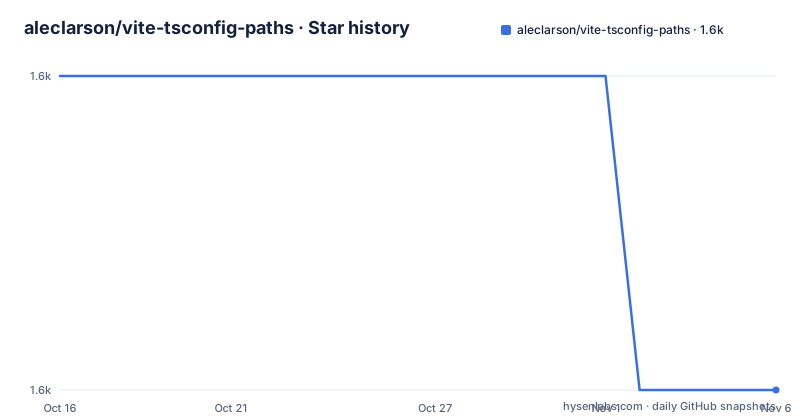
Star history
- aleclarson/vite-tsconfig-paths1,631 ★ · -1
| Repository | 2026-10-16 | 2026-11-06 |
|---|---|---|
| aleclarson/vite-tsconfig-paths | 1.6k | 1.6k |
-1 Stars in the last 21 days, measured from the daily GitHub snapshot. Compare with other projects
Editorial analysis
Vite resolves imports its own way, so tsconfig paths quietly stop working
TypeScript lets you declare short import prefixes in compilerOptions.paths. Once you switch a project from tsc-only tooling to Vite, every import written as @components/Button or @utils/format throws a resolution error at dev server startup, because Vite has no idea where those prefixes are supposed to point. The usual workaround is to duplicate the mapping in resolve.alias inside vite.config.ts, which means the same prefix list lives in two files and drifts.
vite-tsconfig-paths removes that duplication. It is a Vite plugin whose only job is to read tsconfig.json (and jsconfig.json) and make the path mapping apply to the module graph. The package description in package.json is blunt about the scope: "Vite resolver for TypeScript compilerOptions.paths". It is a resolver plugin, not a TypeScript compiler, not a transformer, and not a bundler.
The target audience is narrow and obvious: anyone whose source tree already depends on path aliases, usually a TypeScript project or a monorepo with several packages. If your code uses only relative imports, this plugin adds a dependency and a config entry for no benefit. The repository itself is not archived and the last push was on 2026-09-11, so the code is current, but the release line is a v7 release candidate rather than a stable major, which is the detail to weigh before adopting.
v7 parses tsconfig without loading the TypeScript compiler
The interesting change in this project is not a feature but a swap of the engine underneath. As of v7, config parsing no longer loads the TypeScript compiler. The stated reason is concrete: projects can use TypeScript 7 without a peer dependency conflict, because nothing in the resolution path pulls a specific compiler version in.
The resolution engine is oxc-resolver, listed in package.json as a direct dependency at ^11.19.1. Parsing of the tsconfig files themselves is handled by get-tsconfig, pinned at 5.0.0-beta.6. Two consequences follow. First, the runtime dependencies now include oxc-resolver and get-tsconfig, so resolution behaviour differs from v6. Second, v7 sets a hard floor: Node.js 20.20 or newer, and package.json repeats it as engines.node >=20.20.0. The peer dependency on Vite is >=5.0.0, which is the one deliberately loose constraint left in the manifest.
The release history shows how recent this rewrite is. v7.0.0-alpha.3 shipped on 2026-08-28, v7.0.0-rc.1 on 2026-09-11, and v7.0.0-rc.2 the same day, matching the version field in package.json. If your production pipeline pins majors, treat v6 behaviour and v7 behaviour as separate things to test.
Installing the plugin and wiring it into the Vite config
The package is published to npm under the name vite-tsconfig-paths and installed as a dev dependency. Pick whichever of the three commands matches your package manager:
pnpm add -D vite-tsconfig-pathsnpm install --save-dev vite-tsconfig-pathsyarn add -D vite-tsconfig-pathsBefore the plugin can load, one prerequisite applies: the project must either set "type": "module" in package.json, or the Vite config must be renamed to vite.config.mjs, or to vite.config.mts if you are writing the config in TypeScript. This is a Vite requirement, not a plugin requirement, but it is the first thing that breaks when the config is a CommonJS file.
The config change itself is three lines:
import { defineConfig } from 'vite'
import tsconfigPaths from 'vite-tsconfig-paths'

export default defineConfig({
  plugins: [tsconfigPaths()],
})
Call the constructor with no arguments first. The documentation is explicit that you should try the plugin without any options and only set them when you know you need them. Most projects never need more than this. The full development setup in this repository is visible under demo/, which carries its own package.json, tsconfig.json and vite.config.ts if you want a working shape to copy.
CSS imports and dot-prefixed aliases are hard stops
Two documented failures are worth knowing before you commit to the plugin, because neither has a configuration switch.
The first is CSS. CSS files and CSS dialects cannot be resolved with this plugin at all. The cause is a Vite limitation rather than a bug here, and it is tracked in issue #30. If your project imports a stylesheet through a path alias, moving to this plugin does not make that import work.
The second is dot-prefixed aliases in v7. An upstream resolver bug prevents aliases such as .storybook/* from resolving, even when paths maps them to ./.storybook/*. The fix is to rename the alias prefix while keeping the directory: use @storybook/* instead, and the target directory can still be .storybook. The upstream change is tracked as oxc-resolver#1360, so the constraint is expected to be temporary but is present in the release candidates available today.
A third limitation is quieter. Resolution is restricted to TypeScript and JavaScript importers unless you widen it. Non-TypeScript modules such as .vue, .svelte and .mdx need "allowJs": true in your tsconfig.json:
{
  "compilerOptions": {
    "allowJs": true
  }
}
With that flag set, the plugin resolves imports in .astro, .vue, .svelte, .mdx, .mjs, .js and .jsx. If you would rather not change allowJs, or if it did not help, the documented fallback is loose: true, which resolves imports in any file that gets transpiled to JavaScript. Note that loose: true makes importerFilter inert.
Eager versus lazy discovery, and what root actually searches
The default projectDiscovery mode is "eager", and the default is not the interesting part; eager is also the reason the root option behaves differently between modes.
In eager mode your Vite project is scanned for tsconfig files once, when the plugin is initialised, and never again. The root option only works in eager mode. In lazy mode, tsconfig files are scanned only when an import is encountered in a module with a supported file extension, and only when a tsconfig.json or jsconfig.json exists in that module's own directory or one of its parents. In practice that means the importers that get resolved are the ones sitting under a tsconfig, which is a narrower blast radius in a monorepo with scattered configs.
The root option is the directory searched for tsconfig.json files. Its default is not fixed: if projects is defined, the Vite project root is used; otherwise Vite's searchForWorkspaceRoot function is used. That default is doing real work in monorepos, where the workspace root and the Vite root are not the same directory.
projects is the escape hatch, a string array of locations relative to root, for setups where automatic discovery is not enough. Setting it changes the root default and stops the root directory from being searched at all. The documentation calls it "more brittle" and tells you to try root alone first. skip takes a function receiving a directory name and lets you exclude directories from the search; .git and node_modules are always skipped without configuration. ignoreConfigErrors is the option for monorepos with many tsconfig files where a parse failure in an irrelevant one should not stop the plugin.
Tracing why an import was skipped with logFile
When a path alias fails to resolve, the useful question is not whether the plugin ran but what it decided. The v6 release added logFile, which takes a boolean or a string. Passing true writes vite-tsconfig-paths.log in the working directory; passing a string writes wherever you point it. Every import the plugin sees is logged together with the reason it was resolved or skipped. The documentation positions it as the next step when DEBUG=vite-tsconfig-paths output is not detailed enough.
That distinction matters for the extension problem described above. If a .vue file is not being resolved, the log tells you whether the plugin saw the import at all, which is different from seeing it and rejecting it because the extension is outside the supported set. Those two states look identical from the browser error message.
There is also importerFilter, a function taking an importer path and returning a boolean, described as fine-grained control over which files get their imports resolved. The documentation explicitly notes it has no effect when loose is true, so the two options are alternatives rather than a combination. Between importerFilter, allowJs and loose you have three ways to widen resolution, which is more surface area than most projects need, and a reason to reach for logFile before adding any of them.
Licence, platform requirements and the shape of the v7 upgrade
The licence is MIT, so redistribution and modification carry the usual conditions and no licensing question stands in the way of adoption in a commercial project. Nothing in the README addresses relicensing or trademark use, and this is not legal advice, but the MIT grant is unambiguous enough that no special review is triggered by this plugin.
The upgrade cost sits in the runtime floor rather than the licence. v7 requires Node.js 20.20 or newer, which rules out the older LTS lines still common in container base images. Moving from v6 to v7 also changes the resolution engine, so the resolution behaviour is not identical, and the documented dot-prefixed alias bug is new in v7 rather than inherited. The tsconfig watching behaviour is the part that improved: tsconfig and jsconfig files are reloaded automatically in both eager and lazy discovery modes, and during vite build --watch as well.
The repository layout explains the tooling choices better than the README does. src/ and dist/ are what the package ships, bundled by tsdown, formatted with oxfmt and linted with oxlint, with vitest for tests. Two scripts are worth noting for anyone tracking compatibility: check:compat:vite and check:compat:node run scripts/compatibility.ts against a built bundle, and test:typescript-7 runs a smoke test against [email protected]. The TypeScript dev dependency is 6.0.1-rc. That matrix is how the claim about TypeScript 7 compatibility is checked, and it is the closest thing to a migration guide the project offers.
Editorial conclusion
Adopt it if your imports are written against tsconfig paths and you want a single source of truth that both tsc and Vite honour. Do not adopt it if CSS imports, aliases like .storybook/*, or a Node version below 20.20 are part of your setup, since v7 cannot resolve the first two and the package will not run on the third. Before switching, add the plugin with no options at all, run your existing build, and only then reach for loose, projects or importerFilter if a specific file extension fails to resolve.
Frequently asked questions
Does vite-tsconfig-paths work with TypeScript 7?
Yes. As of v7 the plugin no longer loads the TypeScript compiler when parsing config, which is what removes the peer dependency conflict, and the repository carries a test:typescript-7 script that runs a smoke test against [email protected].
Why does my CSS import fail to resolve after adding vite-tsconfig-paths?
CSS files and CSS dialects cannot be resolved by this plugin at all, because of a Vite limitation rather than a plugin option. The problem is tracked in issue #30, and no configuration value changes the outcome.
How do I make imports work inside .vue, .svelte or .mdx files?
Set "allowJs": true in your tsconfig.json, which extends resolution to .astro, .vue, .svelte, .mdx, .mjs, .js and .jsx. If you would rather not change allowJs, pass loose: true to the plugin constructor instead.
What Node.js version does version 7 require?
Node.js 20.20 or newer. The package.json engines field states >=20.20.0, and the README repeats the same floor for v7.
Why is my .storybook/* alias not resolving in v7?
An upstream resolver bug in oxc-resolver prevents dot-prefixed aliases from resolving even when paths maps them to ./.storybook/*. Rename the prefix to something like @storybook/* and keep the target directory as .storybook; the upstream fix is tracked as oxc-resolver#1360.
Official sources
Add this badge to your README
If you maintain this project, the badge below links readers to this analysis and shows its maintenance status from the daily GitHub snapshot. Paste the markdown into your README; add ?metric=license or ?metric=stars to the image URL for a different field.

[](https://hysenlabs.com/projects/aleclarson-vite-tsconfig-paths)Star history chart for your README
[](https://hysenlabs.com/projects/aleclarson-vite-tsconfig-paths)Was this useful?