angular-eslint matches its major version to Angular, and that decides your upgrade window
:sparkles: Monorepo for all the tooling related to using ESLint with Angular
At a glance
- What is it?
- angular-eslint is the tooling that makes ESLint understand Angular templates and projects, distributed as a monorepo of scoped npm packages whose major version tracks the Angular release. Its version pinning, its split between Angular CLI and Nx, and its strict type checked presets are the decisions a team has to make first.
- Who is it for?
- Teams already on Angular CLI should take angular-eslint through ng add angular-eslint and pin the major that matches their Angular release, because mismatched majors are the documented failure state and the project asks that issues about unsupported Angular CLI versions not be filed. If you use Nx, defer to its own tooling because Nx does not use the builder or the schematics.
- Can I use it commercially?
- Yes. MIT is a permissive licence: you can use, modify and sell software built on it, as long as you keep its copyright and licence notices.
- Is it still maintained?
- Yes. The repository last received commits 1 day ago.
- What is it written in?
- Mainly TypeScript, according to GitHub's language statistics.
Answers come from the project's GitHub data, last synced on November 7, 2026, and from our analysis. They are not legal advice.
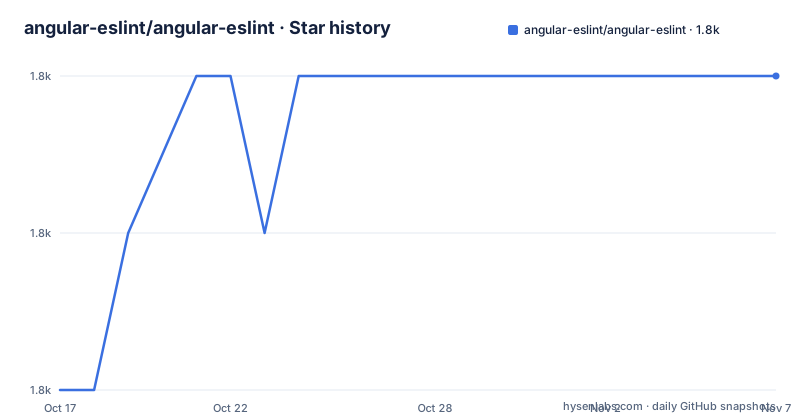
Star history
- angular-eslint/angular-eslint1,794 ★ · +2
| Repository | 2026-10-17 | 2026-11-07 |
|---|---|---|
| angular-eslint/angular-eslint | 1.8k | 1.8k |
2 Stars in the last 21 days, measured from the daily GitHub snapshot. Compare with other projects
Editorial analysis
The major version number is an Angular version number
Since v12, the packages under the @angular-eslint scope carry the same major number as the Angular release they support. The README states it as a compatibility rule: @angular-eslint packages at 16.x.x pair with @angular/cli at 16.x.x, and likewise for 17 and 18. Minor and patch numbers do not have to line up, only the first number.
This is a deliberate design decision with a real cost. In exchange for a predictable pairing, an Angular upgrade becomes a lint tooling upgrade that has to happen in the same window. The install command reflects that, since ng add angular-eslint installs the version aligned with the latest Angular major, and a workspace on an older major needs an explicit pin such as ng add angular-eslint@21 for an Angular v21 workspace. Getting that wrong is not a soft failure but a mismatch the project declines to support: the README asks that issues about unsupported Angular CLI versions not be opened at all, with prior support policy pushed into docs/ANGULAR_VERSION_SUPPORT.md.
For the ESLint side the answer is in package metadata rather than prose. The supported ESLint range is whatever peerDependency the individual package declares, and the README points at packages/eslint-plugin/package.json as the example.
One ng add wires dependencies, schematic collection and linter config
The entry path is the Angular CLI schematics rather than a hand written config file. The quick start is three steps: install the CLI per the local environment guide, create a workspace with ng new, change into it, and run:
ng add angular-eslintWhat that does beyond installing packages is visible in angular.json. The schematic adds a schematicCollections entry pointing at angular-eslint:
  "cli": {
    "schematicCollections": ["angular-eslint"]
  }
That single line is the mechanism behind a separate documented workflow, linting new projects by default. Once the collection is registered, projects generated later inside the workspace come with ESLint already configured instead of requiring the same add step each time. In a workspace with several applications this is the difference between a one time setup and a recurring chore.
The schematic also detects the case it is built for: a workspace containing a single project that has no linter configured yet. For a workspace that already runs TSLint or another linter, the README routes readers to a separate section on adding ESLint to an existing project, and to the migration path from Codelyzer.
strictTypeChecked trades speed for rules that need the type checker
The add command accepts a preset selector, and the documented values start at the ordinary typescript-eslint presets and extend into type aware ones:
ng add angular-eslint --tseslint-preset=strictTypeCheckedThe README is honest about the trade-off: type-checked presets are more powerful but slower. The reason is that some rules can only work with type information, which forces ESLint to build a program for the files it lints rather than reading syntax alone. docs/RULES_REQUIRING_TYPE_INFORMATION.md is the referenced list of those rules, and it is the document to read before turning the preset on in a repository with a large graph.
The README carries a dedicated section on performance notes, which signals that the tradeoff is known to the maintainers rather than discovered by each user.
A middle path exists for teams that want most of the value without the full cost: the recommended default preset without the TypeChecked suffix.
Nx users are told to stop, and the monorepo itself runs on Nx
One of the clearer parts of the README is the refusal to support a common combination. Nx uses some but not all of these packages, and specifically it does not use the builder that executes ESLint and does not use the schematics that generate files and configuration, because it configures ESLint through eslint.config.js files of its own design.
The advice is blunt: hand crafting an angular-eslint setup inside an Nx workspace is easy to get wrong, and issues about Nx support belong in the Nx repository. The two recommended paths split cleanly. Angular CLI users follow the tooling in this repository, and Nx users let Nx configure ESLint for them.
There is an irony in the implementation. This project is itself an Nx monorepo, with nx.json at the root, a .nx/ directory, pnpm-workspace.yaml, and package scripts that fan out through nx:
"build": "nx run-many -t build",
"lint": "nx run-many -t lint",
"typecheck": "nx run-many -t typecheck"
So Nx is the maintainers' choice of build orchestrator and simultaneously the case they warn end users away from. The repository also carries a check-clean-workspace-after-install script that runs git diff, a husky setup, lint-staged on pre-commit and a format-check on pre-push, all of which describe what working on the project itself costs.
A monorepo of packages, of which one is the usual entry point
The repository root holds packages/, docs/, e2e/, tools/, tsconfig.base.json and the workspace files, and the root package.json is marked private, so nothing installs from the root. The README describes the packages individually, starting with angular-eslint itself as the core package that exposes most of the others for the common case.
That bundling is a real decision for anyone pinning dependencies. A team that wants only template rules may still end up pulling a set of scoped packages, and the majors have to move together because they are released from one repository with a shared release script driven by tools/scripts/release.ts.
Rule documentation is generated and checked in CI rather than written by hand. The scripts check-rule-docs, update-rule-docs, check-rule-lists, update-rule-lists and update-rule-configs come in pairs, and a pair existing at all means a CI failure is possible when a rule is added without its documentation or list entry. update-native-event-names regenerates event names from Angular sources. For a contributor that is the real shape of the work here: adding one rule touches the plugin, the docs and several generated lists.
Licensing is MIT with the file at the root, so vendoring rules into an internal shared config carries no copyleft condition.
Compared with plain ESLint and typescript-eslint on an Angular file
The README credits typescript-eslint and the original TSLint rule implementations in codelyzer as foundations for this project. What angular-eslint adds is the Angular specific layer on top of that: template parsing, Angular aware rules, and the schematics that wire it into a CLI workspace.
The historical comparison still matters for teams with old code. Codelyzer and TSLint were the previous generation of Angular linting, and this repository has a documented migration section for moving an Angular CLI project off them.
The other boundary worth stating is what the project refuses to own. It positions itself as tooling for ESLint in Angular projects, not as a style enforcer: the README has a dedicated section on its philosophy for lint rules that enforce formatting concerns, which signals a deliberate line against duplicating what Prettier does. The repository runs Prettier itself through its format and format-check scripts.
Editorial conclusion
Teams already on Angular CLI should take angular-eslint through ng add angular-eslint and pin the major that matches their Angular release, because mismatched majors are the documented failure state and the project asks that issues about unsupported Angular CLI versions not be filed. If you use Nx, defer to its own tooling because Nx does not use the builder or the schematics. Verify first that the peerDependency on ESLint in packages/eslint-plugin/package.json matches the ESLint version your project runs, since that is where version incompatibility surfaces.
Frequently asked questions
How do I add ESLint to a new Angular CLI project with angular-eslint?
Run ng add angular-eslint inside the workspace. The schematic installs the packages and registers the schematic collection in angular.json so later generated projects are linted by default.
Which version of angular-eslint should I install for my Angular version?
The packages align their major with Angular, so an Angular v21 workspace wants ng add angular-eslint@21. The README says that only the major has to match, not the minor or patch.
Should I use the strictTypeChecked preset for angular-eslint?
It enables rules that need type information, which the README describes as more powerful but slower. docs/RULES_REQUIRING_TYPE_INFORMATION.md lists the affected rules if you want to see what the cost buys.
Can I use angular-eslint in an Nx monorepo?
The README says Nx does not use the builder or the schematics and recommends not hand crafting an angular-eslint setup there. Nx users should let Nx configure ESLint and report Nx specific issues in the Nx repository.
How do I migrate an Angular CLI project from Codelyzer and TSLint?
The README carries a section on migrating an Angular CLI project from Codelyzer and TSLint, and notes that the rule implementations originated in codelyzer before moving to ESLint.
Official sources
Add this badge to your README
If you maintain this project, the badge below links readers to this analysis and shows its maintenance status from the daily GitHub snapshot. Paste the markdown into your README; add ?metric=license or ?metric=stars to the image URL for a different field.

[](https://hysenlabs.com/projects/angular-eslint-angular-eslint)Star history chart for your README
[](https://hysenlabs.com/projects/angular-eslint-angular-eslint)Was this useful?