emailmd for Markdown-Based Email HTML Generation
Render markdown into email-safe HTML
At a glance
- What is it?
- emailmd is a TypeScript package that turns Markdown into responsive, email-safe HTML and a plain-text alternative. It suits developers building transactional or campaign emails, teams that want editable templates, and MCP clients that need local rendering and linting.
- Who is it for?
- Adopt emailmd when email templates should remain Markdown and your deployment can use Node 20 or later. Do not choose it if you require a stable pre-1.0 API, a fully self-contained documentation workflow, or a renderer that never depends on MJML.
- Can I use it commercially?
- Yes. MIT is a permissive licence: you can use, modify and sell software built on it, as long as you keep its copyright and licence notices.
- Is it still maintained?
- Yes. The repository last received commits 32 days ago.
- What is it written in?
- Mainly TypeScript, according to GitHub's language statistics.
Answers come from the project's GitHub data, last synced on November 7, 2026, and from our analysis. They are not legal advice.
Star history
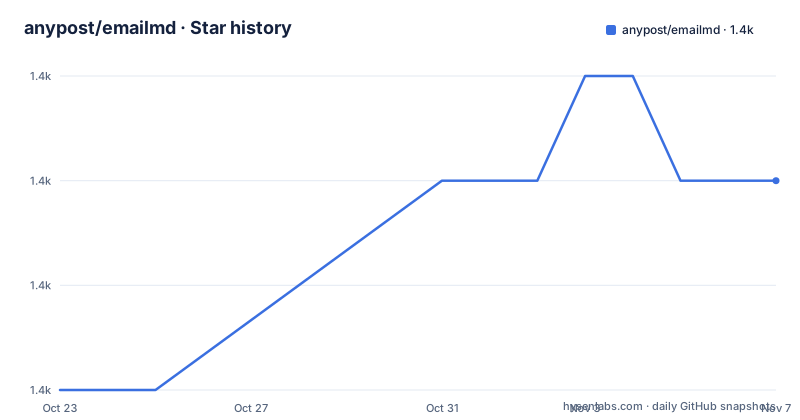
- anypost/emailmd1,385 ★ · +2
| Repository | 2026-10-23 | 2026-11-07 |
|---|---|---|
| anypost/emailmd | 1.4k | 1.4k |
2 Stars in the last 15 days, measured from the daily GitHub snapshot. Compare with other projects
Editorial analysis
Why emailmd targets the email formatting gap
emailmd addresses a specific mismatch between ordinary Markdown renderers and the markup accepted by email clients. The README describes its output as responsive, email-safe HTML intended for Gmail, Outlook, Apple Mail, Yahoo, and other clients. That claim is about compatibility and layout generation, not a guarantee that every message will look identical. Email rendering still depends on client support, image handling, fonts, and the surrounding MIME message.
The package is aimed at developers who maintain email templates as source files or strings rather than hand-authoring tables, inline layout rules, and client-specific markup. It also offers a browser builder, React components, a CLI, and an MCP server. That makes the same rendering concept usable from application code, command-line workflows, preview interfaces, and AI-assisted tooling.
The project is built on MJML. The dependency gives the library a structured starting point for email markup, while the README presents Markdown and directives as the authoring layer. This design is useful when templates need to be readable and reviewable, but it also means the output is not simply standard Markdown converted by a generic parser.
Rendering flow, MIME output, and directive-driven visuals
The documented TypeScript entry point is the async `render` function. It receives a Markdown string and resolves an object containing `html` and `text`. The HTML result is described as a complete email-safe document, while `text` is intended for the `text/plain` MIME part. Returning both formats lets an application build a multipart email without converting the content into a separate plain-text representation by hand.
The migration note is important for integration planning. Since v0.3.0, `render()` is asynchronous and requires Node 20 or later because the project uses MJML 5. Existing synchronous calls must be changed to awaited calls. The repository package metadata also identifies the project as an npm workspace monorepo, although the public installation instructions target the `emailmd` package directly.
emailmd extends ordinary Markdown with directives such as `chart`. The chart example encodes values as a Markdown list, including Spotify, Apple Podcasts, Web player, and RSS figures. According to the README, these visualizations are drawn with table cells and text glyphs rather than images or SVG. The HTML side therefore has a representation that can remain visible when remote images are blocked, and the plain-text side can redraw the chart rather than showing only a list of numbers. The documentation links to a separate directives reference for the full syntax, so the example should be treated as a starting point rather than a complete chart specification.
Installing emailmd and rendering the first template
The README gives npm as the installation path. The package requires Node 20 or later, and the API is asynchronous.
Install the runtime package in the project that will generate email content:
npm install emailmdThe documented first call imports `render`, passes a Markdown template, and reads both output formats:
import { render } from "emailmd";

const { html, text } = await render(`
# Welcome!

Thanks for signing up.

[Get Started](https://example.com){button}
`);
The `html` value can be used as the HTML MIME part. The `text` value is the plain-text alternative. The `{button}` syntax is a project-specific directive or annotation, so the full directives documentation should be consulted before assuming that every Markdown renderer or every Markdown construct behaves the same way.
The CLI covers a basic local workflow:
emailmd input.md
emailmd input.md -o output.html
emailmd input.md --text
echo "# Hello" | emailmd
The first command prints rendered output, the second writes an HTML file, the third requests plain-text output, and the last reads Markdown from standard input. The README says `emailmd --help` lists all options.
CLI, React preview, and MCP integration paths
The CLI is the shortest path for checking a template before it enters an application. It reads a file, accepts output to a file, and can produce plain text or accept piped input. This is useful for local template editing, but the README does not document a rollback command, a deployment command, or a mechanism for sending the generated output through an email provider. Delivery remains the responsibility of the surrounding application.
For browser applications, the separate `@emailmd/react` package offers `useEmailmd`, an `<EmailPreview />` iframe component, and `<EmailmdBuilder />`, which the README describes as a full builder for embedding in another application. The React package is installed alongside emailmd:
npm install @emailmd/react emailmdThe MCP server exposes three tools: `render`, `lint`, and `read_docs`. The hosted endpoint is `https://www.emailmd.dev/api/mcp` over Streamable HTTP, and the local form uses stdio:
npx emailmd mcpThe Dockerfile describes the local server as stateless and credential-free. Its `render` and `lint` tools run locally, while `read_docs` fetches public pages from `emailmd.dev`. That last detail creates a clear boundary for offline environments: local rendering and linting do not require credentials, but documentation retrieval is not described as an offline operation.
One repository inconsistency deserves attention. The Dockerfile pins `EMAILMD_VERSION=0.9.1`, while the README lists recent releases through v0.13.2. The Dockerfile comment says the pin is intended to match the MCP registry version, but its declared version is older than the release information shown in the repository description.
Compatibility limits and the pre-1.0 upgrade trade-off
The largest practical limitation is that emailmd is a specialized rendering layer, not a guarantee of identical presentation across every client. The README names Gmail, Outlook, Apple Mail, and Yahoo, but it does not publish a client matrix, rendering results, or a formal compatibility test report. Teams should therefore inspect their own production templates rather than infer identical output from the package description.
The project also has a moving API. Its README states that it is under active development and that breaking changes may occur between minor versions until 1.0. The changelog is identified as the place where those changes are called out, and the documentation includes a Stability & Versioning page. This is a meaningful upgrade cost for teams that pin dependencies carefully or expose a stable template API to other services.
Charts are a useful example of where the design makes a deliberate choice. Table cells and text glyphs can survive blocked remote images, but that does not establish how every chart directive interacts with a particular email client. The README also says the plain-text part redraws charts. Teams should verify that the generated text is readable in their MIME workflow and that their mail provider preserves the intended HTML and text parts.
A generic HTML-to-email converter would be a different kind of tool. It would not provide emailmd's Markdown directives, paired `text` output, CLI, React preview components, or MCP tools. Conversely, emailmd is the wrong choice for a team that needs a stable API, arbitrary web HTML conversion, or a fully offline documentation lookup.
License, repository layout, and maintenance signals
emailmd is distributed under the MIT license. That permits use and modification under the license terms, but the repository does not provide project-specific legal guidance, so downstream teams should review the license file themselves if their compliance process requires it. The package is hosted on npm, and the repository is organized as a monorepo with `packages/` and `apps/` workspaces. Root scripts include `build`, `test`, and `lint` commands backed by Turbo, which indicates that the repository contains more than a single published package.
The repository is not archived. Its last push was on 2026-10-06, and the release list includes v0.13.0, v0.13.1, and v0.13.2 on that date. Those facts show recent repository activity at that point, but the README explicitly warns that API stability is not guaranteed before 1.0. Maintenance cost therefore has two parts: dependency upgrades must be checked through the changelog, and template output should be retested when the renderer or MJML version changes.
The MIT license and npm distribution make integration straightforward at the packaging level. The harder operational question is whether the generated HTML fits the team's existing sending service. emailmd produces content, not delivery. Authentication, domain configuration, bounce handling, inbox placement, and provider-specific MIME behavior are not documented here and should not be treated as features of this package.
Editorial conclusion
Adopt emailmd when email templates should remain Markdown and your deployment can use Node 20 or later. Do not choose it if you require a stable pre-1.0 API, a fully self-contained documentation workflow, or a renderer that never depends on MJML. Before adoption, verify the generated HTML in the email clients and MIME pipeline you support, confirm that your Markdown syntax fits the documented directives, and review the changelog because breaking changes can occur between minor versions before 1.0.
Frequently asked questions
How do I install emailmd?
Install it with npm using `npm install emailmd`. The README states that Node 20 or later is required and that `render()` is asynchronous.
What does emailmd return when it renders Markdown?
The documented `render()` call returns an object containing `html` and `text`. The README describes `html` as email-safe HTML and `text` as a plain-text MIME alternative.
Can emailmd render charts without remote images?
The README says chart directives are drawn from table cells and text glyphs rather than images or SVG. It also states that the plain-text version redraws charts instead of showing only the underlying values.
Does emailmd have a CLI and an MCP server?
Yes. The CLI accepts files or piped Markdown, while the MCP server exposes `render`, `lint`, and `read_docs` over a hosted Streamable HTTP endpoint or local stdio with `npx emailmd mcp`.
Official sources
Add this badge to your README
If you maintain this project, the badge below links readers to this analysis and shows its maintenance status from the daily GitHub snapshot. Paste the markdown into your README; add ?metric=license or ?metric=stars to the image URL for a different field.

[](https://hysenlabs.com/projects/anypost-emailmd)Star history chart for your README
[](https://hysenlabs.com/projects/anypost-emailmd)Was this useful?