bastibe/org-journal: Emacs Journaling with Org Files
A simple org-mode based journaling mode
At a glance
- What is it?
- org-journal turns ordinary Org files into daily, weekly, monthly, or yearly journals inside Emacs. It suits users who want calendar navigation, carryover TODO items, optional encryption, and plain Org data without adopting a separate journaling application.
- Who is it for?
- Adopt org-journal if your notes should remain structured Org files and you want Emacs Calendar integration without a separate journaling interface. Do not choose it if you need a documented mobile application, hosted service, or explicit database migration path.
- Can I use it commercially?
- Yes. BSD-3-Clause is a permissive licence: you can use, modify and sell software built on it, as long as you keep its copyright and licence notices.
- Is it still maintained?
- Activity is slowing. The repository last received commits 6 months ago.
- What is it written in?
- Mainly Emacs Lisp, according to GitHub's language statistics.
Answers come from the project's GitHub data, last synced on October 23, 2026, and from our analysis. They are not legal advice.
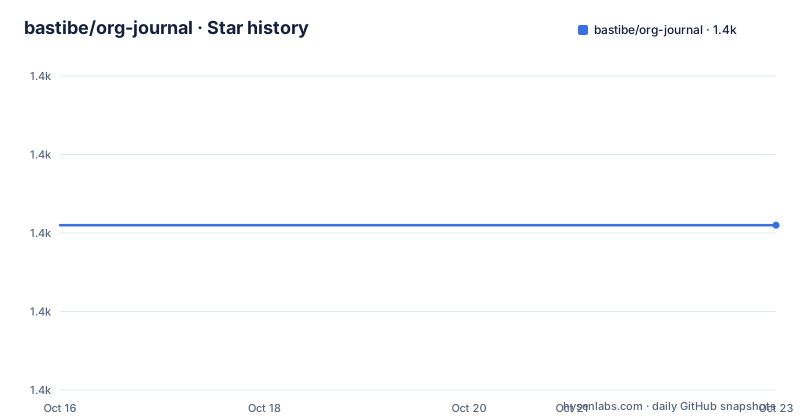
Star history
- bastibe/org-journal1,401 ★ · +0
| Repository | 2026-10-16 | 2026-10-23 |
|---|---|---|
| bastibe/org-journal | 1.4k | 1.4k |
0 Stars in the last 7 days, measured from the daily GitHub snapshot. Compare with other projects
Editorial analysis
Why org-journal Fits an Emacs Org Workflow
org-journal addresses a specific problem: recording personal journal entries in Emacs without converting each note into unstructured diary text. Every entry is represented as an Org headline, so journal material remains available to Org's outline structure, folding, properties, search, and existing editing commands. The intended user is already working in Emacs, uses Org mode, and wants a personal diary that does not require a separate database or service.
The project stores the journal as ordinary files rather than entries hidden inside application-specific storage. Its default entry command creates the journal directory when needed, opens the appropriate file in `org-journal-mode`, and inserts a new-entry template. That matters for adoption because the journal can be backed up, inspected, synchronized, and edited through the tools already surrounding an Org setup. The README does not document a database, hosted account, or proprietary export container.
The design is intentionally limited. org-journal does not present itself as a task manager, note-taking service, or collaborative diary. Carryover of selected TODO items is included, but that behavior remains tied to Org headlines and the journal file structure. This makes the project most appropriate when plain Org files are a deliberate feature rather than merely an implementation detail.
Daily, Weekly, Monthly, and Yearly File Layouts
The central mechanism is `org-journal-file-type`. The README documents values for daily, weekly, monthly, and yearly storage, with each file representing the corresponding time period. A user can create an entry in the current file or use `C-u M-x org-journal-new-entry` to open the current journal file without inserting a new entry.
File naming and placement are separate concerns. `org-journal-dir` defines the base directory, while `org-journal-file-format` is a format string for file names and may include directories relative to that base. Separating these controls allows a journal to use one base location while distributing files into date-derived subdirectories. The documented function hook `org-journal-find-file` controls how a selected file is opened. Its default uses `find-file-other-window`, so the current window layout changes unless the variable is set to use `find-file`.
Daily entries can contain dated top-level headings followed by timed subheadings. Weekly, monthly, and yearly files use a top-level heading for each day, with a `CREATED` property in `YYYYMMDD` form. The README states that yearly, monthly, and weekly entries require this property and that `org-journal-new-entry` adds it automatically. That requirement makes the structure more predictable for aggregate files, although it also means existing journal files must conform if the project is to manage them consistently.
Installing org-journal from Emacs Package Archives
The README lists NonGNU ELPA, MELPA, and MELPA Stable as installation sources. From Emacs, invoke the package installer and search for the package name exactly as documented:
M-x package-install org-journalAfter installation, load the package by adding the following line to `.emacs` or the Emacs configuration file used by the setup:
(require 'org-journal)The README includes a compatibility note for Org mode version 9.6. It directs users of that version to customize `org-element-use-cache` and set it to `nil` as a workaround for journal items not being carried over correctly to the next day. This is narrower than a claim that the setting is required for every installation. It applies specifically to the documented Org mode 9.6 issue.
The repository also contains an Eask-based development Makefile, but the published quickstart centers on package installation rather than a manual source checkout. There are no GitHub releases listed, so users should not expect release-version commands from this repository. The package archives are the installation path documented for ordinary users.
Creating and Browsing the First Journal Entry
The quickest first use is `M-x org-journal-new-entry`. According to the README, this creates the directory at the default `org-journal-dir` path if necessary, opens or creates the relevant file in `org-journal-mode`, and inserts the new-entry template. The prefix argument form opens the current file without creating an entry:
M-x org-journal-new-entry
C-u M-x org-journal-new-entry
Inside `org-journal-mode`, the documented navigation and editing keys cover the common path from writing an entry to finding older material:
C-c C-f
C-c C-b
C-c C-j
C-c C-s
The forward and backward bindings move between journal files. `C-c C-j` inserts an entry into the current file and creates that file if needed, while `C-c C-s` searches the journal for a string. After creating entries, `M-x calendar` exposes them in Emacs Calendar. From Calendar, `j r` views an entry in a new buffer, `j d` displays it without switching, and `j n` adds an entry for the selected day.
This path keeps the first workflow inside known Emacs surfaces. The user does not need to learn a separate window layout, import format, or account model before writing the first note.
Calendar Search and TODO Carryover Boundaries
Calendar integration extends beyond visual date selection. The README documents `j m` for marking entries and provides search prefixes for the current week, month, year, all time, and future entries. The `[` and `]` keys move to the previous or next day that contains journal entries. These bindings depend on entries having been registered with Emacs Calendar by org-journal.
Carryover is controlled by `org-journal-carryover-items`. Entries in a specified TODO state can be carried to the next day. The feature is implemented within the Org structure rather than by converting tasks into another task format. That preserves links to the original file model, but it also means behavior can be affected by Org state and parsing details. The documented Org mode 9.6 cache issue is a concrete example of that dependency.
Carryover is not described as a general project-management system. The README does not document reminders, notification delivery, recurring schedules, assignment, or synchronization with external task services. Users needing those features would have to add separate tooling or use a different application. The Org mode 9.6 workaround should also be considered during initial configuration if carryover is central to the journal.
Encryption, Compatibility, and the Limits of the README
org-journal provides two distinct privacy controls in its documented configuration. `org-journal-enable-encryption` applies to the journal entry, while `org-journal-encrypt-journal` applies to the file. The distinction matters because protecting one newly created entry is not equivalent to protecting every existing journal file. The README names both variables but does not provide a complete encryption walkthrough, key-management procedure, or recovery test.
The package depends on Emacs, Org mode, and the user's Org rendering settings. The README's sample files look deliberately plain and notes that their appearance depends on Org mode settings. File navigation also depends on a configurable open function, with splitting behavior as the default. These are meaningful integration details because they affect an existing Emacs configuration rather than running in isolation.
The README is also incomplete in several operational areas. It does not document backup procedures, migration between daily and aggregate file types, rollback, or a formal export command. It says files may be encrypted, but it does not explain what happens if encryption settings are later removed. Those omissions do not prove that the features are absent from the source, but users should not treat the README as a recovery or migration specification.
BSD-3-Clause and the Cost of Staying in Emacs
The repository identifies `org-journal.el` as the primary implementation and lists a BSD-3-Clause license. The license permits use and modification under its stated terms, including distribution of derivative work subject to the license conditions. This is a licensing summary rather than legal advice, and organizations with distribution or compliance requirements still need to review the `LICENSE` file themselves.
The repository's last push was on 2026-04-13, it is not archived, and it has no GitHub releases. Upgrade behavior therefore cannot be described through a documented sequence of published release artifacts because the repository has no GitHub releases. The repository includes `CHANGELOG`, `CONTRIBUTORS`, `MAINTAINERS`, tests, and an Eask-based Makefile, but the README does not state a compatibility policy for each Org or Emacs release.
The main upgrade cost is integration work. Users must assess whether their `org-journal-file-format`, `org-journal-file-type`, encryption settings, carryover configuration, and Org cache setting still match their setup. There is no migration command documented in the README, and there is no release inventory to select from. For a small Emacs Lisp package, that keeps the code footprint narrow, but it places more responsibility on the user for preserving and validating an existing journal file set.
org-journal Compared with Emacs PersonalDiary
The README states that org-journal was adapted from EmacsWiki's PersonalDiary. It also describes the practical difference: PersonalDiary works through the Emacs calendar but uses unstructured text, whereas org-journal represents entries as Org headlines. That distinction determines how each system stores and presents a record. PersonalDiary centers on diary-style text, while org-journal makes the entry outline and properties part of the data model.
Org-journal adds aggregate file periods, TODO carryover, optional entry or file encryption, and searches scoped to calendar periods or all time. Its direct integration with `org-journal-mode` also gives users a fixed set of navigation and insertion keys. These additions make org-journal the more structured option of the two when Org syntax is already part of the user's workflow.
The trade-off is dependence on Org conventions. Weekly, monthly, and yearly journals require `CREATED` properties, and carryover is tied to TODO states. A user who wants plain diary text without outline structure has no reason to absorb those rules. A user who already edits Org files gains consistent structure and a journal that remains readable outside the custom commands.
Editorial conclusion
Adopt org-journal if your notes should remain structured Org files and you want Emacs Calendar integration without a separate journaling interface. Do not choose it if you need a documented mobile application, hosted service, or explicit database migration path. Verify first that `org-journal-file-format` and `org-journal-file-type` produce paths and date groupings that match your existing notes, then check carryover behavior if you use TODO entries.
Frequently asked questions
How do I install bastibe/org-journal in Emacs?
Install `org-journal` with `M-x package-install org-journal`, then add `(require 'org-journal)` to your Emacs configuration. The README lists NonGNU ELPA, MELPA, and MELPA Stable as package sources.
How does bastibe/org-journal create a journal entry?
Run `M-x org-journal-new-entry`. It creates the journal directory when needed, opens or creates the relevant file in `org-journal-mode`, and inserts the new-entry template.
Can bastibe/org-journal use weekly or yearly files?
Yes. Set `org-journal-file-type` to select daily, weekly, monthly, or yearly files. Weekly, monthly, and yearly entries require a `CREATED` property, which `org-journal-new-entry` adds automatically.
Does bastibe/org-journal support encryption?
The README documents `org-journal-enable-encryption` for an entry and `org-journal-encrypt-journal` for the file. It does not provide a complete key-management or recovery procedure.
How are TODO items carried over in bastibe/org-journal?
Entries in a TODO state specified by `org-journal-carryover-items` can be carried over to the next day. For Org mode version 9.6, the README recommends setting `org-element-use-cache` to `nil` to work around an issue with carryover.
Official sources
Add this badge to your README
If you maintain this project, the badge below links readers to this analysis and shows its maintenance status from the daily GitHub snapshot. Paste the markdown into your README; add ?metric=license or ?metric=stars to the image URL for a different field.

[](https://hysenlabs.com/projects/bastibe-org-journal)Star history chart for your README
[](https://hysenlabs.com/projects/bastibe-org-journal)Was this useful?