fluent_ui: an unofficial WinUI 3 port for Flutter, maintained by one person
Microsoft's WinUI3 in Flutter.
At a glance
- What is it?
- Three thousand four hundred stars of Windows-fidelity widgets for Flutter, BSD licensed, with thirty-five shipped localizations and a maintainer who says outright that review may take time.
- Who is it for?
- fluent_ui is the right choice when your Flutter app needs to look and behave like a native Windows application rather than like Material with a Windows theme. The component coverage is real: menu bars, title bars, navigation views, tab views, combo boxes, number boxes, tooltips, acrylic and a rating control, all built against the official Microsoft documentation rather than from screenshots.
- Can I use it commercially?
- Yes. BSD-3-Clause is a permissive licence: you can use, modify and sell software built on it, as long as you keep its copyright and licence notices.
- Is it still maintained?
- Yes. The repository last received commits 2 days ago.
- What is it written in?
- Mainly Dart, according to GitHub's language statistics.
Answers come from the project's GitHub data, last synced on October 23, 2026, and from our analysis. They are not legal advice.
Star history
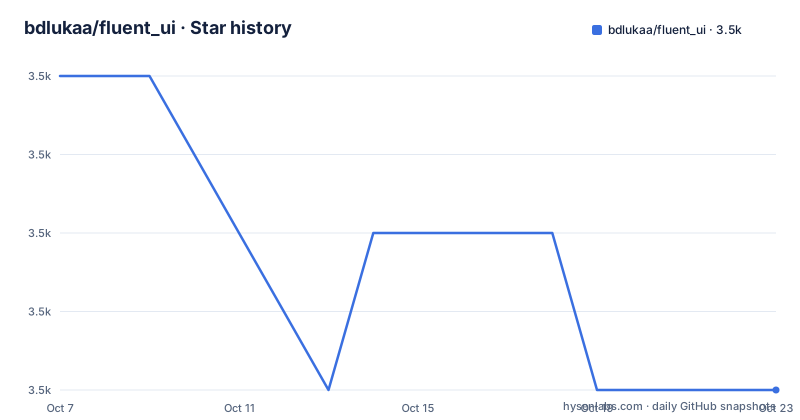
- bdlukaa/fluent_ui3,471 ★ · -4
| Repository | 2026-10-07 | 2026-10-23 |
|---|---|---|
| bdlukaa/fluent_ui | 3.5k | 3.5k |
-4 Stars in the last 16 days, measured from the daily GitHub snapshot. Compare with other projects
Editorial analysis
Why a Flutter port of WinUI 3 exists at all
The README's motivation section is short and specific. Since Flutter has stable Windows support, the author argues it is necessary to have support for its UI guidelines to build apps with fidelity, the same way Flutter has support for Material and Cupertino. The package describes itself as an unofficial implementation of Windows UI for Flutter, written based on the official documentation rather than by eye.
That framing is the key thing to hold on to. This is not a theme, and it is not Material restyled. It is a from-scratch widget set following WinUI 3 specs, which is why it can offer controls Material has no equivalent for, such as a CommandBar, a MenuFlyout that behaves like the Windows one, or acrylic as a first-class material.
The README also positions it against its siblings by link rather than by argument: Material UI for Flutter, Cupertino UI for Flutter, and macOS UI for Flutter. It points at the Flutter issue tracking official Fluent UI support for context, which is the honest admission that this is the community's answer to a gap rather than a Microsoft product.
The repository has 3,472 stars, 507 forks and 44 open issues, BSD-3-Clause licensed, written in Dart, with topics covering fluent-design, uwp, windows, winui and winui3. Last push was 2026-09-14 on the master branch, so it is actively moving.
Adding the dependency, and where the documentation lives
Installation is a pubspec entry plus a fetch. The version pinned in the README is 4.15.1.
dependencies:
  fluent_ui: ^4.15.1
If you want to track the repository rather than a published release, the README gives a git dependency as the alternative.
dependencies:
  fluent_ui:
    git: https://github.com/bdlukaa/fluent_ui.git
Then run `dart pub get` to download the package. One requirement is stated without negotiation: projects using this library should use the stable channel of Flutter. That is not boilerplate. Several of the fixes in the recent releases are Flutter framework version fixes, including a v4.16.0 release titled for Flutter 3.44 that opened with refactoring for Flutter 3.44.0 support, so a Flutter beta will cost you widget fixes.
The README is short and points at hosted documentation at bdlukaa.github.io/fluent_ui for anything beyond setup. The repository carries `example/` with platform folders for linux, macos, web and windows, an `l10n.yaml`, a `pubspec.yaml`, `analysis_options.yaml`, and an `AGENTS.md`. There is a `CHANGELOG.md` and a `coverage/` directory, which suggests coverage is tracked.
Accent color is how the design system signals state
The one theming concept the README explains properly is the accent color, because common controls use it to convey state information. The default is `Colors.blue`, and you override it through `FluentThemeData`.
FluentThemeData(
  accentColor: Colors.blue,
)
The interesting case is taking the accent from the operating system, which the README says is what you want if the color should reflect the user's Windows settings. That requires the separate `system_theme` plugin, and the mapping is not a single value: an accent swatch in this design system has seven named shades, so each one is pulled from the plugin separately.
import 'package:system_theme/system_theme.dart';

FluentThemeData(
  accentColor: AccentColor.swatch({
    'darkest': SystemTheme.accentColor.darkest,
    'darker': SystemTheme.accentColor.darker,
    'dark': SystemTheme.accentColor.dark,
    'normal': SystemTheme.accentColor.accent,
    'light': SystemTheme.accentColor.light,
    'lighter': SystemTheme.accentColor.lighter,
    'lightest': SystemTheme.accentColor.lightest,
  }),
)
The `system_theme` plugin covers Android, iOS, Web, macOS, Windows and Linux on GTK 3+, according to the README, which is broader than the package that consumes it. That is a hint about where the author expects this theme to be useful: in cross-platform Flutter apps where the accent should follow the host system even though the widgets stay Fluent.
The v4.15.0 release added a second theming lever worth knowing about: controls now respond to `VisualDensity` from `FluentThemeData`, so `FluentThemeData(visualDensity: VisualDensity.compact)` enables compact sizing.
Thirty-five languages, and an explicit crash warning
The localization section is the longest part of the README and the one place where the project makes a promise you should read carefully. FluentUI widgets support out-of-the-box a wide number of languages, from Arabic to Urdu, with each entry credited to the contributor who added it.
The count is around thirty-five: Arabic, Bahasa Indonesia, Belarusian, Czech, Croatian, Dutch, English, French, German, Greek, Hebrew, Hindi, Hungarian, Italian, Japanese, Korean, Malay, Nepali, Persian, Polish, Portuguese, Romanian, Russian, Simplified Chinese, Tagalog, Tamil, Traditional Chinese, Thai, Turkish, Spanish, Ukranian, Urdu and Uzbek. Both Chinese variants credit the same two contributors, and Portuguese and Spanish credit maintainers of other languages, which shows how the localization work is actually distributed.
The warning matters more than the list. The README says that if a language is not supported, your app may crash, and points at an issue for the discussion. That is a blunt statement for a UI library, and it implies the lookup for the current locale has no fallback path. If your app ships to a market with an unsupported language, you either add the language or you pin the locale yourself before the widget tree builds.
The contribution steps for a new localization are concrete enough to follow: fork the repo, copy `lib/l10n/intl_en.arb` into `lib/l10n` with a new language code following the ISO 639-1 list, update the contents and especially the `@locale` value, then run the project so code generation happens or run `flutter gen-l10n`, and open a pull request.
What the release notes reveal about the component set
The releases are where you learn what the widgets actually are, because the changelog is written in component names rather than marketing language. v4.16.1, published 2026-08-03, lists a menu bar rework, migration of Tooltip to RawTooltip, NumberBox focus handling, an AutoSuggestBox `popupDirection` addition, and two ComboBox fixes written with Copilot: a single-item dropdown crash on open, and height clipping under text scaling. It also fixes TabView bodies detaching during reorder and lets TitleBar opt out of responding to double tap to remove a visible click delay.
v4.16.0, from 2026-06-28 and titled for Flutter 3.44, is mostly rendering-exception work: MenuBar no longer throwing duplicated global key errors when hovering between items with a flyout open, Tooltip honouring a constructor-given style, ButtonStyle.textStyle actually applying to button content, navigation view theme being forwarded to flyout items, TitleBar accounting for view padding on mobile, FluentTextSelectionToolbar no longer ignoring custom ContextMenuButtonItems, and NumberBox losing its ghost focus.
v4.15.0, from 2026-03-06, is the release that named its own features: TreeView, visual density, and a breaking rename of `RatingBar` to `RatingControl` with an updated style. It also fixed MenuFlyout throwing a TypeError on sub-items, ProgressBar direction under right-to-left directionality, flyout bottom shadows being clipped in bottom placement modes, and system text scaling on DatePicker, TimePicker, AutoSuggestBox and CalendarDatePicker popups.
Read as a whole, that is a component library doing ordinary component library work: fixing focus, text scaling, and layout exceptions that show up once real users resize windows and switch locales.
One maintainer, and what that means for your roadmap
The README has a section on motivation and maintenance that deserves to be quoted rather than paraphrased. The author says the package is open source and anyone can contribute, but that he is the only one actively maintaining it, so it may take some time to review and merge pull requests, and points to a sponsorship page for anyone who wants to support the project.
That is a genuine risk factor, and it is not hidden. Contrast it with the localisation list, where thirty-five languages came from thirty-odd contributors: contributions clearly land, just not on a schedule you can plan around. A package that depends on one person's review queue is a package where a stalled pull request can sit for a release cycle.
The acknowledgements section gives a sense of where the depth comes from. Acrylic, the FluentIcons generator and the text selection controls came from @HrX03. ProgressBar and ProgressRing came from @raitonubero. The CommandBar implementation came from @klondikedragon. The example app leans on the flutter_acrylic and window_manager plugins from other maintainers. So single-maintainer describes the merge queue, not the total authorship.
What to do with this information is a project decision rather than a technical one. If your app is an internal tool, a single-maintainer package with 44 open issues and a commit three weeks ago is fine. If it is a commercial Windows product with a multi-year life, the pinning strategy matters: take a specific version rather than a caret range, read the CHANGELOG before upgrading across a minor version, and expect to file the odd issue when Flutter itself moves, since several recent releases exist precisely to catch up with the framework.
Editorial conclusion
fluent_ui is the right choice when your Flutter app needs to look and behave like a native Windows application rather than like Material with a Windows theme. The component coverage is real: menu bars, title bars, navigation views, tab views, combo boxes, number boxes, tooltips, acrylic and a rating control, all built against the official Microsoft documentation rather than from screenshots. Two things to weigh before committing. The maintainer states plainly that he is the only person actively maintaining the package, so pull request review may take time, which is a different risk profile from a team-backed project. And the localization story is excellent but brittle in one specific way: an unsupported language can crash your app. With 3,472 stars, 44 open issues, the last push on 2026-09-14 and v4.16.1 shipped 2026-08-03, start by adding the package and running the example app to see how close the fidelity is on your target Windows version.
Frequently asked questions
What is Fluent UI?
Fluent UI is Microsoft's design language for Windows applications. The fluent_ui package is an unofficial Flutter implementation of it, written against the official Microsoft documentation so that a Flutter app can match native Windows appearance and behaviour rather than looking like Material on Windows.
What are the key differences between Material UI and Fluent UI?
They are two different design systems for Flutter, and the README positions them as siblings alongside Cupertino UI and macOS UI. Material is Google's system, with MaterialApp and Material widgets, while Fluent is the Windows one and gives you controls such as CommandBar, TitleBar, NavigationView and acrylic that have no Material counterpart.
What happens if my app's language is not supported?
The README warns that if a language is not supported, your app may crash. Around thirty-five languages ship out of the box, and adding one means copying lib/l10n/intl_en.arb with a new ISO 639-1 code, setting the @locale value, and running flutter gen-l10n.
Can fluent_ui follow the system accent color on Windows?
Yes, through the separate system_theme plugin, which supports Android, iOS, Web, macOS, Windows and Linux on GTK 3+. Because an accent swatch has seven named shades in this design system, you map darkest through lightest individually onto an AccentColor.swatch passed to FluentThemeData.
Official sources
Add this badge to your README
If you maintain this project, the badge below links readers to this analysis and shows its maintenance status from the daily GitHub snapshot. Paste the markdown into your README; add ?metric=license or ?metric=stars to the image URL for a different field.

[](https://hysenlabs.com/projects/bdlukaa-fluent-ui)Star history chart for your README
[](https://hysenlabs.com/projects/bdlukaa-fluent-ui)Was this useful?