RSyntaxTextArea 4.x needs a JDK 25 to build and a JRE 11 to run, and that table is the upgrade decision
A syntax highlighting, code folding text editor for Java Swing applications.
At a glance
- What is it?
- RSyntaxTextArea is a BSD-3-Clause Swing text component with syntax highlighting for more than fifty languages, code folding and search, published to Maven Central. The build matrix in the README is the first thing to read, because version 4 requires Java 11 at runtime and a much newer JDK to compile.
- Who is it for?
- Adopt RSyntaxTextArea when you are building a desktop application on Swing and want an editor component with highlighting, folding and search that your users can theme, rather than a full IDE or a heavyweight editor library. Do not adopt it for a non-Swing stack, and do not upgrade an existing application to the 4.x line until you have checked the JDK your build runs on, because 4.x must be compiled with JDK 25 while 3.x needs 17.
- Can I use it commercially?
- Yes. BSD-3-Clause is a permissive licence: you can use, modify and sell software built on it, as long as you keep its copyright and licence notices.
- Is it still maintained?
- Yes. The repository last received commits 12 days ago.
- What is it written in?
- Mainly Java, according to GitHub's language statistics.
Answers come from the project's GitHub data, last synced on November 6, 2026, and from our analysis. They are not legal advice.
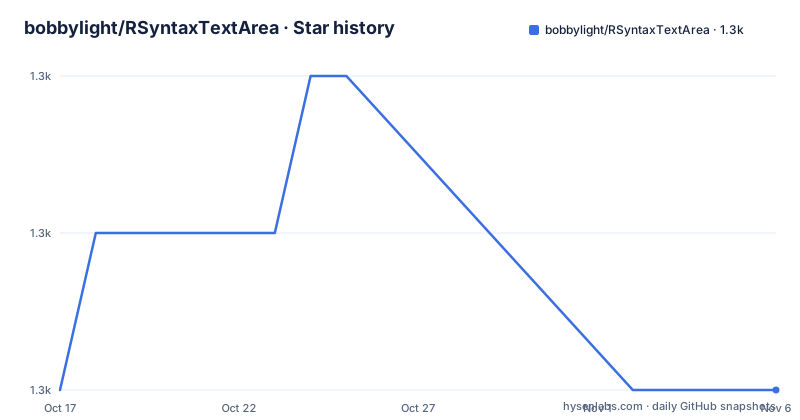
Star history
- bobbylight/RSyntaxTextArea1,261 ★ · +0
| Repository | 2026-10-17 | 2026-11-06 |
|---|---|---|
| bobbylight/RSyntaxTextArea | 1.3k | 1.3k |
0 Stars in the last 20 days, measured from the daily GitHub snapshot. Compare with other projects
Editorial analysis
It is a JTextComponent subclass, and that is the integration story
The README puts it plainly: RSyntaxTextArea is simply a subclass of JTextComponent, so it can be dropped into any Swing application with ease. Everything that follows from that decision explains the rest of the library, including the parts that look like missing features.
The example constructs the component with rows and columns, sets a syntax style, enables code folding, and places it in RTextScrollPane.
RSyntaxTextArea textArea = new RSyntaxTextArea(20, 60);
textArea.setSyntaxEditingStyle(SyntaxConstants.SYNTAX_STYLE_JAVA);
textArea.setCodeFoldingEnabled(true);
RTextScrollPane sp = new RTextScrollPane(textArea);
The SyntaxConstants reference is the shape of the API in miniature: a static constant per language, so choosing a language is a constant rather than a string, and a typo is a compile error.
The full example in the README also shows the window plumbing, and it includes a comment that is worth reading as guidance rather than as boilerplate: start all Swing applications on the EDT. A component that redraws a syntax-coloured document on a background thread will produce rendering artefacts, and the library does not protect you from that.
What the component does not do is bring an editor with it. There is no file menu, no tabs, no undo stack beyond the Swing default. Those are application decisions, and keeping them outside is what makes the component droppable into something as small as a dialog field.
The build matrix decides which line you can be on
The README states that RSTA 4.0 and later requires Java 11 to run, and then gives a table of what each line needs to build and to run:
| RSTA Version | Required to build (JDK) | Required to run (JRE) | |--------------|-------------------------|------------------------| | 4.x | 25 | 11 | | 3.x | 17 | 8 | | 2.6.x | 6 | 6 |
Read that carefully, because the two columns are not the same thing and the difference is the trap. A library can be compiled with a modern JDK and still run on an old runtime, and this one is: the 4.x line needs JDK 25 to build but only a JRE 11 to run, while 3.x needs JDK 17 to build and runs on a JRE 8.
That makes the 3.x line the one for applications that must run on Java 8, and the 4.x line a runtime upgrade for users as well as a toolchain change for whoever builds it. The README gives the instruction for the older case directly: if you need to support older Java versions, use the RSTA version specified in the table.
The recent release history suggests the 4.x line is where new work lands. 3.6.3 was released on 2026-06-08, 4.0.0 on 2026-07-18 and 4.0.1 on 2026-07-26, so the major line changed in the middle of 2026 and the last patch release came a week later.
For a team with an existing application, that is the whole upgrade conversation: which line your users' JRE supports, and what your build agents are running.
Fifty languages, and the catalogue lives in the wiki
Out of the box the component supports syntax highlighting for more than fifty programming languages, alongside code folding, search and replace. Syntax highlighting for additional languages can be added via tools such as JFlex, and the README links the wiki for that.
That last sentence is the honest boundary. RSyntaxTextArea does not bundle fifty lexers it maintains itself; it bundles the ones it ships and the mechanism to add more, and a new language is a JFlex specification compiled against the library. This is the same approach the original lexers use, which is why the component can support a long tail of languages without the author writing fifty parsers.
Code folding is a component option rather than something you assemble, set by enabling it on the text area, and the feature list pairs it with search and replace as the two capabilities that go beyond colouring text.
The README is also careful about where documentation lives. It points to the wiki for an overview of features and a deep dive into the code, and to a project home page, and the project page is where the language list will be found in full rather than being repeated in the readme.
One detail worth knowing before you rely on the screenshots or the wiki: nothing in the repository's top-level entries is a documentation directory. The source is RSyntaxTextArea/, the demos are in a separate RSyntaxTextAreaDemo/ directory that is a submodule, and the build files sit at the root alongside gradle.properties, settings.gradle and the wrapper.
The four add-on projects, and which feature is not in this jar
The README calls them sister projects and explains the division: RSyntaxTextArea provides syntax highlighting, code folding and many other features out of the box, but when you build a code editor you often want to go further, so the more complex functionality lives in small add-on libraries.
AutoComplete adds code completion, and its description notes it works with RSyntaxTextArea or with any other JTextComponent, which is the same drop-in design applied to a harder problem. RSTALanguageSupport builds on both RSyntaxTextArea and AutoComplete and supplies code completion for Java, JavaScript, HTML, PHP, JSP, Perl, C and Unix Shell. SpellChecker adds squiggle-underline spell checking to RSyntaxTextArea, which is the feature people expect an editor to have and which is not in this artifact. RSTAUI supplies the dialogs a text editing application needs: Find, Replace, Go to Line and File Properties.
The last one is the most revealing. A working Find and Replace dialog is a surprising amount of work for an application that otherwise just embeds a text component, and shipping it as a separate library means the core stays small and a simple application does not inherit a menu of editor features it does not use.
So the realistic adoption shape is a base dependency plus one or two add-ons, chosen by what your application actually needs. The demos in the RSyntaxTextAreaDemo submodule are the place to see the components configured rather than used, since the main demo shows syntax highlighting and code folding for several languages alongside several common configuration options.
Maven coordinates, snapshots, and what the badges say
Distribution is through Maven Central with the group and artifact com.fifesoft:rsyntaxtextarea, and the README notes the version is the part you fill in. Snapshot builds of the in-development, unreleased version are hosted on Sonatype, which is the standard arrangement and means you can test against a commit rather than waiting for a release.
The badges at the top of the README describe the checks. There is a Gradle build workflow, a separate CodeQL analysis workflow, a Maven Central badge, and a codecov badge.
Building is one command, and it compiles, runs the unit tests and creates the jar:
./gradlew build --warning-mode allRunning the demos is a separate task, and the main one is the one to start with:
./gradlew RSyntaxTextAreaDemo:runThe submodule arrangement means the demos are a separate build unit, so cloning for a quick look gives you a runnable example without making the demos part of the library's own build.
Where a Swing text component is the wrong answer
The scope boundary is simple and absolute: this is a Swing component. There is no JavaFX, no SWT and no web rendering path, because the class it extends is the one Java ships for desktop text entry.
That is not a defect for a desktop application, and it is a good fit for one. An application built on Swing today is usually an application with an existing window, menu and settings model, and dropping in a text component is far less invasive than adopting an editor framework that wants to own the whole editing surface.
The second boundary is the feature split already described. If your requirement list includes code completion or spell checking, you are adopting two or more artifacts from the same author, and that is a small ecosystem with a single maintainer behind it rather than a foundation-backed one. The README lists the add-on projects separately.
The third is the language catalogue. Fifty languages out of the box, with more added through JFlex specifications, means your language's highlighting is a build you do rather than a setting you flip, and someone has to maintain that specification.
Licensing is straightforward. The README states a BSD 3-Clause licence and links the licence file inside the resources of the source module, and the repository carries a LICENSE.md at the root. No legal advice is offered, but a permissive licence on a component you embed and theme is about as easy a dependency as a Swing project gets.
Editorial conclusion
Adopt RSyntaxTextArea when you are building a desktop application on Swing and want an editor component with highlighting, folding and search that your users can theme, rather than a full IDE or a heavyweight editor library. Do not adopt it for a non-Swing stack, and do not upgrade an existing application to the 4.x line until you have checked the JDK your build runs on, because 4.x must be compiled with JDK 25 while 3.x needs 17. Verify first the coordinate you depend on, com.fifesoft:rsyntaxtextarea on Maven Central, and remember that the completion and spell checking features live in separate add-on projects rather than in this artifact.
Frequently asked questions
Which Java version does RSyntaxTextArea 4.x need?
The README table shows 4.x requires JDK 25 to build and JRE 11 to run, 3.x requires JDK 17 to build and JRE 8 to run, and 2.6.x requires 6 for both. The README says that if you need to support older Java versions you should use the version named in the table.
How do I add a new language to RSyntaxTextArea?
The README says syntax highlighting for additional languages can be added via tools such as JFlex, and points to the project wiki. Languages bundled out of the box number more than fifty.
Does RSyntaxTextArea include code completion and spell checking?
No. Those come from separate add-on projects: AutoComplete for code completion, RSTALanguageSupport for completion in specific languages, SpellChecker for squiggle-underline spell checking, and RSTAUI for the Find, Replace, Go to Line and File Properties dialogs.
Where do I get RSyntaxTextArea from?
Maven Central, with the coordinate com.fifesoft:rsyntaxtextarea. Snapshot builds of the unreleased version are hosted on Sonatype, and the project is built with Gradle, where `./gradlew build --warning-mode all` compiles, runs the unit tests and creates the jar.
Official sources
Add this badge to your README
If you maintain this project, the badge below links readers to this analysis and shows its maintenance status from the daily GitHub snapshot. Paste the markdown into your README; add ?metric=license or ?metric=stars to the image URL for a different field.

[](https://hysenlabs.com/projects/bobbylight-rsyntaxtextarea)Star history chart for your README
[](https://hysenlabs.com/projects/bobbylight-rsyntaxtextarea)Was this useful?