ghz: a gRPC load generator that reads your .proto and skips the stub
Simple gRPC benchmarking and load testing tool
At a glance
- What is it?
- Apache-licensed Go tool that takes a proto file, a method name and a JSON payload, then drives your gRPC service with a configurable rate or concurrency schedule and reports latency percentiles. The load-schedule flags are where the real power is.
- Who is it for?
- ghz is the tool to reach for when you need a gRPC endpoint under measurable load and you do not want to write a client stub to do it. It handles TLS, streaming, metadata templating and rate schedules in one binary, and it reports the percentile breakdown that actually tells you whether a service degraded.
- Can I use it commercially?
- Yes. Apache-2.0 is a permissive licence: you can use, modify and sell software built on it, as long as you keep its copyright and licence notices.
- Is it still maintained?
- Yes. The repository last received commits 29 days ago.
- What is it written in?
- Mainly Go, according to GitHub's language statistics.
Answers come from the project's GitHub data, last synced on October 25, 2026, and from our analysis. They are not legal advice.
Star history
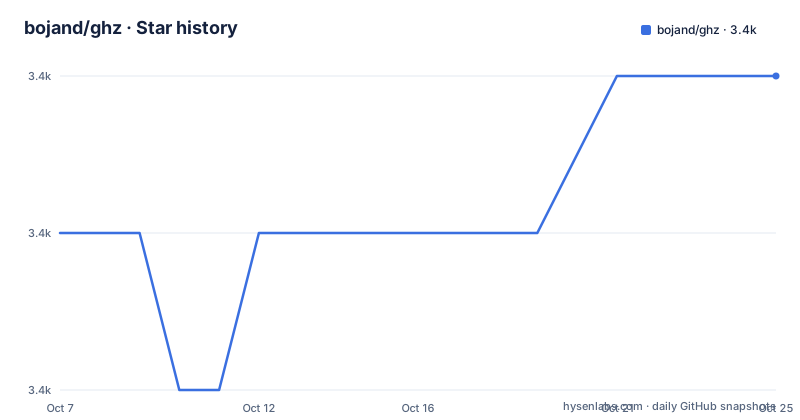
- bojand/ghz3,359 ★ · +1
| Repository | 2026-10-07 | 2026-10-25 |
|---|---|---|
| bojand/ghz | 3.4k | 3.4k |
1 Stars in the last 18 days, measured from the daily GitHub snapshot. Compare with other projects
Editorial analysis
Why reading the .proto matters more than the flags
Most load generators ask you to bring a compiled artifact or a hand-written client. ghz asks for the two things you already have: the Protocol Buffer definition and the method you care about.
+usage: ghz [<flags>] [<host>]
+
`--proto` takes the `.proto` file directly, and `--protoset` takes an already-compiled protoset as an alternative, with `--proto` taking precedence when both are present. `--call` names the method in `package.Service/method` or `package.Service.Method` form. `--import-paths` handles the case where your protos import each other from somewhere other than the working directory, and the help text notes that the current directory and the proto file's own directory are added to the import list automatically.
This design is why ghz is pleasant to use against a service you did not write the client for. ghz reflects the descriptor at runtime and constructs the message itself, so there is no stub generation step, no build to keep in sync with the server, and no language to agree on. `--reflect-metadata` extends the same idea to servers that expose the reflection service, which lets ghz describe calls it was not handed a proto for.
The payload side is equally direct. `-d` takes stringified JSON, `-D` reads it from a file, and a value of `@` on `-d` reads the request contents from stdin, which is what lets you pipe generated payloads in. `-b` and `-B` do the same for serialized binary messages or count-prefixed message streams, and `-m` and `-M` set request metadata as JSON.
One consequence worth planning for: because ghz constructs and serializes messages in its own process, it becomes a candidate for being the bottleneck at very high rates. The server-side numbers matter more than the client's once you get there.
Installing from a release, a package manager or source
Four routes are documented and all of them are one command. A prebuilt executable for your platform is on the releases page: unzip it, put the binary somewhere, and add that directory to `PATH` if you want `ghz` available everywhere.
+brew install ghz
+
That is the Homebrew route. From source, cloning and building with make is `make build`. Building the command directory directly with the Go toolchain is `cd cmd/ghz` followed by `go build .`, and installing into your Go bin with a recent toolchain is:
+go install github.com/bojand/ghz/cmd/ghz@latest
+
The README asks for Go 1.23 or newer for the `go install` path, and `go.mod` in the repository declares `go 1.23.0`. There is a wrinkle if you are reading the Dockerfile, which pins `golang:1.22.2` as its builder image, so the container build is not yet aligned with the declared minimum.
The Docker route is not a conventional image build. It uses BuildKit output to drop a static binary straight onto the host filesystem:
+DOCKER_BUILDKIT=1 docker build --output=/usr/local/bin --target=ghz-binary-built https://github.com/bojand/ghz.git
+
The target is `ghz-binary-built`, a `FROM scratch` stage that copies the compiled binary out of the builder. The builder sets `CGO_ENABLED=0` and builds with stripped symbols and static external linking, so the result is a single static file with no runtime dependencies. If you want a runnable container rather than a local binary, the same Dockerfile has further stages that fetch the release tarball and its sha256.
For reproducible local builds there is a `.goreleaser.yml` at the root and a `Makefile` whose default goal runs lint, coverage and build in that order, with tests executed under `-race`.
Rate schedules and concurrency schedules, separately
This is where ghz is more capable than the typical load tool, and the distinction between the two axes is the thing to understand.
The request rate is `-r`, the RPS limit for a constant load schedule, with no rate limit as the default. On top of it, `--load-schedule` selects `const`, `step` or `line`, and the supporting flags are `--load-start` for the starting RPS, `--load-step` for the step or slope value, `--load-end`, `--load-step-duration` for how long to hold each step, and `--load-max-duration` as a ceiling on the whole ramp.
Concurrency is a separate schedule with its own default of 50 workers: `-c` for the constant case, `--concurrency-schedule` again `const`, `step` or `line`, with `--concurrency-start`, `--concurrency-end`, `--concurrency-step` defaulting to 1, `--concurrency-step-duration` and `--concurrency-max-duration`.
Both schedules exist because the two questions are different. Constant RPS answers whether the service meets a throughput target; a step or line ramp answers where it breaks and how it degrades, whether latency climbs smoothly or falls off a cliff once a queue saturates. Running only the concurrency schedule and raising `-c` produces a different shape of saturation from holding RPS fixed and removing workers, and the second one is closer to what a real client population does.
`--async` is the flag that changes the character of the run. Without it ghz waits for each request to finish before sending the next on that worker, so latency feeds back into throughput. With it, requests go out as fast as possible without waiting, which is how you find a queue that keeps growing rather than one that stays stable.
Bounding the run is separate too: `-n` sets total requests at 200 by default, `-z` sets a duration after which the app stops and exits, which overrides `n`, and `-x` is the variant that respects `n` but stops at the duration if it is reached first. `--duration-stop` chooses whether that stop is reported as `close`, `wait` or `ignore`, which decides whether in-flight requests get to finish or are cut off.
TLS, streaming and metadata for realistic calls
A load test against a plaintext connection tells you very little, and ghz has the TLS options to avoid that mistake. `--cacert` supplies trusted roots for verifying the server, `--cert` and `--key` present a client certificate and must be given together, and `--cname` overrides the server name used for certificate validation, which is the flag you need for self-signed certs that do not match the address you are dialling.
`--skipTLS` skips verification of the server's certificate chain and host name while keeping the connection encrypted, and `--insecure` drops to plaintext. `--authority` sets the `:authority` pseudo-header and, per the help text, only works together with `--insecure`, which makes sense since it exists for testing against a proxy that routes on that header.
Streaming has its own group, and this is the part that most tools cover poorly. `--stream-interval` sets the gap between message sends on a stream, `--stream-call-duration` closes each streaming call after a period, and `--stream-call-count` closes it after a number of messages, so you can test a server that expects a bounded burst as well as one that expects a long-lived stream. `--stream-dynamic-messages` regenerates and applies the call template on every send, which is how you exercise a server that rejects identical repeated messages.
Request metadata comes from `-m` and `-M`. Combined with templating, this is how you send a per-request identifier, a trace header or a distinct correlation value on every call rather than one fixed value repeated ten thousand times, which is closer to how a real client behaves and exercises more server code paths.
Output and the web report
ghz reports the statistics that matter for a latency question: a latency distribution with percentiles, throughput, and an error breakdown by gRPC status code. For load testing, the percentile spread between the fast and slow ends says more than the mean does, since a service with a good average and a long tail will disappoint users anyway.
The repository has a `web/` and a `www/` directory, and the project publishes documentation at ghz.sh. There is also a `--format` style of flag family in the full help output that the README truncates before reaching, so the authoritative list of reporting options lives on the site rather than in the repository file.
For repeatable runs there is `--config`, which takes a JSON or TOML file specifying all the settings for a test run. That matters more than it first appears: a benchmark nobody can reproduce is an anecdote, and a single committed config file makes a load test reviewable the way a test fixture is.
The `printer/` directory in the tree holds the report formatting, and `go.mod` pulls in `go.uber.org/zap` for logging and `dustin/go-humanize` for readable byte and time formatting, plus `Masterminds/sprig/v3` for the templating used in dynamic message and metadata generation.
The release cadence, and where the project is now
The version numbers are worth reading carefully because they encode the project's actual state. The latest release is v0.121.0, published 2025-12-07, and its number is well below 1.0 while its commit history is long and active. v0.120.0 and v0.119.0 both landed on 2024-05-30, an hour apart, one being a Prometheus upgrade and the other a fix for gRPC accept-encoding metadata that had caused reported compression problems.
That v0.121.0 changelog is mostly maintenance, and maintenance is the right kind: repeated certificate refreshes, library bumps to resolve several vulnerabilities, an updated required Go version, a switch to the golangci lint action, and the removal of `.github/FUNDING.yml`. A security-conscious dependency refresh cadence and a project at v0.121 are a combination that says the author treats this as a tool people run against production-shaped services.
The last push to the repository was on 2026-09-01, so the tree is being maintained even though the last tag is from December 2025. The default branch is `master`, the licence is Apache-2.0, and the description is deliberately short: a gRPC benchmarking and load testing tool.
Where it sits against the alternatives: ghz-loadtest is the usual comparison, along with general purpose tools such as wrk or k6 pointed at a gRPC client you wrote yourself. The specific advantage ghz has is not raw throughput but zero client code, since a k6 gRPC script still needs a protobuf-generated module, while ghz runs from a proto path and a method name. The cost is that you give up scripting, so conditional logic in a request payload means templating or stdin rather than a real language.
Editorial conclusion
ghz is the tool to reach for when you need a gRPC endpoint under measurable load and you do not want to write a client stub to do it. It handles TLS, streaming, metadata templating and rate schedules in one binary, and it reports the percentile breakdown that actually tells you whether a service degraded. It will not tell you why: you still need traces and profiles on the server side. Start with `brew install ghz` or a release binary, point `--proto` at your service definition and `--call` at one method, then move from a constant concurrency run to a step schedule so the shape of the saturation point is visible rather than guessed.
Frequently asked questions
What is bojand ghz load testing used for?
ghz drives a gRPC service with a controlled request rate or a controlled number of concurrent workers, then reports the latency distribution, throughput and error breakdown. It is for answering whether a method meets a throughput target and where a service saturates, using a .proto file rather than a client you have to write.
How do I install ghz on ubuntu or windows?
The README documents four routes: a prebuilt executable from the releases page, `brew install ghz`, building from source with `make build` or `cd cmd/ghz` and `go build .`, and `go install github.com/bojand/ghz/cmd/ghz@latest` on Go 1.23 or newer. The release binary works the same on Linux and Windows, and you add its directory to PATH if you want the command available everywhere.
What does the ghz rps and concurrency option do?
They control different things. `-r` sets requests per second with no limit as the default, and `--load-schedule` with its start, step, end and duration flags lets you ramp that rate. `-c` sets concurrent workers at 50 by default, with a parallel `--concurrency-schedule` family that ramps the worker count instead. Holding rate fixed and holding concurrency fixed produce different degradation shapes.
Can ghz test a self-signed TLS server?
Yes, through two separate routes. `--cname` overrides the server name used for certificate validation, which suits a self-signed cert that does not match the address you are dialling, and `--skipTLS` keeps the connection encrypted while skipping chain and host name verification. Client certificates are presented with `--cert` and `--key`, which must be supplied together.
Official sources
Add this badge to your README
If you maintain this project, the badge below links readers to this analysis and shows its maintenance status from the daily GitHub snapshot. Paste the markdown into your README; add ?metric=license or ?metric=stars to the image URL for a different field.

[](https://hysenlabs.com/projects/bojand-ghz)Star history chart for your README
[](https://hysenlabs.com/projects/bojand-ghz)Was this useful?