A Minimal WebRTC Video Conference Example Built on Node and Socket.IO
This repository contains a simple WebRTC app, created for educational purposes.
At a glance
- What is it?
- This educational repository shows a room-based video chat using WebRTC with Node, Express, and Socket.IO. It is a teaching aid, not a production system, and its value lies in the clarity of its signalling flow.
- Who is it for?
- Adopt this repository if you are learning WebRTC's core concepts: SDP exchange, ICE candidates, and the role of a signalling server. Do not use it for a production service, because it lacks STUN/TURN configuration, user authentication, and room management beyond the simplest case.
- Can I use it commercially?
- Not without permission. GitHub finds no licence file in the repository, and without a licence all rights are reserved by default: you may read the code but not reuse it. Check the README, or ask the authors, before using it.
- Is it still maintained?
- Yes. The repository last received commits 19 days ago.
- What is it written in?
- Mainly JavaScript, according to GitHub's language statistics.
Answers come from the project's GitHub data, last synced on October 22, 2026, and from our analysis. They are not legal advice.
Star history
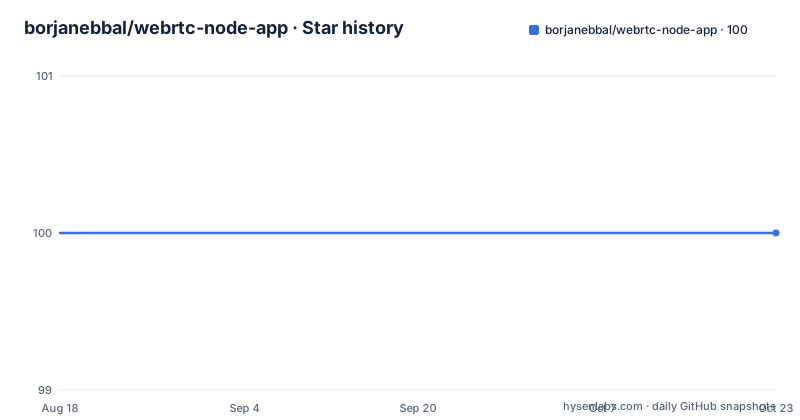
- borjanebbal/webrtc-node-app100 ★ · +0
| Repository | 2026-08-18 | 2026-10-22 |
|---|---|---|
| borjanebbal/webrtc-node-app | 100 | 100 |
0 Stars in the last 65 days, measured from the daily GitHub snapshot. Compare with other projects
Editorial analysis
What This Repository Actually Solves
The repository is a tutorial in code form. It answers a specific question: how do two browsers establish a direct video connection when a server is only used for signalling? The intended audience is a developer who understands basic JavaScript and Node but has never touched WebRTC. The README walks through the theory of SDP, ICE, STUN, and TURN before showing a minimal implementation. It does not aim to solve scaling, multi-party conferencing, or network traversal in hostile environments. The project's scope is narrow, and that is its strength. You can read the explanation and then trace the same concepts in the actual files. For someone who wants a production video chat, this is the wrong starting point, but for someone who wants to see the skeleton of an RTCPeerConnection exchange, it is direct and uncluttered.
The Signalling Mechanism in the Code
The application uses Socket.IO for signalling, which the README identifies as one of several possible protocols. The flow follows the standard WebRTC pattern: a caller creates an SDP offer, sends it through the server to the callee, the callee responds with an SDP answer, and then both sides exchange ICE candidates. The server's role is limited to relaying these messages between clients in the same room. The README explicitly states that WebRTC does not specify a signalling protocol, so the choice of Socket.IO is an implementation decision. The code likely has a server.js file that sets up an Express server and a Socket.IO instance, and a public/client.js file that handles the RTCPeerConnection logic. The key point is that after the initial exchange, media flows directly between browsers, and the server is no longer involved in transmitting video or audio data. This is the fundamental architecture that the repository demonstrates.
Running the Application: Commands and Structure
The README provides the first steps to get the project running. You create a folder, run 'mkdir webrtc-node-app && cd webrtc-node-app', and then 'npm init' to start a new Node project. The application structure is described as three files: server.js, public/index.html, and public/client.js. The server uses Express as the Node framework and Socket.IO as the real-time library. To run it, you would install the dependencies with npm, likely 'npm install express socket.io', and then start the server with 'node server.js'. The exact commands for starting the server are not shown in the truncated README, but the structure implies a standard Node setup. The public folder serves static files, and the client.js contains the browser-side WebRTC logic. This is a minimal footprint, which is appropriate for an educational example.
A Genuine Limitation: No STUN or TURN Configuration
The README spends considerable time explaining that ICE uses STUN servers to discover public addresses and TURN servers to relay traffic when direct connections fail. However, the repository itself does not appear to include any configuration for STUN or TURN servers in the code snippets shown. The README notes that TURN relay servers are expensive and that you will need to pay for your own or use a service provider. This is a real gap. In a typical home network, a STUN server is often enough, but in corporate networks with symmetric NATs, the connection will fail without a TURN server. The example code likely uses the default ICE gathering, which may include Google's public STUN servers, but that is not confirmed in the material. This means the application works only in simple network scenarios. If you deploy this as-is, users behind restrictive firewalls will not connect. The documentation acknowledges this problem but the code does not solve it, which is a typical trade-off for a teaching project.
Security and Encryption: What the README Claims
The README describes WebRTC's mandatory security features: media streams are encrypted with SRTP, data streams with DTLS, and all components run in the browser sandbox. It also notes that camera and microphone access requires user consent, and browsers display indicators when devices are active. These are built-in properties of WebRTC, not features of this specific repository. The educational value is that the author explains why you do not need to add encryption yourself. However, the repository does not address application-level security, such as authentication for joining a room or preventing unauthorized access. The signalling server is a plain relay, so anyone who knows the room name can join. For a learning exercise, this is acceptable, but it is a limitation if you consider using the code beyond a tutorial.
Maintenance and Upgrade Cost
The repository has no releases and no homepage, and the last push date is unknown. The README is written as a tutorial article, not as a maintained project. The code depends on Express and Socket.IO, both of which have active ecosystems, but the example may use older API patterns. For instance, Socket.IO has changed its API across major versions, and the code in this repository might not work with the latest version without adjustments. The license is listed as unknown, which is a concern. Without a license, you have no legal permission to use, modify, or distribute the code, even for educational purposes. That is a practical barrier. If you want to build on this example, you should either contact the author or find a similar project with a clear open-source license. Upgrading the dependencies yourself is straightforward for a small project, but you must verify the Socket.IO and Express versions against the code.
Alternatives and How They Differ
A common alternative is to use a full WebRTC framework like PeerJS, which wraps the RTCPeerConnection API and provides a built-in signalling server. The difference is that PeerJS abstracts away the SDP and ICE exchange entirely, so you write less code but learn less about the underlying mechanics. Another alternative is to use a media server like Janus or Jitsi, which handles SFU (Selective Forwarding Unit) routing for multi-party calls. Those are designed for production scale and support many participants, but they are far more complex to set up. This repository intentionally stays at the peer-to-peer level, with no media server involved. That makes it a good contrast: if you want to understand the raw WebRTC flow, this project is useful; if you want a working video conference for more than two people, you need a different architecture.
Who Should Use This and What to Verify First
The repository is for a developer who wants to see WebRTC in action without a framework obscuring the details. You should use it if you are comfortable reading JavaScript and want to trace how an offer, an answer, and ICE candidates move through a Socket.IO server. You should not use it if you need a reliable video chat for real users, because it lacks TURN configuration and user management. Before you rely on it, verify three things. First, check that the Socket.IO version in package.json matches the code's API calls. Second, confirm whether the RTCPeerConnection configuration includes any ICE servers; if it is empty, you will need to add a STUN server for most real-world connections. Third, resolve the license question by contacting the repository owner or choosing a different educational example with a clear license. The project is a snapshot of a learning exercise, and its value is in the explanation it provides, not in its readiness for deployment.
Editorial conclusion
Adopt this repository if you are learning WebRTC's core concepts: SDP exchange, ICE candidates, and the role of a signalling server. Do not use it for a production service, because it lacks STUN/TURN configuration, user authentication, and room management beyond the simplest case. Before relying on it, verify that the Socket.IO version in the code matches your Node environment, and check whether the repository includes any TURN server settings, since the README itself notes that restrictive networks require one. The project is a starting point, not a deployable product.
Frequently asked questions
Which is faster, WebRTC or WebSocket?
The README argues for the direct case: direct communication between browsers improves performance and reduces latency times since clients do not need to keep sending and receiving messages through a server. WebSockets would need a server to route messages, whereas WebRTC only needs a server for signalling.
What does the webrtc-node-app repository contain?
A simple WebRTC app created for educational purposes, showing how to implement a video conference with Node. The application is three files: server.js, public/index.html, and public/client.js.
Which WebRTC APIs does webrtc-node-app use?
Only two. The README describes MediaStream, RTCPeerConnection, and RTCDataChannel, then states that for the implementation example only getUserMedia and RTCPeerConnection will be needed. RTCDataChannel is left out.
How do I run webrtc-node-app?
Run npm start, which executes node server.js, or npm run start:dev for the nodemon version. The format script runs prettier with the repository's .prettierrc, and note that the test script is a placeholder that always exits with an error.
What is the signalling step in WebRTC?
A client initiates the call, the caller creates an offer with an SDP description and sends it, and the callee responds with an answer containing an SDP description too. Once both peers hold local and remote descriptions they know the media capabilities, but ICE still has to handle NATs and port restrictions before media can flow.
Official sources
Add this badge to your README
If you maintain this project, the badge below links readers to this analysis and shows its maintenance status from the daily GitHub snapshot. Paste the markdown into your README; add ?metric=license or ?metric=stars to the image URL for a different field.

[](https://hysenlabs.com/projects/borjanebbal-webrtc-node-app)Star history chart for your README
[](https://hysenlabs.com/projects/borjanebbal-webrtc-node-app)