ciao: cron-scheduled HTTP checks with a REST API and no database to run
HTTP checks & tests (private & public) monitoring - check the status of your URL
At a glance
- What is it?
- ciao is a MIT licensed Ruby application that checks HTTP and HTTPS endpoints on a cron schedule and notifies you on status change by email or webhook. Everything is configured through environment variables and state lives in a mounted SQLite file, which makes it a fit for small internal checks and a poor fit for anything larger.
- Who is it for?
- ciao fits a team that wants a handful of URL checks with a UI, a JSON API and alerts on status change rather than a full synthetic monitoring platform, and that can run one container with a mounted volume. It does not fit a large check fleet, a distributed checker, or anyone needing auth beyond HTTP Basic, because the README only documents single application credentials and TLS is left to a reverse proxy.
- Can I use it commercially?
- Yes. MIT is a permissive licence: you can use, modify and sell software built on it, as long as you keep its copyright and licence notices.
- Is it still maintained?
- Yes. The repository last received commits 7 days ago.
- What is it written in?
- Mainly Ruby, according to GitHub's language statistics.
Answers come from the project's GitHub data, last synced on October 23, 2026, and from our analysis. They are not legal advice.
Star history
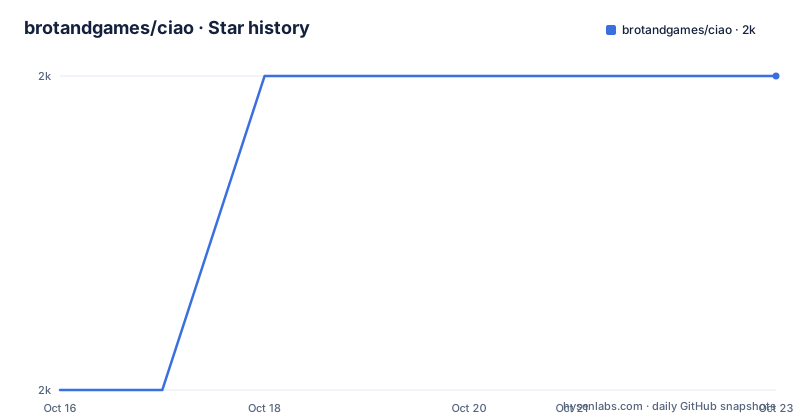
- brotandgames/ciao1,982 ★ · +1
| Repository | 2026-10-16 | 2026-10-23 |
|---|---|---|
| brotandgames/ciao | 2k | 2k |
1 Stars in the last 7 days, measured from the daily GitHub snapshot. Compare with other projects
Editorial analysis
One container, one mounted SQLite file, no external services
ciao checks HTTP(S) endpoints for a status code, or for errors lower in the TCP stack, and sends a notification when the status changes. That is the whole product.
The stated motivation is worth repeating because it explains the design: an open source application for checking URL statuses with a UI and a REST API that is easy to install and maintain, with no external dependencies such as databases or caches, in public and private environments.
That promise is kept literally. The Docker instructions mount a volume at `/app/db/sqlite`, so the only persistent state is that SQLite directory. There is no Postgres to provision and no cache to warm. The Dockerfile is a two stage build on `ruby:4.0.6-slim`, installing build dependencies including `libsqlite3-dev` and `libpq-dev`, running `bundle install` without the development and test groups, precompiling assets with `rake assets:precompile`, then copying the result into a second stage that creates a non-root user with group id 1000.
The documented Docker setup uses one volume and one port mapping. The cost is that the SQLite file is the ceiling on scale, and there is no documented path to moving off it.
The quickstart is a single docker run line
The fastest way to see it working is the one line from the README:
docker run --name ciao -p 8090:3000 brotandgames/ciaoPort 8090 on the host maps to 3000 in the container, and you open http://localhost:8090 afterwards. No secret is required for that first run, because `SECRET_KEY_BASE` is auto-generated when you omit it.
For a real deployment the README gives the full environment set, and it is worth reading as a template because it shows which variables the app expects rather than only the minimum:
docker run \
  --name ciao \
  -p 8090:3000 \
  -e SECRET_KEY_BASE="sensitive_secret_key_base" \
  -e SMTP_ADDRESS=smtp.yourhost.com \
  -e SMTP_EMAIL_FROM="[email protected]" \
  -e SMTP_EMAIL_TO="[email protected]" \
  -e SMTP_PORT=587 \
  -e SMTP_DOMAIN=smtp.yourhost.com \
  -e SMTP_AUTHENTICATION=plain \
  -e SMTP_ENABLE_STARTTLS_AUTO=true \
  -e SMTP_USERNAME=ciao \
  -e SMTP_PASSWORD="sensitive_password" \
  -v /opt/ciao/data:/app/db/sqlite \
  brotandgames/ciao
A `docker-compose.yml` version of the same thing is given too, using `image: brotandgames/ciao`, the same `8090:3000` mapping and the same volume, started with `docker-compose pull` and `docker-compose up -d`.
Cron expressions per check, and status change is the trigger
Scheduling is per check using Cron syntax. The README gives `* * * * *` for every minute, `*/15 * * * *` for every fifteen minutes, and the shorthand `@hourly` and `@daily`.
The trigger is a status change, not an alert on every failed poll. This distinction has been in the project since version 1.8.0 and it is the right design: a check that fails every minute should produce one notification, not sixty.
Version 1.9.0 added TLS certificate expiration checks, run once a day, with a notification when a certificate expires in less than 30 days. That catches the failure where a site stays up for thirty days and then stops, which a plain HTTP status check never will.
The combination of an interval per check and a state-change notification means the alerting logic lives in the database, so the mounted volume is not optional if you want history and dedup to survive a restart.
Two alert channels: SMTP and webhooks
Notifications go out over two channels, both optional.
Email uses the `SMTP_*` variables shown above, with the README pointing at `smtp_configuration.md` for notes and worked examples for Gmail, Sendgrid and MailChimp. The variable set covers address, from, to, port, domain, authentication mode, STARTTLS and credentials, which is the usual matrix rather than anything ciao specific.
Webhooks arrived in version 1.4.0 and are documented in `webhook_configuration.md`, with Rocket.Chat and Slack named as examples. Webhooks are the better fit for a team that already runs chat, because a status change lands where people are already looking, and it avoids having to get an SMTP relay working before ciao is useful.
Both channels are configured through environment variables following the 12-factor methodology, which is what makes the container deployable without a config file on disk.
HTTP Basic auth is the only access control, and TLS is not its job
Authentication is one mechanism: HTTP Basic auth on the application, available since version 1.3.0, enabled by setting `BASIC_AUTH_USERNAME` and `BASIC_AUTH_PASSWORD`.
That is a single shared credential for every user of the application. There is no per-user identity, no roles, and no token scheme documented. The README is direct about the implication: authentication is optional and only recommended in combination with TLS, and it repeats the point in capitals for anyone serving ciao publicly, because Basic auth over plain HTTP sends the credential on every request.
The Prometheus endpoint, added in version 1.5.0, can be protected separately. Setting `PROMETHEUS_ENABLED=true` serves metrics at `/metrics`, and `PROMETHEUS_BASIC_AUTH_USERNAME` and `PROMETHEUS_BASIC_AUTH_PASSWORD` guard that endpoint on its own. Splitting the metrics credential from the application credential is the detail to copy if you expose `/metrics` to a scraper.
TLS termination is expected from something in front. ciao serves HTTP on 3000 and documents no certificate handling of its own.
Running without Docker, and where the operational edges are
A Git install is documented for environments without containers: clone the repository, run `RAILS_ENV=production bundle install`, export the same environment variables, then precompile assets. The README snippet for the last step is cut off in the version available here, but the repository contains `config.ru`, `bin/`, `Rakefile`, `start.sh` and `Procfile.dev`, which indicates both a Rack entry point and a conventional Rails launch path.
Time zone handling is a small feature worth knowing. `TIME_ZONE` defaults to `UTC` and accepts values such as `Vienna`, and you can list every valid value with `docker run --rm brotandgames/ciao rake time:zones`, available since version 1.2.0. This matters because cron schedules fire in that zone, so a `0 3 * * *` daily check is 3am UTC unless you set it otherwise.
Logging is configurable through `CIAO_LOG_LEVEL` with levels DEBUG, INFO, WARN, ERROR and FATAL, defaulting to WARN. DEBUG will be noisy but is where you look when a check that should fire did not.
Deployment options go beyond the container: an official Docker image, a `helm-chart/` directory in the repository, and a community Terraform provider at github.com/autonubil/terraform-provider-ciao maintained separately. The repository is not archived and the last push was on 2026-10-16, with 1.11.1 released on 2026-10-14. Licence is MIT.
Editorial conclusion
ciao fits a team that wants a handful of URL checks with a UI, a JSON API and alerts on status change rather than a full synthetic monitoring platform, and that can run one container with a mounted volume. It does not fit a large check fleet, a distributed checker, or anyone needing auth beyond HTTP Basic, because the README only documents single application credentials and TLS is left to a reverse proxy. Verify first that your SMTP relay accepts the configuration from `smtp_configuration.md`, then create a check with a short cron expression such as `*/15 * * * *` and confirm the status change notification arrives before you rely on it for paging.
Frequently asked questions
How do I run ciao?
The README's quickstart is `docker run --name ciao -p 8090:3000 brotandgames/ciao`, then open http://localhost:8090. A git clone with `RAILS_ENV=production bundle install` is documented as the alternative.
How does ciao schedule checks and decide when to notify?
Checks use Cron syntax such as `* * * * *`, `*/15 * * * *`, `@hourly` or `@daily`, and a notification is sent on status change rather than on every failed poll.
Does ciao check TLS certificate expiration?
Yes, since version 1.9.0 it checks TLS certificate expiration once a day and notifies you if a certificate expires in less than 30 days.
How do I protect ciao with a login?
Set `BASIC_AUTH_USERNAME` and `BASIC_AUTH_PASSWORD`, available since version 1.3.0. The README recommends combining it with TLS and warns against serving ciao publicly without both.
Can ciao expose Prometheus metrics?
Yes. Set `PROMETHEUS_ENABLED=true` to serve metrics at `/metrics`, and guard that endpoint separately with `PROMETHEUS_BASIC_AUTH_USERNAME` and `PROMETHEUS_BASIC_AUTH_PASSWORD`.
Where does ciao store its data?
In a SQLite database under `/app/db/sqlite`, which is why the Docker examples mount a volume such as `-v /opt/ciao/data:/app/db/sqlite` to survive restarts and upgrades.
Official sources
Add this badge to your README
If you maintain this project, the badge below links readers to this analysis and shows its maintenance status from the daily GitHub snapshot. Paste the markdown into your README; add ?metric=license or ?metric=stars to the image URL for a different field.

[](https://hysenlabs.com/projects/brotandgames-ciao)Star history chart for your README
[](https://hysenlabs.com/projects/brotandgames-ciao)Was this useful?