IceCream syncs Realm objects to CloudKit, and asks you to delete with a flag instead of a tombstone record
Sync Realm Database with CloudKit
At a glance
- What is it?
- IceCream is a Swift sync layer that mirrors Realm objects into CloudKit records, with delta updates, asset handling through CreamAsset, and to-one and to-many relationships. Its last tagged release is from 2021 even though the repository is still receiving commits.
- Who is it for?
- Adopt IceCream if your app already stores data in Realm, targets Apple platforms only, and you want CloudKit sync rather than a bespoke change tracking layer. Do not adopt it if you need cross platform clients, since CloudKit is the sync backend by definition, or if you need hard deletes to be visible immediately, because the isDeleted flag leaves records in place until the library cleans up.
- Can I use it commercially?
- Yes. MIT is a permissive licence: you can use, modify and sell software built on it, as long as you keep its copyright and licence notices.
- Is it still maintained?
- Yes. The repository last received commits 15 days ago.
- What is it written in?
- Mainly Swift, according to GitHub's language statistics.
Answers come from the project's GitHub data, last synced on October 23, 2026, and from our analysis. They are not legal advice.
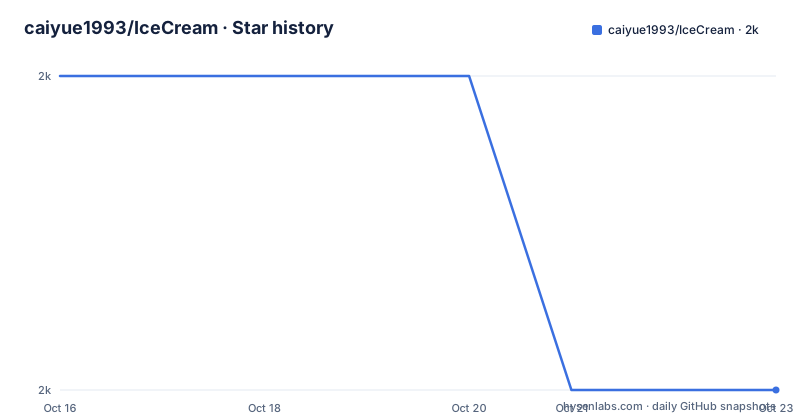
Star history
- caiyue1993/IceCream2,004 ★ · -1
| Repository | 2026-10-16 | 2026-10-23 |
|---|---|---|
| caiyue1993/IceCream | 2k | 2k |
-1 Stars in the last 7 days, measured from the daily GitHub snapshot. Compare with other projects
Editorial analysis
Three protocols on the model, then the engine takes over
The setup is short enough to be worth reading in full. A Realm object declares a primary key and conforms to two protocols:
extension Dog: CKRecordConvertible & CKRecordRecoverable {
    // Leave it blank is all
}
That empty extension is the whole conversion layer, done through protocol extensions. The README asks Is that easy? and answers itself with the reason: protocol extensions do the trick. There is no per property mapping code to write and no serialisation dictionary to maintain.
The engine is then constructed with the set of object types to watch, and remote notifications are registered:
var syncEngine: SyncEngine?
func application(_ application: UIApplication, didFinishLaunchingWithOptions launchOptions: [UIApplicationLaunchOptionsKey: Any]?) -> Bool {
    ...
    syncEngine = SyncEngine(objects: [
            SyncObject(type: Dog.self),
            SyncObject(type: Cat.self),
            SyncObject(type: Person.self)
        ])
    application.registerForRemoteNotifications()
    ...
}
From there the claim is that every write to Realm notifies the SyncEngine and the sync happens without further wiring. The AppDelegate in the example project is pointed at as the reference for the remote notification handler.
The prerequisite list is not optional. Enrolment in the Apple Developer Program comes first, then turning on iCloud in Capabilities and choosing CloudKit, then enabling Background Modes with both Background fetch and Remote notification checked.
Soft deletion is a protocol requirement, not a helper function
The README recommends soft deletions strongly and explains the mechanism: an isDeleted property is part of the CKRecordConvertible protocol, so every model gets one. To delete an object you set that flag to true and the rest, including propagation and cleanup, is handled.
The follow up sentence is the interesting one: you also do not need to worry about cleaning things up, and it has also been considered. Deleted records are reconciled rather than left dangling, which is the behaviour you want when a delete has to survive an offline period on another device.
The tradeoff is that a delete is a state transition, not an event. Any query in your app that does not filter on isDeleted will keep returning soft deleted objects, and the responsibility for adding that filter sits with you on every read path. That is the cost of the design and it is not small.
You can still trigger a manual synchronisation, which the feature list lists as manually synchronization is also supported, so a bulk import does not have to wait for the next delta.
CreamAsset exists because Realm caps a property at 16MB
Assets get their own type, and the reason is two constraints meeting. Realm has a 16MB limit on a data property, linked from the README. CloudKit, in turn, encourages CKAsset for anything more than a few kilobytes rather than storing bulk data in a field.
CreamAsset is the resolution. It stores the file on the local file system and puts only the file path in the Realm, and wraps it for upload to CloudKit as a CKAsset. You hold a property declared like this:
static let AVATAR_KEY = "avatar"
@objc dynamic var avatar: CreamAsset?
The README also says plainly that you could store image data as a Data type and everything works fine, as long as you stay under the limit. CreamAsset is the path for images and other resources that outgrow that.
The subtle part is that the file on disk and the record in CloudKit are now two things that can disagree, and the README states the handling is automatic rather than describing the reconciliation in detail. An example project is provided for the detailed usage.
To-many relationships need their element type declared at construction
Relationship support is the feature that arrived late. The README says IceCream has officially supported Realm relationships, both one-to-one and one-to-many, since version 2.0, and the release notes back that up with 2.0.0 titled Relationships you wanted on 2021-02-08, followed by 2.0.3 titled Relationships Repaired in July of that year.
To-one relationships are straightforward in the model, with one constraint the README states outright: to-one relationships must be optional. That is what the model looks like:
@objc dynamic var owner: Person? // to-one relationships must be optionalTo-many is where you have to be explicit. The element type of the List has to be passed into SyncObject at construction time:
syncEngine = SyncEngine(objects: [
            SyncObject(type: Dog.self),
            SyncObject(type: Cat.self),
            SyncObject(type: Person.self, uListElementType: Cat.self) // if Person model has a List<Cat> property
        ])
A Person holding a List of Cat needs that parameter, as shown in the README example.
Supported platforms, deployment targets and how to install
The requirements line is short: iOS 10.0 and later, macOS 10.12 and later, tvOS 10.0 and later, watchOS 3.0 and later, and Swift 5. The feature list claims availability on every Apple platform.
Installation goes through Swift Package Manager, Carthage or CocoaPods. The README gives the package URL for Swift Package Manager and describes adding it from Xcode 11 onwards through File, Swift Packages, Add Package Dependency. The repository root carries the corresponding manifests: Package.swift, Cartfile, Cartfile.resolved and Package.resolved alongside IceCream.podspec.
To see it work, clone the repository and open Example/IceCream_Example.xcodeproj.
The one item on the feature checklist that is not ticked is complete documentation. The README itself says that for more details, clone the project to see the source code, and there is a docs/ directory at the root. That is an honest signal about how much you will learn from the README alone.
Debugging CloudKit is the real cost, and the README says so
The README opens its debugging section by conceding the premise: it's true that debugging CloudKit is hard and tedious.
The advice is concrete rather than general. Know how Realm and CloudKit work before you start. Use the GUI tools, specifically Realm Browser and the CloudKit Dashboard. When you are lost enough that you no longer remember where you are, the recommendation is to start over, using the Reset button in the CloudKit Dashboard, or by clearing the local database by reinstalling the app.
Logging is on by default in DEBUG mode only, and can be turned off with IceCream.shared.enableLogging = false if it gets in the way.
One warning is worth repeating: before shipping to the App Store, deploy the environment settings to production, which the CloudKit Dashboard handles, and think about write and read permissions. Developing against the development environment and shipping against production is the classic way to discover your sync worked all along and then stopped.
For production mode debugging specifically, the README links a Stack Overflow thread on using production CloudKit during development.
Recent commits, old releases, and what that means for adoption
The repository is not archived and the last push was on 2026-10-08, so commits are still landing. The release record tells a different story. The newest tagged version is 2.0.4, titled Ready for iOS 15, dated 2021-09-21. Before that, 2.0.3 on 2021-07-18 and 2.0.0 on 2021-02-08.
So there have been no tagged releases since 2021, while development continues on the default branch master. That gap is the single most important fact for an adopter, and it is not something the badges tell you.
The delivery system matters here. CloudKit is tied to an Apple Developer Program account, the Private database consumes the user's own iCloud quota, and the deployment is per app environment. A sync library that only works inside that boundary cannot be evaluated in the abstract, which is why the Example project exists.
The licence is MIT, in the LICENSE file at the root, with a contributions welcome badge and a Twitter link to the maintainer. Support beyond that is not documented.
Editorial conclusion
Adopt IceCream if your app already stores data in Realm, targets Apple platforms only, and you want CloudKit sync rather than a bespoke change tracking layer. Do not adopt it if you need cross platform clients, since CloudKit is the sync backend by definition, or if you need hard deletes to be visible immediately, because the isDeleted flag leaves records in place until the library cleans up. Verify first that your account is enrolled in the Apple Developer Program, that CloudKit is enabled in Capabilities, and that Background fetch and Remote notification are both on, since IceCream's automatic sync depends on silent pushes arriving.
Frequently asked questions
How do I install IceCream for a Swift project?
The README documents Swift Package Manager, Carthage and CocoaPods. From Xcode 11 you can select File, Swift Packages, Add Package Dependency and enter the repository URL https://github.com/caiyue1993/IceCream.git.
How do I delete an object in IceCream?
Set its isDeleted property to true. That property is part of the CKRecordConvertible protocol, so every model has one, and the README states the rest of the handling including cleanup is taken care of automatically.
Why should I use CreamAsset instead of a Data property?
Realm caps a data property at 16MB, and CloudKit encourages CKAsset for data larger than a few kilobytes. CreamAsset stores the file on the local file system, keeps only the path in Realm, and uploads it to CloudKit as a CKAsset.
What do I need to configure before IceCream will sync?
Enrolment in the Apple Developer Program, iCloud turned on in Capabilities with CloudKit chosen, and Background Modes enabled with both Background fetch and Remote notification checked.
Is IceCream still maintained?
The repository is not archived and the last push was on 2026-10-08, but the newest listed release is 2.0.4 from 2021-09-21.
Official sources
Add this badge to your README
If you maintain this project, the badge below links readers to this analysis and shows its maintenance status from the daily GitHub snapshot. Paste the markdown into your README; add ?metric=license or ?metric=stars to the image URL for a different field.

[](https://hysenlabs.com/projects/caiyue1993-icecream)Star history chart for your README
[](https://hysenlabs.com/projects/caiyue1993-icecream)Was this useful?