bashblog: a blog that is one shell script and a folder you already have
A single Bash script to create blogs. Download, run, write, done!
At a glance
- What is it?
- bashblog turns a directory of static files into a blog with posts, tags, drafts, an RSS feed and comments, with no install step and no dependencies beyond base system utilities. Its author declared in the README that he is not actively maintaining it as of 2026-07-09, and there are no tagged releases to upgrade between.
- Who is it for?
- Adopt bashblog if you want a personal or small site with static output and you already have shell access to a public folder, and be prepared to read bb.sh when something breaks rather than file an issue. Do not adopt it for a site that needs authentication, a database or a deployment pipeline, and do not adopt it expecting upstream features, because the author states there is nothing on the roadmap and invites forks instead.
- Can I use it commercially?
- Not without permission. GitHub finds no licence file in the repository, and without a licence all rights are reserved by default: you may read the code but not reuse it. Check the README, or ask the authors, before using it.
- Is it still maintained?
- Yes. The repository last received commits 3 days ago.
- What is it written in?
- Mainly Shell, according to GitHub's language statistics.
Answers come from the project's GitHub data, last synced on October 23, 2026, and from our analysis. They are not legal advice.
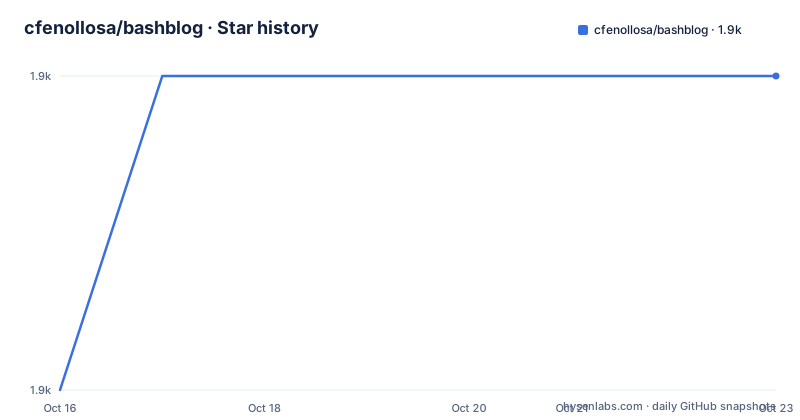
Star history
- cfenollosa/bashblog1,932 ★ · +1
| Repository | 2026-10-16 | 2026-10-23 |
|---|---|---|
| cfenollosa/bashblog | 1.9k | 1.9k |
1 Stars in the last 7 days, measured from the daily GitHub snapshot. Compare with other projects
Editorial analysis
Two files in the repository, one of them does everything
The entire project is a README and a script named bb.sh. There is no package to build, no plugin directory and no runtime to install, which is the design statement rather than an accident of packaging. The README describes it as a single Bash script to create blogs, made because the author wanted a very simple way to post entries to a blog by using a public folder on his server, without special requirements and dependencies.
The size figure gives you the shape of the thing: the README says bashblog started at 500 SLOC and has now hit the 1000 SLOC barrier, and elsewhere calls it a ~1k line script. That constraint is stated as a rule for contributors as much as a fact, since the guidelines ask for pull requests that are very small when possible, that do not require a significant rewrite, and that follow the UNIX philosophy of doing one thing well and relying on third party software for external features.
Platform coverage follows from the same constraint. It works on GNU/Linux, OSX and BSD, and the README says it does some autodetection to work out which command switches it needs on your system, so no GNU coreutils is required on a Mac. Markdown support and Disqus come from third parties rather than from vendored code.
Drop bb.sh into a public folder and run it
Installation is a file copy. Download the code, put bb.sh into a public folder such as `$HOME/public_html/blog`, and run it with no arguments to see the list of available commands.
./bb.shIf nothing happens, the file is probably not executable, and the fix is `chmod +x bb.sh`. Writing your first post means one command.
./bb.sh postThat opens your editor and, when you save, generates an HTML page per post plus the index. The README is explicit that Markdown is used if it is installed, and gives the override for raw HTML.
./bb.sh post -htmlAfterwards you visit the public URL for that folder, for example `http://server.com/~username/blog`, and see the index file and the new post. The workflow is deliberately dull: an editor, a save, a static file, a web server that was already running.
A .config file beats editing the script
Configuration is optional for a test drive, and the README explains the precedence rule clearly, which is the part people get wrong. Values are loaded from the script first, then overwritten by a `.config` file, so you only need to declare the variables you actually want to change rather than copying the whole set.
The format is one `variablename="value"` per line, matching the `global_variables()` function in the script. Three rules are called out in bold: quote the values, do not write a dollar sign in front of the variable name, and do not put spaces around the equals sign. Those are shell parsing rules that produce confusing errors when ignored.
The reason to prefer `.config` is stated in the README: it lets you update the script regularly with git without losing your settings. Given that the author is no longer actively maintaining it, that separation is the difference between pulling in a fork's changes and redoing them by hand. The editor itself comes from the `$EDITOR` environment value.
Rebuilding keeps your posts, which is the actual safety net
Two features carry the weight for a tool without a database. Rebuilding regenerates all files while keeping the original data, so you can change the configuration or upgrade the script and rebuild rather than starting over. And every time you post, the site is backed up automatically into `.backup.tar.gz`.
That backup path is worth noting explicitly, because with a static generator that writes into the folder you also serve, a mistake is a mistake at the URL. The tarball is written on each post, which means it is closer to a safety net before a post than a disaster recovery plan after one.
The feature list also covers drafts you can save and resume editing, a preview before publishing, an HTML page per post using its title as the URL, a configurable number of posts on the front page, generated tag pages, an index of all posts, an automatic RSS file, and a stylesheet shipped with the script so pages are reasonably styled without any asset work. Headers and footers are supported, as is extra content added on top of every page for banners or images.
Markdown needs a library you have to supply
Markdown support is marked as new in version 2.0 and works through a third party library rather than a bundled parser. The README names Gruber's Markdown.pl at daringfireball.net as the easiest route.
The practical consequence is that `-html` is not just an escape hatch for people who dislike Markdown, it is the documented path when the parser is absent. There is no fallback converter built into bb.sh, so on a machine without Markdown installed the script either produces unconverted text or you switch to the HTML flag. That is the one place where the zero dependencies claim stops being true in practice, and it is worth knowing before you make it part of a writing routine.
Comments are delegated rather than implemented. Twitter comments come first, with an option for cookieless Twitter sharing to comply with EU cookie law, and Disqus is available as an alternative. Google Analytics code is supported as well, and Feedburner is listed alongside the RSS generation.
Not actively maintained, and the author says so in the README
The maintenance status is stated by the author rather than inferred. The Contributing section opens: I am not actively maintaining bashblog as of 2026-07-09, it still works, I will fix bugs I find myself, but there are no features on the roadmap, and forking is welcome. The last push to the repository was on 2026-07-09, the same date, and the repository has no GitHub releases at all.
The absence of releases is the practical part. There is no 2.10 to download from a release page; you take master, which means there is no version pin that protects you from a change in behaviour, and the only record of what changed is the Changelog section in the README. Recent entries include 2.10 adding `global_twitter_card_image` and 2.9 adding `body_begin_file_index`, with 2.8 covering bugfixes, Slavic language support from a contributor, and the removal of the defunct Twitter JSON API share.
That last item is a good illustration of the trade-off in this project: supporting a third party meant inheriting its shutdowns. The contributor guidelines make the acceptance bar explicit, listing fix a use case for some people, add a common use case, be very small, avoid a significant rewrite of functions such as `create_html_file()` or `write_entry()`, work on Linux, BSD and Mac, and keep backwards compatibility with the default configuration. A feature that fails any of those is not going to land, which is the point of the project staying small.
When this is the wrong tool, and what you use instead
The limitations follow from the single-file design. There is no authentication, so anything you can post is readable by anyone who can write to that folder, and there is no server-side anything at all. If your blog needs comments hosted by you, accounts, drafts reviewed by someone else, or a build that runs in CI, bashblog has no answer.
The alternative with the same simplicity is a plain directory of hand-written HTML plus a static site generator. A generator such as the common ones gives you templating, asset pipelines and a build you can run anywhere, at the cost of a toolchain, a dependency tree and files to learn. bashblog gives you no templating at all, which the README lists as a feature rather than a gap.
There is also a middle option the README hints at: advanced users can mount a remote public folder via `ftpfs` and run the script locally. That keeps the script as your entire toolchain while letting you work from a laptop, and it is the arrangement the project clearly imagines for anyone who does not have the server in front of them.
Editorial conclusion
Adopt bashblog if you want a personal or small site with static output and you already have shell access to a public folder, and be prepared to read bb.sh when something breaks rather than file an issue. Do not adopt it for a site that needs authentication, a database or a deployment pipeline, and do not adopt it expecting upstream features, because the author states there is nothing on the roadmap and invites forks instead. Before you start, copy the script into the folder you will serve, run `./bb.sh` with no arguments to see the command list, and put your settings in a `.config` file rather than editing the script, so updating it later does not overwrite your changes.
Frequently asked questions
How do I install and start a blog with bashblog?
Download the code, copy bb.sh into a public folder such as $HOME/public_html/blog, and run ./bb.sh to see the available commands. If the file is not executable, run chmod +x bb.sh and try again.
Does bashblog need any dependencies?
The README states zero dependencies, running on base utilities such as date, basename, grep, sed and head, with autodetection of the command switches needed on GNU/Linux, BSD and macOS. Markdown support is the exception, since it relies on a third party library such as Gruber's Markdown.pl.
Is bashblog still actively maintained?
No. The author states in the README that they are not actively maintaining bashblog as of 2026-07-09, that they will fix bugs they find themselves, that there are no features on the roadmap, and that forking is welcome.
How do I configure bashblog without editing the script?
Create a .config file in the blog folder with one variablename="value" per line. Values are loaded from the script first and then overwritten by the .config file, so you only declare what you want to change, and you should quote values, omit the dollar sign and avoid spaces around the equals sign.
Does bashblog create backups and support rebuilding?
Yes. The site is backed up automatically into .backup.tar.gz every time you post, and the rebuild option regenerates all files while keeping the original data.
Official sources
Add this badge to your README
If you maintain this project, the badge below links readers to this analysis and shows its maintenance status from the daily GitHub snapshot. Paste the markdown into your README; add ?metric=license or ?metric=stars to the image URL for a different field.

[](https://hysenlabs.com/projects/cfenollosa-bashblog)Star history chart for your README
[](https://hysenlabs.com/projects/cfenollosa-bashblog)Was this useful?