streamdeck-homeassistant: put Home Assistant on Stream Deck buttons
Control your Home Assistant devices from StreamDeck
At a glance
- What is it?
- The StreamDeck Home Assistant plugin turns an Elgato Stream Deck into a live control surface for Home Assistant entities, with per-button icons, colours, templates and service calls. It talks to the Home Assistant WebSocket API with a long-lived access token that needs admin rights, which is the price of the scripting support.
- Who is it for?
- Adopt streamdeck-homeassistant if you run Home Assistant and own an Elgato Stream Deck, and you want entity state and service calls on physical buttons without opening a dashboard. Skip it if you cannot give it a Home Assistant token with admin rights, since the plugin relies on the admin-restricted execute_script command, or if you only need the web dashboard.
- Can I use it commercially?
- Yes. MIT is a permissive licence: you can use, modify and sell software built on it, as long as you keep its copyright and licence notices.
- Is it still maintained?
- Yes. The repository last received commits 23 days ago.
- What is it written in?
- Mainly Vue, according to GitHub's language statistics.
Answers come from the project's GitHub data, last synced on November 7, 2026, and from our analysis. They are not legal advice.
Star history
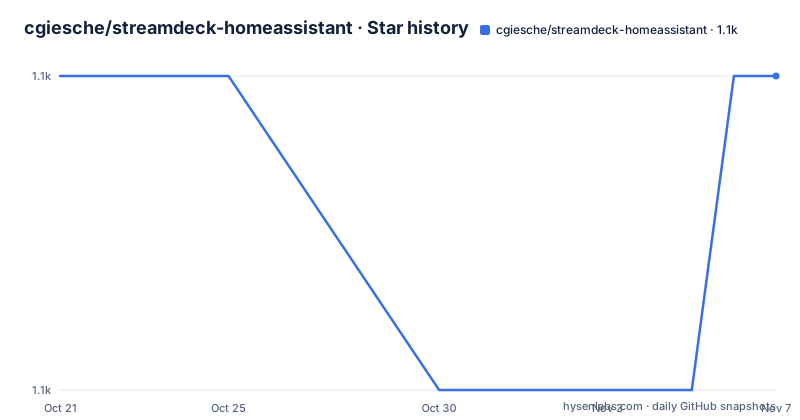
- cgiesche/streamdeck-homeassistant1,061 ★ · +0
| Repository | 2026-10-21 | 2026-11-07 |
|---|---|---|
| cgiesche/streamdeck-homeassistant | 1.1k | 1.1k |
0 Stars in the last 17 days, measured from the daily GitHub snapshot. Compare with other projects
Editorial analysis
Live entity state on a physical button
The plugin puts Home Assistant entities on an Elgato Stream Deck and keeps them current. Button icons, colours and labels update as entity states change, so a light button changes when the light turns on rather than showing a static toggle. The stated design goal is that it works with virtually any Home Assistant entity: the plugin picks the right icon and layout for recognised domains and falls back gracefully for everything else, and the feature list calls this generic entity support, with any entity working out of the box even if its domain has no dedicated icon. The primary language of the source is Vue, the licence is MIT, and the repository is not archived with the last push on 2026-07-10. Released versions 3.8.4 on 2026-07-10, 3.8.3 on 2026-06-22 and 3.8.2 on 2026-06-22 show active work on the plugin side.
Installing from the Store or from a .streamDeckPlugin file
There are two routes. The first is the official Stream Deck Store, where the plugin is listed as `de.perdoctus.streamdeck.homeassistant` and you search for Home Assistant. The second is manual: download the latest `.streamDeckPlugin` release from the GitHub releases page, then double-click the downloaded file and Stream Deck installs it automatically. The manual route has a documented macOS wrinkle, because the double-click method may not work there and the documentation points at a Reddit thread with manual installation steps. That asymmetry between platforms is worth knowing before you file a bug. The manual install also puts you outside the Store's update path, so new plugin versions arrive when you go and look for them.
The global settings: a WebSocket URL and an admin token
The global settings apply to every button, and they are entered in the Property Inspector after you have added any plugin button to your deck. The server URL is the URL of your Home Assistant WebSocket API, with the documentation giving `http://192.168.1.100:8123` for a local network without SSL and `https://ha.mydomain.net:8123` for a remote or SSL setup. The access token is a Long-Lived Access Token created from your Home Assistant profile page, under Security at the bottom of the page. The token needs admin rights, and the reason given is concrete: the plugin uses the `execute_script` command, which is restricted to admin users. That single design choice is what buys the Jinja2 templating in service data, because arbitrary server-side expressions need the scripting permission, and it is also the security decision to weigh before installing. The third global setting is the display theme, chosen from the built-in themes or pointed at a custom YAML file, and after saving the plugin connects to Home Assistant and populates the entity and service lists.
Icon source decides what a button looks like
The Appearance tab controls the entity, the icon, the service indicators, the title and the labels, and the icon source is the option with the most design consequence. There are three choices. Plugin uses the plugin's own icon for the entity's domain, class or state, and falls back to the Home Assistant entity icon if the plugin has none. Home Assistant uses the icon configured on the entity, and falls back to the plugin icon. Hide shows no icon at all. Both directions of fallback are documented, which means the choice is about precedence rather than about a hard on or off. The other Appearance option worth knowing is the visual service indicators, which are Keypad only and put small coloured dots at the corners of the button to show which actions are configured, short press or long press. A deck with a dozen buttons is hard to maintain by memory, and the dots are a memory aid.
Nunjucks titles and labels, with a precedence trap
Text on the button comes from two places. The Custom Title overrides the button's main title and is a Nunjucks template, with the available variables for the selected entity listed below the input field. The Custom Labels let each button display up to four lines of text rendered inside the button image itself, independent of the Stream Deck title, and they use the same Nunjucks templates. The examples given are short:
{{friendly_name}}
{{state}}°C
{{media_title}}
The trap is documented in a warning: to make a Custom Title take effect you must also clear the title field in the main Stream Deck window, because if the Stream Deck title field is non-empty it takes precedence. That is a precedence rule rather than a bug, but it looks like the template is being ignored. The label lines have their own geometry, which matters when you are designing a button. Lines 1 and 2 overlap the icon area, so they should be left blank unless the button has no icon, while lines 3 and 4 appear in the lower portion of the button.
Service calls, and where the two template languages split
Each action configures a service call in four parts: the domain such as `light` or `media_player`, the service within it such as `light.turn_on`, an optional target entity which falls back to the entity chosen on the Appearance tab, and an optional service data JSON object. Required fields are auto-inserted when a service is selected, and optional fields can be added one at a time with the `+` button. Plain JSON is fine:
{
  "brightness": 120,
  "rgb_color": [255, 0, 0]
}
And multiple targets are reached by naming `entity_id` explicitly:
{
  "entity_id": [
    "switch.kitchen_plug",
    "switch.living_room_plug"
  ]
}
The interesting part is the two template languages. Nunjucks renders on the plugin side for titles and labels. Jinja2 runs on the Home Assistant side for service data, and the rule is that Jinja2 expressions must be wrapped in `{% raw %}` and `{% endraw %}` tags so the plugin passes them through instead of evaluating them itself:
{
  "temperature": "{% raw %}{{ state_attr('climate.office','temperature') + 0.5 }}{% endraw %}"
}
Getting that wrong is a silent failure, because an unwrapped Jinja2 expression is simply consumed by the plugin's own template engine.
Keypad presses and the Encoder dial
The plugin handles two physical input families. On the Keypad, a short press fires on a normal press and a long press fires on a press held for more than roughly 300 milliseconds, and each can carry its own action. On the Encoder, the dial offers two more: Screen Tap fires when the touchscreen panel above the dial is tapped, and Rotation fires as the dial is turned, with extra variables available in the service data JSON for rotation, which is how a dial can step a brightness or a volume by an amount. The Actions tab is built from collapsible action cards, and a badge on the tab indicates that at least one action is configured, so you can tell at a glance whether a button is wired up. The build tooling in the package manifest follows the Elgato CLI model, with scripts for `vite build`, a separate editor build, `streamdeck validate`, `streamdeck bundle` and a Vitest test run.
Editorial conclusion
Adopt streamdeck-homeassistant if you run Home Assistant and own an Elgato Stream Deck, and you want entity state and service calls on physical buttons without opening a dashboard. Skip it if you cannot give it a Home Assistant token with admin rights, since the plugin relies on the admin-restricted execute_script command, or if you only need the web dashboard. Before installing, note that the plugin reaches your Home Assistant over its WebSocket API, so the server URL and the long-lived access token are the only two settings that must be right, and check the display theme you pick, because changing the theme regenerates the icon and label mapping for every button.
Frequently asked questions
How do I install the StreamDeck Home Assistant plugin?
Either install de.perdoctus.streamdeck.homeassistant from the official Stream Deck Store and search for Home Assistant, or download the latest .streamDeckPlugin release from the GitHub releases page and double-click it, which lets Stream Deck install it automatically.
Why does the StreamDeck Home Assistant plugin need an admin access token?
The plugin uses the execute_script command, which is restricted to admin users, and it needs a Long-Lived Access Token created from your Home Assistant profile page under Security.
How do I use Jinja2 in the service data JSON?
Wrap the expression in {% raw %} and {% endraw %} tags so the plugin passes it through to Home Assistant instead of evaluating it as Nunjucks, for example "{% raw %}{{ state_attr('climate.office','temperature') + 0.5 }}{% endraw %}".
Why is my custom Nunjucks title not showing on the button?
You must also clear the title field in the main Stream Deck window. If the Stream Deck title field is non-empty it takes precedence over the custom title template.
Which Stream Deck actions does the plugin support?
On the Keypad there is short press and long press, with long press firing after a hold of more than roughly 300 ms. On the Encoder there is Screen Tap for the touchscreen above the dial and Rotation for turning the dial, with extra variables available in the rotation service data.
Official sources
Add this badge to your README
If you maintain this project, the badge below links readers to this analysis and shows its maintenance status from the daily GitHub snapshot. Paste the markdown into your README; add ?metric=license or ?metric=stars to the image URL for a different field.

[](https://hysenlabs.com/projects/cgiesche-streamdeck-homeassistant)Star history chart for your README
[](https://hysenlabs.com/projects/cgiesche-streamdeck-homeassistant)Was this useful?