alterNAT replaces AWS NAT gateways with self-provisioned instances
High availability implementation of AWS NAT instances.
At a glance
- What is it?
- alterNAT is a Terraform module from Chime that runs NAT EC2 instances in Auto Scaling Groups with a standby NAT Gateway per availability zone, and a Lambda function that rewrites private subnet routes during failover. It exists for one reason, the per gigabyte processing charge on NAT gateways, and it only pays off above roughly 10TB of monthly traffic.
- Who is it for?
- alterNAT suits a team whose AWS bill shows a large NAT gateway data processing line, typically above 10TB of monthly traffic, and that can accept operating EC2 instances to avoid it, since the module handles the patching rotation, the failover and the route rewrites for you. It does not suit a team with light traffic, where the instance hourly cost exceeds the processing charge saved, and it does not suit a team that cannot patch and monitor EC2 instances at scale.
- Can I use it commercially?
- Yes. MIT is a permissive licence: you can use, modify and sell software built on it, as long as you keep its copyright and licence notices.
- Is it still maintained?
- Activity is slowing. The repository last received commits 6 months ago.
- What is it written in?
- Mainly HCL, according to GitHub's language statistics.
Answers come from the project's GitHub data, last synced on November 7, 2026, and from our analysis. They are not legal advice.
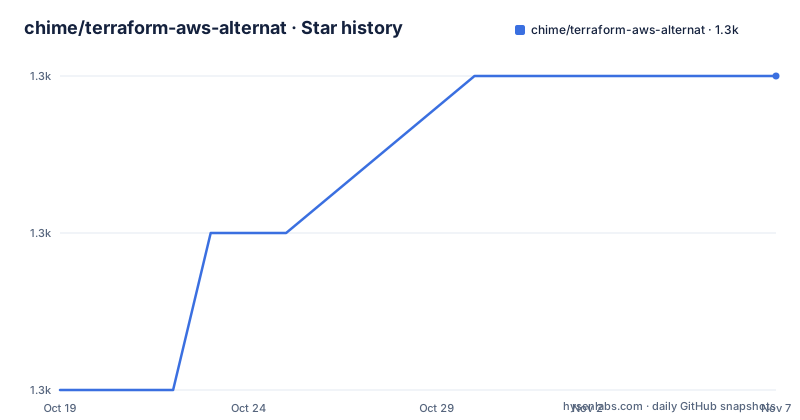
Star history
- chime/terraform-aws-alternat1,268 ★ · +2
| Repository | 2026-10-19 | 2026-11-07 |
|---|---|---|
| chime/terraform-aws-alternat | 1.3k | 1.3k |
2 Stars in the last 19 days, measured from the daily GitHub snapshot. Compare with other projects
Editorial analysis
The target is one line on the AWS bill
alterNAT opens with a blunt claim: NAT Gateways are dead, long live NAT instances. Behind the slogan is a specific cost argument that the README lays out carefully.
On AWS, NAT devices are required for accessing the Internet from private VPC subnets, and the usual choice is a NAT gateway, a fully managed NAT service. The pricing structure of NAT gateway includes charges of $0.045 per hour per NAT Gateway, plus $0.045 per GB processed. The hourly charge is described as reasonable at about $32.40 per month. The per gigabyte charge is the problem, and the README says it can be extremely expensive for larger traffic volumes.
There is a second charge hiding behind the first. Outbound traffic leaving AWS, known as egress traffic, is charged separately, ranging from $0.09/GB to $0.01 per GB after a free tier of 100GB. The README puts it plainly: traffic traversing the NAT gateway is first charged for processing, then charged again for egress to the Internet. The data transfer sliding scale applies to NAT instances as well, which is why the two are compared on processing cost alone.
The worked examples make the scale concrete. Sending 1PB to and from the Internet through a NAT Gateway works out to $75,604, and 1PB is not unusual for some use cases. A more relatable number is 10TB, split 5TB ingress and 5TB egress, which the README puts at $954 per month or $11,448 per year through a NAT gateway. The same 10TB through a NAT instance, using the EC2 data transfer sliding scale and a c6gn.large instance optimised for networking, comes to about $526, a saving of $428 per month, roughly 45 percent. The more data processed, especially on the ingress side, the higher the saving.
The module's own admission is that it is not for everyone. If the hourly cost of the instances or of the gateways is a material line item on the bill, alterNAT is probably not for you, and the rule of thumb is that you might save money if you are processing more than 10TB per month.
One NAT instance per zone, each with a standby gateway behind it
The architecture has two main elements, both deployed by the Terraform module. The first is the NAT instance Auto Scaling Groups, one per zone, with a corresponding standby NAT Gateway. The second is the replace-route Lambda function.
The Auto Scaling Group is deployed for each provided public subnet, and each ASG contains a single instance. When the instance boots, the user data initialises it to do the NAT work. The user data is a template file, alternat.sh.tftpl, and there is a companion configuration template, alternat.conf.tftpl, along with a CloudWatch agent configuration template, cwagent.json.tftpl, for the optional monitoring.
The ASGs are configured by default with a maximum instance lifetime, and the reason given is to facilitate periodic replacement of the instance to automate patching. When the maximum instance lifetime is reached, 14 days by default, four things happen in sequence.
1. The instance is terminated by the Auto Scaling service. 1. A Terminating:Wait lifecycle hook fires to an SNS topic. 1. The replace-route function updates the route table of the corresponding private subnet to route through the standby NAT Gateway instead. 1. When the new instance boots, its user data automatically reclaims the Elastic IP address and updates the route table to route through itself.
That is the whole rotation, and it is the part of the design that makes the approach operable. A NAT gateway is a managed appliance that AWS patches for you. A NAT instance is an EC2 instance that you patch, and the maximum instance lifetime plus the user data reclaim is how the module automates that patching without a human in the loop. The standby NAT Gateway is explicitly a safety measure, used only when the NAT instance is actively being replaced, either for the maximum instance lifetime or for some other failure scenario.
The module also always uses the latest vanilla Amazon Linux 2023 AMI, so there is no AMI management requirement, and it can optionally use SSM for connecting to the NAT instances and the CloudWatch Agent for monitoring them.
The replace-route function doubles as a health check
The replace-route Lambda function exists to update the route table of the private subnets so they route through the standby NAT gateway. It reacts to two events.
The first is the lifecycle hook, arriving via the SNS topic, when the ASG terminates a NAT instance, for instance when the maximum instance lifetime is reached. The lifecycle hook publishes an event to an SNS topic to which the Lambda is subscribed, and the Lambda performs the steps to identify which zone is affected and updates the respective private route table to point at its standby NAT gateway.
The second is a CloudWatch Event rule that fires once per minute for every private subnet. That minute-level heartbeat is what makes the function a health check as well as a failover mechanism. The README says the function also acts as a health check, checking every minute in the private subnet of each availability zone, so the standby is not only a route target that gets flipped during a planned rotation but a path that is verified to work continuously.
The function is packaged as a Lambda container image rather than a zip. The Dockerfile at the root of the repository builds it from the public Lambda Python 3.12 base image, copies the function code from functions/replace-route/app.py into the task root, installs the function dependencies from its own requirements.txt into that directory, and sets the handler.
FROM public.ecr.aws/lambda/python:3.12

COPY functions/replace-route/app.py ${LAMBDA_TASK_ROOT}

COPY functions/replace-route/requirements.txt  .
RUN  pip3 install -r requirements.txt --target "${LAMBDA_TASK_ROOT}"

CMD [ "app.handler" ]
The repository layout is a normal Terraform module with the configuration split across files, main.tf for the resources, variables.tf for the inputs, outputs.tf for the outputs, versions.tf for the provider constraints and lambda.tf for the function wiring, plus a scripts/ directory, a test/ directory, a docs/ directory and an examples/ directory holding a main.tf, outputs.tf, provider.tf and variables.tf showing a working call. The examples directory is where you look for the argument names, since the README does not enumerate them.
What you take on when you take on EC2
The README is explicit about the trade. Unlike NAT gateways, NAT instances do not suffer from data processing charges, and with NAT instances you pay for the cost of the EC2 instances, the data transfer out of AWS, which is the same as for a NAT Gateway, and the operational expense of maintaining EC2 instances. Of these, at scale, data transfer is the most significant.
That third item is the one the pricing arithmetic tends to gloss over. A NAT gateway is a service you consume, and a NAT instance is a server you run, so the difference between the two options is not just the processing charge but the cost of operating fleet capacity that sits idle at low traffic. The README handles this by folding it into the rule of thumb: assuming roughly equal ingress and egress volumes, and considering the slight overhead of operating NAT instances, you might save money if you are processing more than 10TB per month.
The 10TB threshold is the number to put in front of a finance conversation. Below it, the module is likely to cost more. Above it, the saving grows with volume, and the README notes the saving increases especially on the ingress side, since inbound data transfer is free and the processing charge is the one being removed.
A second operational consideration is what the failure model looks like. The standby NAT Gateway exists precisely because the NAT instance is a single instance per zone, and a single instance is a single point of failure. The module's answer is the minute-by-minute health check, which detects the problem and flips the route to the standby. What that buys you is continuity, not redundancy: during the flip, traffic is going through a managed gateway and being charged the processing fee, so the saving is temporarily suspended for that zone until the instance is replaced and the route is reclaimed. If you need the processing charge to be zero at all times, this design does not deliver that.
Where alterNAT is the wrong choice
The first wrong case is low traffic, and the README already answers it. If the hourly cost of the NAT instances or of the gateways is a material line item on the bill, alterNAT is probably not for you. A team paying $32.40 per month for a NAT gateway and moving a few hundred gigabytes a month has no processing problem to solve, and swapping in EC2 instances adds capacity cost and operational work for a saving that does not exist.
The second wrong case is a team that does not want to run servers. This module asks you to accept a fleet of EC2 instances with a 14 day replacement cadence, Elastic IP addresses to reclaim, user data scripts to maintain, and an optional CloudWatch Agent to deploy. Some organisations have a policy against long-lived instances and an inventory of every instance they run. A Terraform module that intentionally creates instances that are terminated and recreated every fortnight is in tension with that kind of policy, and the max instance lifetime feature, while it does automate patching, means your instance inventory changes constantly.
The third wrong case is a team that cannot own the Lambda and its permissions. The whole failover mechanism depends on the replace-route function being able to update the route tables of the private subnets, on the SNS topic and the lifecycle hook, and on the CloudWatch Event rule. That is a set of permissions that need to be granted and audited, and in a tightly controlled account it may be a review in itself.
The fourth wrong case is a region or account where you need a specific AMI. The module always uses the latest vanilla Amazon Linux 2023 AMI, which removes AMI management but also removes your ability to bake in monitoring agents, hardened configurations or your own base image. The optional SSM and CloudWatch Agent integrations are the escape hatches for that, but they are opt-in rather than default.
How it differs from a VPC endpoint strategy
The comparison worth making is not with another NAT tool but with not using NAT for those destinations at all.
The cost that alterNAT attacks is the processing charge on traffic that crosses the NAT gateway. Part of that traffic goes to AWS services, and for a number of AWS services there is a VPC endpoint that lets private subnets reach the service over the internal network, with no NAT gateway and therefore no NAT processing charge. The topic list on the repository includes exactly one term, aws, and the README links to a Vantage article on NAT gateway and VPC endpoint savings, so the alternative is acknowledged in the ecosystem even though this module does not implement it.
The difference in approach is that a VPC endpoint strategy removes a category of traffic, whereas alterNAT makes the remaining traffic cheaper per gigabyte. If your traffic is mostly to S3, DynamoDB or another endpoint-capable service, the endpoint route eliminates the cost rather than reducing it, and no amount of instance tuning gets you there. If your traffic is mostly to the public internet, endpoints do nothing and alterNAT applies.
That ordering is the sensible way to evaluate it. Map the destinations first, move what you can to endpoints, then measure what is left. The README's own example mixes 5TB ingress and 5TB egress through the internet, and the public internet portion is the traffic that no endpoint can help with.
The module's design is one ASG per provided public subnet with a matching standby gateway, which reads as a single region, single VPC arrangement.
Editorial conclusion
alterNAT suits a team whose AWS bill shows a large NAT gateway data processing line, typically above 10TB of monthly traffic, and that can accept operating EC2 instances to avoid it, since the module handles the patching rotation, the failover and the route rewrites for you. It does not suit a team with light traffic, where the instance hourly cost exceeds the processing charge saved, and it does not suit a team that cannot patch and monitor EC2 instances at scale. Before adopting it, price your actual egress and processing volumes against the 10TB rule of thumb in the README, confirm you have permission to run a Lambda, an Auto Scaling group and an SNS topic in the account, and note that the newest tagged release is v0.10.4 from 2025-12-12 while the last push was on 2026-04-16.
Frequently asked questions
How much does alterNAT save compared to an AWS NAT gateway?
The README compares the two on 10TB of monthly traffic, 5TB in and 5TB out, at $954 per month through a NAT gateway against about $526 through a NAT instance using a c6gn.large, a saving of roughly 45 percent. The rule of thumb given is that you might save money if you are processing more than 10TB per month.
How does alterNAT handle failover when a NAT instance dies?
Each zonal Auto Scaling Group has a corresponding standby NAT Gateway. A Terminating:Wait lifecycle hook publishes to an SNS topic and the replace-route Lambda function updates the affected private subnet route table to point at the standby gateway, while a CloudWatch Event rule runs the same check once per minute for every private subnet as a health check.
Does alterNAT replace EC2 instances automatically for patching?
Yes. The Auto Scaling Groups are configured by default with a maximum instance lifetime of 14 days, which terminates the instance so a fresh one boots, reclaims the Elastic IP address and takes the route table back over. The module always uses the latest vanilla Amazon Linux 2023 AMI, so there is no AMI management requirement.
What licence is alterNAT released under?
The project is released under the MIT license, with a LICENSE file at the root of the repository, and it was built and released by Chime. The repository also carries a CODE_OF_CONDUCT.md and a CODEOWNERS file.
Does alterNAT support connecting to the NAT instances and monitoring them?
Both are optional. The feature list names optional use of SSM for connecting to the NAT instances and optional use of the CloudWatch Agent to monitor them, and the repository carries a CloudWatch agent configuration template alongside the user data and configuration templates.
Official sources
Add this badge to your README
If you maintain this project, the badge below links readers to this analysis and shows its maintenance status from the daily GitHub snapshot. Paste the markdown into your README; add ?metric=license or ?metric=stars to the image URL for a different field.

[](https://hysenlabs.com/projects/chime-terraform-aws-alternat)Star history chart for your README
[](https://hysenlabs.com/projects/chime-terraform-aws-alternat)Was this useful?