CrossMix-OS: a curated system image for the TrimUI Smart Pro
Enhanced OS for the TrimUI Smart Pro
At a glance
- What is it?
- CrossMix-OS is an open source system image for the TrimUI Smart Pro handheld that keeps the stock interface and layers on themed backgrounds, icon packs, emulators, PortMaster and a set of community scripts. It suits a retrogamer who wants a device that is configured rather than blank, and it is an image you install rather than an operating system you build.
- Who is it for?
- Adopt CrossMix-OS if you own a TrimUI Smart Pro and want it to arrive with emulators, PortMaster, themes and a working configuration instead of a stock card you assemble yourself, because the value of the project is exactly that curation. Do not adopt it as a development platform, since it is a prepared image rather than a documented OS, and do not expect a native operating system, because the interface is the stock one with a new configuration on top.
- Can I use it commercially?
- Yes, with conditions. GPL-3.0 is a copyleft licence: if you distribute software that includes it, you must release that software's source code under the same licence. Running it internally without distributing it does not trigger that obligation.
- Is it still maintained?
- Yes. The repository last received commits 80 days ago.
- What is it written in?
- Mainly GLSL, according to GitHub's language statistics.
Answers come from the project's GitHub data, last synced on November 7, 2026, and from our analysis. They are not legal advice.
Star history
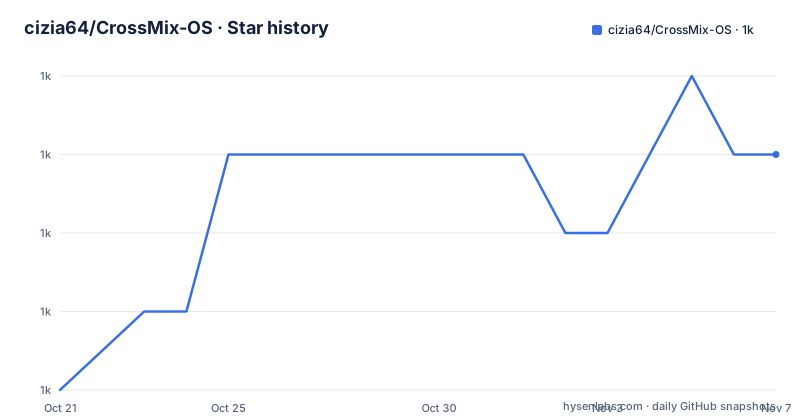
- cizia64/CrossMix-OS1,003 ★ · +3
| Repository | 2026-10-21 | 2026-11-07 |
|---|---|---|
| cizia64/CrossMix-OS | 1k | 1k |
3 Stars in the last 17 days, measured from the daily GitHub snapshot. Compare with other projects
Editorial analysis
A configuration layer, not a new operating system
CrossMix-OS is described as the OS which takes your TrimUI Smart Pro to new heights, and the description of what it actually is comes a paragraph later. It uses the TrimUI stock user interface with refined configurations, new features, new emulators and new apps, and the README is candid that there are so many differences that CrossMix can be considered a dedicated OS in its own right.
That framing matters. The interface you get is the manufacturer's own, with the system configuration underneath it changed. The primary language of the repository is GLSL, which tells you the visual work dominates, and the top level entries are directories of assets and system files: Apps/, Backgrounds/, Best/, BIOS/, Data/, Emus/, Icons/, Imgs/, Pictures/, RetroArch/, Roms/, System/, Themes/, and a trimui/ directory, plus an autorun.inf at the root.
So the shape of the repository is a filesystem image rather than a codebase. There is no build system in the conventional sense, no package manifest, no test suite. What you get when you download a release is a card image, and what the repository holds is the set of files that make up that card.
The project is GPL-3.0 licensed, the last push to the main branch was on 2026-08-20, and the tagged releases are v1.3.0 from December 2024, v1.2.1 from July 2024 and v1.2.0 from July 2024. The primary language being GLSL rather than a scripting language is a fair signal of where the effort goes.
What the author says he built it for
The README includes a personal note from the author, Cizia, who describes himself as a passionate retrogamer. He says he loves the TrimUI Smart Pro but felt it deserved a more mature OS, better configured, and with more options, and that he worked tirelessly to create an image meeting his standards before sharing it.
The features he is particularly proud of are a list, and each one is a small opinionated choice rather than a capability.
The background and icon selectors complete the native theme selector. The overlay selector configures the default display ratio and overlay in one click for all platforms, plus new dedicated overlays. There is a SwanStation 16/9 mode launcher. There is extensive work on the emulator launchers and their configuration. The default customization of the OS includes a custom theme, icons and backgrounds, with the Polish language added and many new tools.
Two more are process features. The Firmware Update Wizard is an automatic guide to help the user update if necessary, which addresses the most common support problem with a prebuilt image, namely that the console's firmware moves and the image needs to know about it. And Best packs standardization means a generic launcher, game shortcuts support and images on folders, which is about making a collection of ROMs browsable rather than about the ROMs themselves.
The theme is stated plainly in the introduction: designed with the community in mind, catering to developers and creators alike, supporting themes, icon packs, background packs, templates for Best collections and automatic overlay configurations.
The wiki carries the documentation, and the README points at it
There is no installation section in the README. The Getting Started section consists of a line telling you to look at the CrossMix Wiki, followed by the list of its pages: Home, Installation, Emulators, PortMaster, Apps, Shortcuts, FAQ, Advanced Guides, About and Contributing.
That is the whole onboarding path, and it is a reasonable choice for a project whose audience is a device owner rather than a developer, since a flashing procedure for a handheld console is fiddly and best expressed with screenshots and per-step guidance rather than in prose.
What the page list reveals about the scope is more informative than a feature list would be. Emulators has its own page, so the image ships a set of them. PortMaster has its own page, so game port management is part of the deal. Apps and Shortcuts are separate, so the author has curated a software selection and defined the button mappings. Advanced Guides and FAQ cover the cases where something does not work as expected.
The community links are GitHub Issues, a Discord server, and a contributing page. The author asks for pull requests and says that if you have an improvement and do not know how to use GitHub, you can send a message, which is a friendly framing for a project where the contributor base is probably not professional.
Funding is handled through Patreon, Buy Me a Coffee and ko-fi, with the note about the countless hours and days invested, and the author says he has more ideas and improvements in mind for the project.
PortMaster and the community scripts that fill in the gaps
The most interesting part of the README is the acknowledgement section, because it shows that this project is largely a curation of other people's work, and knowing which pieces are which tells you what the image actually is.
The author thanks Kloptops for PortMaster and his tools, which are deeply used in CrossMix-OS. PortMaster has a dedicated wiki page in the project.
The second acknowledgement is to Schmurtzm, for numerous scripts that have been revised and integrated into CrossMix-OS, and the list is specific enough to be useful.
The PSX Analog Detector detects PSX games that are compatible with analog sticks and automatically sets the correct controller configuration, which is the kind of detail that only matters to someone who has actually played these games on the device. BootLogo is an app for easy boot logo flashing. EmuCleaner is an app to display only emulators with ROMs installed. System Tools is an app to centralize different apps and scripts in one place. Resume at Boot is a set of scripts adding a resume game on startup. A Subfolder config override finder, which comes from a RetroArch issue thread, is also used. And Scraper is an app to automatically download boxarts.
A set of upstream scripts, credited individually and integrated with modifications. That is the honest description of what a curated image is, and it is a better description than calling it an operating system.
The author's stated ambition is that CrossMix-OS becomes a reference among operating systems based on the stock one, and he hopes that happens with community support, which is a reasonable aim for a project of this kind.
Editorial conclusion
Adopt CrossMix-OS if you own a TrimUI Smart Pro and want it to arrive with emulators, PortMaster, themes and a working configuration instead of a stock card you assemble yourself, because the value of the project is exactly that curation. Do not adopt it as a development platform, since it is a prepared image rather than a documented OS, and do not expect a native operating system, because the interface is the stock one with a new configuration on top. Before you flash anything, read the Installation page in the project wiki, because the README defers the procedure entirely to it, and check the release dates, since the newest tagged release is v1.3.0 from December 2024 while the branch itself was pushed to more recently.
Frequently asked questions
What is CrossMix-OS and what hardware does it target?
It is an enhanced system image for the TrimUI Smart Pro handheld, described as a free and open source platform. It uses the TrimUI stock user interface with refined configurations, and adds new features, new emulators, new apps, themes, icon packs and background packs.
How do I install CrossMix-OS?
The README does not contain the procedure and directs you to the project wiki instead, whose Getting Started page links to an Installation section, alongside pages for Emulators, PortMaster, Apps, Shortcuts, FAQ, Advanced Guides and Contributing.
What is PortMaster and how is it used in CrossMix-OS?
The author thanks Kloptops for PortMaster and his tools, which are described as deeply used in CrossMix-OS, and PortMaster has its own page in the project wiki. The image also integrates and revises scripts by Schmurtzm, including a PSX Analog Detector that sets the correct controller configuration automatically, a boot logo flasher, an EmuCleaner that shows only emulators with ROMs, System Tools, a resume game on startup, and a Scraper that downloads boxarts.
How often is CrossMix-OS released?
The tagged releases are v1.3.0 from 2024-12-22, v1.2.1 from 2024-07-18 and v1.2.0 from 2024-07-15, while the main branch was last pushed to on 2026-08-20, so the repository is being worked on more recently than the last tag. The project is GPL-3.0 licensed.
Official sources
Add this badge to your README
If you maintain this project, the badge below links readers to this analysis and shows its maintenance status from the daily GitHub snapshot. Paste the markdown into your README; add ?metric=license or ?metric=stars to the image URL for a different field.

[](https://hysenlabs.com/projects/cizia64-crossmix-os)Star history chart for your README
[](https://hysenlabs.com/projects/cizia64-crossmix-os)Was this useful?