hellogopher: one Makefile that makes a Go repository build from anywhere
Hellogopher: "just clone and make" your conventional Go project
At a glance
- What is it?
- hellogopher is a single Makefile you copy into a conventional Go project so that cloning and running make is enough, with a hidden GOPATH, enforced vendoring and test, cover and format targets. It was written at Cloudflare to take GOPATH out of the first thing a new Go user meets, and it is a design that belongs to the era it was written in.
- Who is it for?
- Adopt hellogopher if you are writing a Go project that people outside your team will clone and build, since it makes the first build work without a GOPATH and gives you vet, race, coverage and formatting targets in one place. Do not adopt it for a modern module based project, since the build target installs with `go install` and no version suffix, the GOPATH era form, and the README itself tells regular Go developers to place the repository in their GOPATH instead.
- Can I use it commercially?
- Yes. MIT is a permissive licence: you can use, modify and sell software built on it, as long as you keep its copyright and licence notices.
- Is it still maintained?
- Activity is slowing. The repository last received commits 6 months ago.
- What is it written in?
- Mainly Makefile, according to GitHub's language statistics.
Answers come from the project's GitHub data, last synced on November 7, 2026, and from our analysis. They are not legal advice.
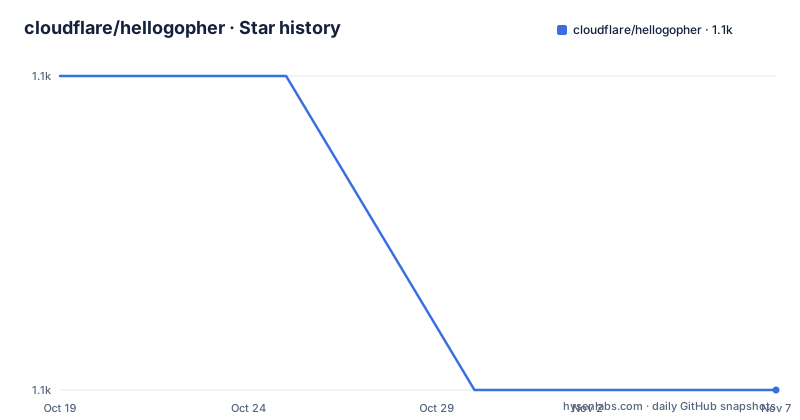
Star history
- cloudflare/hellogopher1,144 ★ · -1
| Repository | 2026-10-19 | 2026-11-07 |
|---|---|---|
| cloudflare/hellogopher | 1.1k | 1.1k |
-1 Stars in the last 19 days, measured from the daily GitHub snapshot. Compare with other projects
Editorial analysis
The problem was GOPATH, not Go
hellogopher is a Makefile rather than a program, a library or a framework, and the README is precise about that: it makes your conventional Go project build from anywhere, for anyone, with just `make`. The motivation is stated plainly. Go developers should know and use GOPATH, but it should not be the first thing they are exposed to, and at Cloudflare the project noticed that GOPATH was the main cause of friction for novice or casual Go users, who expect to just clone a repository anywhere and be able to build it. The audience is therefore two groups at once. Non-Go developers need to be able to build the project in any environment, and casual contributors need enough tools such as `test`, `cover` and `format` to be useful without learning the toolchain first. The important caveat is that a hellogopher project remains a standard `go get` able project, so nothing here replaces GOPATH for people who already know it. It postpones the lesson rather than cancelling it.
A hidden GOPATH inside the repository, with the system one ignored
The Makefile creates a private `.GOPATH` directory inside the project and installs into it, which is what lets a clone build without any global configuration. The two variables that matter are `IMPORT_PATH`, the absolute unique name of your repository such as `github.com/FiloSottile/example`, and `IGNORED_PACKAGES`, a space separated list of patterns skipped by the list, test and format targets, which by default excludes the vendor directory. The build target runs `go install` with the import path and with `VERSION_FLAGS`, which is generated from the git tag and hash plus the time of the build, and the resulting binary lands in `bin/`. The README explains the naming rule: binaries are named after the folder they are in, and if your `package main` is in the repository root the binary is named after the repository name. Two details are there for a reason. The system GOPATH is ignored on purpose, so only vendored dependencies can be used, and the binary targets are declared `.PHONY` because the build relies on the Go native incremental build support.
The test, cover and format targets are the actual tooling
The useful part of a hellogopher is not the build, which `go build` already does, but the set of commands around it. `make test` runs `go vet` and `go test -race` over all packages except those matching `IGNORED_PACKAGES`, and it sets `GODEBUG=cgocheck=2` so the expensive full suite of cgo checks runs during the tests, which has no effect if you do not use cgo. It also installs the race libraries in the hidden GOPATH, which the README explains is done just so it does not have to compile them on the next run. `make cover` aggregates the coverage of all tests over all packages by running the whole suite repeatedly and merging the per package reports into one, and it prints detailed statistics and opens the full HTML report in a browser. It runs against a `bin/gocovmerge` helper. `make format` runs `goimports` on all non ignored packages, `make list` prints the package list, and `make clean` removes `bin` and `.GOPATH`. There is also a `V` flag, and when it is set the commands and build progress are printed.
Getting it into a project in four commands
The quickstart is the whole adoption path. You fetch the Makefile, edit the import path, run the setup target, and commit the result along with the gitignore and the vendor directory:
wget https://raw.githubusercontent.com/cloudflare/hellogopher/master/Makefile
$EDITOR Makefile # modify IMPORT_PATH
make setup
git add Makefile .gitignore vendor/
After that, cloning the repository anywhere and running make is enough, and `go get` still works as usual. The README shows the resulting session, with the binary built into `bin/`, then `make test` and `make cover` as the two commands a casual contributor needs. If you get `cannot find package` errors, the README points you at the Vendoring section, and the reason is mechanical: the Makefile intentionally ignores your system GOPATH to force you to vendor, third party packages go under `./vendor/` in the official Go vendoring style, and the vendor folder has to be checked into version control. hellogopher has no opinion on how you populate it, but the README names gvt as a tool guaranteed to work as flexibly as hellogopher, and `make setup` leaves a copy in `./bin/gvt` for fetching packages by path.
Version injection, cross compiling and CI mode
Three mechanisms in the Makefile are worth knowing because they are the parts a downstream project has to opt into. The first is version and build information, which is injected at link time through `VERSION_FLAGS`, and to reach your program you have to declare the variables yourself in `main.go`, with the README giving the exact snippet, defaulting both to `N/A`.
// Version and BuildTime are filled in during build by the Makefile
var (
	Version   = "N/A"
	BuildTime = "N/A"
)
The second is cross compiling, which is a single variable: `GOOS=linux make` produces a binary in `bin/OS_ARCH/`, for example `bin/linux_amd64/hello`, and the README notes that the setup also works nicely if you share a folder between architectures, such as with Docker for Mac. The third is CI mode, which switches on when the environment variable `CI` is set to 1. In that mode the verbose test output goes to stdout and stderr and is also saved to `.GOPATH/test/vet.txt` and `.GOPATH/test/output.txt`, and the coverage HTML report is saved to `.GOPATH/cover/all.html`. The Makefile also carries commented guidance for a second binary in a subdirectory, using an `otherbin` target, with the instruction to add the sub path to `$(IMPORT_PATH)`.
Where it fits badly: editors, linters and the end of GOPATH
The README is unusually candid about the limits of its own approach. The tools the Makefile uses have been vetted and fixed to work out of the box, but most other tools such as `gometalinter` and `guru`, and editors, are very likely to work only if you place the repository at `$GOPATH/src/$IMPORT_PATH`. In other words, hellogopher optimises for the first build and for casual contributors, at the cost of the tooling that regular Go development depends on, and the README says so rather than pretending otherwise. There are two further sharp edges. `make cover` does not exit 1 on failure, which the Makefile even prints as a note, so it cannot be used to check that tests passed. And if you change the import path you have to run `make clean`, because the stale build output and the hidden GOPATH still refer to the old path. Relative imports are advised against in the strongest terms. The project also dates from the GOPATH era, with the build target calling `go install` without a version suffix, and its own documentation assumes the workspace layout that Go later moved away from.
How it compares to tools that copy your tree into a temporary GOPATH
The README names its comparators itself, and the difference is architectural. It says hellogopher achieves similar results to gb, from getgb.io, but preserves the conventional structure of a Go project, and that it works similarly to the Camlistore build system but without the temporary copies. That single phrase is the whole difference: the copy based approach relocates your source into a scratch GOPATH, builds there, and then has to keep the two copies in sync, whereas hellogopher leaves the checkout where it is and gives the build a private GOPATH inside the project. The consequence is that your directory layout stays conventional, so `git clone`, editors, and the rest of the Go ecosystem still see a normal repository. The cost is the limit already described, since tools that insist on `$GOPATH/src/$IMPORT_PATH` cannot find the checkout in place. For a repository that people clone from a webpage and build once, that is the right trade. For a project with a long lived team using the full Go toolchain, the README's own advice applies, which is to place the repository in the GOPATH and keep the convenience targets if you like them.
Editorial conclusion
Adopt hellogopher if you are writing a Go project that people outside your team will clone and build, since it makes the first build work without a GOPATH and gives you vet, race, coverage and formatting targets in one place. Do not adopt it for a modern module based project, since the build target installs with `go install` and no version suffix, the GOPATH era form, and the README itself tells regular Go developers to place the repository in their GOPATH instead. Before you use it, read the Vendoring section, because the system GOPATH is deliberately ignored and a `cannot find package` error means the vendor directory is not populated, and remember that `make cover` does not exit 1 on failure, so it cannot be used as a test gate. The licence is MIT, the repository publishes no GitHub releases, and the last push was on 2026-04-24.
Frequently asked questions
What is the IMPORT_PATH setting in the hellogopher Makefile?
It is the absolute unique name of your repository, usually where it can be found, for example `github.com/FiloSottile/example`. You use it whenever you refer to your code, including in the Makefile, in imports and with `go get`, and if you change it you have to run `make clean`.
Why do I get cannot find package errors with hellogopher?
The Makefile intentionally ignores your system GOPATH so that only vendored dependencies are used. Third party packages have to be present under `./vendor/`, and the README points at the Vendoring section, where it also says to check the vendor folder into version control.
Does make cover fail the build when tests fail?
No. The README states that `make cover` does not exit 1 on failure, and the Makefile prints a note saying not to use it to check for test success. It aggregates coverage over all packages and opens the HTML report in a browser.
Can I cross compile a hellogopher project?
Yes, with `GOOS=linux make`. The generated binary ends up in `bin/OS_ARCH/`, for example `bin/linux_amd64/hello`, and the README notes this also works well when a folder is shared between architectures, such as with Docker for Mac.
Official sources
Add this badge to your README
If you maintain this project, the badge below links readers to this analysis and shows its maintenance status from the daily GitHub snapshot. Paste the markdown into your README; add ?metric=license or ?metric=stars to the image URL for a different field.

[](https://hysenlabs.com/projects/cloudflare-hellogopher)Star history chart for your README
[](https://hysenlabs.com/projects/cloudflare-hellogopher)Was this useful?