Wax Comic runs a Flutter UI on a Go core through two different platform bridges
A comic browser,support Android / iOS / MacOS / Windows / Linux.
At a glance
- What is it?
- Wax is a Flutter comic reader built by ComicSparks, shipping from one source tree to five platforms using go-flutter on desktop and gomobile on mobile. Its MIT licence and its README's ban on commercial use are two different documents, and that contradiction is the first thing to resolve.
- Who is it for?
- Wax is the right base if you are writing a Flutter application that needs a native core compiled as a static library per platform, since the go-flutter and gomobile arrangement in this repository is the working example. It is the wrong base for anything you intend to distribute commercially or publish to a store, because the README prohibits both while the LICENSE file grants MIT rights, and that conflict has to be resolved by the rights holder rather than by you.
- Can I use it commercially?
- Yes. MIT is a permissive licence: you can use, modify and sell software built on it, as long as you keep its copyright and licence notices.
- Is it still maintained?
- Yes. The repository last received commits 95 days ago.
- What is it written in?
- Mainly Dart, according to GitHub's language statistics.
Answers come from the project's GitHub data, last synced on October 23, 2026, and from our analysis. They are not legal advice.
Star history
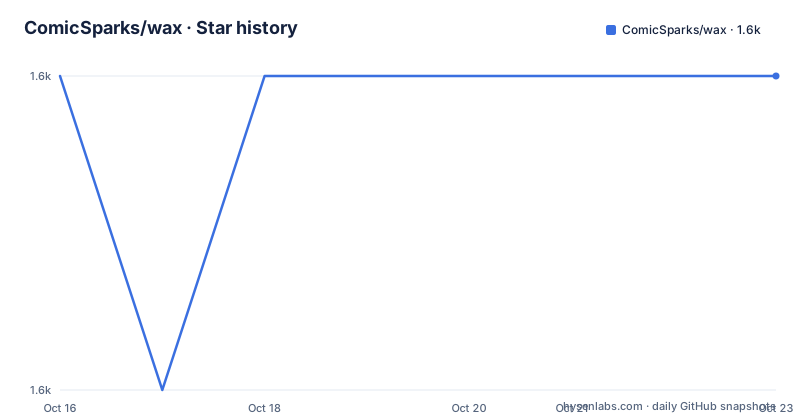
- ComicSparks/wax1,588 ★ · +0
| Repository | 2026-10-16 | 2026-10-23 |
|---|---|---|
| ComicSparks/wax | 1.6k | 1.6k |
0 Stars in the last 7 days, measured from the daily GitHub snapshot. Compare with other projects
Editorial analysis
Two languages, two bridge mechanisms, five platforms
The architecture section of the README is the substantive part of this repository, and it is short.
Wax is written in Go and Dart with Flutter as the primary languages. The Flutter layer draws the interface; the Go layer holds the core. The README is explicit that different frameworks bridge to desktop and mobile separately:
- `go-flutter` for Windows, macOS and Linux - `gomobile` for Android and iOS
That split is the interesting engineering decision. `gomobile` is the standard way to expose Go as a mobile SDK to Java and Swift callers, which fits Flutter's own plugin model. `go-flutter` is a different mechanism entirely, aimed at embedding Go into a Flutter desktop application rather than going through a platform channel.
So this project runs two bridging strategies against the same core, and the five platforms are Windows, macOS, Linux, Android and iOS. Doing it with a Go core under two different bridges is a real engineering constraint.
The cost is that the core has to be compiled per target and the two bridges have different constraints. `gomobile` produces a mobile archive with its own supported API surface, while the desktop path embeds a different artifact. A Go API that works in one is not automatically available in the other.
The repository layout matches: platform directories `android/`, `ios/`, `linux/`, `macos/` and `windows/` sit alongside `lib/` for the Dart side, `protos/` for the interface definition between the two languages, and `scripts/` for build helpers. A `protos/` directory means the Go to Dart boundary is a protobuf contract rather than hand-written marshalling, which is the right approach and also means changing the interface is a schema change.
The stated toolchain is from 2022, and .fvmrc is the real answer
The README's build environment section names two versions:
- Go 1.16 - Flutter 2.10.3
Both are old. Go 1.16 predates generics and the modern module ecosystem behaviour most projects now assume, and Flutter 2.10.3 is several major versions behind.
For a Flutter project, the answer to a version question is `.fvmrc` at the repository root, which is the Flutter Version Management configuration. That file is the authoritative pin, and it is worth reading before doing anything else because an SDK mismatch can cause compilation errors.
The other build signals in the root are conventional. `pubspec.yaml` and `pubspec.lock` are the Dart package manifest and its lock, `.metadata` is Flutter's project metadata, `analysis_options.yaml` configures the Dart analyzer, `ci/` holds the continuous integration configuration, and `test/` holds the Dart tests.
What the README does not give is a build command, a release process, or a platform support matrix beyond the platform list. If you are evaluating this as a starting point rather than a finished application, the missing piece is not a small one: there is no documented procedure here for producing a signed build for any of the five platforms.
MIT in the LICENSE file, no commercial use in the README
The repository metadata reports MIT, the LICENSE file is what it says, and the badge in the README pulls from GitHub's license detection.
The README then states something incompatible with that. In the usage rules section it says the software is for study and exchange only, that neither an individual nor a company may use it or any extension of it for commercial purposes, and that it may not be listed on any store.
The README tries to reconcile the two by drawing a distinction, and the distinction is worth reading carefully rather than dismissing. It says the source code in the repository may be used according to the LICENSE, while it separately addresses distribution of software copies, and it states that the author shares programming technology only and does not distribute the software, taking no responsibility for consequences of distribution.
So the position is that the code is MIT and the compiled application is not licensed for commercial use or store distribution.
Whether that holds up legally is a question for a lawyer, not for this article. What matters practically is that you cannot resolve it from the repository alone, and that anyone planning to build on Wax needs an answer from the rights holder before they ship anything. The README's own framing, that the author shares technology and not software, is an invitation to take the code and not the binary.
The README also flags that the application contains restricted-level content including explicit, bloody, violent and drug-related material, and asks users to comply with local law.
Distribution rules are unusually specific and worth reading
Alongside the licence question the README sets out distribution rules that are more detailed than anything else in the document.
The rules say not to post links or information about the software in any other anime or development-oriented community's chat or developer spaces, not to send the installer into any community, and specifically not to send an APK, IPA, ZIP or DMG through any chat software's group function. When sharing, the instruction is to use the Releases page link on GitHub, or to send it in a private message window.
Extensions are defined broadly: software formed by continuing development on this software, and software that takes this software as a dependency or reference, or uses its code, and that contains the same content or functionality. Direct repackaging is named explicitly.
This is a maintainer's wish about how their work spreads, expressed clearly. It is also not something the MIT licence can enforce, which is precisely the tension in the previous section. The rules are worth taking seriously as the stated intent of the person holding the rights, and they are not a substitute for the licence text.
The README also asks for stars and issues as encouragement and points to the source repository for the latest source and installers.
Release cadence and what the version number tracks
The release history is patch-level and recent enough to show the project is live.
Tags are v1.3.16 from 2026-07-20, v1.3.15 from 2026-04-09 and v1.3.14 from 2026-03-02. The last push was on 2026-07-20, the same day as v1.3.16, so the tag corresponds to the tip of the default branch `master` rather than trailing behind it.
The gaps are uneven: three months between the March and April tags, then three more to July. For a project maintained by one person alongside a publishing schedule, that is the pattern you would expect.
The versioning scheme is `1.3.x`, which reads as semver in shape but the README does not describe any stability guarantee tied to it. There is no changelog linked from the README, so what changed in any given patch is discovered from the commit log or the releases page.
The description line calls Wax a comic browser supporting Android, iOS, macOS, Windows and Linux, and the repository topics list the genre alongside the platform and framework terms. The audience implied by the topics and the content warning is adult-oriented material, which is consistent with the distribution rules being about communities rather than about software channels.
There is no homepage declared for the repository, so the GitHub releases page is the only official distribution location the README points to.
Editorial conclusion
Wax is the right base if you are writing a Flutter application that needs a native core compiled as a static library per platform, since the go-flutter and gomobile arrangement in this repository is the working example. It is the wrong base for anything you intend to distribute commercially or publish to a store, because the README prohibits both while the LICENSE file grants MIT rights, and that conflict has to be resolved by the rights holder rather than by you. Before building, check the `.fvmrc` file for the pinned Flutter version, because the README's stated Flutter 2.10.3 is old enough that your current SDK will not build this tree without pinning back.
Frequently asked questions
What platforms does Wax Comic run on?
Windows, macOS, Linux, Android and iOS, from one Flutter and Go source tree. Desktop uses the go-flutter bridge and mobile uses gomobile.
How do I build Wax Comic?
The README states Go 1.16 and Flutter 2.10.3 as the build environment. For the Flutter side, the .fvmrc file at the repository root is the authoritative version pin. The README does not document a per-platform build command or signing procedure.
Can I use Wax commercially?
The repository reports MIT for the source code, while the README's usage rules state the software and any extension may not be used for commercial purposes or listed on any store. Resolve this with the rights holder before shipping, since the repository alone does not settle it.
How does Wax pass data between Go and Dart?
Through protobuf definitions in the protos/ directory, with the Go core and the Flutter layer on either side of the interface rather than using hand-written marshalling.
Official sources
Add this badge to your README
If you maintain this project, the badge below links readers to this analysis and shows its maintenance status from the daily GitHub snapshot. Paste the markdown into your README; add ?metric=license or ?metric=stars to the image URL for a different field.

[](https://hysenlabs.com/projects/comicsparks-wax)Star history chart for your README
[](https://hysenlabs.com/projects/comicsparks-wax)Was this useful?