CopperSpice: a Qt-derived C++20 GUI framework without the meta-object compiler
Set of cross platform C++ libraries (Core, Gui, Network, Multimedia, SQL, Vulkan, etc)
At a glance
- What is it?
- CopperSpice is a set of LGPL-licensed C++ libraries descended from the Qt framework, rewritten to use C++20, drop the moc preprocessor and rebuild the signal and slot machinery on templates. It is aimed at C++ developers who want a cross-platform GUI and networking stack without inheriting Qt's licensing and tooling baggage.
- Who is it for?
- Adopt CopperSpice if you are writing a C++20 desktop application, you want a GUI and networking stack you can link directly, and LGPL V2.1 is acceptable for your product. Do not adopt it if your application depends on a Qt module CopperSpice does not carry, or if your toolchain is pinned below C++20.
- Can I use it commercially?
- Not without permission. GitHub finds no licence file in the repository, and without a licence all rights are reserved by default: you may read the code but not reuse it. Check the README, or ask the authors, before using it.
- Is it still maintained?
- Yes. The repository last received commits 2 days ago.
- What is it written in?
- Mainly C++, according to GitHub's language statistics.
Answers come from the project's GitHub data, last synced on November 7, 2026, and from our analysis. They are not legal advice.
Star history
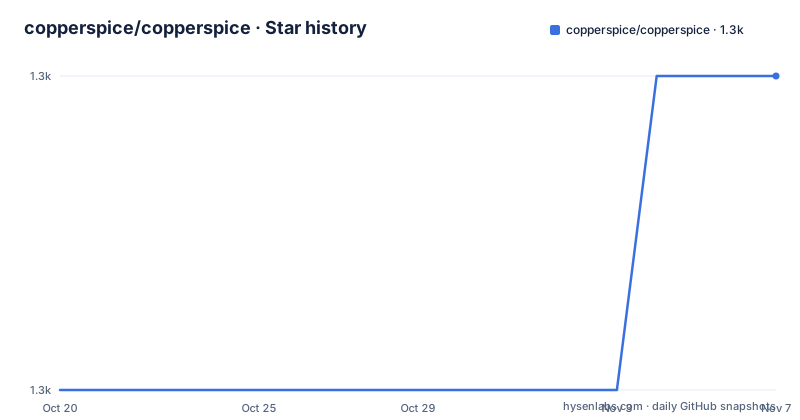
- copperspice/copperspice1,331 ★ · +1
| Repository | 2026-10-20 | 2026-11-07 |
|---|---|---|
| copperspice/copperspice | 1.3k | 1.3k |
1 Stars in the last 18 days, measured from the daily GitHub snapshot. Compare with other projects
Editorial analysis
What CopperSpice is, and where it came from
CopperSpice is a set of individual libraries for developing cross platform software applications in C++. The README says it is a true open source project released under the LGPL V2.1 license, and that it was initially derived from the Qt framework.
That origin is the whole story of the project. CopperSpice is not a new GUI toolkit written from scratch; it is a fork that diverged, and the project's own description is that it has become a modern representation of what can be accomplished with C++. The stated motivation was to change the fundamental design and turn the existing framework into a set of libraries for C++ developers, done by leveraging modern C++ functionality, new technology and modern tooling.
The goal is stated plainly too: to provide a first class GUI library to unite the C++ community. The audience is therefore developers who already know C++ and who want a GUI layer that behaves like the one they may have used from Qt, but built on the standard library and compilable with a modern compiler.
The library list is broad. The main set covers CsCore, CsGui, CsMultimedia, CsNetwork, CsOpenGL, CsSql, CsSvg, CsVulkan, CsWebKit, CsXml and CsXmlPatterns. Underneath sits a second set of BSD licensed libraries that CopperSpice uses and also publishes on their own: CsCrypto, CsLibGuarded, CsPaint, CsPointer, CsSignal and CsString.
The repository is a single CMake project at the top level, with cmake/, src/, test/, translations/ and utilities/ directories. The default branch is master, the last push was on 2026-10-14, and the repository is not archived. Releases are tagged with a cs- prefix, and the recent ones are cs-2.1.0 on 2026-01-27, cs-2.0.0 on 2025-03-28 and cs-1.9.2 on 2024-09-24.
The change that defines the project: no moc, no preprocessor
The headline technical claim in the README is the removal of the meta-object compiler, and it is the reason a developer would choose this over the framework it came from.
In Qt, the signals and slots mechanism, the property system and the introspection data all depend on a code generation step. moc parses the headers, finds the classes that declare Q_OBJECT, and emits a separate translation unit with the meta data. That step is invisible in the build log until it fails, and it imposes constraints that leak into your code: the class must be known to the tool, types used in signal arguments have to be registered by hand in some situations, and the build has an extra moving part that does not use your compiler.
CopperSpice replaces all of that with compile time templates. The README lists the consequences. No meta-object compiler is required for generating meta data, with all references removed. The functionality moc provided is replaced by compile time templates. CopperSpice automatically generates meta data for processing signals, slots and introspection. Template classes can inherit from QObject with no restrictions on types. And complex data types such as QMap<QString, int> can be used for signal or slot arguments, which is precisely the case that used to require registration.
Read that list as a statement about where the complexity went. It did not disappear. It moved from a build-time code generator into the compiler and the type system, where the cost is paid as template instantiation and compile time rather than as a separate tool and a hand-maintained type registry. For a large code base, that trade is often worth it, because the failure mode changes from a runtime registration error to a compile error.
The container rewrite and the standard library inside
Beyond the meta-object work, the README describes a systematic modernisation of the class library, and the containers are the clearest example.
All container classes were redesigned to use the C++ standard library containers, iterators and algorithms. That is a large behavioural change for code ported from Qt, where the containers had their own iterators, their own foreach construct and their own implicit sharing with copy-on-write semantics. Code that used QHash, QMap or QList in a Qt idiom will not compile unchanged against the standard library versions, which is the point but also the migration cost.
The rest of the modernisation list is long and specific. CopperSpice makes extensive use of modern C++ features: constexpr, lambda expressions, templates, variadic templates, template variables, move semantics, structured bindings, tuple, decltype, SFINAE and type traits. All mutex and lock classes were refactored. The project claims to include a majority of the Qt 5 classes, which is the phrasing to keep in mind, because majority is not all, and the missing pieces are where porting breaks.
Two platform-facing capabilities are also called out: a platform independent plugin system based on standard C++, and high DPI rendering support. The plugin system matters because it is how platform integration is delivered without baking platform code into the libraries, and high DPI support is the kind of item that is either present in the graphics stack or is a rework later.
For the string handling, the integration of CsString is where the Unicode work sits. The README describes improved storage to properly represent Unicode strings, the addition of QString8 for UTF-8 and QString16 for UTF-16 classes, and the addition of QStringView, QStringParser and QRegularExpression. The Qt-style names are retained deliberately, which is a migration aid, and it means existing code keeps its shape.
CsSignal and CsLibGuarded, the two libraries that change behaviour
Two of the BSD licensed support libraries do more than provide utilities, because they change how the signal and slot system behaves under concurrency.
CsSignal delivers improved thread aware signal and slot delivery, with increased efficiency while maintaining the full signal and slot API, and the README states that deadlocks in signal and slot processing have been eliminated. That last claim is the significant one. In a cross-thread signal and slot system, the classic failure is a queued connection whose slot ends up waiting on a lock held by the emitting thread, which is a deadlock that appears under load and is miserable to diagnose. Eliminating that class of problem changes what you can write.
CsLibGuarded manages shared data and provides the functionality to associate a mutex with the data it protects. The point of that association is that the lock travels with the data rather than living in a separate variable, which is the difference between a guard that is obviously correct and one that depends on every access site remembering the right mutex.
The README also describes CsPointer as leveraging the C++ pointer classes and adding functionality, and CsCrypto and CsPaint as available on their own for anyone doing C++ work outside CopperSpice. That split licensing is worth noting on its own: the LGPL applies to the main libraries, and these components are BSD, so a project that wants only the string handling or only the pointer classes can take those pieces under permissive terms.
CsVulkan is listed among the main libraries with full support for the Vulkan Graphics API, which is a differentiator from a Qt 5 era codebase, where graphics went through OpenGL and the raster engine, or through QQuick's own scene graph.
Building it: C++20, CMake, and an optional test binary
The system requirements are short and strict. Building CopperSpice requires a C++20 compiler and a C++20 standard library, and the README notes that the library has been tested with the clang sanitizer and an extensive industry code review.
The build system is CMake, with build files provided in the source distribution, and the unit test binary executable is described as an optional part of the build process. For using the libraries, the README says any C++ application using CopperSpice can be built with CMake or any build system which imports CMake files, and it recommends CMake and Ninja for the build system. CopperSpice can be linked directly into any standard C++ application.
The optional status of the unit test binary is a small but telling detail. A library that carries its own test executable gives you a way to check that the parts you care about behave on your platform and your toolchain, and if it is optional, then it is also a way to skip it when you only need the libraries. It is worth building it once after you set up your environment, precisely because the README frames it as optional.
The repository top level matches this description: CMakeLists.txt, a cmake/ directory for the build modules, src/ for the sources, test/ for the tests, translations/ for the localisation files and utilities/ for the helper tooling. The top level also has a license/ directory, which is where the LGPL V2.1 text and the BSD licences for the supporting libraries live, and the README points at the LICENSE file for the licence terms.
For binary packages rather than a build, the Overview documentation covers downloading prebuilt binary files and the package requirements for each platform, and both the Overview and API documentation can be downloaded for offline use as a compressed tar file or zip.
Documentation, the KitchenSink demo, and what a migration actually costs
The documentation arrangement is deliberate and worth using. The CopperSpice Overview documentation covers building CopperSpice, downloading prebuilt binary files, package requirements, setting up an application which links with CopperSpice, migrating to CopperSpice and general configuration information. The API documentation holds full class documentation and multiple tutorials, and both sets are published on the website and downloadable as a tar file or zip for offline use.
A migration guide in the overview documentation is a signal about the project's centre of gravity. CopperSpice expects a flow of code coming from Qt, and the interesting question for an adopter is how much of an existing Qt codebase arrives unchanged.
The answer suggested by the library list is: the class names largely survive, because the project kept the Qt naming for the string classes and the core types, while the containers, the meta-object system and the threading primitives were rewritten. So a codebase that uses QMap as a hash and iterates it with Qt iterators will need rewriting, and a codebase that mostly calls QString, QObject and the widget classes will need less.
The demo application is called KitchenSink, and the README describes it as containing over 30 examples of the basic functionality available in CopperSpice. For evaluating a framework this is more useful than a marketing screenshot, because it shows the classes doing real work rather than a hello world. It is also the fastest way to find out which Qt 5 classes CopperSpice actually covers, since the answer to the majority claim is visible in the example list rather than in a compatibility table.
The project also has a YouTube channel with over 75 videos covering C++, programming fundamentals, Unicode and strings, multithreading, graphics and CopperSpice itself, plus a forum and a journal. Contributors are asked to follow the source code style guide when submitting pull requests, and the README also lists the authors and key contributors by name.
Where CopperSpice is the wrong choice
There are three situations where the choice is clear, and they are worth naming before anyone spends a week porting.
The first is a Qt 6 or QML codebase. CopperSpice's own description places it as a majority of the Qt 5 classes, and the project was derived from the Qt framework at the Qt 5 generation. A QML application is not a candidate, because there is no QML runtime in the library list, and the Qt 6 modules are a different surface again.
The second is a project whose toolchain cannot move to C++20. The requirement is stated as a C++20 compiler and a C++20 standard library, and the entire value proposition is built on modern C++ features being available, including constexpr, structured bindings and template variables. On a toolchain where those are unavailable, the libraries themselves will not build.
The third is a team that wants the least risky path to a cross-platform desktop application. This is a fork of a large framework, maintained by the named contributors listed in the README, with a release every year or so in the recent history, cs-1.9.2 in 2024, cs-2.0.0 in 2025 and cs-2.1.0 in 2026. It is a real project with real releases, and the LGPL V2.1 licence is permissive enough to use in commercial software. But the resources behind it are smaller than those behind the framework it was derived from, and the trade is a long-term maintenance commitment for a codebase that must compile with a compiler your team also supports.
The case for it is specific: you want a C++20 native desktop application, you want a GUI and networking stack that uses the standard library rather than a proprietary container model, and you want LGPL terms with no meta-object compiler in your build.
Editorial conclusion
Adopt CopperSpice if you are writing a C++20 desktop application, you want a GUI and networking stack you can link directly, and LGPL V2.1 is acceptable for your product. Do not adopt it if your application depends on a Qt module CopperSpice does not carry, or if your toolchain is pinned below C++20. Verify first that the CopperSpice Overview documentation for your release lists the packages your distribution needs, that the classes your code uses exist with the names you expect rather than the Qt names, and that the unit test binary builds for your platform, since it is an optional part of the build and a cheap way to see how much of the stack works on your machine.
Frequently asked questions
What is CopperSpice and what is it derived from?
CopperSpice is a set of cross platform C++ libraries for GUI, networking, multimedia, SQL, XML, OpenGL and Vulkan work. The README states it is a true open source project released under the LGPL V2.1 license and was initially derived from the Qt framework.
Does CopperSpice need the Qt meta-object compiler?
No. The README says no meta-object compiler is required for generating meta data and that all references were removed, with the functionality moc provided replaced by compile time templates. Meta data for signals, slots and introspection is generated automatically, and template classes can inherit from QObject with no restrictions on types.
What are the build requirements for CopperSpice?
Building requires a C++20 compiler and a C++20 standard library, with CMake build files provided in the source distribution. The README recommends CMake and Ninja, and notes that the unit test binary executable is an optional part of the build process.
How do I migrate an existing Qt project to CopperSpice?
The CopperSpice Overview documentation includes a section on migrating to CopperSpice, along with building instructions, prebuilt binary downloads, package requirements and application setup. Container classes were redesigned on the C++ standard library, so code relying on Qt-specific container idioms will need rewriting, and the project includes a majority rather than all of the Qt 5 classes.
Official sources
Add this badge to your README
If you maintain this project, the badge below links readers to this analysis and shows its maintenance status from the daily GitHub snapshot. Paste the markdown into your README; add ?metric=license or ?metric=stars to the image URL for a different field.

[](https://hysenlabs.com/projects/copperspice-copperspice)Star history chart for your README
[](https://hysenlabs.com/projects/copperspice-copperspice)Was this useful?