jquery-confirm: three dialog primitives in one jQuery plugin
A multipurpose plugin for alert, confirm & dialog, with extended features.
At a glance
- What is it?
- jquery-confirm merges alert, confirm and dialog into a single $.alert, $.confirm and $.dialog surface, with per-button keyboard keys, Ajax content, auto-close and themes. The CDN examples still point at 3.3.2 while the newest tagged release is v3.3.4 from 2019, and the last push was 2026-06-11.
- Who is it for?
- Adopt jquery-confirm if you are already shipping jQuery with a version in the >=1.6 range and want one dialog API covering confirmations, alerts and free-form input, since the aliases and the per-button key bindings remove a lot of hand-written glue. Do not adopt it for a new build without jQuery, or if you need a maintained dependency stream, because the last push was on 2026-06-11 while the last tag, v3.3.4, dates from 2019-01-11.
- Can I use it commercially?
- Yes. MIT is a permissive licence: you can use, modify and sell software built on it, as long as you keep its copyright and licence notices.
- Is it still maintained?
- Yes. The repository last received commits 134 days ago.
- What is it written in?
- Mainly JavaScript, according to GitHub's language statistics.
Answers come from the project's GitHub data, last synced on October 22, 2026, and from our analysis. They are not legal advice.
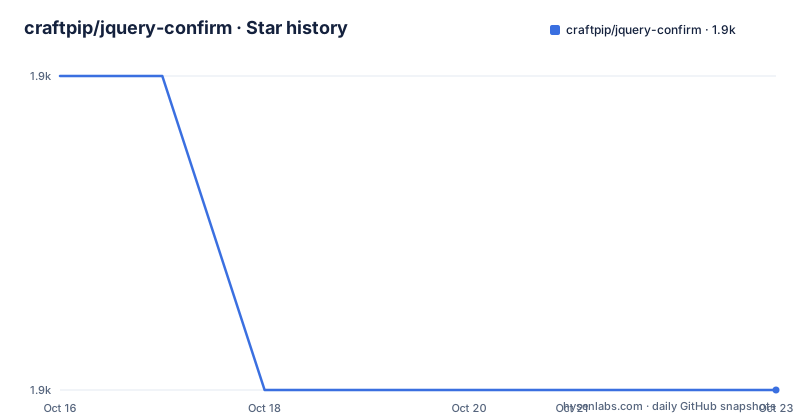
Star history
- craftpip/jquery-confirm1,857 ★ · -1
| Repository | 2026-10-16 | 2026-10-22 |
|---|---|---|
| craftpip/jquery-confirm | 1.9k | 1.9k |
-1 Stars in the last 6 days, measured from the daily GitHub snapshot. Compare with other projects
Editorial analysis
One call, three dialog shapes
The plugin's pitch is consolidation: alerts, confirms and dialogs in one. The mechanism is an alias set on top of a single implementation. The README states that `$.alert()`, `$.confirm()` and `$.dialog()` are aliases of `jconfirm()`, so the three names are entry points to the same dialog engine with different defaults rather than three separate widgets you have to learn.
The option object carries the differences. A confirm is defined by its buttons, each with text, a button class, a list of keys and an action callback.
$.confirm({
    title: 'What is up?',
    content: 'Here goes a little content',
    type: 'green',
    buttons: {
        ok: {
            text: "ok!",
            btnClass: 'btn-primary',
            keys: ['enter'],
            action: function(){
                 console.log('the user clicked confirm');
            }
        },
        cancel: function(){
                console.log('the user clicked cancel');
        }
    }
});
Notice the asymmetry in that example. The ok button is a full object with keys and an action, while cancel is a bare function. That shorthand is why the example is short: you declare only what a button needs.
The `type` value in the example is a theme name, and since 3.0.0 the plugin lets you define custom type styles, so green here is one of a set rather than a hardcoded colour.
Four ways to install, and the CDN points at an older tag
Installation is the least remarkable part of the project, and it is where the one documentation bug worth knowing about lives.
The README gives four routes. Download the latest release and use the files in the dist folder. Or reference the CDN stylesheet and script, which are pinned to version 3.3.2:
<link rel="stylesheet" href="//cdnjs.cloudflare.com/ajax/libs/jquery-confirm/3.3.2/jquery-confirm.min.css">
<script src="//cdnjs.cloudflare.com/ajax/libs/jquery-confirm/3.3.2/jquery-confirm.min.js"></script>
Or install with Bower:
$ bower install craftpip/jquery-confirmOr with npm, which is what a modern build would use:
$ npm install jquery-confirmThe mismatch is the point to note: the README's own CDN snippet references 3.3.2, while the newest tagged release is v3.3.4 and package.json reports version 3.3.4. Copying the CDN lines verbatim gets you an older build than the one you would get from npm, and nothing in the page warns you.
The npm entry point is dist/jquery-confirm.min.js, and the only declared runtime dependency is jQuery at >=1.6, which is the real compatibility statement: this plugin runs against any jQuery from 1.6 upward.
Keys, Ajax content and auto-close are the features that matter
Three capabilities separate this from a plain modal library.
The first is keyboard control per button, not just per dialog. Each button takes a `keys` array, as in `keys: ['enter']` above, and earlier releases added keys including SPACE to trigger the confirm function. This is a real difference from the browser's native confirm, where Enter and Escape are fixed and you cannot say which action a key maps to.
The second is loading content through Ajax. The syntax is embedded in the content value itself, documented as `content: 'url:loadfrom.html'`, and since version 1.1.3 the plugin waits for that load and disables buttons until content arrives. Version 3.0.0 explicitly fixed animation problems that occurred when content was loaded via Ajax.
The third is auto-close after a specified time, with a `showLoading` and `hideLoading` pair for the wait and a `lazyOpen` option added in 3.2.3. There is also `backgroundDismiss` control, meaning you can prevent the dialog from closing when the user clicks the backdrop, and a close icon bound to its own event since 3.0.0.
Version 3.0.0 broke compatibility with 2.x on purpose
The changelog in the README is unusually complete, and it documents a decision that matters if you are upgrading an old codebase. The 3.0.0 entry is marked no backwards compatible with v2, and it is where the modern API arrived: multiple buttons defined explicitly, keyboard keys per individual button, `setContentPrepend` and `setContentAppend` for controlling content, functions to enable, disable, show and hide buttons, aliases for columnClass, bgOpacity, containerFluid, backgroundDismiss animations, and callbacks named onContentReady, onOpenBefore and onDestroy.
Version 3.0.0 also notes that created and destroyed instances can now be reopened, and that Bootstrap was removed as a dependency in 3.0.1, with a dialog type added to identify success or failure states. Support for Bootstrap v4 arrived in 3.1.0 along with draggable dialogs.
Two methods were deprecated in 3.0.0 rather than removed: `setDialogCenter` and `alignMiddle`, with the dialog centred by CSS tables instead. If you maintain an older application, the migration surface is those calls plus anything that assumed a single button.
The 2.0.0 entry is also worth noting for a specific reason: it added `$('a').confirm()` to emulate confirm on anchor elements, which is a different integration model from calling `$.confirm()` directly.
Themes, AMD and the state of the repo
Styling is theme based, and the theme list has churned. The material theme and the bootstrap theme arrived in 2.5.0, holodark and hololight were removed in the same release, a Modern theme was added in 3.2.0 with RTL and supervan fixes, and 1.6.0 added supervan. The repository root still carries the standalone theme and animation demo pages, animations.html, themes.html, table.html, form.html and callback.html, plus a css/ directory, a js/ directory and a demo/ folder with its own demo.css and demo.js.
Module loading was addressed in 3.3.3, which added support for AMD and commonJS. That same release fixed a Safari height bug, fixed an isClosed bug for Firefox, and removed the scroll to top that fired when content height changed. Three browser-specific fixes in one release is a reasonable signal about how much of this code touches layout engines.
On the repository itself: MIT licensed, with a LICENSE file and the same identifier declared in package.json. The test script is a placeholder that exits with an error, since package.json sets `"test": "echo \"Error: no test specified\" && exit 1"`. There is no test suite to run, which for a plugin that patches DOM layout is worth weighing on its own.
The last push was on 2026-06-11 and the newest tag, v3.3.4, was published on 2019-01-11, with v3.3.3 on 2018-12-31 and v3.3.2 on 2017-08-16. The package version in package.json matches the 3.3.4 tag, so the code is consistent even though the release is old.
Where this stops being the right choice
The clearest case for walking away is a codebase without jQuery. The plugin's only dependency is jQuery at >=1.6, and package.json ships a dist file that assumes a global or bundled jQuery. Adding jQuery to a modern build for the sake of a confirm dialog is a large cost for a small feature, and the alternative in that setting is a native dialog element or a framework modal you already have.
The second case is confidence in behaviour. With no test suite in the repository and a last tagged release from 2019, you are adopting a widget whose interaction details, such as z-index handling, focus return and keyboard edge cases, are not covered by anything in this project. Those details are exactly the ones users notice when they go wrong, and you will own fixing them.
The alternative approach is worth describing concretely rather than naming. A hand-rolled modal in your own codebase, built on the same jQuery if you have it, gives you full control of markup and styling with no third-party layer between your code and the DOM, at the cost of building focus trapping, escape handling, backdrop dismissal and button enable/disable yourself. That is code you own forever, against a plugin that gives you these features through one script tag. The deciding factor is not features, since the plugin has more of them, but whether you want a dependency whose release history stops in 2019 inside a product you still have to maintain.
Editorial conclusion
Adopt jquery-confirm if you are already shipping jQuery with a version in the >=1.6 range and want one dialog API covering confirmations, alerts and free-form input, since the aliases and the per-button key bindings remove a lot of hand-written glue. Do not adopt it for a new build without jQuery, or if you need a maintained dependency stream, because the last push was on 2026-06-11 while the last tag, v3.3.4, dates from 2019-01-11. Before you pin a version, compare it with the CDN URLs in the README, which reference 3.3.2 rather than the tagged v3.3.4, so that the build you test is the build you ship.
Frequently asked questions
How do I install jquery-confirm?
Four ways are documented: download the release and use the files in the dist folder, reference the cdnjs CDN, run `bower install craftpip/jquery-confirm`, or run `npm install jquery-confirm`. The package entry point is dist/jquery-confirm.min.js and the only declared dependency is jquery at >=1.6.
What is the difference between $.alert, $.confirm and $.dialog?
All three are aliases of jconfirm(), so they share one dialog engine and differ in their options rather than in implementation. The README points to the documentation site for the specifics of each.
Can jquery-confirm load content through Ajax?
Yes. Content loading by URL is written into the content option as `content: 'url:loadfrom.html'`. Since version 1.1.3 the plugin waits for the load and keeps buttons disabled until content arrives.
Is jquery-confirm compatible with jQuery 2.x?
package.json declares jquery at >=1.6 as the dependency, so any jQuery from 1.6 upward is in range. Note that Bootstrap was removed as a dependency in version 3.0.1, with Bootstrap v4 support added in 3.1.0.
What is the latest version of jquery-confirm?
The newest tag is v3.3.4, published on 2019-01-11, and package.json reports the same version 3.3.4. The last push to the repository was on 2026-06-11, and the CDN snippet in the README still references 3.3.2.
Official sources
Add this badge to your README
If you maintain this project, the badge below links readers to this analysis and shows its maintenance status from the daily GitHub snapshot. Paste the markdown into your README; add ?metric=license or ?metric=stars to the image URL for a different field.

[](https://hysenlabs.com/projects/craftpip-jquery-confirm)Star history chart for your README
[](https://hysenlabs.com/projects/craftpip-jquery-confirm)Was this useful?