NXVM: An 80386 PC emulator that still boots, with a debugger built in
An integral x86 PC emulator with built-in debugger
At a glance
- What is it?
- NXVM is a portable x86 PC emulator written in C, focused on emulating an Intel 80386 machine with an integrated debugger. It is a bootable whole-machine product, but its development has stalled since 2014, and Linux support is explicitly limited.
- Who is it for?
- Adopt NXVM if you need a lightweight, self-contained 80386 emulator for studying legacy x86 software or debugging low-level code, and you are comfortable with a Windows-centric build (MinGW-w64, CMake, Ninja) and a project that has not seen a release since 2014. Do not adopt it if you need a production-grade virtual machine, modern x86-64 guest support, or reliable Linux operation; the README itself states Linux is a development and verification surface.
- Can I use it commercially?
- Yes. MIT is a permissive licence: you can use, modify and sell software built on it, as long as you keep its copyright and licence notices.
- Is it still maintained?
- Yes. The repository last received commits 19 days ago.
- What is it written in?
- Mainly C, according to GitHub's language statistics.
Answers come from the project's GitHub data, last synced on October 4, 2026, and from our analysis. They are not legal advice.
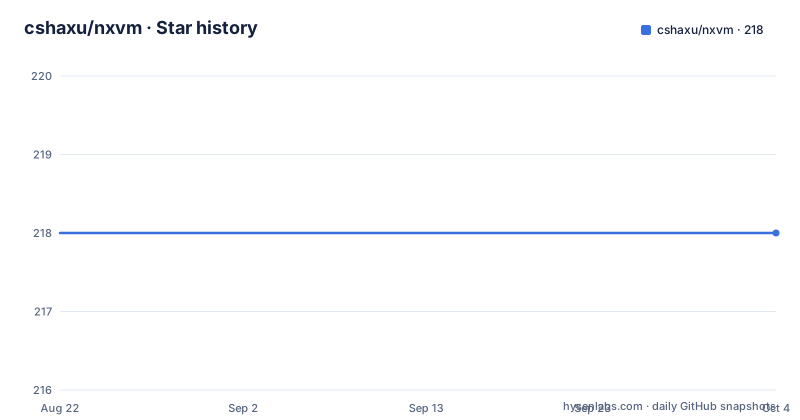
Star history
- cshaxu/nxvm218 ★ · +0
| Repository | 2026-08-22 | 2026-10-04 |
|---|---|---|
| cshaxu/nxvm | 218 | 218 |
0 Stars in the last 43 days, measured from the daily GitHub snapshot. Compare with other projects
Editorial analysis
What NXVM actually is
NXVM, short for Neko's x86 Virtual Machine, is a portable x86 PC emulator written in C. It emulates an Intel 80386 PC, which means it targets a 32-bit, 1980s-era CPU, not the modern x86-64 architecture. The project's own description calls it a 'bootable whole-machine product' with an integrated debugger. The README is careful to distinguish between NXVM, the current product, and NXVDM, a future DOS application product that is not yet runnable. This is a project with a clear scope: emulate a classic PC, provide a debugger, and let you boot legacy software. It is not trying to be a general-purpose hypervisor or a full system emulator like QEMU. The target audience is people who want to examine legacy x86 software in a controlled environment, or who need a debugger that can inspect registers, memory, and ports at the machine level.
The architecture: core foundation and product composition
The README describes a split between a shared 'core' foundation and the NXVM product itself. The core owns reusable guest-machine behavior, while NXVM owns the current product composition and user experience. This is a two-product strategy: the core is meant to be evolved into a shared foundation for a future NXVDM product, but NXVM is the only runnable output right now. The machine services included are RAM, DMA, PIC, floppy and hard disks, keyboard, display, and BIOS behavior. That is a minimal but functional set for booting a DOS-era guest. The debugger is integrated into the same codebase, not a separate tool. The README mentions that the debugger can examine guest registers, memory, ports, breakpoints, watchpoints, and instruction execution, and that it includes an assembler and disassembler. This is a tight integration: the emulator and the debugger share the same process, which is unusual and useful for low-level work.
Build and run: Windows-first with CMake presets
The supported build path is explicitly 64-bit MinGW-w64 GCC, CMake 3.23 or later, and Ninja on Windows. Visual Studio is not required. The commands are straightforward: from the repository root, run `cmake --preset mingw-gcc-x64` and then `cmake --build --preset current-gcc`. The resulting developer artifact is copied to `build/output/`. The README gives a specific executable name pattern: `nxvm_0_5_NNNN.exe`. To run the project's internal gates, you use `cmake --build --preset current-gates-gcc`. There is also an optional ccache route using separate presets: `mingw-gcc-x64-ccache` and `current-gcc-ccache`. The quick start says to start the exe, then use the `help` command in the NXVM Console to see available commands. The README is careful to note that the repository does not provide guest media; you must supply your own legally obtained boot media. This is a practical constraint: you cannot just build and boot something out of the box.
The debugger is the selling point
The integrated debugger is what distinguishes NXVM from a plain emulator. It allows you to examine guest registers, memory, ports, breakpoints, watchpoints, and instruction execution. The assembler and disassembler are part of the same debugging experience. This is a different approach from, say, using a separate debugger like GDB with QEMU. Here, the debugger is built into the emulator, which means you can pause the machine and inspect state without any external tooling. The README mentions that the Console and debugger let you inspect machine state, then start, stop, and resume the session. The command surface is not fully documented in the README, but the `help` command is the entry point. This is a genuine feature for anyone doing reverse engineering or low-level OS development, because you can step through code and watch hardware interactions in real time.
Limitations: Linux is second-class and the project is stale
The most obvious limitation is that Linux support is described as 'a development and verification surface,' not a full product. The README says to see the project documentation for current support boundaries, which suggests that Linux may not have a windowed presentation path or full feature parity. The Windows path has both a Console and an application-window presentation, while Linux only has a terminal presentation path. Another limitation is the age of the project. The last release was 0.4.015b on 2014-05-10, and the last push to the repository was the same date. That means over a decade without updates. The codebase is written in C, and while it may be stable, it has not been adapted to modern toolchains or hardware beyond the original 80386 target. If you need to emulate anything newer than a 386, or if you need performance comparable to modern hypervisors, NXVM is the wrong tool. The README itself notes that the screenshots are historical and not current compatibility claims, which is a refreshingly honest stance but also a warning.
Alternatives: QEMU and DOSBox take different approaches
The most direct alternative is QEMU, which is a full-system emulator that supports many architectures, including x86-64, and has a mature debug interface via GDB. QEMU is far more powerful and actively maintained, but it is also much larger and more complex. The approach differs in that QEMU separates the emulator from the debugger, using a remote protocol, whereas NXVM integrates the debugger directly. For DOS-era software, DOSBox is another alternative. DOSBox focuses on running DOS applications and games, and it provides a high level of compatibility for that specific use case, but it is not a general-purpose PC emulator and does not expose the same level of low-level debugging. NXVM sits between these: it is more debugger-oriented than DOSBox and more focused than QEMU, but it lacks the breadth and maintenance of either. If you need to debug the hardware interaction of a 386 guest, NXVM's integrated debugger is a unique advantage. If you need to run a modern OS or a wide range of software, choose QEMU or DOSBox.
Maintenance and licensing: MIT but no upstream activity
NXVM is licensed under the MIT License, which is permissive and allows you to use, modify, and redistribute the code with minimal restrictions. That is a plus for adoption, because you can fork the project and maintain it yourself without legal friction. However, the lack of upstream activity is a real maintenance cost. There have been no releases since 2014, so any bugs or compatibility issues are unlikely to be fixed by the original author. You will need to read the documentation in docs/README.md and the design documents (GOAL.md, ARCHITECTURE.md, ROADMAP.md) to understand the codebase before you can make changes. The README also mentions AGENTS.md, which must be read before changing the repository, suggesting a specific contribution process. The build system uses CMake presets, which is modern, but the project itself is old. The maintenance cost is not in the build, but in the code: you are taking over a decade-old C codebase that emulates a 1986 CPU. That is a significant commitment, even with the MIT license.
Editorial conclusion
Adopt NXVM if you need a lightweight, self-contained 80386 emulator for studying legacy x86 software or debugging low-level code, and you are comfortable with a Windows-centric build (MinGW-w64, CMake, Ninja) and a project that has not seen a release since 2014. Do not adopt it if you need a production-grade virtual machine, modern x86-64 guest support, or reliable Linux operation; the README itself states Linux is a development and verification surface. Before committing, verify the exact support boundaries in docs/README.md, confirm that the build works on your toolchain, and check that the debugger's command surface covers the breakpoints and watchpoints you need. The project is MIT-licensed, so you can fork and maintain it yourself, but expect to invest time in understanding the codebase and bringing it up to date.
Frequently asked questions
How do I build nxvm from source?
On Windows with 64-bit MinGW-w64 GCC, CMake 3.23 or later and Ninja on PATH, run `cmake --preset mingw-gcc-x64-release` then `cmake --build --preset current-gcc` from the repository root. A successful build copies the artifact into `build/output/`. Visual Studio is not required and the Autotools and Makefile instructions are retired.
What hardware does nxvm emulate?
An Intel 80386 PC with RAM, DMA, the programmable interrupt controller, floppy and hard disks, keyboard, display and BIOS behaviour. The stated direction is one build-fixed executable per machine across the IBM 5160 XT, IBM 5170 AT, DeskPro 386, a default PC/AT and the IBM Palm Top PC 110, sharing one NXVM.ini format, though the README says that cutover is a target rather than implemented.
Does nxvm come with boot media?
No. The repository does not provide or distribute guest media, and the Quick Start tells you to supply your own legally obtained boot media. NXVM emulates whole machines rather than acting as a DOS or VDM application host, so there is nothing to point at except an image you already have.
What can the nxvm debugger inspect?
Guest registers, memory, ports, breakpoints, watchpoints and instruction execution, with an assembler and a disassembler kept as part of the same experience. You reach it through the Console, where `help` lists the commands the current build supports.
Is there a released version of nxvm I can download?
There is one release, tagged 0.4.015b and published on 2014-05-10, while the last push to the repository was on 2026-09-22. The current developer artifacts are built from source and land in `build/output/` as `nxvm_0_5_NNNN_x64.exe` or the x86 counterpart.
Official sources
Add this badge to your README
If you maintain this project, the badge below links readers to this analysis and shows its maintenance status from the daily GitHub snapshot. Paste the markdown into your README; add ?metric=license or ?metric=stars to the image URL for a different field.

[](https://hysenlabs.com/projects/cshaxu-nxvm)Star history chart for your README
[](https://hysenlabs.com/projects/cshaxu-nxvm)Was this useful?