react-call: Awaiting Values From React Components
Call & Await React Components
At a glance
- What is it?
- react-call is a TypeScript library that turns callable React components into promise-based interfaces for dialogs, confirmations, notifications, and other UI that returns a value. It supports updates, caller-controlled completion, upsert behavior, SSR, and React Native, but requires a mounted callable Root.
- Who is it for?
- Adopt react-call when a React component should resolve a promise for its caller, especially for confirmations, dialogs, and notifications. Do not adopt it as a general state manager or for UI that must remain continuously mounted without a Root.
- Can I use it commercially?
- Not without permission. GitHub finds no licence file in the repository, and without a licence all rights are reserved by default: you may read the code but not reuse it. Check the README, or ask the authors, before using it.
- Is it still maintained?
- Yes. The repository last received commits 7 days ago.
- What is it written in?
- Mainly TypeScript, according to GitHub's language statistics.
Answers come from the project's GitHub data, last synced on November 7, 2026, and from our analysis. They are not legal advice.
Star history
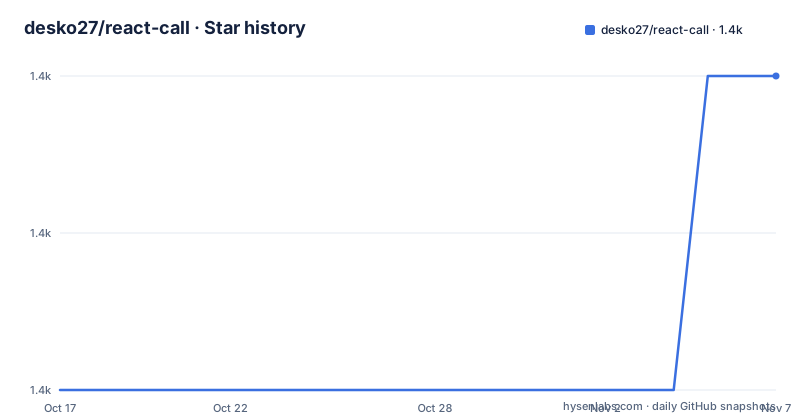
- desko27/react-call1,379 ★ · +2
| Repository | 2026-10-17 | 2026-11-07 |
|---|---|---|
| desko27/react-call | 1.4k | 1.4k |
2 Stars in the last 21 days, measured from the daily GitHub snapshot. Compare with other projects
Editorial analysis
Why react-call Fits Return-Value UI
react-call addresses a specific gap in React application structure: many interface components produce an answer for the code that opened them, but that answer is usually passed through callbacks or local state. A confirmation dialog needs to tell its caller whether the user accepted. A form modal may need to return entered data. A notification can be updated, dismissed, or replaced by later progress. The README describes confirmations, dialogs, form modals, toasts, notifications, context menus, pickers, and similar UI as good fits because they conceptually return a value to their caller.
The library addresses this with `createCallable()`. A component created through that function can be called from application code, and the call returns a promise. The promise resolves with the value passed to `call.end()`. This gives callers an `await` expression rather than requiring a callback prop or a shared state convention. The README describes the result as calling a React component like an async function.
This is useful for application code that already uses asynchronous control flow. A route handler, form action, event-driven workflow, or service layer can pause at a UI decision and continue after the component ends. The library does not replace React rendering. It changes the calling relationship between a component and the code that requests it. That distinction matters when deciding whether the abstraction is appropriate.
It is less suitable for components that are always present and do not produce a caller-facing result. A persistent navigation panel, standard form, or page section has no natural promise to resolve. Adding `createCallable()` to those components would introduce a Root and a call lifecycle without providing a clear benefit.
The Root, Promise, and `call.end()` Lifecycle
The callable component itself is the mounting point. The README instructs developers to render the callable component somewhere visible, for example in `App.tsx`. It listens for calls and renders active calls. A call therefore has two sides. The caller invokes `Component.call(props)`, while the component receives ordinary props plus a special `call` prop containing `end()`.
When a button or another event calls `call.end(true)`, the associated promise resolves with `true`. Passing another value, such as `false`, resolves the promise with that value. The component can retain local state and use React hooks, so the interaction remains ordinary React code. The response type is declared in the generic parameters of `createCallable<Props, Response>`.
The promise can also be retained by the caller. The README documents `Confirm.end(promise, false)` for ending one specific call from an event subscription, while `Confirm.end(false)` affects all ongoing calls when the promise is omitted. The same targeting pattern applies to updates. `Alert.update(promise, { message: 'Completed!' })` changes one call, while `Alert.update({ message: 'Completed!' })` updates all active alert calls.
This design gives the caller control over completion and mutation without adding a second communication protocol. It also creates a requirement: the callable component must be mounted somewhere visible before calls can be rendered. The README does not document a fallback for an unmounted Root or an automatic global registration mechanism.
Calling and Awaiting a Confirmation Dialog
The shortest documented path is to install the package, declare a callable component, render it as a Root, and await a call. The following example is based directly on the README's setup. The `Props` interface defines the message accepted by the dialog, and `Response` defines the value returned to the caller.
import { createCallable } from 'react-call'

interface Props { message: string }
type Response = boolean

export const Confirm = createCallable<Props, Response>(({ call, message }) => (
  <div role="dialog">
    <p>{message}</p>
    <button onClick={() => call.end(true)}>Yes</button>
    <button onClick={() => call.end(false)}>No</button>
  </div>
))
The callable is rendered in the application. The README presents this as a diff in `App.tsx`, where `<Confirm />` is the active-call mounting point.
+ <Confirm />
//  ^-- it will render active calls
Application code can then request the dialog and wait for its answer. The awaited value is `boolean`, so the result can be used in a conditional or passed onward.
const accepted = await Confirm.call({ message: 'Continue?' })The package is installed from npm with the documented command:
npm install react-callThis first use assumes a React application with a visible place for the Root. The README does not specify a CLI initializer, a server entry point, or a separate provider package, so those should not be added to the setup without consulting the project documentation.
Updating and Replacing Active Calls
The library supports workflows in which one call remains active while its props change. The README's update example creates an alert, performs an asynchronous operation, and then changes the alert message after the operation completes. This is a direct fit for progress feedback or long-running operations where the same visual instance should remain present.
const promise = Alert.call({ message: 'Starting operation...' })
await asyncOperation()
Alert.update(promise, { message: 'Completed!' })
The returned promise identifies the specific call. Omitting it applies the update to all ongoing calls. That omission is a meaningful API choice. It supports global operations such as changing every current alert, but it also means callers should pass the promise whenever targeting only one instance is required.
`upsert()` covers singleton-like UI. The README says it creates an instance when none exists, updates the current upsert instance when one exists, does not affect normal `call()` instances, and creates a new instance after the previous upsert instance ends. It returns the same promise for the active upsert instance, which allows a sequence of calls to act as repeated updates.
const promise1 = Toast.upsert({ message: 'Loading...' })
const promise2 = Toast.upsert({ message: 'Almost done...' })

console.log(promise1 === promise2) // true
This distinction prevents ordinary concurrent calls from being silently merged. It also means choosing between `call()` and `upsert()` is an application-level decision. Use `call()` when each request should have its own active instance. Use `upsert()` when a notification, loading state, or similar singleton display should be updated in place.
Exit Animations and Rendering Constraints
The README includes a dedicated exit-animation workflow. Its available text states that an animation duration in milliseconds can be passed when `call.end()` is run. The complete example is not visible in the README excerpt, so the exact configuration syntax cannot be reproduced safely. The documented principle is that the callable library can keep the component available during an exit animation rather than removing it immediately.
That behavior matters for dialogs and drawers. A component can resolve its promise while still completing a closing transition, provided the project follows the documented duration option. The README does not specify animation library compatibility, timing behavior after the duration expires, or what happens when an animation fails. Those details require checking the complete exit-animation documentation or source before relying on a particular transition.
The package also states support for SSR and React Native in its feature list. The repository includes documentation headings for SSR, Next.js and RSC, and lazy loading, but the README does not show their implementation details. It is therefore possible to confirm only that these topics are part of the documented scope, not the exact setup or limitations.
The callable Root requirement remains the main structural constraint described by the README. It must be placed where active calls can be seen. A component that is conditionally removed, hidden behind an unavailable route, or mounted only on a different rendering boundary may not provide the expected UI. The README table of contents includes a question about placing more than one Root, but the visible text does not provide its answer.
Repository Validation, Licensing, and Upgrades
The repository is a pnpm workspace with packages, applications, documentation directories, and a lockfile. Its root `package.json` declares `[email protected]`, Node `>=22`, and pnpm `>=11 <12`. The root scripts include a recursive build, Biome linting, TypeScript project checking, Vitest unit tests, distribution tests, package linting with `publint` and `attw`, and a size script. These files define a development workflow for package publication and type validation, although the repository description does not report command results.
The documented release sequence includes `[email protected]`, `[email protected]`, and `[email protected]`, with `2.0.2` dated 2026-06-21. The repository's last push was on 2026-10-01, and it is not archived. That date provides the relevant maintenance recency without establishing anything about adoption or production reliability.
The repository license is listed as unknown. The README includes an npm license badge, but the visible documentation does not state the license identifier or grant terms. Consumers who need to confirm redistribution, dependency, or compliance conditions must inspect the package's published license metadata and repository files directly. This is a licensing verification issue, not a conclusion about legal rights.
Upgrade cost is primarily API awareness. The README says the documentation covers v2, the current stable release, and directs users from 1.x to a migration section and a v1 README. The visible README text does not enumerate every v2 change, so an upgrade should be checked against the migration documentation rather than assumed to be a drop-in replacement. The release entries also show that 2.0.0 and 2.0.1 were followed by 2.0.2, which makes reading the migration notes a concrete step before changing an existing application.
When to Choose Another Approach
react-call is not a general replacement for React state libraries, routing systems, or form libraries. Its abstraction is specifically about a component invocation that eventually returns a value. If an interface is a permanent page region, a background service worker, or a continuously visible control, a normal React component is simpler because there is no caller waiting for a promise.
A traditional callback-based dialog library follows a different approach. The application passes an `onConfirm` or `onCancel` callback when opening the dialog, and the dialog invokes that callback later. That approach does not return a promise to the caller, but it also does not require callers to use async control flow. react-call is more suitable when the surrounding code naturally uses `await` and when a typed response value is more convenient than a callback contract.
State-management solutions are also different. A global store can hold dialog state and expose actions such as opening, updating, or closing a modal. That can work for complex application-wide UI state, but it makes the return path explicit through store updates and subscriptions. react-call instead represents the active call as a promise returned from the callable component and lets `call.end()` resolve it.
The library is a poor fit when callers need cancellation before a component starts, when a single call must be queued across multiple Roots, or when the application needs detailed inspection of pending calls. The README does not document those behaviors. It also does not expose a documented global registry for enumerating pending calls, so code should not assume that another package can manage them.
Editorial conclusion
Adopt react-call when a React component should resolve a promise for its caller, especially for confirmations, dialogs, and notifications. Do not adopt it as a general state manager or for UI that must remain continuously mounted without a Root. First verify package installation, Root placement, and whether the intended lifecycle requires updates, upsert behavior, exit animations, or server-side rendering.
Frequently asked questions
How do I install and use react-call in a React project?
Install it with `npm install react-call`, define a component with `createCallable()`, render that callable component somewhere visible, and call it with `await Component.call(props)`. The component resolves the promise through `call.end(value)`.
Can react-call update an active component without creating another one?
Yes. `Alert.update(promise, props)` updates a specific active call, while `Component.upsert(props)` updates an existing upsert instance or creates one when none exists. Normal `call()` instances are not affected by `upsert()`.
Does react-call work with React Native and server-side rendering?
The README lists React Native and SSR among its supported features. It also includes documentation sections for SSR and Next.js or RSC, but the visible README does not show the configuration details for either workflow.
Official sources
Add this badge to your README
If you maintain this project, the badge below links readers to this analysis and shows its maintenance status from the daily GitHub snapshot. Paste the markdown into your README; add ?metric=license or ?metric=stars to the image URL for a different field.

[](https://hysenlabs.com/projects/desko27-react-call)Star history chart for your README
[](https://hysenlabs.com/projects/desko27-react-call)Was this useful?