Lambda SQL Builder: A C# LINQ-to-SQL Translator That Avoids ORM Weight
A small independent library that will let you use standard C# and Linq to produce SQL queries
At a glance
- What is it?
- Lambda SQL Builder is a small .NET library that converts C# expressions and LINQ queries into SQL strings and parameters. It targets developers who want type-safe query writing without the overhead of a full ORM.
- Who is it for?
- Adopt Lambda SQL Builder if you are a .NET developer using micro-ORMs like Dapper and you want to write SQL queries in C# without losing type safety. Do not adopt it if you need full ORM features like change tracking, or if you must support databases beyond SQL Server 2008 and 2012; the README explicitly lists only those two.
- Can I use it commercially?
- Check first. The repository uses a licence we do not classify automatically, so read its LICENSE file before any commercial use.
- Is it still maintained?
- Probably not. The repository last received commits 113 months ago, on June 14, 2017.
- What is it written in?
- Mainly C#, according to GitHub's language statistics.
Answers come from the project's GitHub data, last synced on October 22, 2026, and from our analysis. They are not legal advice.
Star history
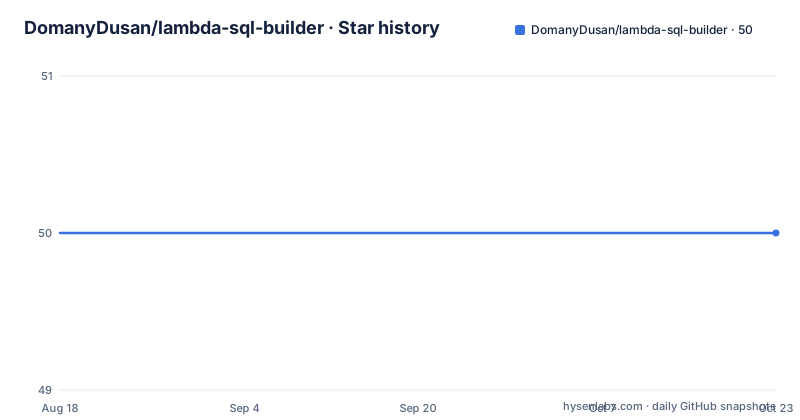
- DomanyDusan/lambda-sql-builder50 ★ · +0
| Repository | 2026-08-18 | 2026-10-22 |
|---|---|---|
| DomanyDusan/lambda-sql-builder | 50 | 50 |
0 Stars in the last 65 days, measured from the daily GitHub snapshot. Compare with other projects
Editorial analysis
The Problem: SQL Strings That Resist Refactoring
Lambda SQL Builder addresses a specific pain: writing raw SQL strings in C# code. The author describes moving from large ORMs like Entity Framework and NHibernate to micro-ORMs such as Dapper, and missing the ability to write queries in C#. Raw SQL strings are fragile; they break silently when you rename a property or change a table schema. This library aims to give you the type safety of LINQ without the overhead of change tracking or sessions. It is for developers who already use Dapper or SqlCommand and want to generate SQL strings programmatically, not for those seeking a full data access layer.
How It Works: Lambda Resolver and SQL Builder
The internal architecture is simple. A Lambda Resolver translates C# expression trees into SQL string fragments. A SQL Builder collects these fragments and stores them as individual clauses: Selection, Join, Order By, and so on. Each time you call a method on a SqlLam object, the expression is converted and appended to the relevant clause. If the expression contains variables, they are extracted into a dictionary of SQL parameters, preventing SQL injection. When you access the QueryString property, the clauses are combined into a single SQL statement. The QueryParameters property returns that dictionary. This design means the library produces parameterized queries, which is a clear security benefit over string concatenation.
Getting Started: Commands and Configuration
The README shows minimal setup. You create a SqlLam<T> instance with a lambda expression. For example, new SqlLam<Product>(p => p.ProductName == "Tofu") gives you a query object. You then pass query.QueryString and query.QueryParameters to Dapper's Query method. For SqlCommand, you manually iterate over the QueryParameters dictionary and call AddWithValue for each parameter. You can also use LINQ query syntax: from product in new SqlLam<Product>() where product.ProductName == "Tofu" select product. The library supports chaining methods like .Or() and .OrderByDescending(). The minimum .NET version is 4.0, so it works on older frameworks. No NuGet package or installation command is given; you likely need to build from source, though the README does not specify.
Supported Capabilities and Query Examples
The README demonstrates several query patterns. You can build complex conditions with .Or(), order by descending, and create joins using either LINQ join syntax or a .Join<T>() method with a lambda. There is also a WhereIsIn method that supports both an array of values and a subquery. For example, you can create a subquery for category IDs and then use it in a WhereIsIn clause on a product query. This covers common scenarios like filtering, joining, and subqueries. The author claims to have replaced 99% of queries in their projects, but that is anecdotal. The reference section says a deeper description will come later, and points to unit tests for more examples, but the README does not list test names or coverage.
Limitations: Database Support and Scope
The library has clear boundaries. It only supports SQL Server 2008 and SQL Server 2012. The README says additional SQL adapters are in development, but none are listed. If you use PostgreSQL, MySQL, or SQLite, this is not the tool. It also does not aim to cover the whole SQL world; the author states that explicitly. This means advanced features like window functions, CTEs, or database-specific functions may not be supported. The library is independent, so it does not integrate with an ORM's unit of work or identity map. You must manage connections and transactions yourself. Also, the license is marked NOASSERTION, which means the licensing terms are unclear; you should investigate before using it in commercial projects.
Alternatives: Dapper and LINQ to SQL
A direct alternative is to use Dapper's own dynamic query building, but Dapper does not generate SQL from C# expressions; you write raw SQL strings. Another alternative is LINQ to SQL, which the author used before, but it is tied to a specific database and is largely deprecated. Entity Framework's LINQ provider generates SQL but brings heavy overhead. The key difference with Lambda SQL Builder is its narrow focus: it only generates SQL strings and parameters, leaving execution to you. This is a different trade-off: you get type safety in query construction, but you lose the automatic mapping and change tracking of a full ORM. If you need those, this library is the wrong choice.
Maintenance and Upgrade Considerations
The repository shows no recent releases and the last push is unknown. The default branch is master, and the project is not archived, but the lack of version history is a concern. The README mentions support for .NET 4.0, which is old; modern .NET Core or .NET 5+ is not mentioned. Upgrading to newer .NET versions may require changes, but the README does not address that. The license being NOASSERTION is a red flag for adoption; you need to clarify the license terms before using it. The author says they will be glad if you like the tool and asks for feedback, which suggests a small, possibly single-maintainer project. There is no documentation on how to build or install, so you must rely on the repository's existing structure.
Editorial conclusion
Adopt Lambda SQL Builder if you are a .NET developer using micro-ORMs like Dapper and you want to write SQL queries in C# without losing type safety. Do not adopt it if you need full ORM features like change tracking, or if you must support databases beyond SQL Server 2008 and 2012; the README explicitly lists only those two. Before relying on it, verify that the library is still maintained, since the repository shows no recent releases and the last push is unknown. Also check the unit tests for coverage of the specific query patterns you need, as the README refers to them for more examples.
Frequently asked questions
What is a query builder in the lambda-sql-builder sense?
It is a C# expression or LINQ query that produces two outputs instead of a result set: a QueryString property holding the SQL statement, and a QueryParameters property holding a dictionary of SQL parameters. You execute them yourself with Dapper, SqlCommand or another data access layer.
How does lambda-sql-builder work internally?
A Lambda Resolver translates the C# code into SQL strings, and a SQL Builder collects them as individual clauses such as Selection, Join and Order By. Each method call is stored into its related clause, variables go into the parameter dictionary, and the clauses are combined into one statement when QueryString is requested.
Which databases and .NET versions does lambda-sql-builder support?
Apart from standard SQL queries, SQL Server 2008 and SQL Server 2012 are named as supported, with additional database-specific adapters still in development. The minimum .NET version required is 4.0.
Can lambda-sql-builder be used with Dapper or NHibernate?
Yes. It is meant to sit beside a data access layer rather than replace one, usable with SqlCommand, Dapper, or NHibernate, and it deliberately has no change tracking and no sessions. It is not intended to cover the whole SQL world.
Official sources
Add this badge to your README
If you maintain this project, the badge below links readers to this analysis and shows its maintenance status from the daily GitHub snapshot. Paste the markdown into your README; add ?metric=license or ?metric=stars to the image URL for a different field.

[](https://hysenlabs.com/projects/domanydusan-lambda-sql-builder)Star history chart for your README
[](https://hysenlabs.com/projects/domanydusan-lambda-sql-builder)