all-the-icons.el for Emacs: Installation, Icon Selection, and Font Setup
A utility package to collect various Icon Fonts and propertize them within Emacs.
At a glance
- What is it?
- all-the-icons.el gives Emacs users a collection of Font Awesome, Octicon, Weather Icon, Material Design, and file icon fonts through Lisp functions. Installation also requires font files or a font installation command, and incorrect font configuration can produce missing glyphs.
- Who is it for?
- Adopt all-the-icons.el if you want configurable icon fonts in Emacs and are prepared to install the included font resources or run the documented font installation command. Do not adopt it if a terminal-only Emacs configuration or a setup without font configuration support is required.
- Can I use it commercially?
- Yes. MIT is a permissive licence: you can use, modify and sell software built on it, as long as you keep its copyright and licence notices.
- Is it still maintained?
- Yes. The repository last received commits 155 days ago.
- What is it written in?
- Mainly Emacs Lisp, according to GitHub's language statistics.
Answers come from the project's GitHub data, last synced on October 23, 2026, and from our analysis. They are not legal advice.
Star history
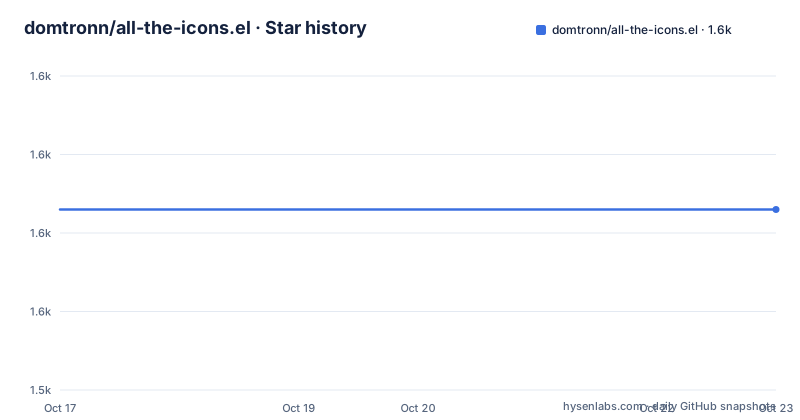
- domtronn/all-the-icons.el1,563 ★ · +0
| Repository | 2026-10-17 | 2026-10-23 |
|---|---|---|
| domtronn/all-the-icons.el | 1.6k | 1.6k |
0 Stars in the last 6 days, measured from the daily GitHub snapshot. Compare with other projects
Editorial analysis
What all-the-icons.el Adds to Emacs
all-the-icons.el is a utility package for collecting icon fonts and exposing them as Emacs Lisp functions. It is aimed at users who want file, directory, buffer, mode, or URL icons in their Emacs interface. The package does not create icons as images. Instead, it maps names and object types to characters from installed font families, then returns those characters with display properties such as font family, height, color, and vertical adjustment.
The package supports several icon families, including Font Awesome, Octicon, Weather Icon, file icons, Material icons, and the `alltheicon` set. Automatic selection is available through functions such as `all-the-icons-icon-for-buffer`, `all-the-icons-icon-for-dir`, `all-the-icons-icon-for-file`, `all-the-icons-icon-for-mode`, and `all-the-icons-icon-for-url`. This is useful when an Emacs configuration needs a consistent visual treatment without requiring the user to know the character code for every icon.
The README presents this as a font-dependent package, not a standalone icon renderer. The underlying font resources must be installed for the glyphs to appear correctly. That dependency is the main adoption constraint. A user can load the Lisp package successfully and still see placeholder glyphs if the font files are missing, the font cache is stale, or the Emacs fontset does not include the required family.
How all-the-icons.el Selects and Formats Icons
Automatic functions first classify the requested Emacs object and then return a propertized icon. For example, `all-the-icons-icon-for-file` receives a filename and returns a display property describing the selected glyph. The README's example for `foo.js` returns a `js-icon` character with a face that specifies the `alltheicon` family, a height of `1.08`, and the foreground color `#FFD446`.
Direct icon functions bypass automatic selection. `all-the-icons-alltheicon`, `all-the-icons-faicon`, `all-the-icons-fileicon`, `all-the-icons-octicon`, and `all-the-icons-wicon` require the caller to choose the family and icon name. For example, `all-the-icons-octicon` can select `file-binary`, `all-the-icons-faicon` can select `cogs`, and `all-the-icons-wicon` can select `tornado`. This direct approach is the more predictable choice when a mode line, dashboard, or custom buffer needs an exact symbol.
The functions accept formatting properties. The documented properties are `:height`, `:v-adjust`, and `:face`. The first controls icon height, the second shifts the glyph vertically, and the third selects a face. A face such as `all-the-icons-blue` can therefore be passed to a direct icon function, while `:height` and `:face` can also be passed to automatic functions for files and modes. Global defaults are controlled by `all-the-icons-scale-factor` and `all-the-icons-default-adjust`. Family-specific defaults use variables of the form `all-the-icons-{familyname}-scale-factor` and `all-the-icons-default-{familyname}-adjust`.
Installing the Package and Its Resource Fonts
The README says to add the package to the Emacs load path and require it only when a graphical display is available. The package can also be loaded through `use-package`.
(when (display-graphic-p)
  (require 'all-the-icons))
;; or
(use-package all-the-icons
  :if (display-graphic-p))
Loading the Lisp package does not install its fonts. The README specifically directs users to the `fonts` directory for the included resource fonts. The documented interactive command installs the latest fonts for the detected operating system.
M-x all-the-icons-install-fontsOn macOS and Linux, this command also runs `fc-cache -f -v`, which the README warns can take some time. On Windows, it prompts for a download directory so the fonts can be installed manually. The first use therefore has two parts: load the Emacs package and make the font resources available to the system. The README does not provide package-manager version pins or a separate command for selecting a local `fonts` directory.
A First File Icon in an Emacs Buffer
After loading the package and installing the fonts, the simplest documented workflow is to insert an automatically selected file icon. The following form inserts the icon returned for a JavaScript filename.
(insert (all-the-icons-icon-for-file "foo.js"))The returned value is a propertized string rather than a bitmap. The README shows a result containing `js-icon`, a display raise value, the `alltheicon` family, a height of `1.08`, and a foreground color. If the glyph appears as a placeholder, the issue is more likely to involve fonts or font configuration than the file-selection call.
For a custom interface, direct selection gives the author control over both the family and the icon name. This example selects a binary-file Octicon and a cogs Font Awesome icon.
(all-the-icons-octicon "file-binary")
(all-the-icons-faicon "cogs")
(all-the-icons-wicon "tornado")
The README lists valid family names as `material`, `wicon`, `octicon`, `faicon`, `fileicon`, and `alltheicon`. The available names can be found in the `data` directory or by inspecting alist variables prefixed with `all-the-icons-data/`.
Propertizing Icons for Custom Emacs UI Code
Automatic icon functions are convenient for ordinary insertions, while direct functions are useful when a configuration needs a specific glyph. There is a second level of control for callers that already know which family and icon they want. In that case, Emacs's `propertize` can be used with the package's icon functions.
(propertize (all-the-icons-octicon "package")
            'face `(:family ,(all-the-icons-octicon-family) :height 1.2)
            'display '(raise -0.1))
The README presents this pattern for custom mode-line work and other interfaces where the current font family needs to be overridden. The returned Octicon supplies the character, while the explicit `face` supplies the family and height and the `display` property supplies the vertical adjustment. This differs from simply calling `all-the-icons-octicon`: the caller takes responsibility for the display properties.
For debugging, the package also provides `all-the-icons-insert-icons-for`. The family can be passed with an optional height and delay. These commands are intended to print the available glyphs so a user can identify whether a particular family is rendering incorrectly. The README lists examples for `alltheicon`, `octicon`, and `faicon`.
Font Troubleshooting and Configuration Boundaries
Missing glyphs, also called tofus, have several documented causes. Network failures can prevent the font installation command from downloading fonts. On Unix-like systems, the font cache may need to be rebuilt. The README states that `all-the-icons-install-fonts` runs `fc-cache -f -v` on macOS and Linux, but it also warns that this step can fail because of system configuration. Emacs font settings can also override or omit the expected families.
The README gives a specific diagnostic path. First, print an icon family with `all-the-icons-insert-icons-for`. Then look up the icon's hexadecimal code in the relevant `data/data-[font-family].el` file. After that, use `M-x describe-fontset RET RET`, find the corresponding hexadecimal range, and inspect the fontspec entries around it. A missing family or an earlier fontspec that intercepts the range can explain the wrong result.
This package is a poor fit for a purely terminal-oriented Emacs setup. The documented load condition uses `display-graphic-p`, which indicates that the package is intended for graphical display contexts. It is also a poor fit when the operating system prevents installation of font resources, because the package depends on the font files and the active fontset rather than carrying a complete image renderer.
Maintenance, Licensing, and the Alternative Approach
The repository uses the MIT license.
The repository is not archived, and the last push was on 2026-05-21. The repository has no GitHub releases, so the README's installation guidance and the repository's `master` branch are the available release references. Upgrading may therefore require reviewing the package source and font files rather than selecting a documented release version. The README does not document a rollback procedure or a compatibility matrix for Emacs versions and operating systems.
The main alternative inside this package is to choose automatic selection versus direct icon selection. Automatic functions such as `all-the-icons-icon-for-file` let the package decide which glyph fits a filename, buffer, mode, directory, or URL. Direct functions require the caller to name the font family and icon, which adds configuration work but gives exact control. A third approach is to take the character returned by a direct function and add `propertize` properties manually, as shown for mode-line customization. Users needing fixed semantics should prefer direct calls; users wanting automatic file decoration should prefer the selector functions.
Editorial conclusion
Adopt all-the-icons.el if you want configurable icon fonts in Emacs and are prepared to install the included font resources or run the documented font installation command. Do not adopt it if a terminal-only Emacs configuration or a setup without font configuration support is required. Check `all-the-icons-install-fonts`, the active Emacs fontset, and the relevant `data/data-[font-family].el` file first. The repository is not archived, but its last push was on 2026-05-21, and it has no GitHub releases.
Frequently asked questions
How do I install all-the-icons.el in Emacs?
The README says to add the package to the load path and require it with `all-the-icons` when `display-graphic-p` returns non-nil, or to load it with `use-package`. The package is linked from MELPA and stable MELPA in the README.
How do I install the fonts required by all-the-icons.el?
Use the included fonts from the repository's `fonts` directory or run `M-x all-the-icons-install-fonts`. On macOS and Linux, the command also runs `fc-cache -f -v`; on Windows, it prompts for a download directory.
Why does all-the-icons.el show placeholder boxes or the wrong icons?
The README identifies font download failures, an outdated or incorrectly configured font cache, and Emacs fontset configuration as common causes. It recommends checking the hexadecimal range for the icon in `data/data-[font-family].el` and inspecting the active fontset with `M-x describe-fontset RET RET`.
Official sources
Add this badge to your README
If you maintain this project, the badge below links readers to this analysis and shows its maintenance status from the daily GitHub snapshot. Paste the markdown into your README; add ?metric=license or ?metric=stars to the image URL for a different field.

[](https://hysenlabs.com/projects/domtronn-all-the-icons-el)Star history chart for your README
[](https://hysenlabs.com/projects/domtronn-all-the-icons-el)Was this useful?