EntityFramework.Docs: the source behind learn.microsoft.com/ef
Documentation for Entity Framework Core and Entity Framework 6
At a glance
- What is it?
- This repository holds the documentation source for Entity Framework Core and EF6 that Microsoft publishes at learn.microsoft.com/ef, licensed CC-BY-4.0 with a separate code licence for samples. Bugs go elsewhere; only doc fixes go here.
- Who is it for?
- Adopt this repository if you maintain documentation that Microsoft renders at learn.microsoft.com/ef, or if you want to fix a page there yourself, since the README documents a browser-only pull request path that needs no local setup. Do not file product bugs here, because the routing is explicit: bugs for EF Core go to the dotnet/efcore repository and EF6 bugs to the dotnet/ef6 repository.
- Can I use it commercially?
- Yes, with credit. CC-BY-4.0 allows commercial use as long as you credit the authors and indicate what you changed. It is written for creative content, so check how it applies to any code.
- Is it still maintained?
- Yes. The repository last received commits 2 days ago.
- What is it written in?
- Mainly Mermaid, according to GitHub's language statistics.
Answers come from the project's GitHub data, last synced on November 6, 2026, and from our analysis. They are not legal advice.
Star history
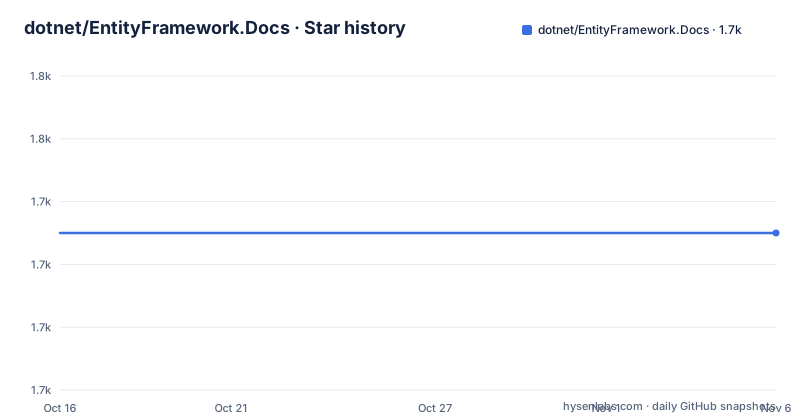
- dotnet/EntityFramework.Docs1,735 ★ · +0
| Repository | 2026-10-16 | 2026-11-06 |
|---|---|---|
| dotnet/EntityFramework.Docs | 1.7k | 1.7k |
0 Stars in the last 21 days, measured from the daily GitHub snapshot. Compare with other projects
Editorial analysis
Docs in one repo, bugs in two others
The routing rule is the first thing the README states and it governs everything else. This repository contains the source for EF Core and EF6 documentation published at the Entity Framework documentation site. Documentation issues for both versions should be filed here. Product issues, meaning bugs, should be filed in the EF Core repo or the EF6 repo as appropriate.
Three repositories, one split, and the split is by kind of report rather than by version. A doc fix for EF6 and a doc fix for EF Core both land here; a bug in either goes to its own product repository.
The published output is learn.microsoft.com/ef, which is the same URL the README links. So this is not a mirror or an archive of the docs, it is the place the text is authored, with the Microsoft Learn site as the rendering target. That distinction matters if you have found an error on the site and want to fix it, because the site is not where the fix goes.
The project description covers both generations, EF Core and EF 6, and the repository topics list documentation, entity-framework, entity-framework-core, entity-framework-6 and orm. The primary language detected for the repository is Mermaid, which says more about the shape of the content than a conventional language would: a lot of what lives here is prose plus diagrams, and the diagrams are the diagrams.
Fixing a typo takes four clicks and no local checkout
The README's preferred contribution path for small corrections avoids the clone entirely, which is unusual and worth using.
From the upper right corner of the document, select the pen icon. The README warns that you might need to make the browser window wider to see it. Then click the edit button to edit in your web browser, make the change, add a title and description, and use the Create a new branch and start a pull request option.
That is the whole procedure. No fork to keep in sync, no documentation toolchain to install, no build step. The README frames it as a preference rather than a requirement, suggesting you send a pull request rather than filing an issue for typos, spelling and grammar.
Cloning is still supported, described as doing a GitHub pull request in the normal way. So the choice is between a fast browser edit for a one-word fix and a local workflow for anything larger, and the threshold between them is exactly where the README draws its next section.
Anything substantial means reading CONTRIBUTING.md first
Substantial changes are also welcomed as pull requests, but the README attaches a condition: read the contributing guidelines before submitting. That file, CONTRIBUTING.md, is where two specific things live.
The first is how to build the docs locally. The repository root carries an .openpublishing.publish.config.json and an .openpublishing.redirection.json, which is the Open Publishing configuration Microsoft Learn uses to decide how content is rendered and where moved pages redirect. There is also .markdownlint.json for Markdown lint rules, a .vscode/ directory with recommended settings, and a .agents/ directory, so a contributor's editor and any tooling expectations are configured in the repository rather than left to habit.
The second is style and organizational guidance, which the README separates from the build instructions but treats as equally mandatory. For a documentation project, structure is not cosmetic: page layout, heading levels, metadata front matter and inclusion patterns all affect what the published site renders, and a change that is correct as Markdown can still be wrong as Learn content.
The .gitattributes file at the root is relevant here too, since documentation repositories routinely need line ending and file handling rules kept consistent across contributors on different platforms.
CC-BY-4.0 for the prose, a separate licence for the samples
The licensing setup has two parts and conflating them would be a mistake for anyone reusing this content.
The repository is licensed CC-BY-4.0, which covers the documentation prose. Attribution-based reuse of the text is permitted under those terms.
The root also carries a LICENSE-CODE file and a ThirdPartyNotices directory. Code samples do not fall under CC-BY-4.0, and the separate code licence file exists precisely because the samples are a different kind of material from the explanations around them. If you copy a sample out of this repository into your own application, the licence that applies is the one in LICENSE-CODE, not the Creative Commons terms on the prose.
ThirdPartyNotices is the third piece, and its presence is the signal that at least some samples incorporate code or assets from elsewhere, which means the notices directory is part of the licensing surface rather than boilerplate. Read it before redistributing a sample bundle wholesale.
For most contributors this matters only when publishing, but for anyone who wants to lift an Entity Framework example into a tutorial or internal guide, that is the moment to read all three.
entity-framework/ for pages, samples/ for runnable code
The repository has two content roots, and the difference between them determines what you are editing.
entity-framework/ is the documentation itself. samples/ holds code, and it is organised like a real project rather than a flat folder of snippets. There is a samples/global.json pinning the .NET SDK version, samples/NuGet.Config defining package sources for restore, and subdirectories core/ and end2end/.
That layout carries an implication for anyone contributing code samples. A sample that does not restore and run is not really finished, and global.json and NuGet.Config exist so that the pinned SDK and the package sources make that reproducible. The end2end/ directory suggests some samples are verified as complete workflows rather than illustrative fragments.
The configuration split also tells you the sample dependencies are resolved independently of your machine's defaults, which is the standard trick for keeping contributor machines and CI on the same package versions.
The repository carries the usual governance files alongside these: CODE_OF_CONDUCT.md and CONTRIBUTING.md at the root, plus a .github/ directory. Documentation repositories rarely have a test suite of their own, because the rendering pipeline and the sample builds are the real verification, and that verification happens on Microsoft's side rather than in a pull request check you can see from here.
What this repository is not, and when to use the product repos instead
The wrong-tool case is straightforward: if you have found a bug in Entity Framework, this is not the place. A model that will not materialise, a migration that produces wrong SQL, a query that throws at runtime: those belong in the EF Core or EF6 product repository, and filing them here produces a triage bounce rather than a fix.
The second wrong-tool case is reading this repository as documentation. If you want to know how migrations work in EF Core, learn.microsoft.com/ef is the rendered form of this content and is far easier to consume than the Markdown sources with their front matter and inclusion references. Clone this only if you intend to change it.
The alternative to contributing here is simply using the published docs, which are CC-BY-4.0 and can be quoted and adapted with attribution. For most readers that is the entire relationship with this project, and it is a legitimate one.
The thing to be aware of is that documentation and product change on different clocks. The last push here was on 2026-10-16, on the main branch, and there are no GitHub releases for a documentation source, which is expected. When you are checking behaviour against a specific Entity Framework version, the page you read tells you which version it documents, and that is the number to reconcile with the package you have installed.
Editorial conclusion
Adopt this repository if you maintain documentation that Microsoft renders at learn.microsoft.com/ef, or if you want to fix a page there yourself, since the README documents a browser-only pull request path that needs no local setup. Do not file product bugs here, because the routing is explicit: bugs for EF Core go to the dotnet/efcore repository and EF6 bugs to the dotnet/ef6 repository. Before you submit anything larger than a typo fix, read CONTRIBUTING.md, which is where the local build instructions and the style guidance live, and note that the samples carry their own licence file separate from the CC-BY-4.0 that covers the prose.
Frequently asked questions
Where do I file a bug for Entity Framework?
Not in this repository. The README says documentation issues for EF Core and EF6 go here, while product bugs should be filed in the EF Core repo or the EF6 repo as appropriate.
How do I fix a typo in the Entity Framework documentation?
Use the pen icon in the upper right corner of the page, click the edit button, make the change in the browser, then add a title and description and choose Create a new branch and start a pull request. You may need a wider browser window to see the pen icon.
What licence covers the Entity Framework docs and samples?
The repository is licensed CC-BY-4.0 for the documentation, while a separate LICENSE-CODE file covers code samples. There is also a ThirdPartyNotices directory for incorporated third party material.
What do I need to read before making a substantial documentation change?
CONTRIBUTING.md, which the README names as containing information on how to build the docs locally as well as style and organizational guidance. The root also carries .openpublishing.publish.config.json and .markdownlint.json.
How are the code samples in EntityFramework.Docs organised?
Under samples/, with samples/global.json pinning the SDK version, samples/NuGet.Config for package sources, and subdirectories including core/ and end2end/.
Official sources
Add this badge to your README
If you maintain this project, the badge below links readers to this analysis and shows its maintenance status from the daily GitHub snapshot. Paste the markdown into your README; add ?metric=license or ?metric=stars to the image URL for a different field.

[](https://hysenlabs.com/projects/dotnet-entityframework-docs)Star history chart for your README
[](https://hysenlabs.com/projects/dotnet-entityframework-docs)Was this useful?