dotnet/wcf ships the WCF client half only, and two of its packages are already dead
This repo contains the client-oriented WCF libraries that enable applications built on .NET Core to communicate with WCF services.
At a glance
- What is it?
- This repository is the .NET Core port of the Windows Communication Foundation client libraries, split into small NuGet packages such as System.ServiceModel.Primitives, System.ServiceModel.Http and System.ServiceModel.NetTcp, with the server half left on .NET Framework. It suits an application that must consume an existing WCF service from .NET or Linux, and the package deprecations tell you where that story ends.
- Who is it for?
- Adopt dotnet/wcf if you have a WCF service you do not control and a .NET application that has to call it, since consuming an existing SOAP endpoint is exactly the half this repository keeps alive. Do not adopt it for new service design or for features outside the Windows 8.1 Store API surface, which the README names as the current parity target.
- Can I use it commercially?
- Yes. MIT is a permissive licence: you can use, modify and sell software built on it, as long as you keep its copyright and licence notices.
- Is it still maintained?
- Yes. The repository last received commits 3 days ago.
- What is it written in?
- Mainly C#, according to GitHub's language statistics.
Answers come from the project's GitHub data, last synced on October 23, 2026, and from our analysis. They are not legal advice.
Star history
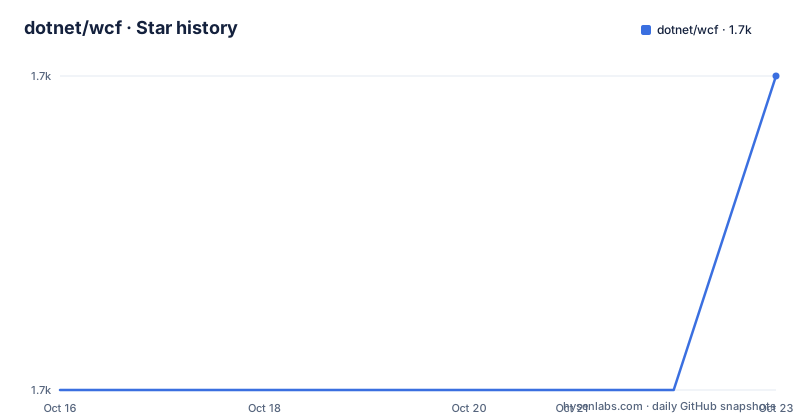
- dotnet/wcf1,749 ★ · +1
| Repository | 2026-10-16 | 2026-10-23 |
|---|---|---|
| dotnet/wcf | 1.7k | 1.7k |
1 Stars in the last 7 days, measured from the daily GitHub snapshot. Compare with other projects
Editorial analysis
Client only, and that boundary is the whole point
The repository description is precise about scope: client-oriented WCF libraries that let applications built on .NET Core communicate with WCF services. There is no server implementation here. Windows Communication Foundation on .NET Framework had both halves, and this repository is the client half ported forward.
That framing explains the audience. The README says the libraries suit mobile devices or mid-tier servers that need to talk to existing WCF services, and lists .NET Core apps including Windows UWP and ASP.NET Core as consumers. If you control the service too, the usual advice is to move off WCF; if you do not, this is the supported way to keep calling it from modern code.
Parity is bounded and the README says so plainly. The port is a subset of the .NET Framework version and currently supports the same API surface available for Windows 8.1 Store apps, with the stated goal of reaching parity with the corresponding Windows Store libraries and then improving. That is a real constraint when you are porting code that used a desktop-only binding or feature.
The reach argument follows from the port. Because it runs on .NET Core, the README argues it can reach PCs, laptops, mobile, Xbox and HoloLens, and can be ported to other operating systems with Linux and OS X support. In practice that means the same client code compiles for a phone and for a Linux service.
One repository, many small NuGet packages, two already deprecated
The component table is the useful part of the README. Each row is a separate NuGet package, so you take only what a given call site needs rather than a single WCF assembly.
System.ServiceModel.Primitives provides the common types used by all of the WCF libraries, so it is the floor under everything else. System.ServiceModel.Http provides the types that permit SOAP messages to be exchanged over HTTP, with BasicHttpBinding named as the example. System.ServiceModel.NetTcp does the same over TCP, with NetTcpBinding as the example. System.ServiceModel.Federation covers types for federation-related scenarios, and the table continues past the visible portion.
Two entries carry a warning that changes planning. System.ServiceModel.Duplex, which provides the types for two-way message exchanges, is deprecated with 6.0 as its last release. System.ServiceModel.Security, which supports additional security features, is deprecated on the same terms.
Read those as a boundary on the API, not just a packaging note. If your design relies on duplex sessions or on WCF's security stack, you are building on parts that no longer receive releases, and any fix will have to come from you. That is worth knowing before, not after, you have designed around them.
Two solutions in the tree tell you what is built here
The root directory is the clearest view of the build. There is System.ServiceModel.sln, which is the library set itself, and two more: dotnet-svcutil.sln and dotnet-svcutil.xmlserializer.sln.
The presence of two svcutil solutions says the tooling is part of the project rather than an afterthought. The release list corroborates this: v8.0.0-rtm-dotnet-svcutil (dotnet-svcutil 8.0.0) appears as its own tag dated 2025-03-18, shipped alongside the library versions rather than buried in them.
So the answer to how you get a client for a service you do not own is not only the runtime packages.
Supporting infrastructure is visible too: a global.json pinning the SDK, Directory.Build.props and Directory.Build.targets for shared build settings, eng/ for the engineering scripts, release-notes/ for release history, and CodeQL analysis wired through azure-pipelines-codeql.yml with a.CodeQL.yml configuration. There are two pipeline definitions, azure-pipelines-arcade.yml and azure-pipelines-arcade-PR.yml, and build.sh alongside build.cmd for building on Unix and Windows.
Package references and first use, at the level the README allows
The README documents the components and points at NuGet for each one; it does not print an install command or a code sample, so the honest first step is a package reference by exact package name. For a call site that speaks SOAP over HTTP, the set is System.ServiceModel.Primitives for the shared types plus System.ServiceModel.Http for the binding. Take the version from the NuGet package page the README links and check the compatibility table for your target framework before committing to a number. If the service is NetTcp rather than HTTP, the second reference becomes System.ServiceModel.NetTcp, since the component table names NetTcpBinding as that package's example.
Build the repository itself with the checked-in script, which is build.sh on Unix or build.cmd on Windows.
What the README does not document is worth stating: there is no sample application in the tree, no quickstart, and no troubleshooting section. The Documentation/ directory holds contributing, developer and issue guides, which are for working on the project rather than consuming it. Plan on reading the API surface on learn.microsoft.com and the package pages, not on a tutorial here.
Where this is the wrong choice
Four cases, and two of them are about direction rather than capability.
If you are building a new service, do not start with WCF. This repository cannot host one, and the client libraries here would mean writing a client for a stack you chose to avoid.
If you need duplex or the WCF security stack, you are on deprecated packages. System.ServiceModel.Duplex and System.ServiceModel.Security stopped at 6.0, so a security fix in either will not arrive from this project.
If your existing code used a full .NET Framework feature outside the Windows 8.1 Store API surface, porting may not be mechanical. The README frames parity as a goal against that Store surface, and it also notes several features are still work in progress.
If you are starting a new integration, this is a legacy path with an end in sight. The value is entirely in the constraint of the server on the other end.
Security reporting follows the .NET Foundation process rather than a public tracker: the README directs security issues to the Microsoft Security Response Center at [email protected] with a 24 hour response expectation, and points at the Security TechCenter for the PGP key. Licence is MIT, with third-party notices collected in THIRD-PARTY-NOTICES.TXT, so redistribution obligations are the standard MIT notice.
How it differs from CoreWCF and from plain generated code
The other alternative is to skip WCF entirely on the client. If the service exposes a plain HTTP or REST API, a typed HttpClient call is less code than a binding plus a message contract, and there is no SOAP envelope to debug. If the service is SOAP-only and you cannot change it, an alternative is generating a client from the WSDL with a general-purpose tool and calling it with plain HttpClient, which works but hands you serialization, headers and fault handling that WCF would have handled.
The trade in both comparisons is the same. WCF client libraries give you message contracts, bindings, security configuration and fault handling matching what the server expects, at the cost of learning a stack whose server half you are not building on. Skip them only when the service gives you a choice.
Editorial conclusion
Adopt dotnet/wcf if you have a WCF service you do not control and a .NET application that has to call it, since consuming an existing SOAP endpoint is exactly the half this repository keeps alive. Do not adopt it for new service design or for features outside the Windows 8.1 Store API surface, which the README names as the current parity target. Check first which bindings you actually need against the package list, because System.ServiceModel.Duplex and System.ServiceModel.Security are marked deprecated with 6.0 as their last release, and pin a version that matches your runtime before you rely on the v10.0.0-rtm tag dated 2025-11-11.
Frequently asked questions
What is in the dotnet/wcf repository?
The .NET Core version of the Windows Communication Foundation client libraries, published as separate NuGet packages including System.ServiceModel.Primitives, System.ServiceModel.Http and System.ServiceModel.NetTcp. It contains no server implementation.
Which WCF packages are deprecated?
System.ServiceModel.Duplex, which provides types for two-way message exchanges, and System.ServiceModel.Security, which supports additional security features. The component table states that 6.0 is the last release of each of those packages.
Does dotnet/wcf support Linux?
Yes, by way of .NET Core. The README says it can be ported to other operating systems since it runs on .NET Core, which adds support for Linux and OS X, and names mobile devices and mid-tier servers as target scenarios.
How do I generate a client for an existing WCF service?
The root contains dotnet-svcutil.sln and dotnet-svcutil.xmlserializer.sln, and the repository has a dotnet-svcutil 8.0.0 release. No invocation command is documented here.
How do I report a security issue in dotnet/wcf?
Privately by email to the Microsoft Security Response Center at [email protected], with a stated 24 hour response expectation, rather than in a public issue. The README points to the Security TechCenter page for the MSRC PGP key.
Official sources
Add this badge to your README
If you maintain this project, the badge below links readers to this analysis and shows its maintenance status from the daily GitHub snapshot. Paste the markdown into your README; add ?metric=license or ?metric=stars to the image URL for a different field.

[](https://hysenlabs.com/projects/dotnet-wcf)Star history chart for your README
[](https://hysenlabs.com/projects/dotnet-wcf)Was this useful?