element-plus-vite-starter: the smallest useful Element Plus and Vite setup
🌰 A starter kit for Element Plus with Vite
At a glance
- What is it?
- This starter kit shows how to use Element Plus with on-demand component imports through unplugin-vue-components, on Vite 8 and Vue 3.5, with pnpm as the pinned package manager. It is a reference project rather than a framework, and the interesting decisions are the ones it makes about the build.
- Who is it for?
- element-plus-vite-starter fits a team starting a Vue 3 project that will use Element Plus and wants the on-demand import wiring already in place instead of copying snippets from documentation. It is the wrong starting point if you need Nuxt, since a separate Nuxt starter exists, or if you want a full admin scaffold, since this is a minimal example rather than a template with pages and layouts.
- Can I use it commercially?
- Not without permission. GitHub finds no licence file in the repository, and without a licence all rights are reserved by default: you may read the code but not reuse it. Check the README, or ask the authors, before using it.
- Is it still maintained?
- Yes. The repository last received commits 50 days ago.
- What is it written in?
- Mainly Vue, according to GitHub's language statistics.
Answers come from the project's GitHub data, last synced on October 25, 2026, and from our analysis. They are not legal advice.
Star history
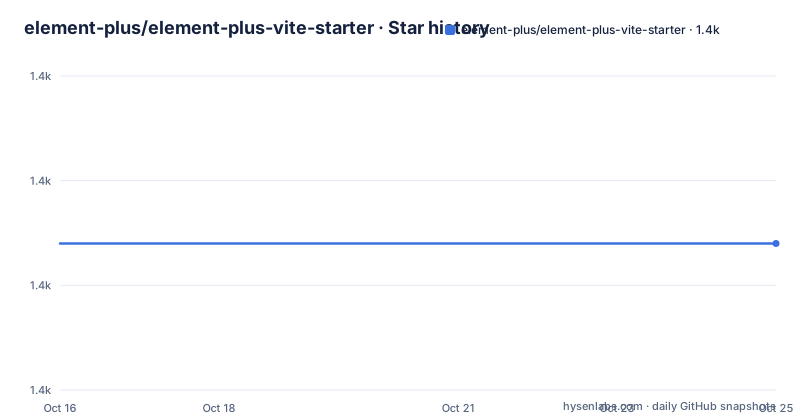
- element-plus/element-plus-vite-starter1,414 ★ · +0
| Repository | 2026-10-16 | 2026-10-25 |
|---|---|---|
| element-plus/element-plus-vite-starter | 1.4k | 1.4k |
0 Stars in the last 9 days, measured from the daily GitHub snapshot. Compare with other projects
Editorial analysis
The point of the starter is on-demand imports, not the boilerplate
A starter kit for a component library is usually a wrapper around a quick start guide, and the value of reading one is small unless the starter makes a specific decision you would otherwise have to make yourself. This one does, and the decision is stated in the first lines: this is an example of on-demand element-plus with unplugin-vue-components.
On-demand import means the component resolver scans your source, finds the Element Plus components you actually used, and wires only those into the build. The alternative, which the same project points out, is to import everything, which may be so simple that no examples are needed, since you just follow the quick start documentation and import them.
That admission is the useful part, because it tells you what this repository is for. If bundle size is not a concern for your application, the manual route is fewer moving parts. This starter exists to show the resolver path, and to give you a working configuration of it rather than a description of it.
The build configuration that makes it work lives in `vite.config.ts`, and the resolver dependency is `unplugin-vue-components` in the dev dependencies. The `src/` directory holds the application code, `src/styles/element/index.scss` holds the theme entry point, and `index.html` sits at the repository root as the Vite entry. There is also a live preview hosted at vite-starter.element-plus.org, which is the fastest way to see what the setup produces before you clone anything.
pnpm is pinned, and the lockfile is committed
The package manager choice is not left open. The project metadata records `"packageManager": "[email protected]"`, and the repository ships a `pnpm-lock.yaml` alongside a `pnpm-workspace.yaml` and a `.npmrc`.
The installation instructions match that pin. The recommended path is pnpm:
# we recommend using pnpm to install dependencies
pnpm install

# if you are using npm or yarn, please install dependencies manually
# npm install
# yarn install
Note the wording on the alternatives. If you use npm or yarn, you install dependencies manually, which in practice means you lose the pinned lockfile resolution and you are on your own for reproducibility. The comment lines are left in the block, which tells you the pnpm route is the one the maintainers actually exercise.
The presence of `pnpm-workspace.yaml` in a repository this small is worth noticing too. It means the project is set up as a pnpm workspace even though there is only one package, which is the shape you want if you intend to split the app into multiple packages later, or if the workspace file is what makes the lockfile and the registry settings behave the way the maintainers expect.
The `.npmrc` is the third piece of that trio. Together, a workspace file, an npmrc, and a committed lockfile are what turn a package manager choice into a reproducible one, and that is a reasonable amount of infrastructure for a reference project whose main job is to be copied.
Five scripts, and one of them is for static generation
The scripts block is small, which is itself informative about the scope of the starter. There is `dev` mapped to `vite`, `build` mapped to `vite build`, `generate` mapped to `vite-ssg build`, `lint` mapped to `eslint .`, `preview` mapped to `vite preview`, and `typecheck` mapped to `vue-tsc --noEmit`.
The development and production paths are the obvious ones. The interesting one is `generate`, which runs `vite-ssg build` rather than a plain client build. `vite-ssg` is a separate dependency, present in the dev dependencies at version 28.3.0, and it exists to produce a build that is rendered ahead of time into static HTML rather than assembled in the browser. The presence of a `generate` script next to `build` tells you the starter is set up to be deployed as a static site, and that the option was considered part of the default workflow rather than an afterthought.
The other two scripts are the ones a serious Vue project has and a naive demo does not. `typecheck` runs `vue-tsc --noEmit`, which type-checks the SFCs themselves and not just the plain TypeScript, and `lint` runs eslint over the project. The eslint setup is worth noting in particular: the configuration is `eslint.config.js` at the root, and the base config is `@antfu/eslint-config` at version 9.5.1, with `eslint-plugin-format` and `@unocss/eslint-plugin` added on top. That is a specific, opinionated lint stack, and it is the kind of detail a starter kit can hand you for free.
The `dev` and `build` commands are also what the usage section tells you to run, which is the one place in the project where you are given a complete sequence.
UnoCSS and the icon set are wired in from the start
Two dependencies in the build are there for styling beyond Element Plus, and both are configured rather than merely installed.
`unocss` at version 66.9.2 sits in the dev dependencies, and it is configured by `uno.config.ts` at the repository root. UnoCSS is an atomic CSS engine, so it is a second styling system alongside Element Plus's own SCSS variables. The configuration file being a `.ts` file means the theme is typed and can import values from TypeScript modules.
The icons are handled by two separate packages rather than one. `@element-plus/icons-vue` at 2.3.2 is a runtime dependency, since the icon components are used in the application code. The Iconify collections are dev dependencies, `@iconify-json/ep` and `@iconify-json/ri`, which are the Element Plus and Remix Icon icon sets in the Iconify format. Splitting them that way is the standard UnoCSS arrangement: the collections are build-time data used to generate the utility classes, and only the Vue icon components need to ship in the bundle.
Alongside that, `@vueuse/core` at 14.4.0 is a runtime dependency, and `vue-router` at 5.3.1 is in the runtime dependencies too, so routing is already configured. The project is TypeScript throughout, with `tsconfig.json` at the root, `typescript` at approximately 6.0.3, and `vue-tsc` for checking.
For a starter, the practical effect is that you get a project with routing, icons, atomic CSS, type checking, and linting already working, rather than a bare Vite app with one button in it.
Theme customisation happens in one SCSS file
Custom theme is handled in the conventional Element Plus way, and the documentation points at a single file: `src/styles/element/index.scss`.
This is the only customisation instruction in the project, and its brevity is a clue about how the theme system works. Element Plus builds its styles from SCSS variables, so overriding a variable at the point where the library stylesheet is imported is enough to change a component's look, and no JavaScript configuration is involved. The starter's job is to make sure that import happens in the right place with the right file order, and to give you an obvious file to edit.
That matters for a starter kit because theme setup is a classic place where projects diverge. A team that sets up its own theme differently from the starter will find the starter's `index.scss` misleading, and the fix is to match its import order rather than to fight it.
The rest of the `src/styles/` tree follows the same pattern, and the Sass compiler is a dev dependency at 1.103.1, which is what makes the `.scss` files compile at all. The `public/` directory at the root holds static assets that Vite copies verbatim into the build output, and `.vscode/` is present for editor settings.
Two sibling projects cover the cases this one does not
The starter acknowledges its own limits by pointing at two alternatives, and reading those pointers tells you when to use this repository and when not to.
The first is the manual import example, at unplugin-element-plus/examples/vite in the unplugin-element-plus repository. That is the same idea as this starter, wired by hand rather than by the resolver plugin, and it is the place to look if you want on-demand imports without unplugin-vue-components doing the scanning.
The second is element-plus-nuxt-starter, a separate Nuxt starter. This is the direct statement of scope: if you are building a Nuxt application, that is the repository to start from, and this one is for plain Vite projects.
There is also the preview site, vite-starter.element-plus.org, which is the deployed output of this configuration. It serves as a reference for what the setup looks like working, and as a check before you clone, since a starter that does not build is common enough to be worth ruling out first.
The remaining question is the licensing. The repository listing gives the licence as unknown, while the package.json records `"license": "MIT"` and the project is published as a private package with version 0.1.0, so the MIT grant in the package metadata is the operative statement and the missing repository-level licence file is a documentation gap rather than a restriction. The `LICENSE` file is not present in the top-level entries, which is worth raising if you intend to fork the project into a product.
The last push to the repository was on 2026-09-06, and there are no tagged releases, so a starter you copy is a snapshot rather than a versioned dependency.
Editorial conclusion
element-plus-vite-starter fits a team starting a Vue 3 project that will use Element Plus and wants the on-demand import wiring already in place instead of copying snippets from documentation. It is the wrong starting point if you need Nuxt, since a separate Nuxt starter exists, or if you want a full admin scaffold, since this is a minimal example rather than a template with pages and layouts. Check three things before adopting it: that the pinned `[email protected]` and the Vite 8 toolchain match what your organisation standardises on, that the on-demand import approach fits your team, since the same project notes that importing everything may be simpler when you do not care about bundle size, and where the custom theme lives, which is `src/styles/element/index.scss`.
Frequently asked questions
How do I start the element-plus-vite-starter project locally?
Clone the repository, change into the directory, and run `pnpm i` followed by `pnpm dev`. The project setup section also recommends `pnpm install` for dependencies, `pnpm dev` for development with hot reload, and `pnpm build` for a production build.
What does on-demand import mean in element-plus-vite-starter?
The starter is an example of on-demand element-plus with unplugin-vue-components, so only the components you use are wired into the build. The same project notes that if you want to import everything it may be so simple that no examples are needed, and you can just follow the Element Plus quick start instead.
How do I customise the Element Plus theme in this starter?
Custom theme is handled in `src/styles/element/index.scss`, which is the single file the project points you at. The Sass compiler is included as a dev dependency, and the theme is applied through SCSS variables rather than a JavaScript configuration.
Which package manager should I use with element-plus-vite-starter?
pnpm, since the project pins `"packageManager": "[email protected]"` and ships a `pnpm-lock.yaml` alongside a `pnpm-workspace.yaml` and a `.npmrc`. The instructions say that if you use npm or yarn you should install dependencies manually, which means giving up the pinned resolution.
Does element-plus-vite-starter work with Nuxt?
Not as written. The project points to a separate element-plus-nuxt-starter repository for Nuxt applications, so this starter is scoped to plain Vite projects. A separate Nuxt starter exists for that case.
Official sources
Add this badge to your README
If you maintain this project, the badge below links readers to this analysis and shows its maintenance status from the daily GitHub snapshot. Paste the markdown into your README; add ?metric=license or ?metric=stars to the image URL for a different field.

[](https://hysenlabs.com/projects/element-plus-element-plus-vite-starter)Star history chart for your README
[](https://hysenlabs.com/projects/element-plus-element-plus-vite-starter)Was this useful?