Mayavi for Python Scientific 3D Visualization
3D visualization of scientific data in Python
At a glance
- What is it?
- Mayavi gives Python applications interactive and scriptable visualization of scalar, vector, and tensor data through VTK, mlab, and an Envisage-based application model. It suits scientific desktop tools and notebooks, but its GUI and native rendering dependencies add deployment constraints.
- Who is it for?
- Python teams building interactive scientific visualizations should adopt Mayavi when VTK provides acceptable rendering and platform support, and they should prefer mlab for quick scripts or the object-oriented and Envisage interfaces for larger applications. Projects that require a lightweight browser visualization, a minimal scientific Python stack, or a guaranteed wxPython 4.x user interface should look elsewhere.
- Can I use it commercially?
- Check first. The repository uses a licence we do not classify automatically, so read its LICENSE file before any commercial use.
- Is it still maintained?
- Yes. The repository last received commits 6 days ago.
- What is it written in?
- Mainly Python, according to GitHub's language statistics.
Answers come from the project's GitHub data, last synced on November 7, 2026, and from our analysis. They are not legal advice.
Star history
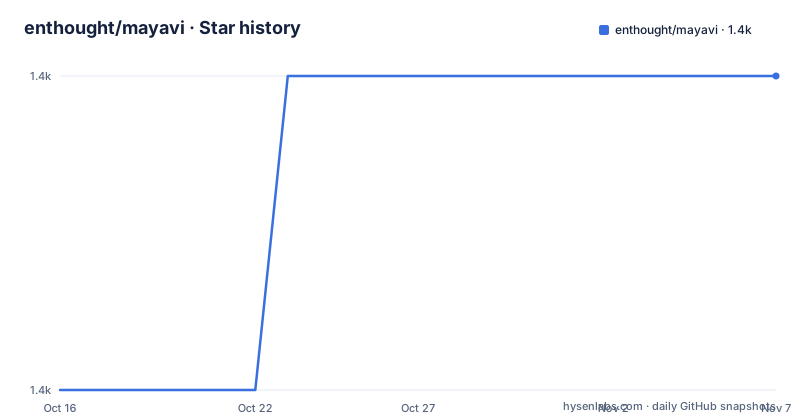
- enthought/mayavi1,412 ★ · +1
| Repository | 2026-10-16 | 2026-11-07 |
|---|---|---|
| enthought/mayavi | 1.4k | 1.4k |
1 Stars in the last 22 days, measured from the daily GitHub snapshot. Compare with other projects
Editorial analysis
Mayavi's Scientific Visualization Scope
Mayavi addresses a specific gap between raw scientific arrays and interactive 3D graphics. It is aimed at scientists, numerical developers, and engineers who need to inspect scalar, vector, and tensor data in 2D or 3D, either from a script, a desktop application, or a Jupyter notebook. The project also supports scientists who want to explore data without directly managing VTK's lower-level object model.
The README describes several interaction models. The standalone `mayavi2` application supplies a user interface with dialogs for manipulating data and visualization objects. The `mlab` interface supports short Python statements for common plotting operations. For applications that need explicit object control, Mayavi also offers an object-oriented programming interface. That makes the same visualization system usable for a short analysis script and for a longer-lived domain application, although those modes do not impose identical development costs.
Mayavi is designed to be embedded. It can function as an Envisage plugin or serve as a visualization engine inside another application. This is the clearest reason to consider it beyond exploratory plotting. A team that needs a specialized scientific interface around VTK can build that interface around Mayavi's sources, modules, and filters instead of exposing every VTK detail directly to users.
VTK, TVTK, mlab, and the Rendering Data Flow
Mayavi is built around VTK, with TVTK providing Python-facing traits for VTK objects. The README says this arrangement uses VTK without requiring users to learn the toolkit itself. In practical terms, Python code creates or loads visualization data, selects rendering behavior through Mayavi objects or `mlab`, and sends the result through the VTK rendering stack. The README does not provide a low-level scene graph trace, so it would be inaccurate to claim more about the exact ordering of internal actors, render windows, or filters.
At the scripting layer, `mlab` is the shortest route to rapid scientific plotting. It is intended for one-liners and concise Python workflows rather than requiring the user to assemble a large object hierarchy. The object-oriented interface provides a different path for applications that need named data sources, modules, filters, or custom behavior. The extension points are not merely theoretical: the repository identifies custom sources, modules, and data filters as supported extension mechanisms.
Input handling is broad enough for common scientific interchange, including legacy VTK, XML VTK, and PLOT3D. Output can be saved as visualizations or rendered images in several formats. Based on the repository layout, `tvtk/` sits beside the main `mayavi/` package, while `mlab_reference.py`, documentation sources, and example suites occupy the surrounding project. That separation reflects the fact that Mayavi is more than a single plotting module, although the repository files do not describe the full internal call sequence.
Installing Mayavi and Creating a First Visualization
The documented pip installation is the least ambiguous route for a current Python environment. The README lists PySide6 as the GUI toolkit used in its basic installation example, while also identifying PyQt6 and wxPython as alternatives. The project metadata requires Python 3.10 or newer, and its build configuration lists VTK and NumPy as build requirements.
Install Mayavi and PySide6 in a virtual environment or another isolated Python environment. The commands below are copied from the README. After they complete, launch the desktop application with `mayavi2`. The README says that a successful installation should allow that command and the examples in the `examples` directory to run. No expected window contents are documented, so the observable first checkpoint is command availability and application launch.
pip install mayavi
pip install PySide6
mayavi2
The installation carries a significant native dependency. VTK 9.0 or newer is identified as a major dependency in the README, while `pyproject.toml` requires `vtk>=9.4` in its build requirements. On platforms without a suitable VTK wheel, the README directs users to install VTK through their platform or distribution before installing Mayavi. That makes the operating system and Python architecture part of initial deployment planning.
For Jupyter use, Mayavi documents notebook extension support beginning with version 4.5.0. The reader must already have Jupyter installed. The commands enable Mayavi's notebook integration for the current user:
jupyter nbextension install --py mayavi --user
jupyter nbextension enable --py mayavi --user
The README also requires `ipywidgets` and `ipyevents` for this notebook path. It does not provide a complete notebook plotting example, so installation alone does not establish that a notebook session has a working display or rendering backend.
GUI Backend and Platform Boundaries
The principal operational constraint is the combination of VTK, Python, the GUI toolkit, and the operating system. Mayavi can visualize data, but it cannot do so independently of a rendering and windowing stack. This matters when an application must run on multiple platforms or inside an environment without a suitable graphical display. The README does not document headless rendering configuration, remote display setup, or deployment-specific container configuration, so none should be assumed.
The wxPython warning is especially concrete. The README states that current wxPython 4.x is not supported correctly by `traitsui`, `pyface`, and other ETS packages, meaning that Mayavi itself should work while its user interface will not. It says that older wxPython versions should work and identifies PyQt6 and PySide6 as choices that should work out of the box. This is not a minor package preference. A team selecting wxPython 4.x based only on Mayavi's compatibility statement could still receive a working visualization core and a broken application interface.
Mayavi's supported file formats are useful, but not universal. VTK, XML VTK, and PLOT3D are named explicitly. The README does not claim support for a general collection of scientific formats, nor does it document automatic conversion for formats outside that list. Applications that receive another format will need to determine whether their data can be transformed into a supported representation before selecting Mayavi.
Scripting, Extension, and Alternative Workflows
For quick scientific plots, `mlab` is the most direct part of Mayavi. It is appropriate when the goal is to create a visualization from Python with minimal interface code. The standalone application is a better fit when a user needs dialogs and interactive exploration. Larger applications can use the object-oriented interface, custom sources, modules, and data filters, or embed Mayavi through Envisage.
A real alternative is direct use of VTK. Mayavi harnesses VTK while leaving its lower-level object model to more experienced users. Mayavi adds `mlab`, a higher-level scripting interface, a GUI application, and extension conventions around sources, modules, and filters. The trade-off is dependency weight. The README explicitly says that Mayavi's dependencies are heavy, so a small application that already uses VTK and needs only one controlled rendering view may gain little from Mayavi's additional application layer.
Another alternative is choosing a project with lighter deployment requirements, but the README does not name a specific comparable visualization library or establish its feature differences. It would be misleading to invent that comparison. The defensible choice is based on architecture: choose Mayavi when its scripting and GUI abstractions reduce VTK integration work, and keep direct VTK when those abstractions are unnecessary.
Licensing, Maintenance, and Verification Before Adoption
The repository metadata identifies the project license as `BSD-3-Clause`, and the README badge also says BSD 3 Clause. The package configuration lists `LICENSE.txt`, `LICENSE_COLORBREWER.txt`, and `LICENSE_YORICK.txt` as license files. A deployment should review the actual license files and bundled asset notices, rather than treating the badge as a complete license review. Image assets also have separate license files in the repository, including notices for ColorBrewer, Yorick, Eclipse, Nuvola, and other artwork.
The repository is not archived. Its last push was on 2026-10-01, and the release list includes 4.9.0 dated 2026-08-04. That is current project activity in the repository metadata. The README still contains installation and compatibility warnings for wxPython 4.x, which shows why release activity should not be read as proof that every GUI backend has the same status.
The repository supports source development as well as packaged installation. The documented development route clones the repository, installs PySide6, and installs the checkout, with `-e` available for an editable install. The README also documents test commands for `tvtk` and `mayavi`, plus integration tests under `integrationtests/mayavi`. These commands are useful for teams that need to validate a modified installation:
git clone https://github.com/enthought/mayavi.git
cd mayavi
pip install PySide6
pip install -v .
For an adopter, the first verification should be platform-specific: confirm the VTK wheel, choose PySide6 or PyQt6 for the intended interface, check whether notebook support is required, and run the relevant tests against the application's data. Mayavi is a good fit for Python teams that want VTK-backed scientific visualization with either concise scripts or a richer application shell. It is a poor fit when dependency size, headless deployment, or wxPython 4.x compatibility is non-negotiable. The concrete decision point is whether the target platform can provide the documented VTK and GUI stack without depending on undocumented workaround behavior.
Editorial conclusion
Python teams building interactive scientific visualizations should adopt Mayavi when VTK provides acceptable rendering and platform support, and they should prefer mlab for quick scripts or the object-oriented and Envisage interfaces for larger applications. Projects that require a lightweight browser visualization, a minimal scientific Python stack, or a guaranteed wxPython 4.x user interface should look elsewhere. Before adoption, verify the available VTK wheel for the target operating system, confirm the selected GUI backend, and inspect the handling of the application's specific data formats and rendering environment.
Frequently asked questions
How do I install Mayavi for Python?
The README documents `pip install mayavi` followed by `pip install PySide6`. It identifies VTK and a GUI toolkit as major dependencies, and the package metadata requires Python 3.10 or newer.
Does Mayavi support wxPython 4.x?
The README says Mayavi itself should work with wxPython 4.x, but `traitsui`, `pyface`, and other ETS packages do not support it correctly, so the UI will not work correctly. It identifies PyQt6 and PySide6 as choices that should work out of the box.
Can Mayavi be used from a Jupyter notebook?
Yes. The README documents `jupyter nbextension install --py mayavi --user` and `jupyter nbextension enable --py mayavi --user` for notebook support beginning with Mayavi 4.5.0. It also requires Jupyter, `ipywidgets`, and `ipyevents`.
Official sources
Add this badge to your README
If you maintain this project, the badge below links readers to this analysis and shows its maintenance status from the daily GitHub snapshot. Paste the markdown into your README; add ?metric=license or ?metric=stars to the image URL for a different field.

[](https://hysenlabs.com/projects/enthought-mayavi)Star history chart for your README
[](https://hysenlabs.com/projects/enthought-mayavi)Was this useful?