react-native-qrcode-svg draws the QR code as SVG paths instead of a bitmap
A QR Code generator for React Native based on react-native-svg and node-qrcode.
At a glance
- What is it?
- react-native-qrcode-svg is a React Native component that renders a QR code through react-native-svg, with optional logotype embedding, gradients and a data URL export. It is a small package with a long history, and the one sharp edge is that React Native below 0.75 needs a custom Metro transformer for the TextEncoder API.
- Who is it for?
- react-native-qrcode-svg fits a React Native app that needs to show a scannable code, especially one that needs a logo in the middle or a gradient, since rendering as SVG keeps it sharp at any size. It is the wrong choice if you need to work below React Native 0.63.4, or if you want to generate codes on a server, since the generation runs on the device.
- Can I use it commercially?
- Yes. MIT is a permissive licence: you can use, modify and sell software built on it, as long as you keep its copyright and licence notices.
- Is it still maintained?
- Yes. The repository last received commits 1 day ago.
- What is it written in?
- Mainly JavaScript, according to GitHub's language statistics.
Answers come from the project's GitHub data, last synced on November 7, 2026, and from our analysis. They are not legal advice.
Star history
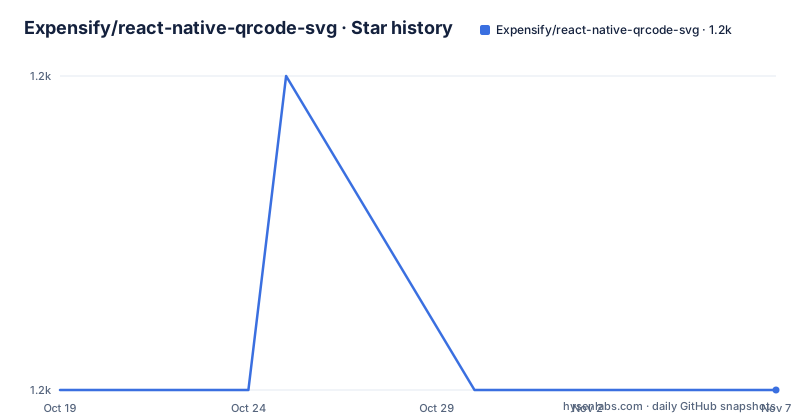
- Expensify/react-native-qrcode-svg1,175 ★ · +0
| Repository | 2026-10-19 | 2026-11-07 |
|---|---|---|
| Expensify/react-native-qrcode-svg | 1.2k | 1.2k |
0 Stars in the last 19 days, measured from the daily GitHub snapshot. Compare with other projects
Editorial analysis
The code is drawn, not rasterised
The package is described as a QR Code generator for React Native based on react-native-svg and javascript-qrcode, and the repository description says the same thing in a different order, naming react-native-svg and node-qrcode. The dependency list in package.json settles it: the runtime dependencies are prop-types, qrcode and text-encoding, and the peer dependencies are react, react-native at 0.63.4 or above, and react-native-svg at 14.0.0 or above.
So the split is: the qrcode package does the encoding, react-native-svg does the drawing, and this package is the React component that connects the two.
That connection is the whole design decision, and it has consequences. Because the output is vector rather than a bitmap, the same component works at any size, which matters on a high density phone screen, and it composes with the rest of a React Native tree, so it can be inside a view with opacity, transforms and borders. The cost is that the rendering depends on react-native-svg being installed and linked correctly, which is the step most people trip over during setup, and that the component is not usable outside React Native without a rewrite.
The two documented features are short. It can easily render QR code images, and it can optionally embed a logotype. The screenshots in the README cover both Android and iOS, and the repository has a screenshot/ directory that ships with the package.
Installation is two packages, and the native one is the tricky half
The install section is two commands, one per package manager, and both install the peer dependency alongside the library.
yarn add react-native-svg react-native-qrcode-svgnpm i -S react-native-svg react-native-qrcode-svgThen the iOS step depends on your React Native version. If you are on React Native 0.60 or above, you go to the your-project/ios folder and run pod install, and you are done. For older versions the README falls back to the react-native link command for the native project.
react-native link react-native-svgThat fallback is the part of the documentation that shows its age. A reader on an old version is the one who most needs clear guidance here.
The Example directory in the repository is the practical way to evaluate the package. The README says the library comes with an Example App in the./Example directory, and that you can use it to easily test your changes and when developing new features, with more details in the Example README. The package manifest includes Example in its files list.
A bigger logo means less error correction, and the prop table says so
The logo support is the feature that distinguishes this from a bare QR component, and it comes with a documented cost. The props table lists logoSize with a default of 20% of size, and the description says a bigger logo equals less error correction in the QR code.
That is the real trade-off of any embedded logotype. The error correction level is set separately, with the ecl prop defaulting to M, and the logo is punched into the middle of the symbol. The table also lists logoBackgroundColor defaulting to backgroundColor, meaning the logo gets a filled quadratic background in that colour unless you pass transparent for a logo that carries its own backdrop. Two more props control the appearance: logoMargin with a default of 2 for the logo's distance to its wrapper, and logoBorderRadius with a default of 0, with a note that Android is not supported for the border radius.
The logo source itself is flexible. The prop is an image source object, and the README gives the two forms as {uri: 'base64string'} and {require('pathToImage')}. The examples show a base64 encoded PNG with a transparent background and a logoSize of 30, and separately a local file required from the assets directory at the default 20% size.
The practical advice for anyone using this is to pick the error correction level deliberately rather than leaving it at M, and to keep the logo small. A scanner needs to find the finder patterns and read the modules around the overlay, and the size of the overlay is the thing that decides whether a code still scans in poor light or on a screen.
The prop table is the real API documentation
The README's props table is compact and complete, and it is worth reading as a whole rather than looking up one key at a time.
The basics are size, defaulting to 100 pixels, and value, whose default is the string 'this is a QR code'. The value prop is more capable than it looks, because it can also accept an array of segments as defined in the node-qrcode manual mode, and the table gives the example [{ data: 'ABCDEFG', mode: 'alphanumeric' }, { data: '0123456', mode: 'numeric' }, { data: [253,254,255], mode: 'byte' }]. That is the way to control the encoding mode per segment rather than letting the encoder choose for the whole string.
The appearance props are color, defaulting to black, and backgroundColor, defaulting to white. The gradient options are enableLinearGradient, defaulting to false, linearGradient with a default of ['rgb(255,0,0)','rgb(0,255,255)'], and gradientDirection with a default of [170,0,0,0].
Two props are about how the code behaves rather than how it looks. quietZone defaults to 0 and is the quiet zone around the QR in pixels, which the table notes is useful when saving the image to a gallery, since scanners expect a margin. And onError is a callback fired when an exception happened during the code generating process, which is the hook for telling a user that the value could not be encoded.
The last two are about reaching outside the component. getRef defaults to null and gets the SVG ref for further usage, and the fourth example in the README shows the intended pattern, holding the ref and calling toDataURL on it.
Getting the image out is possible, and saving it to a gallery is experimental
The fourth example in the README is the export path. The component is given a getRef callback that stores the SVG instance, and the code then calls this.svg.toDataURL with a callback that receives the data URL. The comment on that example notes that the base64 string is of the QR code and that the logo is not included.
That last detail is a limitation worth knowing before you rely on it: a code exported this way loses the embedded logotype.
Saving to a gallery is documented separately, and the heading carries the warning: experimental only, not tested on iOS, using getRef and needing the RNFS module. The extra package is installed with a plain npm install line.
npm install --save react-native-fsThe Android example is a promise chain: write the data URL to a file in the RNFS caches directory with the base64 encoding, then hand the path to CameraRoll.saveToCameraRoll, then update state and show a ToastAndroid message. The import at the top pulls CameraRoll and ToastAndroid from react-native and RNFS from react-native-fs.
The practical read is that exporting the SVG as a data URL is a supported path, while the gallery save is a sample you will need to adapt and test on the platform you ship.
Below React Native 0.75 you need a custom Metro transformer
There is one compatibility story in the README and it is about the TextEncoder API. The library works with React Native 0.75 and above. If you are on an older version, you might need to apply a custom transformation to your project's metro.config.js file to ensure compatibility with the TextEncoder API.
The transformation is a Babel transformer path, and the package ships it as textEncodingTransformation.js, which is listed in the package files and present in the repository root. For Expo projects, the config is built on getDefaultConfig from expo/metro-config, with the transformer spread from the default config and babelTransformerPath overridden to point at the package's transformation file.
const { getDefaultConfig } = require("expo/metro-config");

module.exports = (() => {
  const config = getDefaultConfig(__dirname);

  const { transformer } = config;

  config.transformer = {
    ...transformer,
    babelTransformerPath: require.resolve("react-native-qrcode-svg/textEncodingTransformation")
  };

  return config;
})();
The plain React Native version uses getDefaultConfig and mergeConfig from @react-native/metro-config, with the same babelTransformerPath override.
This is the cost of the package depending on a web standard API that older React Native runtimes did not ship. The text-encoding package is present in the dependencies for the same reason, and the metro config is the price of admission for anyone on an older version.
MIT licensed, actively committed, but the release tags are old
The licence is MIT, stated in package.json and held in the LICENSE file at the repository root, which is the permissive default and unremarkable for a component of this size.
The maintenance picture is a little mixed and worth reading carefully. The last push was on 2026-09-22, so the code is being worked on, and the version in package.json is 6.3.26, well past the 6.1.1 release tag from 2021-03-17. The repository has a .huskyrc and a .lintstagedrc for git hooks, a babel.config.js, a .nvmrc, an index.d.ts for TypeScript consumers, and a jest test script with a snapshot update script, so there is a working test setup rather than an informal one.
The reason the release tags lag is that the project publishes continuously rather than cutting named releases for every change. The npm package version is the practical version reference, not the tag list.
Two housekeeping notes from package.json are worth a glance if you are integrating this into a larger build. The devEngines block requires Node 24.19.0 or above and npm 11.10.0 or above for development, with onFail set to error, so the tooling has moved on since the tags. And the prepack script removes the example directory before packing, which is why the published tarball differs from the repository.
Editorial conclusion
react-native-qrcode-svg fits a React Native app that needs to show a scannable code, especially one that needs a logo in the middle or a gradient, since rendering as SVG keeps it sharp at any size. It is the wrong choice if you need to work below React Native 0.63.4, or if you want to generate codes on a server, since the generation runs on the device. Verify first that your React Native version is 0.75 or above, and check the error correction level you pass, because a large logo with the default ecl of M reduces the code's tolerance of damage.
Frequently asked questions
How do I install react-native-qrcode-svg?
Install react-native-svg and react-native-qrcode-svg together with yarn add or npm i -S. On React Native 0.60 or above, run pod install in your-project/ios, and on older versions the README points to the react-native link command for the native project.
What React Native version does react-native-qrcode-svg support?
The peer dependencies ask for react-native at 0.63.4 or above and react-native-svg at 14.0.0 or above. The library works with React Native 0.75 and above, and below 0.75 you may need to add a custom transformation to metro.config.js for the TextEncoder API.
How do I put a logo in the middle of the QR code?
Pass the logo prop an image source object, either {uri: 'base64string'} or {require('pathToImage')}, and optionally set logoSize and logoBackgroundColor. The props table warns that a bigger logo means less error correction in the QR code.
Can I export the generated QR code as an image?
Yes, use the getRef prop to hold a reference to the SVG and call toDataURL on it, which gives a base64 data URL. The README notes that the logo is not included in that output.
Is saving the QR code to the phone gallery supported?
The README labels it experimental and not tested on iOS. It uses getRef and needs the react-native-fs module, and the Android example writes the data URL to the RNFS caches directory and then calls CameraRoll.saveToCameraRoll.
Official sources
Add this badge to your README
If you maintain this project, the badge below links readers to this analysis and shows its maintenance status from the daily GitHub snapshot. Paste the markdown into your README; add ?metric=license or ?metric=stars to the image URL for a different field.

[](https://hysenlabs.com/projects/expensify-react-native-qrcode-svg)Star history chart for your README
[](https://hysenlabs.com/projects/expensify-react-native-qrcode-svg)Was this useful?