rofimoji, a Unicode picker that borrows rofi's search and remembers what you type
Emoji, unicode and general character picker for rofi, wofi and similar selectors on X11 and Wayland
At a glance
- What is it?
- rofimoji is a Python character picker that drives rofi, wofi and other dmenu derivatives, so emoji and any other Unicode block are searchable by keyword inside a launcher you already know. It can type the character into the focused window or copy it, tracks recency and frequency so the characters you use come first, and can be mounted as an extra rofi mode.
- Who is it for?
- Adopt rofimoji if you run rofi or a derivative on X11 or Wayland and want emoji without leaving your keyboard workflow, and skip it if you are on macOS or Windows, since the tool is built around the dmenu protocol and the X11 and Wayland desktop.
- Can I use it commercially?
- Yes. MIT is a permissive licence: you can use, modify and sell software built on it, as long as you keep its copyright and licence notices.
- Is it still maintained?
- Yes. The repository last received commits 15 days ago.
- What is it written in?
- Mainly Python, according to GitHub's language statistics.
Answers come from the project's GitHub data, last synced on November 6, 2026, and from our analysis. They are not legal advice.
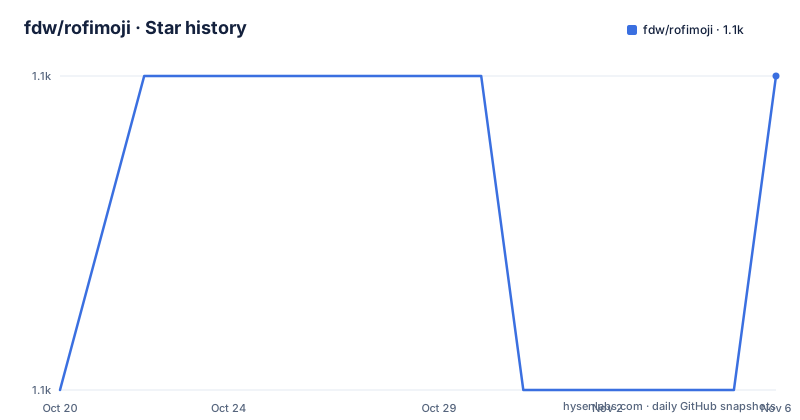
Star history
- fdw/rofimoji1,097 ★ · +1
| Repository | 2026-10-20 | 2026-11-06 |
|---|---|---|
| fdw/rofimoji | 1.1k | 1.1k |
1 Stars in the last 17 days, measured from the daily GitHub snapshot. Compare with other projects
Editorial analysis
A picker that is really a rofi front end
The design decision that defines this project is that it does not implement a window. Rofimoji invokes the power of rofi, and by extension other dmenu derivatives, so the picker is a rofi window showing characters. That sounds like a limitation until you consider what it buys: the search, filtering and keyboard handling you already know from your launcher, a consistent theme, and no new window manager interaction to learn. The project is described as an emoji, Unicode and general character picker for rofi, wofi and similar selectors on X11 and Wayland, and the topic tags put it in company with i3, nerd fonts and Linux input workflows. The core features are short and specific: insert the selected character directly or copy it to the clipboard, fuzzy-search characters and especially emojis by keyword, remember the ones you use most and present them first, and load any Unicode block you want rather than just emojis.
Two ways to run it, and the trade-off between them
Rofimoji works standalone or as a rofi mode, and the differences are not cosmetic. Standalone, you run the program, search, optionally select multiple characters with shift and enter, then hit enter for the default action or use one of the shortcuts for something else, where alt+1 picks the most recently used character and alt+2 the one before it. As a rofi mode, you add it to the modi string and select it with the show flag. The mode integration is more convenient because it lives inside the launcher you already open, but the documentation lists drawbacks that cannot be changed. Because rofi is the main process, rofimoji cannot directly type into any window, so only copying works and the action has to be set accordingly. You can select only one character at a time. And the custom shortcuts still exist but are remapped to Alt+Shift combinations. The configuration still works the same way, so you can have several modes in a combi for different character sets, or set a default action and skin tone.
The action decides what happens to the character
The `--action` option is the central knob, and its default is `type`. The possible values are `type`, `copy`, `clipboard`, `type-numerical`, `unicode`, `copy-unicode`, `print` and `menu`, and the option is available as `-a` as well. The list shows the design thinking: typing the glyph itself is one action, copying it is another, and the clipboard action inserts the character through the clipboard instead of typing it. The unicode variants deal in the code point rather than the character, and `type-numerical` suggests the numeric form. `print` outputs to the terminal, which is what a script would want, and `menu` opens further choices. The action is configurable per invocation, per config file entry, and the config file uses the long option names without the double dashes.
Configuration by file or by command line
You configure rofimoji either with command line arguments or with a config file called `$XDG_CONFIG_HOME/rofimoji.rc`, and in that file you use the long option names without the double dashes. The other options carry the same kind of detail. `--files` chooses which character files to load and takes `all` as a shortcut for every default file at once, with the documentation warning that this is a lot of characters. A file name without extension is enough for the distributed ones or for any file placed in `${XDG_DATA_HOME}/rofimoji/data`, and globbing with `*` works. `--skin-tone` sets the skin tone of supporting emojis, accepting light, medium-light, moderate, dark brown, black, neutral and ask, where `ask` always prompts. `--max-recent` caps how many recently picked characters are shown, from 0 to 10, and setting it to 0 disables the feature entirely. `--no-frecency` turns off the default behaviour of showing frequently used characters first.
Custom character files, and how the data is structured
Emojis are the default, but the picker is not limited to them, and the project lets you bring your own data. The character files live under `src/picker/data` in the repository, and the build configuration includes those data files, the man page and a `contrib` directory into the wheel. The description of the `--files` option is explicit that a bare name without extension resolves against the distributed files or against anything in the user data directory, and globbing is possible, so building a personal set of characters is a matter of dropping a file in the right place rather than patching the tool. The keyword search works on these files, which is why the keyword data matters as much as the character list: a character you cannot find by searching is a character the picker does not really have.
A small package with a real dependency list
The packaging is modern and deliberately narrow. The project is built with hatchling, requires Python 3.10 or newer, declares the MIT licence, and has exactly one runtime dependency: configargparse, pinned to the 1.3 series. Everything else is in the development group, and the list explains what the maintainer needs to regenerate the data: beautifulsoup4 and lxml for parsing upstream sources, tqdm for progress reporting, aiohttp and aiofiles for network and async file work, and ruff for linting with a line length of 120. The console script entry point is `picker.__main__:main`, and the wheel packages the `src/picker` directory. The single runtime dependency is the point worth noticing: a picker that has to work when you press a key in any application cannot afford a heavy import chain.
Version numbers track the Unicode standard
The release history explains itself. Version 6.9.0, released on 2026-09-18, is titled for Unicode 18, and 6.7.0 from 2025-09-09 was titled for Unicode 17, with 6.8.0 in between. A version bump in this project therefore often means a new block of characters arrived, which is the update cadence you want from a picker: you do not need new features, you need the new characters that people started using. The last push to the repository was on 2026-09-18 and it is not archived. The repository also carries a CHANGELOG.md, a CONTRIBUTING.md, a LICENSE file, a `uv.lock` for reproducible environments, and the two screenshots used in the documentation, one of the default view and one of a grid theme applied through rofi theming.
Editorial conclusion
Adopt rofimoji if you run rofi or a derivative on X11 or Wayland and want emoji without leaving your keyboard workflow, and skip it if you are on macOS or Windows, since the tool is built around the dmenu protocol and the X11 and Wayland desktop. Verify three things before you wire it into your keybindings: which action you want, since typing inserts the character directly into the focused window and copying is the fallback; whether you want the frecency ordering, because the frequently used characters are shown first by default and you can turn that off; and that your Unicode version matches the release you install, since 6.9.0 tracks Unicode 18 and 6.7.0 tracked Unicode 17.
Frequently asked questions
What is rofimoji and which tools does it work with?
It is a Python character picker that uses rofi, and other dmenu derivatives, as its interface, on X11 and Wayland. It can insert the selected character or copy it, and it searches characters and emojis by keyword.
How do I use rofimoji as a rofi mode?
Call rofi with `rofi -modi "emoji:rofimoji" -show emoji`. The mode has documented drawbacks: rofimoji cannot type into a window because rofi is the main process, so only copying works, you can select one character at a time, and the custom shortcuts are remapped to Alt+Shift combinations.
What actions can rofimoji perform on the selected character?
The `--action` option accepts `type`, `copy`, `clipboard`, `type-numerical`, `unicode`, `copy-unicode`, `print` and `menu`, with `type` as the default.
Can I use my own character files with rofimoji?
Yes. The `--files` option takes a file name without extension, which resolves to the distributed files or to any file in `${XDG_DATA_HOME}/rofimoji/data`, and globbing with `*` is possible. `all` loads every default file at once, which the documentation warns is a lot of characters.
How is rofimoji configured?
Through command line arguments or a config file at `$XDG_CONFIG_HOME/rofimoji.rc`, where you use the long option names without the double dashes. Options cover the action, the character files, the skin tone, the maximum number of recently used characters and the frecency ordering.
Official sources
Add this badge to your README
If you maintain this project, the badge below links readers to this analysis and shows its maintenance status from the daily GitHub snapshot. Paste the markdown into your README; add ?metric=license or ?metric=stars to the image URL for a different field.

[](https://hysenlabs.com/projects/fdw-rofimoji)Star history chart for your README
[](https://hysenlabs.com/projects/fdw-rofimoji)Was this useful?