simple_animations, a Flutter package that removes the controller boilerplate
Flutter package for creating awesome animations.
At a glance
- What is it?
- simple_animations gives Flutter developers animation builder widgets, a timeline composer called MovieTween, a mixin that supplies a wired up AnimationController, and a developer tool for inspecting animations. The package is MIT licensed and publishes to pub.dev, and its README is generated from the example application.
- Who is it for?
- simple_animations fits a Flutter team that writes custom animations in stateless widgets and finds AnimationController bookkeeping noisy, since the builder widgets collapse a controller, a tween and a builder function into one declaration, and it fits a team that needs staggered or multi property motion without a timeline library of its own.
- Can I use it commercially?
- Yes. MIT is a permissive licence: you can use, modify and sell software built on it, as long as you keep its copyright and licence notices.
- Is it still maintained?
- Yes. The repository last received commits 168 days ago.
- What is it written in?
- Mainly Dart, according to GitHub's language statistics.
Answers come from the project's GitHub data, last synced on November 7, 2026, and from our analysis. They are not legal advice.
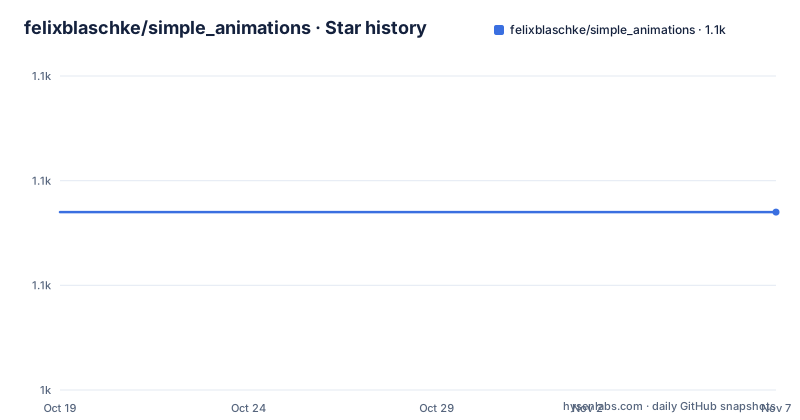
Star history
- felixblaschke/simple_animations1,057 ★ · +0
| Repository | 2026-10-19 | 2026-11-07 |
|---|---|---|
| felixblaschke/simple_animations | 1.1k | 1.1k |
0 Stars in the last 19 days, measured from the daily GitHub snapshot. Compare with other projects
Editorial analysis
The boilerplate the package removes
The pitch is a reduction in ceremony. The package lists what it simplifies: custom animations in stateless widgets, several properties animated at once, staggered animations, simpler handling of AnimationController instances, and debugging of animations. That last one matters more than it sounds, because in plain Flutter an animation that does not look right is hard to inspect, since the controller value is buried inside a state object and there is no single place to see the curve over time. The audience is a Flutter developer who writes motion by hand and has noticed that most of the code in an animation widget is setup rather than intent. The design goal is that the animation itself is one declarative object, and everything the Flutter animation system needs underneath is created and disposed of for you.
Three builder widgets cover most animations
The builder family is the core of the package, and the quick start shows three stateless widgets in full. PlayAnimationBuilder plays an animation once, LoopAnimationBuilder plays forever from beginning to end, and MirrorAnimationBuilder plays forever alternating forward and backward. All three take a tween, a duration and a builder callback that receives the context, the animated value and a third argument, and the value is what the widget tree is built from.
class RotatingBox extends StatelessWidget {
  const RotatingBox({super.key});

  @override
  Widget build(BuildContext context) {
    return LoopAnimationBuilder<double>(
      tween: Tween(begin: 0.0, end: 2 * pi),
      duration: const Duration(seconds: 2),
      builder: (context, value, _) {
        return Transform.rotate(
          angle: value,
          child: Container(color: Colors.blue, width: 100, height: 100),
        );
      },
    );
  }
}
The Play variant adds an onCompleted callback for the moment the animation finishes, which is where a navigation event or a state change usually belongs. There is also a CustomAnimationBuilder for cases the three presets do not cover. The consequence of the preset approach is that the repeat semantics are part of the widget type rather than a parameter, so a designer asking for a one shot animation and a designer asking for a pulsing one are asking for different widgets, not the same widget with a flag.
MovieTween composes tweens into a timeline
MovieTween is the part of the package that handles sequencing. It combines multiple tweens into one, with timeline control and value extrapolation, and the quick start shows two ways of building it. The first chains a tween and a thenTween on the same property, so the width animates to 100 over 1500 milliseconds and then continues to 200 over 750, each with its own curve. The second builds the same idea out of scenes, where a scene has a begin time, an optional end time and a duration, and each scene then carries the tweens that apply inside it.
final tween2 = MovieTween()
  ..scene(
        begin: const Duration(milliseconds: 0),
        duration: const Duration(milliseconds: 500),
      )
      .tween('width', Tween<double>(begin: 0.0, end: 400.0))
      .tween('height', Tween<double>(begin: 500.0, end: 200.0))
      .tween('color', ColorTween(begin: Colors.red, end: Colors.blue));
Property names are strings in that form, and the package also offers a type safe alternative, MovieTweenProperty, so a property is a typed object rather than a string that has to match a key elsewhere. The documentation lists separate sections for curves, extrapolation, animation duration and scenes, and a developer tools section, which tells you the timeline is meant to be inspected rather than guessed at.
AnimationMixin hands you a live controller
The mixin is the third pillar, and it addresses stateful widgets. The documentation describes it as managing AnimationController instances so that there is no more boilerplate code, and the quick start shows the pattern. A widget state mixes in AnimationMixin, and the controller is already wired up in initState, so connecting a tween to it is a single call and starting the animation is another.
class _MyWidgetState extends State<MyWidget> with AnimationMixin {
  late Animation<double> size;

  @override
  void initState() {
    size = Tween<double>(begin: 0.0, end: 200.0).animate(controller);
    controller.play();
  }
The documentation also has a section on creating multiple AnimationController instances, which is the case the mixin cannot cover on its own, since a widget that runs two independent animations needs two controllers. The mixin therefore handles the common case and leaves the rest to you, which is the right division of labour for a package that wants to remove noise without hiding the animation system.
Developer tools and controller shortcuts
Two sections of the documentation deal with tooling rather than animation. Animation Developer Tools has its own quick start and a section on features and tricks, and the whole point of it is the debugging claim from the feature list. The Animation Mixin quick start covers the controller side, and a separate section is titled Shortcuts for AnimationController, which collects the smaller conveniences for people who are already using controllers and just want less noise around them. The separation matters for an evaluator, because the package is not only the three builder widgets. It is builders for the declarative case, a mixin and shortcuts for the imperative case, a timeline composer for the complex case, and a debugging surface for when the result is not what was expected. The README itself is generated, with code blocks pulled from example files by a helper, which means the snippets you read are the snippets that run in the example application.
A package with a full example app
The repository layout is small and organised around the example. The lib/ directory holds the package code, test/ holds the tests, and the example/ directory contains example.md, an img/ folder with images and a sa_flutter_app/ directory holding the Flutter application the documentation refers to. The readme code blocks in the documentation are marked as generated from specific files under that application, in this case the files under example/sa_flutter_app/lib/readme/, which is a neat way to keep prose and code in step. There is a CHANGELOG.md for release notes, an analysis_options.yaml for the linter configuration, a pubspec.yaml with a matching pubspec.lock, an AGENTS.md for coding agents, and a .metadata file, which is the marker Flutter uses to recognise a project. The package is published on pub.dev under the name simple_animations, and it appears in the Awesome Flutter list and in a Flutter gems collection of animation and transition packages.
The release history is thin
There are no GitHub releases for this repository, so the version history has to be read from pub.dev and from the changelog in the tree rather than from tags. The repository is not archived, and the last push was on 2026-05-23, which is inside the six month window but still means that whatever version your pubspec resolves to is a snapshot rather than a tagged artefact. The licence is MIT, which is permissive but still requires the copyright notice and licence text to be kept. What the licence does not settle is compatibility, and that is where a Dart package of this kind has its real risk. The package sits on the animation system of the framework, so a Flutter upgrade that changes AnimationController behaviour or the widget lifecycle can affect it, and because there is no release stream to track, a team that pins a version is pinning a commit as much as a version number. The check worth doing before adoption is therefore simple and concrete: open the changelog, find the version your lockfile resolves to, and see whether it mentions a Flutter version bump.
Editorial conclusion
simple_animations fits a Flutter team that writes custom animations in stateless widgets and finds AnimationController bookkeeping noisy, since the builder widgets collapse a controller, a tween and a builder function into one declaration, and it fits a team that needs staggered or multi property motion without a timeline library of its own. It does not fit a project that needs physics based motion or gesture driven transitions, since the package is built around tweens and durations, and it does not fit a team that wants a maintained release train, because the repository has no GitHub releases and the last push was on 2026-05-23. Verify three things first: that the animation you want can be expressed as a tween rather than a simulation, that the Flutter and Dart versions your app targets still work with the package, and how you will debug a motion problem, since the developer tools need the package to be wired into your build.
Frequently asked questions
What is the simple_animations Flutter package?
It is a Flutter package for creating custom animations, published on pub.dev as simple_animations. It provides animation builder widgets, the MovieTween timeline composer, an AnimationMixin that manages AnimationController instances, and animation developer tools.
What is the difference between PlayAnimationBuilder, LoopAnimationBuilder and MirrorAnimationBuilder?
PlayAnimationBuilder plays an animation once and offers an onCompleted callback, LoopAnimationBuilder plays forever from beginning to end, and MirrorAnimationBuilder plays forever alternating forward and backward. There is also a CustomAnimationBuilder for cases the presets do not cover.
How does MovieTween handle staggered animations?
It combines multiple tweens into one with timeline control. Tweens can be chained on a property with tween and thenTween, or organised into scenes with a begin time and a duration, each scene carrying the tweens that apply inside it, and a type safe MovieTweenProperty alternative to string keys is available.
Does simple_animations have version tags I can pin to?
The repository has no GitHub releases, and the last push was on 2026-05-23. Versions are published on pub.dev and recorded in the CHANGELOG.md in the repository, so a team that pins a version is pinning a snapshot rather than a tagged release.
Official sources
Add this badge to your README
If you maintain this project, the badge below links readers to this analysis and shows its maintenance status from the daily GitHub snapshot. Paste the markdown into your README; add ?metric=license or ?metric=stars to the image URL for a different field.

[](https://hysenlabs.com/projects/felixblaschke-simple-animations)Star history chart for your README
[](https://hysenlabs.com/projects/felixblaschke-simple-animations)Was this useful?