fltk-rs wraps a C++ toolkit so the whole app is one executable
Rust bindings for the FLTK GUI library.
At a glance
- What is it?
- fltk-rs is the Rust binding for the FLTK 1.4 C++ GUI library, whose selling point is a stripped binary of roughly 1 MB with no DLLs to deploy and a permissive licence that permits static linking into closed-source applications. You can install one crate line, or let it build and statically link the bundled C++ for you with a feature flag.
- Who is it for?
- Adopt fltk-rs when you are shipping a small native desktop tool and want one self-contained executable with no runtime dependencies, a low memory footprint and a permissive licence that lets you link statically into a closed product. Do not adopt it when you need a modern declarative UI, a rich widget set beyond roughly eighty controls, or deep platform integration, because FLTK is a retained-mode C++ toolkit wearing Rust syntax.
- Can I use it commercially?
- Yes. MIT is a permissive licence: you can use, modify and sell software built on it, as long as you keep its copyright and licence notices.
- Is it still maintained?
- Yes. The repository last received commits 159 days ago.
- What is it written in?
- Mainly Rust, according to GitHub's language statistics.
Answers come from the project's GitHub data, last synced on October 25, 2026, and from our analysis. They are not legal advice.
Star history
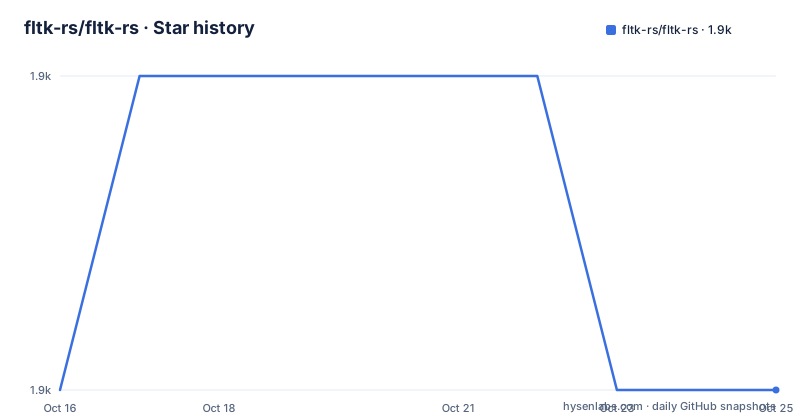
- fltk-rs/fltk-rs1,861 ★ · +0
| Repository | 2026-10-16 | 2026-10-25 |
|---|---|---|
| fltk-rs/fltk-rs | 1.9k | 1.9k |
0 Stars in the last 9 days, measured from the daily GitHub snapshot. Compare with other projects
Editorial analysis
One executable, one megabyte, no DLLs
The reasons the README gives for choosing FLTK are mostly about what you do not have to ship.
A stripped binary is around 1 MB. Memory footprint is listed as a selling point with a link to a comparison of GUI toolkit footprints. There is a single executable with no DLLs to deploy, fast to install, fast to build, fast at startup and fast at runtime, and support for old architectures.
For an internal tool, an installer for a field device, or anything distributed by email, a self-contained binary removes an entire category of support problem. A crash report that arrives with the executable attached is a crash report you can reproduce.
The licence point is stated in the same list: FLTK has a permissive licence which allows static linking for closed-source applications. fltk-rs itself is MIT licensed.
The widget set is around 80 customizable widgets, with inbuilt image support and five theme schemes: Base, GTK, Plastic, Gleam and Oxy. Additional theming comes from a separate crate, fltk-theme.
The README also notes that the C++ library has a Wikipedia list of software using FLTK, and that fltk-rs users are tracked in issue 418 of the repository, which is a reasonable way to see whether anyone ships it in anger.
Adding it is one line, unless you need the C++ built for you
The ordinary case is a single dependency:
[dependencies]
fltk = "^1.5"
To track the repository rather than a published version:
[dependencies]
fltk = { version = "^1.5", git = "https://github.com/fltk-rs/fltk-rs" }
And if some other dependency in your graph already pulls in fltk-rs, the patch section routes everyone to the same source:
[dependencies]
fltk = "^1.5"

[patch.crates-io]
fltk = { git = "https://github.com/fltk-rs/fltk-rs" }
That last form is the one people discover after a link error, when two crates resolve different versions of a library with native code in it.
The bundled option is a feature flag:
[dependencies]
fltk = { version = "^1.5", features = ["fltk-bundled"] }
With it, the library is automatically built and statically linked into your binary, and the README is specific about where that is available: x64 Windows with both msvc and gnu including msys2-mingw, plus x64 and aarch64 Linux and macOS.
That list is the first thing to check against your targets. Bundled libraries are available for x64 and aarch64 Linux and macOS, plus x64 Windows with msvc and gnu, including msys2-mingw.
The workspace contains two members, `fltk` and `fltk-sys`, which is the standard split for a binding: the safe Rust API on top, the raw FFI declarations below. The default branch is master.
Absolute coordinates by default, builder pattern when you want it
Widgets are created with a `new()` method that takes x, y, width, height and a label, in that order. The label can be an empty string.
```rust,no_run use fltk::{app, prelude::*, window::Window};
fn main() { let app = app::App::default(); let mut wind = Window::new(100, 100, 400, 300, "Hello from rust"); wind.end(); wind.show(); app.run().unwrap(); }
Three details in those six lines recur in every FLTK program. `app::App::default()` comes first and is the application object. `wind.end()` stops the automatic parenting of widgets created after the window, so anything created later is not swallowed by it. And `wind.show()` before `app.run()` is what makes the window appear.

The builder pattern is the alternative, and the README notes the two forms are equivalent:
rust,no_run use fltk::{button::Button, prelude::*}; let but1 = Button::new(10, 10, 80, 40, "Button 1");
let but2 = Button::default() .with_pos(10, 10) .with_size(80, 40) .with_label("Button 2");
The builder methods that matter for layout are the relative ones: `center_screen()`, `center_of(&wind)`, `above_of(&frame, 0)`, `below_of(&frame, 0)`, `size_of(&frame)`. That is a positioning system rather than a layout system, which is the honest characterisation of FLTK: you place widgets relative to each other and then call `make_resizable(true)` on the window to let one region grow.

For real layouts there is `Flex` for flexbox, `Pack`, and a separate `fltk-grid` crate. The Flex example shows the shape:
rust,no_run use fltk::{app, group::Flex, prelude::*, window::Window}; let mut flex = Flex::default().with_size(120, 140).center_of_parent().column(); flex.end(); ```
`Flex::default_fill()` fills its parent, `.column()` sets the direction, `set_margins` applies spacing, and `col.fixed(&but, 40)` pins one child's height so the rest expand. The `.end()` call closes the group, and it appears on every container.
Callbacks or message passing, and the borrow checker meets the toolkit
Events are handled two ways, and the README shows both.
The callback way is `set_callback` on a widget, or the `fltk::app::set_callback()` free function for the default trigger of each widget, such as clicks on a button. The closure receives the widget:
```rust,ignore but.set_callback(move |_| frame.set_label("Hello World!")); another_but.set_callback(|this_button| this_button.set_label("Works")); ```
The comment in the earlier example is worth reading, because it explains the ownership pattern you will meet immediately: the closure capture is a mutable borrow of the button. In a callback you mutate a widget that was captured, and that widget is also the one holding the closure. The `move` keyword is what makes it compile, and the resulting pattern of a widget being both the event source and the captured state is the single most common source of confusion for people arriving from a declarative toolkit.
The second way is message passing through a channel. The counter example sets up an enum-carrying channel with `app::channel::<Message>()`, obtains a sender and a receiver, and emits from the button while the main loop matches on the receiver. That pattern exists because it avoids the borrow cycle: the event loop owns the state, and widgets only send signals.
The main loop itself is `app.run()`, which returns a result you unwrap in every example. Widgets are drawn between `show()` and `run()`, and the run call blocks until the application exits.
The widget set spans buttons, frames, groups, menus, inputs and browsers, with the exact list discoverable in the examples directory the README points to, rather than enumerated in the README itself.
Version 1.5.23, pushed in May, on a library that started with 1.4
The crate is version 1.5.23, released on 2026-05-03. Before that, 1.5.22 on 2025-11-16 and 1.5.21 on 2025-10-30. The last push was on 2026-05-19.
So the recent cadence is roughly every three to six months, with the current release about five months old as of this writing.
The binding targets FLTK 1.4. The crate's own 1.5.x version number should not be read as indicating that it wraps FLTK 1.5.
For context on the project's own direction there are two files at the repository root worth opening before you invest in it: ROADMAP.md and FAQ.md. The README does not summarise either, so their content is not described here.
There is also a CHANGELOG.md, an AUTHORS file, CONTRIBUTING.md and CODE_OF_CONDUCT.md, and the repository has GitHub Actions with a build badge. The documentation lives on docs.rs, the longer-form guide is a book at fltk-rs.github.io/fltk-book, with a Chinese translation at fltk.vip/fltk-book-zh.
The README also links a 7guis-fltk-rs repository and a separate demos repository.
Editorial conclusion
Adopt fltk-rs when you are shipping a small native desktop tool and want one self-contained executable with no runtime dependencies, a low memory footprint and a permissive licence that lets you link statically into a closed product. Do not adopt it when you need a modern declarative UI, a rich widget set beyond roughly eighty controls, or deep platform integration, because FLTK is a retained-mode C++ toolkit wearing Rust syntax. Verify first whether your target platforms have bundled builds available, since the README limits those to x64 Windows on msvc and gnu, plus x64 and aarch64 Linux and macOS, and read ROADMAP.md and FAQ.md alongside the crate docs before committing.
Frequently asked questions
How do I add fltk-rs to a Rust project?
Add `fltk = "^1.5"` to the dependencies section of your Cargo.toml. To use the latest commits, add the git = option, and to force one source when another dependency also depends on fltk-rs, use a patch.crates-io entry.
What is the fltk-bundled feature for?
It makes the library build and statically link the bundled C++ FLTK into your binary, so nothing extra is deployed. The README lists availability for x64 Windows on msvc and gnu including msys2-mingw, plus x64 and aarch64 Linux and macOS.
How small are fltk-rs binaries?
The README states around 1 MB after stripping, and lists a single executable with no DLLs to deploy among the reasons to choose FLTK.
Can I use fltk-rs in a closed-source application?
Yes. The README states FLTK's permissive licence allows static linking for closed-source applications, and the fltk-rs crate itself is MIT licensed.
How do I lay out widgets in fltk-rs?
Widgets are positioned by coordinates with new(), or with builder methods like center_screen(), center_of(&wind), above_of() and size_of(). For real layouts use Flex for flexbox, Pack, or the separate fltk-grid crate, and call end() on each container.
How do I handle widget events in fltk-rs?
Use set_callback on the widget or the fltk::app::set_callback() free function for default triggers, or set up a channel with app::channel::<Message>() and emit from the widget while the event loop handles the messages.
Official sources
Add this badge to your README
If you maintain this project, the badge below links readers to this analysis and shows its maintenance status from the daily GitHub snapshot. Paste the markdown into your README; add ?metric=license or ?metric=stars to the image URL for a different field.

[](https://hysenlabs.com/projects/fltk-rs-fltk-rs)Star history chart for your README
[](https://hysenlabs.com/projects/fltk-rs-fltk-rs)Was this useful?