Alpaca renders a JSON Schema into a form, then lets you take it apart
Alpaca provides the easiest way to generate interactive HTML5 forms for web and mobile applications. It uses JSON Schema and simple Handlebars templates to generate great looking, dynamic user interfaces on top of Twitter Bootstrap, jQuery UI, jQuery Mobile and HTML5.
At a glance
- What is it?
- Alpaca is a JavaScript form engine that takes a JSON Schema and a set of Handlebars templates and produces an interactive form, plain HTML5 or Bootstrap, with the same schema behind both. The current build is a small esbuild pipeline over precompiled templates, and the interesting questions for an adopter are how much of the form you can replace and how the version numbers relate to each other.
- Who is it for?
- Alpaca suits a team that already describes its entities as JSON Schema and wants a form layer generated from that description rather than hand written, especially a team with an internal platform team willing to maintain custom field types.
- Can I use it commercially?
- Check first. The repository uses a licence we do not classify automatically, so read its LICENSE file before any commercial use.
- Is it still maintained?
- Yes. The repository last received commits 27 days ago.
- What is it written in?
- Mainly JavaScript, according to GitHub's language statistics.
Answers come from the project's GitHub data, last synced on November 7, 2026, and from our analysis. They are not legal advice.
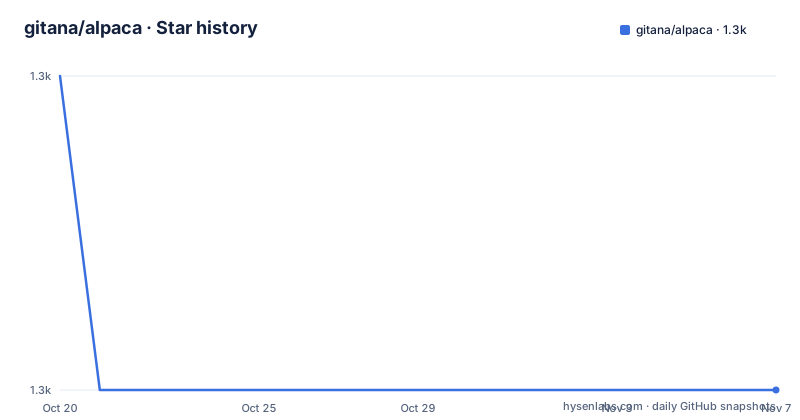
Star history
- gitana/alpaca1,301 ★ · -1
| Repository | 2026-10-20 | 2026-11-07 |
|---|---|---|
| gitana/alpaca | 1.3k | 1.3k |
-1 Stars in the last 18 days, measured from the daily GitHub snapshot. Compare with other projects
Editorial analysis
One schema, three ways of rendering it
The design idea behind Alpaca is that a form should be designed once and then work across devices and UI engines without the work being done twice. That is exactly what the demonstration pages show. A single registration form is published three times, once with Twitter Bootstrap, once as plain HTML5, and once loaded through AMD with RequireJS, and each version is the same form definition rendered by a different engine. The machinery is two pieces. JSON Schema describes the data, and Handlebars templates turn that description into markup, with the templates and the field implementations forming an extensible framework for controls, wizards, layouts, internationalisation bundles and a custom data persistence layer. The project describes itself as a way to generate interactive forms for web and mobile devices, running simply as HTML5 or more elaborately with Bootstrap, and the audience is back end services that need a front end form without a front end team writing one by hand.
The build is esbuild and precompiled templates
The current build system is worth knowing because it explains what the project is in 2026. The `package.json` names the package `alpaca` at version 2.0.1 and the entry point is `dist/alpaca/bootstrap/alpaca.js`. The build script lives in `scripts/build.mjs` and the ordered list of source files in `scripts/sources.mjs`, and the `build` script runs that one file. Handlebars templates are precompiled and the JavaScript and CSS are minified with esbuild, and the documentation claims the result lands in `dist/alpaca`, the directory that gets published, in well under a second. The rest of the scripts show the shape of the project. There is a watch mode, a dev script, a bench script, a docs script that runs jsdoc over `src/js`, a lint script that runs jshint over `src/js`, and a site script that installs site dependencies, builds, and then runs Eleventy. Tests run the build first and then vitest, with jsdom available for DOM testing, and the repository also carries a `site/` directory, a `config/` directory and a `thirdparty/` directory.
Cloning, installing and building takes three commands
The documentation deliberately does not cover how to get the source, and instead points you at learning Git and GitHub, but the command it gives is the standard one:
git clone https://github.com/gitana/alpaca.gitAfter that, everything runs on Node.js 20 or later. The dependencies install with:
npm installAnd the build is:
npm run buildThose three lines are the whole setup, and the absence of any server, database or configuration step is the point: Alpaca is a browser side library you bundle or load from a CDN, not a service. The development dependencies are deliberately modern, with Eleventy for the site, esbuild for bundling, Handlebars, jQuery at 3.7.1, jsdoc, jsdom, jshint and vitest, and the package publishes `dist/alpaca`, `src`, `thirdparty`, the licence and the readme, so consumers get both the built distribution and the sources.
Extensibility is the reason to pick this over a hand written form
The list of things you can replace is what separates Alpaca from a plain schema to HTML generator. The documentation describes it as designed to be very extensible, allowing you to plug in new field implementations, DOM layouts, callbacks, CSS classes, I18N bundles and much more, and it integrates naturally to HTTP service backends through a connector layer. In practice that means a team can ship a field type that matches their own data model, restyle a layout without touching the schema, hook callbacks into the lifecycle of a field, and point the form at their own API through the connector rather than hard coding a URL. The project positions itself for consultants and organisations that want a form engine they can grow into for current and future projects, and the sponsor section points at Cloud CMS, an API-first content management platform, as the natural back end for form design, capture and reporting.
The CDN layout is fixed and versioned in the path
Distribution has moved to a free CDN through jsDelivr, and the path structure is part of the contract, because a consumer has to name the exact file. The documented example is:
https://cdn.jsdelivr.net/npm/alpaca@<version>/dist/alpaca/bootstrap/alpaca.min.js
https://cdn.jsdelivr.net/npm/alpaca@<version>/dist/alpaca/bootstrap/alpaca.min.css
The version placeholder is filled in the way you would expect, and the documentation gives 1.5.26 as the example value. So a page that loads Alpaca from the CDN pins a specific published version in the URL, and the path tells you which rendering you get: the `bootstrap` directory is the Bootstrap flavoured build, and the package manifest confirms that the Bootstrap build is the default entry point. Everything else in the repository, the `site/` directory and the Eleventy based site script, exists to publish the documentation and the interactive examples that the community is invited to use.
Three version numbers, and they do not obviously agree
Here is the part that catches a new adopter out. The GitHub releases list in the project metadata shows 1.1.3 from 2014-05-15, 1.1.2 from 2014-03-17 and 1.1.1 from 2013-08-18. The package manifest, however, says version 2.0.1, and the CDN example refers to 1.5.26. So the tagged releases, the published package and the documentation example are three different points on the same line, and the release page is clearly not a complete record of what has been published. Read that as a fact about how to depend on the library rather than as a judgement: the npm package is the artefact to pin, and the version in the manifest is the one that will be installed. On the question of whether the project is still worked on, the file dates answer it better than the release list does, with the last push to the repository on 2026-10-12 and a build pipeline, a test suite and a site generator that are all being maintained.
The licence is permissive, the support is commercial
The project states that it is open source under the Apache 2.0 licence, and the manifest agrees, with `license: Apache-2.0` and a `license.txt` in the published files. The community section is direct about what that means in practice, saying that everything is out in the open so you are free to do whatever you please with Alpaca, and the fork section is even blunter, inviting you to fork it, use it in your projects and make money from it. What sits alongside that is a commercial layer. The project offers paid support for development and production environments with a service level agreement for priority response and bug fixes, and the documentation points out that Cloud CMS and its partners provide developer assistance. The README also states that the project started in 2010 and has grown since, and that a number of customers contribute code and receive support. In other words, the code is free and the guarantee is not.
Editorial conclusion
Alpaca suits a team that already describes its entities as JSON Schema and wants a form layer generated from that description rather than hand written, especially a team with an internal platform team willing to maintain custom field types. It is a poor fit for a project that has committed to a modern framework, because Alpaca sits on jQuery and the last listed GitHub release is from 2014, and it is a poor fit if you need a maintained issue tracker, since the documented way to get a bug fixed is a GitHub issue or a paid support contract with the sponsor. Before you adopt it, check three things: which version you are actually taking, since the manifest says 2.0.1 while the release list stops at 1.1.3 from 2014-05-15, whether the CDN path you plan to use matches the version you tested, and how much of the rendering you intend to replace with your own field implementations.
Frequently asked questions
What is Alpaca and what does it generate?
Alpaca is a JavaScript form engine that takes a JSON Schema and Handlebars templates and renders an interactive form, either as plain HTML5 or with Bootstrap. The same registration form is published three ways in the documentation, with Bootstrap, as plain HTML5 and through AMD with RequireJS.
How do I build Alpaca from source?
Clone the repository with `git clone https://github.com/gitana/alpaca.git`, then run `npm install` and `npm run build` on Node.js 20 or later. The build script lives in `scripts/build.mjs`, precompiles the Handlebars templates, minifies with esbuild and outputs to `dist/alpaca`.
Can I load Alpaca from a CDN?
Yes. Distribution is through jsDelivr, for example `https://cdn.jsdelivr.net/npm/alpaca@<version>/dist/alpaca/bootstrap/alpaca.min.js` with the matching stylesheet in the same directory. The version is part of the path, so it is pinned in the URL.
Can I add my own field types to Alpaca?
That is the point of the extensibility layer. The documentation describes plugging in new field implementations, DOM layouts, callbacks, CSS classes and I18N bundles, plus a connector layer for talking to HTTP service back ends.
Which jQuery version does Alpaca need?
The latest release is stated to be compatible with jQuery 1.9.1 and up, and the development dependencies pin jQuery 3.7.1. The project says it aims to support the latest versions of its third party dependencies, and recommends falling back to an earlier Alpaca version when that is not possible.
Official sources
Add this badge to your README
If you maintain this project, the badge below links readers to this analysis and shows its maintenance status from the daily GitHub snapshot. Paste the markdown into your README; add ?metric=license or ?metric=stars to the image URL for a different field.

[](https://hysenlabs.com/projects/gitana-alpaca)Star history chart for your README
[](https://hysenlabs.com/projects/gitana-alpaca)Was this useful?